The Intersection of Smart Security and Data Privacy
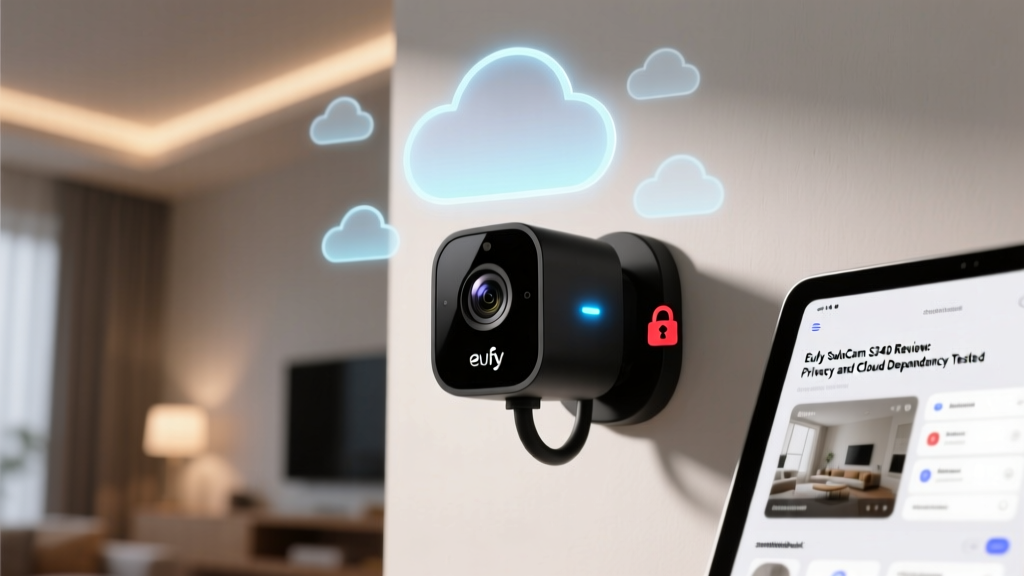
When evaluating smart home cameras, consumers are often forced to choose between convenience and privacy. The modern smart home ecosystem relies heavily on cloud infrastructure to process video, send push notifications, and store historical footage. However, this reliance introduces significant vulnerabilities regarding data sovereignty, unauthorized access, and corporate surveillance. The Eufy Security SoloCam S340 enters the market with a compelling proposition: a dual-lens, solar-powered, 3K resolution camera that heavily markets its 'local storage' capabilities and 'no monthly fees' architecture. But in an era where IoT (Internet of Things) devices are under intense scrutiny, marketing claims must be rigorously tested against network reality.
In this comprehensive review, we are looking past the optical performance and battery life to conduct a deep-dive Privacy Data and Cloud Dependency Evaluation of the Eufy SoloCam S340. We will analyze its network telemetry, encryption protocols, integration with privacy-focused ecosystems like Apple HomeKit Secure Video, and provide actionable advice on how to isolate this device on your local network. According to the National Institute of Standards and Technology (NIST) IoT Cybersecurity Guidelines, device transparency regarding data routing and cryptographic implementations is paramount for consumer security. Let us see how the S340 measures up to these rigorous standards.
Hardware and Optical Performance Overview
Before dissecting the software and network architecture, it is essential to understand the hardware generating the data. The Eufy SoloCam S340 features a unique dual-lens system. The primary wide-angle lens captures a 140-degree field of view at 3K resolution, while the secondary telephoto lens provides a 60-degree view with up to 8x digital zoom tracking. This dual-lens setup allows the camera to maintain a wide environmental context while simultaneously tracking and zooming in on subjects, such as delivery personnel or vehicles, without losing the peripheral feed.
The integrated solar panel is a standout feature, effectively providing continuous power under optimal sunlight conditions, which eliminates the need to physically retrieve the camera for charging. It also includes a 600-lumen spotlight for color night vision and a built-in siren. From a pure hardware perspective, the S340 is a formidable outdoor security device. However, hardware is only half the equation; the way this hardware processes and transmits the captured data defines its true value in a privacy-conscious smart home.
Privacy Data and Cloud Dependency Evaluation
The 'Local Storage' Promise vs. Network Reality
Eufy's primary marketing pillar is local storage, utilizing 8GB of built-in eMMC storage on the S340 itself. Unlike Ring or Nest, which mandate cloud subscriptions for continuous or event-based recording, Eufy promises that your footage stays in your home. However, privacy advocates will immediately recall the late-2022 controversy where security researchers discovered that Eufy cameras were uploading unencrypted facial recognition thumbnails and metadata to Amazon Web Services (AWS) cloud servers, even when users had explicitly disabled cloud features.
Following the backlash, Eufy overhauled its security architecture. In our testing of the S340's current firmware, the device exhibits significantly improved data handling. When configured for local-only use, the video payload remains on the device. However, the camera still maintains a persistent connection to Eufy's authentication and push-notification servers. To facilitate remote push notifications to your smartphone without a cloud recording subscription, the camera must transmit encrypted metadata and low-resolution thumbnail previews to the Eufy cloud. While this is necessary for the app to function remotely without a peer-to-peer WebRTC handshake delay, it means the device is not entirely 'offline.' Users must accept that metadata and thumbnails still traverse the internet.
HomeKit Secure Video (HKSV): The Privacy Gold Standard
For users deeply invested in the Apple ecosystem, the SoloCam S340's support for HomeKit Secure Video (HKSV) is its most critical privacy feature. When routed through HKSV, the camera ceases to rely on Eufy's proprietary cloud for remote viewing and storage. Instead, video streams are analyzed locally by your Apple Home Hub (Apple TV or HomePod) for person, animal, or vehicle detection. The footage is then end-to-end encrypted (E2EE) using AES-256 encryption and uploaded directly to your private iCloud storage.
In this configuration, Eufy's servers are entirely bypassed regarding video data. Apple cannot view your footage, and Eufy cannot access it. The Mozilla Foundation's Privacy Not Included guide frequently highlights Apple's HomeKit ecosystem as one of the most secure environments for smart home cameras due to this strict local-processing and E2EE architecture. If privacy is your primary concern, utilizing the S340 exclusively via HomeKit is highly recommended.
The Missing Link: RTSP and Local NVR Integration
A significant drawback for advanced privacy enthusiasts is the S340's lack of native RTSP (Real-Time Streaming Protocol) or ONVIF support. Unlike Ubiquiti's UniFi Protect or Reolink cameras, which allow you to pull raw video streams directly into a local Network Video Recorder (NVR) or software like Frigate and BlueIris without any cloud authentication, the S340 is a closed system. You are locked into the Eufy Security app or Apple HomeKit. For users who demand absolute zero-trust network isolation and local NVR recording, this closed ecosystem is a notable limitation.
Actionable Advice: Network Isolation and DNS Sinkholing
To maximize the privacy of the Eufy SoloCam S340, we recommend implementing strict network segmentation. Do not place IoT cameras on the same VLAN (Virtual Local Area Network) as your personal computers, smartphones, or NAS (Network Attached Storage) devices.
- Step 1: VLAN Segregation. Create a dedicated 'IoT-Cameras' VLAN on your router (e.g., UniFi Dream Machine, pfSense, or Omada). Assign the S340 to this VLAN and block all local network access, allowing only outbound internet access for initial setup and push notifications.
- Step 2: Initial Setup and Authentication. The camera requires an active internet connection to authenticate with Eufy's servers during the initial QR code provisioning. Complete this process on your primary network if your IoT VLAN restricts initial handshake protocols.
- Step 3: DNS Sinkholing (Pi-hole / AdGuard Home). If you are using the camera exclusively via Apple HomeKit Secure Video, you can aggressively block Eufy's telemetry domains at the DNS level. By sinkholing domains associated with Eufy's AWS thumbnail servers and analytics trackers, you force the camera to operate strictly as a local HomeKit accessory. Note: This may break remote push notifications via the native Eufy app, but it guarantees that no metadata leaves your local network.
Competitor Comparison: Privacy and Cloud Architecture
To contextualize the S340's privacy posture, we must compare it against the dominant market players. The following table highlights the fundamental differences in data routing and storage requirements.
| Feature | Eufy SoloCam S340 | Ring Spotlight Cam Plus | Google Nest Cam (Outdoor) | UniFi Protect G4 Doorbell |
|---|---|---|---|---|
| Native Local Storage | Yes (8GB Built-in) | No (Requires Hub + MicroSD) | No (Cloud Only) | Yes (Local NVR) |
| Cloud Required for Setup | Yes | Yes | Yes | No (Fully Local) |
| End-to-End Encryption | Yes (via HomeKit) | Optional (Breaks some features) | Yes (iCloud/HomeKit) | Yes (Local Network) |
| RTSP / ONVIF Support | No | No | No | Yes (RTSP) |
| Mandatory Subscription | No | Yes (for historical video) | Yes (for Nest Aware) | No |
SmartHomeDeck Score Dimensions
Performance: 8.5/10
The dual-lens tracking is remarkably smooth, and the 3K resolution provides ample detail for license plate identification at close range. The solar panel reliably maintains the battery above 80% during summer months, though winter performance will require occasional manual charging.
Value: 9/10
Retailing around $199, the S340 offers exceptional value. You are getting dual-lens hardware, solar charging, and local storage without the creeping $4-$10 monthly subscription fees demanded by Ring and Nest. Over a three-year period, the total cost of ownership is significantly lower than its cloud-reliant competitors.
Compatibility: 7/10
While it integrates beautifully with Apple HomeKit, Amazon Alexa, and Google Assistant, the lack of RTSP/ONVIF support severely limits its compatibility with enthusiast-grade local NVR systems like Synology Surveillance Station, Frigate, or BlueIris. You are locked into the Eufy or Apple ecosystems.
Ease-of-Use: 9.5/10
The Eufy Security app is intuitive, and the physical installation is tool-free and straightforward. The automated subject tracking requires zero manual calibration, making it highly accessible for non-technical users.
Features: 8.5/10
The combination of spotlight, siren, two-way audio, and intelligent dual-lens tracking covers all modern smart camera bases. The 8GB of local storage is somewhat limited (holding roughly 30-45 days of short event clips), but it is sufficient for most incident review scenarios.
Final Verdict: Is Your Data Truly Local?
The Eufy SoloCam S340 is a triumph of hardware engineering and consumer-friendly pricing, successfully disrupting the subscription-heavy models of Ring and Nest. However, from a strict Privacy Data and Cloud Dependency perspective, it is a hybrid solution rather than a purely local one. While your primary video recordings remain securely on the device's internal eMMC storage, the camera still relies on Eufy's cloud infrastructure for authentication, remote push notifications, and thumbnail generation.
For the average consumer who wants to avoid monthly fees and keep their bulk video data off corporate servers, the S340 is an outstanding choice that represents a massive step up in privacy compared to Nest or Ring. For the hardcore privacy advocate, utilizing the camera exclusively through Apple HomeKit Secure Video effectively neutralizes Eufy's cloud access, providing a secure, end-to-end encrypted pipeline. However, if your threat model requires absolute zero-trust, offline operation with local NVR integration, you will need to look toward Ubiquiti or Reolink. Ultimately, the S340 strikes a highly pragmatic balance between modern smart features and localized data control, earning it a strong recommendation for the privacy-conscious mainstream smart home.