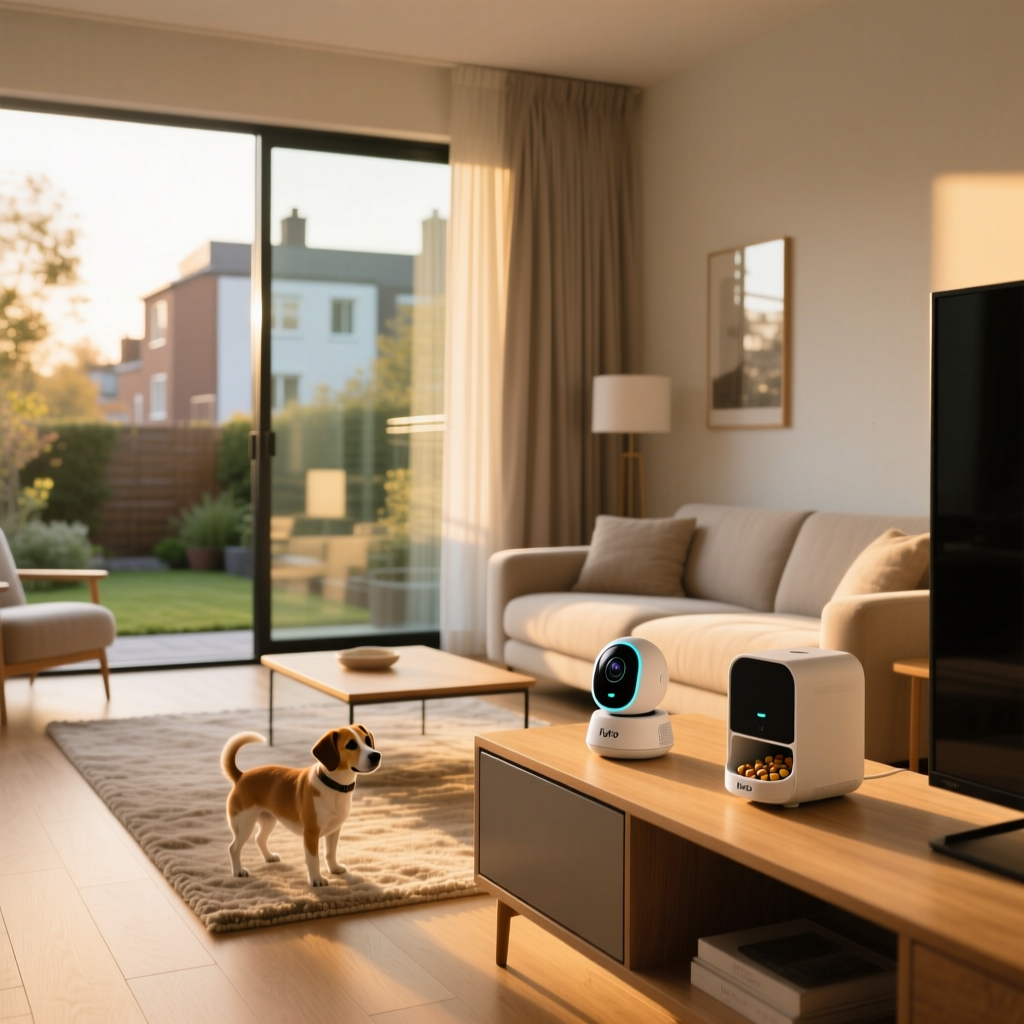
Leaving your dog at home alone can be a stressful experience for both you and your furry companion. Separation anxiety, destructive behavior, and general boredom are common issues that pet parents face when heading to the office or running errands. To bridge the gap between you and your pet, the market has seen an influx of smart pet monitors, but few have garnered as much attention as the Furbo lineup. In this comprehensive Furbo 360 Dog Camera and Treat Tosser review, we dive deep into the current iteration of this popular device to see if its 360-degree rotating view, advanced AI features, and interactive treat-tossing capabilities justify its premium price tag.
Whether you are upgrading from the original Furbo model or shopping for the first time, understanding how this device integrates into your daily routine and your broader smart home setup is crucial. We have tested the Furbo 360 extensively in real-world environments, evaluating its video quality, audio clarity, treat-dispensing mechanics, and software reliability. If you are currently comparing options on our list of the best pet cameras, this detailed breakdown will help you make an informed decision.
Product Overview: The Evolution of Pet Monitoring
The Furbo 360 represents a significant leap forward from traditional fixed-lens pet cameras. While standard pet cameras offer a static view of a single room corner, the Furbo 360 utilizes a motorized rotating base that provides a full 360-degree panoramic view of your space. This means you can follow your dog as they move around the room, ensuring they are always in your line of sight. The camera itself boasts 1080p Full HD resolution, a 4x digital zoom, and enhanced night vision, ensuring that you can check in on your pet regardless of the lighting conditions.
Beyond mere observation, the Furbo 360 is designed for active interaction. The built-in treat tosser allows you to reward your pet, play games, and alleviate boredom directly from your smartphone. Coupled with two-way audio, barking alerts, and a suite of AI-driven smart notifications, the device aims to be a comprehensive pet-care hub rather than just a passive security camera. However, with a higher price point and an optional subscription model for advanced features, prospective buyers need to weigh the benefits against the ongoing costs.
Design and Build Quality
Aesthetically, the Furbo 360 maintains the brand's signature look while adapting to its new mechanical requirements. The device features a sleek, cylindrical body topped with a bamboo-finish lid that doubles as the treat reservoir cover. The white plastic base houses the motorized rotation mechanism, and the overall footprint is compact enough to sit unobtrusively on a shelf, table, or countertop. The non-slip rubberized bottom ensures that the device stays firmly in place, even when the internal motor is panning the camera or when an excited dog bumps into the furniture.
The treat reservoir is located at the top of the unit and can hold approximately one cup of dry treats. The manufacturer specifies that treats should be no larger than 0.4 inches in diameter to prevent jamming. The loading mechanism is straightforward: simply unscrew the bamboo lid, pour in the treats, and replace the cover. The internal dispensing mechanism uses a gentle tossing action, projecting treats up to several feet away from the device to encourage your dog to move and play.
Build quality is generally robust, feeling premium and well-constructed. The bamboo top adds a touch of warmth that helps the device blend into modern home decor, avoiding the sterile, industrial look of many traditional security cameras. However, because the device relies on a moving base, it is strictly designed for indoor use on flat, stable surfaces and is not meant to be wall-mounted.
Features and Performance: Camera, Audio, and AI
Video Quality and 360-Degree Panning
The 1080p HD camera delivers crisp, vibrant footage during the day. Colors are accurate, and the wide-angle lens ensures that even when the camera is stationary, a large portion of the room is visible. The standout feature, however, is the 360-degree panning. Using the companion app, you can swipe left or right to rotate the camera smoothly. The motor is surprisingly quiet, which is essential so as not to startle noise-sensitive pets. For subscribers to the Furbo Dog Nanny service, the camera also offers an auto-tracking feature that automatically follows your dog as they move across the room, keeping them centered in the frame.
Night vision relies on infrared LEDs, providing a clear black-and-white image in low-light conditions. While it won't replace a dedicated high-end security camera for identifying intruders in pitch blackness, it is more than sufficient for checking if your dog is sleeping soundly in their crate or on their bed.
Audio and Two-Way Communication
The Furbo 360 is equipped with a sensitive microphone array and a built-in speaker. The two-way audio is clear, allowing you to speak to your pet and hear their responses. The speaker volume is adequately loud to get your dog's attention, though it can occasionally sound slightly compressed, which is typical for devices in this size category. The barking alert feature is highly accurate, utilizing sound recognition to send a push notification to your phone when your dog is barking, allowing you to intervene and calm them down remotely.
AI and Smart Alerts
Where the Furbo 360 truly attempts to differentiate itself is through its software and AI capabilities. The free tier of the app includes basic barking alerts and the ability to toss treats. However, the premium Furbo Dog Nanny subscription unlocks a suite of advanced AI features. These include 'Doggie Selfie,' which automatically captures a photo when your dog looks directly at the camera, and smart alerts for specific behaviors like vomiting, crying, or chewing on furniture. It also includes person detection, which is useful if you want to use the Furbo as a secondary home security monitor to alert you if someone enters the room while you are away.
The Treat Tossing Experience
The treat tosser is the Furbo's most iconic feature, and the 360 model handles it with refined mechanics. When you tap the treat icon in the app, the device emits a distinct chime, followed by the mechanical sound of the treat being launched. The tossing distance is impressive, often landing treats several feet away, which encourages your dog to forage and expend energy. You can choose to toss a single treat or multiple treats in rapid succession, creating a fun, interactive game.
However, the treat tosser is not without its quirks. The mechanical sound of the dispensing mechanism can be quite loud and abrupt. For confident dogs, this sound quickly becomes a positive trigger associated with receiving a reward. For timid or anxious dogs, the sudden noise can be startling. Furbo recommends a desensitization process, which involves tossing treats while you are still in the room to help your dog associate the sound with positive outcomes before you leave the house.
Jamming is another consideration. If you use treats that are too large, too sticky, or irregularly shaped, the internal mechanism can get stuck. The app will notify you if a jam is detected, and clearing it usually requires opening the reservoir and manually dislodging the offending treat. Sticking to uniform, dry, kibble-sized training treats is the best way to ensure reliable performance.
Setup Experience and App Interface
Setting up the Furbo 360 is a straightforward process that typically takes less than ten minutes. After unboxing, you plug the device into a power outlet using the included adapter and cable. Next, you download the Furbo app, create an account, and follow the on-screen prompts to connect the camera to your Wi-Fi network. It is important to note that, like many smart home devices, the Furbo 360 requires a 2.4GHz Wi-Fi network for the initial setup and ongoing connectivity. If you have a mesh router that combines 2.4GHz and 5GHz bands, you may need to temporarily separate them or use the app's alternative Bluetooth-assisted pairing method.
The Furbo app interface is intuitive and visually appealing. The live stream loads quickly, and the controls for panning, zooming, and tossing treats are prominently displayed on the home screen. The app also includes a dedicated media gallery where all your Doggie Selfies and recorded clips are stored. Navigation between multiple Furbo devices (if you have one in the living room and another in the bedroom) is seamless, allowing you to switch views with a single tap.
Ecosystem Compatibility and Smart Home Integration
When it comes to broader smart home integration, the Furbo 360 has some limitations that buyers should be aware of. The device natively supports Amazon Alexa. If you have an Echo Show or a Fire TV, you can use voice commands to ask Alexa to display the Furbo's live feed on your screen. This is a fantastic feature for checking in on your pet from the kitchen or living room without needing to pull out your smartphone.
However, native support for Apple HomeKit and Google Home is notably absent. You cannot directly cast the Furbo 360 feed to a Google Nest Hub or integrate it into Apple Home routines without relying on third-party workarounds or specific smart home hubs that support RTSP streaming bridges. For users heavily invested in the Apple or Google ecosystems, this lack of native integration can be a frustrating omission. If seamless ecosystem integration is a top priority for you, we recommend consulting our smart home ecosystems guide to explore alternative cameras that offer native HomeKit or Google Home support.
Pros and Cons
To help you quickly weigh the advantages and disadvantages of the Furbo 360, we have compiled a list of its most notable pros & cons based on our extensive testing.
- Pros:
- Full 360-degree panning provides complete room coverage.
- 1080p HD video with reliable night vision and 4x zoom.
- Interactive treat tosser with excellent range and capacity.
- Highly accurate barking alerts and two-way audio.
- Advanced AI features (via subscription) like vomiting and person detection.
- Aesthetically pleasing design with a bamboo accent.
- Cons:
- Premium price point compared to standard fixed-lens pet cameras.
- Many of the best AI features require a monthly Furbo Dog Nanny subscription.
- Lack of native Apple HomeKit and Google Home integration.
- Treat tossing mechanism can be loud and potentially startle timid dogs.
- Requires 2.4GHz Wi-Fi, which can complicate setup on modern mesh networks.
SmartHomeDeck Score
At SmartHomeDeck, we evaluate products across five core dimensions to provide a holistic view of their performance and value. The Furbo 360 scores exceptionally well in features and design, though its value proposition is slightly impacted by the ongoing subscription costs and ecosystem limitations.
Design (8.5/10): The cylindrical shape and bamboo top look great in modern homes, and the rotating base is engineered smoothly.
Features (9.0/10): Between the 360-degree view, treat tosser, and AI alerts, it is packed with utility.
Performance (8.5/10): Video and audio are reliable, though the loud treat mechanism and occasional Wi-Fi setup hiccups deduct minor points.
Value (7.5/10): The hardware is premium, but requiring a subscription for auto-tracking and advanced AI alerts lowers the overall value score.
Ecosystem (7.0/10): Alexa support is great, but the absence of native Google Home and Apple HomeKit integration is a missed opportunity.
Frequently Asked Questions
Does the Furbo 360 require a monthly subscription to function?
No, the Furbo 360 does not require a subscription for basic functionality. Out of the box, you can use the live 360-degree video stream, two-way audio, manual treat tossing, and basic barking alerts completely free of charge. However, to access advanced features like auto-tracking, Doggie Selfie, cloud video recording, and specialized AI alerts (such as vomiting or person detection), you will need to subscribe to the Furbo Dog Nanny service, which incurs a monthly or annual fee.
Can multiple family members use the Furbo app simultaneously?
Yes, the Furbo app supports multi-user access. The primary account holder can invite family members or pet sitters to share access to the camera. Multiple users can view the live stream, receive alerts, and toss treats. However, only one user can actively control the 360-degree panning or use the two-way audio at a single time to prevent conflicting inputs and audio feedback loops.
What size and type of treats work best with the tosser?
For optimal performance and to prevent jamming, Furbo recommends using dry, uniform treats that are no larger than 0.4 inches (approximately 1 cm) in diameter. Standard kibble or small, hard training treats work best. Avoid using soft, sticky, or moist treats, as they can clump together inside the dispensing mechanism and cause blockages that require manual cleaning.
Is the Furbo 360 suitable for cats?
While the Furbo 360 is marketed primarily toward dog owners, it can certainly be used for cats. The 360-degree panning is excellent for tracking feline movements, and the laser pointer feature (available on some models or via app updates) or treat tossing can engage your cat. However, you must ensure that the treats you use are small enough for the mechanism and appealing to your cat. Additionally, cats are generally less motivated by verbal praise through the two-way audio compared to dogs, so the interactive experience may vary.
Final Verdict
The Furbo 360 Dog Camera and Treat Tosser is a premium, feature-rich device that excels at keeping you connected to your pet while you are away. The 360-degree rotating base is a genuine game-changer, eliminating the blind spots inherent in traditional fixed cameras. The video quality is sharp, the audio is clear, and the treat-tossing mechanism provides a unique way to interact with and reward your dog remotely. While the lack of native Google Home and Apple HomeKit support is a notable drawback for smart home enthusiasts, and the best AI features are locked behind a paywall, the core experience is undeniably polished. If you are willing to invest in the hardware and potentially the subscription, the Furbo 360 remains one of the most engaging and comprehensive pet monitors on the market today.