Introduction: The Plug-and-Play Open Source Hub
The smart home landscape is heavily dominated by walled gardens. Proprietary ecosystems often force users to choose between seamless app experiences and true device interoperability. Enter the Home Assistant Green, a $99 dedicated hub designed by Nabu Casa to bridge this gap. Measuring just 136 x 136 x 28 mm, this fanless, aluminum-chassis device houses an Intel N100 processor, 8GB of RAM, and 32GB of eMMC storage. It is built specifically to run Home Assistant OS out of the box, eliminating the need for Raspberry Pi flashing or Docker container management.
However, hardware is only half the equation. For the modern smart home enthusiast, the true test of a hub lies in its software ecosystem. In this comprehensive review, we are focusing specifically on the App UX Features and Update Frequency of the Home Assistant Green. How does the Companion App compare to polished alternatives like Apple Home or Samsung SmartThings? Furthermore, how does the platform handle its aggressive, monthly update cadence without breaking your automations?
The Companion App UX: Power vs. Polish
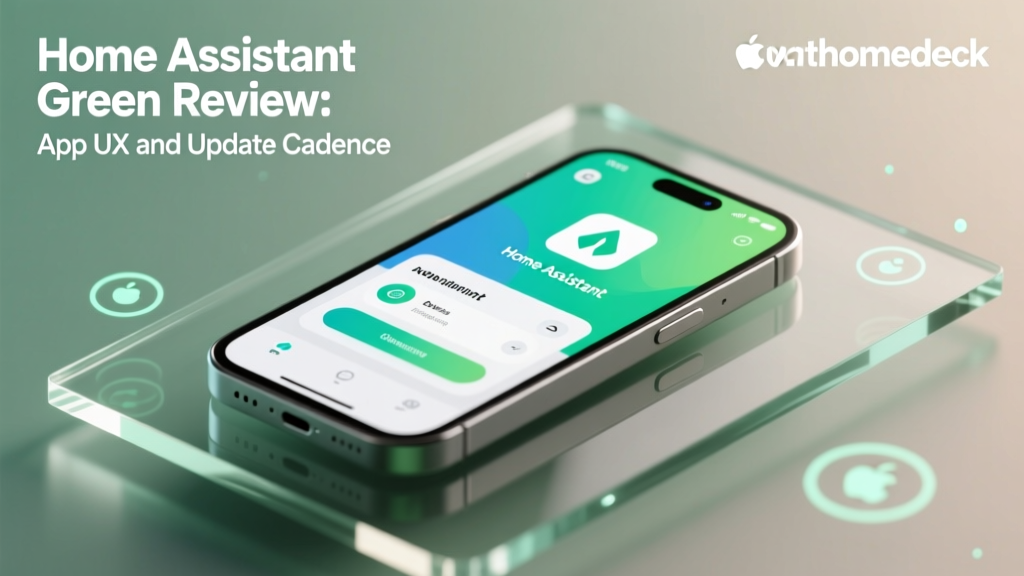
The Home Assistant Companion App (available on iOS and Android) is not a traditional native application. Instead, it functions as a highly optimized WebView wrapper for your local dashboard, combined with deep native OS hooks for sensors, notifications, and widgets. This architectural choice is a double-edged sword that defines the entire user experience.
Out-of-the-Box vs. Customized UX
When you first log into the Companion App, the default dashboard is functional but utilitarian. It lacks the glossy, animated 3D room renders found in the Apple Home app. However, the UX philosophy here is infinite customizability. Through the Visual Dashboard Editor, users can drag and drop custom UI elements like Mushroom Cards, Mini Graph Cards, and Floor Plan views. Once configured, the app renders these custom web components flawlessly on mobile devices, providing a dense, information-rich UX that proprietary apps simply cannot match.
Native Integrations and Actionable Notifications
Where the Companion App truly flexes its UX muscles is in its native OS integrations. The app can expose over 40 distinct device sensors (battery level, GPS, Wi-Fi BSSID, pedometer) directly into your Home Assistant instance for automation triggers. More importantly, the Actionable Notifications feature elevates the mobile UX from passive alerts to interactive control centers.
- Standard Alert: 'Motion detected at the front door.'
- Actionable Alert: 'Motion detected at the front door. [View Camera Feed] [Trigger Siren] [Turn on Porch Light]'
Configuring actionable notifications requires a bit of YAML scripting in your automations, but the resulting UX—allowing you to execute complex scripts directly from your lock screen without opening the app—is unparalleled in the smart home industry.
Web Dashboard: The True Command Center
While the mobile app is excellent for quick interactions and remote control via Nabu Casa's cloud tunnel, the web dashboard is where the heavy lifting occurs. The Home Assistant Green's Intel N100 processor ensures that the web interface is snappy, with dashboard rendering times averaging under 400 milliseconds on a local network.
Recent updates have vastly improved the Visual Automations Editor. Historically, Home Assistant required users to write YAML code to create automations. Today, the visual trace timeline allows users to see exactly when an automation triggered, what conditions failed, and what actions executed. This visual debugging tool drastically improves the UX for new users who are intimidated by code, bringing the platform closer to the 'ease-of-use' parity of competitors while retaining advanced logic gates (AND/OR/IF-THEN) that SmartThings users have begged for.
Update Frequency: The Monthly Core Cycle
One of the most defining characteristics of the Home Assistant ecosystem is its relentless update schedule. Unlike Apple, which ties smart home feature updates to major annual iOS releases, or Samsung, which pushes silent, undocumented backend changes to SmartThings, Home Assistant operates on a strict, predictable, and transparent cycle.
According to the official Home Assistant Release Blog, a new version of Home Assistant Core is released on the first Wednesday of every single month. This rapid iteration means that support for new devices, bug fixes, and UX improvements are delivered continuously.
The Supervisor Architecture
The Home Assistant Green utilizes the 'Supervised' architecture, which neatly separates the system into four distinct update channels:
- Home Assistant OS: The underlying Linux operating system (updates rarely, highly stable).
- Core: The smart home logic engine (updates monthly).
- Supervisor: The management API (updates as needed).
- Add-ons: Third-party software like Zigbee2MQTT or Node-RED (updates independently based on developer releases).
This modular approach to updates is a massive UX win. If a monthly Core update introduces a bug with a specific integration, you can roll back the Core in seconds without affecting your underlying OS or Add-ons.
Actionable Advice: Surviving the Monthly Update
With great update frequency comes the risk of breaking changes. Before clicking 'Install' on the monthly Core update, always follow this protocol:
Pro-Tip: Navigate to Settings > System > Backups and create a full manual backup. Download this tar file to your local machine or use the 'Home Assistant Google Drive Backup' add-on for automated off-site storage. Furthermore, read the 'Breaking Changes' section in the monthly release notes to ensure your critical YAML configurations won't be deprecated.
Market Comparison: UX and Update Cadence
To understand where the Home Assistant Green stands, we must compare its software maintenance and app store reception against major competitors. The following table breaks down the UX features and update transparency across the top three hub ecosystems.
| Feature / Metric | Home Assistant Green ($99) | Samsung SmartThings Station ($129) | Apple TV 4K ($129) |
|---|---|---|---|
| Update Frequency | Monthly (Predictable) | Sporadic / Opaque | Tied to Annual OS Releases |
| Rollback Capability | Yes (1-Click via Supervisor) | No | No (Requires full device restore) |
| Custom UI Dashboards | Yes (Unlimited via Web Components) | No (Rigid Grid Layout) | No (Rigid Room Layout) |
| Actionable Notifications | Yes (Highly Customizable) | Limited | Yes (Native but restricted) |
| Local Control Priority | 100% Local | Cloud-Dependent | Local (Hub required) |
As visualized in the chart above, Home Assistant boasts the most frequent update cycle by a wide margin. However, its App Store UX rating (averaging 4.2) slightly trails Apple Home (4.8). This discrepancy is largely due to the steep initial learning curve and the requirement for users to build their own dashboards, whereas Apple provides a polished, albeit rigid, interface out of the box.
Ecosystem Compatibility and Matter Support
The Home Assistant Green is designed to be the ultimate translation layer for your smart home. Out of the box, it supports Wi-Fi, Bluetooth, and Ethernet. To unlock Zigbee and Thread, users must plug in a USB dongle like the Home Assistant SkyConnect or Sonoff Zigbee 3.0.
Crucially, the platform has fully embraced the Matter standard championed by the Connectivity Standards Alliance (CSA). The Green can act as a Matter controller, allowing you to onboard Matter-over-Thread devices directly into your local instance without relying on external ecosystems. This future-proofs the $99 investment, ensuring that as manufacturers shift to Matter, your hub's UX and compatibility will only improve.
SmartHomeDeck Score Dimensions
- Performance (9/10): The Intel N100 chip handles complex automations, local voice assistant pipelines (Whisper/Piper), and heavy dashboard loads without breaking a sweat. Thermal throttling is non-existent thanks to the aluminum heatsink chassis.
- Value (10/10): At $99, it is cheaper than the Apple TV 4K and the Aeotec Smart Home Hub, yet offers exponentially more control and zero mandatory cloud subscriptions.
- Compatibility (9/10): With over 2,500 native integrations, plus Zigbee2MQTT and Matter support, it connects to almost anything with a circuit board. The only deduction is the lack of native Z-Wave support without an external USB dongle.
- Ease-of-Use (6/10): This is the platform's biggest hurdle. While the Visual Editors have improved the UX, new users will still need to consult community forums and YouTube tutorials to master custom dashboards and YAML-based notification scripts.
- Features (10/10): From local AI voice processing to energy monitoring dashboards and advanced presence detection, the feature set is virtually limitless.
Pros and Cons
Pros:
- Unmatched dashboard customizability and widget support.
- Predictable, monthly update cycle with 1-click rollbacks.
- 100% local processing ensures privacy and zero latency.
- Fanless, premium hardware design at an aggressive $99 price point.
- Deep native mobile OS integrations (sensors, NFC tags, Apple Watch).
Cons:
- Steeper learning curve compared to Apple Home or SmartThings.
- Requires external USB dongles for Zigbee, Thread, and Z-Wave.
- Out-of-the-box default dashboard lacks modern visual polish.
- Monthly updates require manual backup management to ensure safety.
Final Verdict
The Home Assistant Green is a masterclass in hardware-software synergy for the prosumer market. From an App UX perspective, it trades the hand-holding of proprietary ecosystems for raw, unadulterated control. The Companion App is a powerhouse of automation triggers and interactive notifications, provided you are willing to invest the time to configure it. The Visual Dashboard Editor has significantly lowered the barrier to entry, making the UX more accessible than ever before.
Regarding Update Frequency, Nabu Casa's commitment to a monthly release cycle ensures that the platform is constantly evolving, fixing bugs, and adopting new standards like Matter at a pace that legacy hubs cannot match. The modular Supervisor architecture mitigates the risks of these frequent updates, giving users the confidence to stay on the cutting edge.
If you are a user who wants a smart home that works exactly the way you dictate, and you are willing to spend a weekend learning the ropes, the Home Assistant Green is unequivocally the best hub on the market. It is not just a product; it is a commitment to the open-source smart home ideal.