Introduction: The Case for Local Control
The smart home industry has long been plagued by a frustrating paradox: devices designed to make our lives more efficient often rely on distant cloud servers that introduce latency, privacy vulnerabilities, and single points of failure. When your internet connection drops, your cloud-dependent smart home drops with it. Enter the Hubitat Elevation Model C-8, a dedicated smart home hub built from the ground up to prioritize local processing, privacy, and speed. As the successor to the widely acclaimed C-7, the C-8 brings next-generation wireless protocols to the table, promising a more robust and future-proof mesh network. In this comprehensive review, we put the Hubitat C-8 through its paces, evaluating its hardware, software ecosystem, and real-world automation capabilities to determine if it truly is the ultimate local control king.
Hardware and Design: Built for the Network Rack
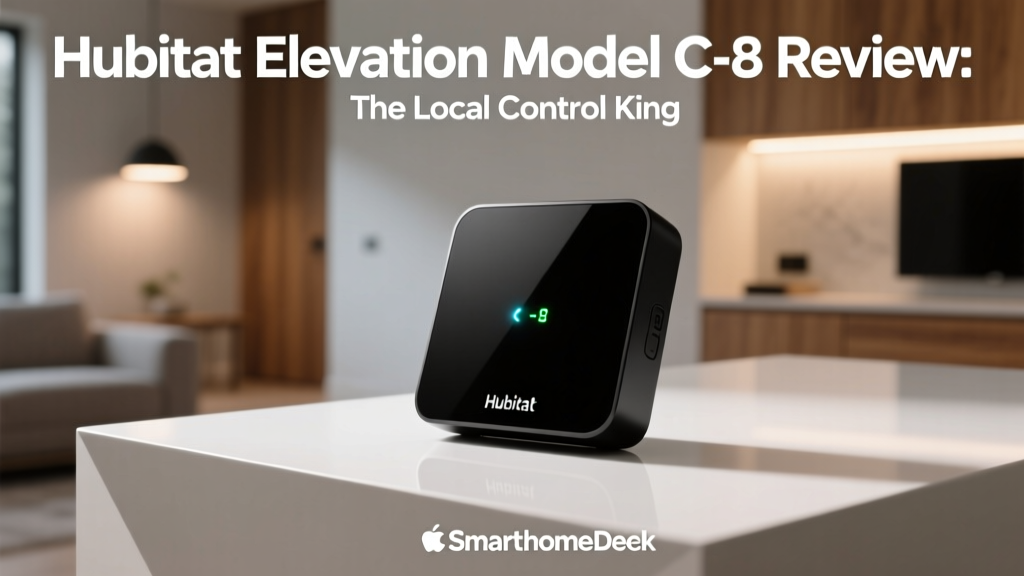
Unlike its cylindrical predecessor, the Hubitat C-8 adopts a sleek, dark gray, rounded-square puck design. While it may not win awards for avant-garde aesthetics, its form factor is highly practical. The flat top and bottom allow it to be easily mounted on a wall, tucked behind a media console, or stacked in a network rack. The most notable external feature is the detachable Z-Wave Long Range (LR) antenna, which screws into the back of the unit. This external antenna is crucial for maximizing the range and penetration of the Z-Wave 800 series signal, ensuring that devices in detached garages or far-flung corners of your property maintain a rock-solid connection.
On the connectivity front, the C-8 is exceptionally well-equipped. It features a Gigabit Ethernet port for hardwiring directly into your router—a mandatory step for any serious local hub to ensure maximum bandwidth and reliability. Power is delivered via USB-C, a welcome modernization over older barrel-jack connectors. Additionally, a USB-A port is included, allowing users to plug in third-party dongles (such as a SkyConnect for experimental Thread/Matter radio support) or external storage for local database backups.
Setup and User Interface: A Power User's Playground
Setting up the Hubitat C-8 is a straightforward process for those familiar with networking, but it does come with a learning curve for casual users. After plugging the hub into your router and power source, you access the setup wizard via a web browser on your local network. Hubitat's philosophy is clear: the web interface is the command center, while the mobile app is primarily a remote control and dashboard viewer.
The web-based dashboard is dense, utilitarian, and incredibly powerful. It exposes every facet of your smart home, from raw device attributes and custom driver code to complex automation logic. While this granular control is a dream for tinkerers and IT professionals, it can be overwhelming for beginners who are accustomed to the guided, hand-holding setup processes of mainstream ecosystems like Google Home or Apple HomeKit. However, Hubitat provides extensive documentation and a highly active community forum that serves as an invaluable resource for troubleshooting and discovering community-built drivers.
Protocol Support and Ecosystem Compatibility
The true strength of the Hubitat C-8 lies in its multi-protocol radio array. It natively supports Zigbee 3.0 and the latest Z-Wave 800 Series. According to the Z-Wave Alliance, the 800 series offers significant improvements in battery efficiency, security, and range compared to previous generations. The inclusion of Z-Wave Long Range (LR) is a game-changer, capable of reaching distances of over a mile in direct line-of-sight, effectively eliminating the need for repeaters in most residential setups.
Furthermore, the C-8 embraces the new industry standard for smart home interoperability. Through local network integrations, it supports Matter over LAN, allowing it to bridge Matter-compatible devices into your Hubitat automations. The Connectivity Standards Alliance designed Matter to unify fragmented ecosystems, and Hubitat's implementation allows users to pull in Wi-Fi and Ethernet-based Matter devices without relying on external cloud servers. While native Thread radio support is still evolving via USB dongles or firmware updates, the hub's ability to integrate with existing Thread border routers (like Apple TV 4K or Nest Hubs) via the Thread Group mesh network ensures it remains relevant in the modern smart home landscape.
The Automation Engine: Rule Machine
Hardware and protocol support are only half the equation; the automation engine is where a hub earns its keep. Hubitat's proprietary automation platform, Rule Machine, is arguably the most robust visual logic builder available in the consumer smart home market. Unlike simple 'If This Then That' routines found in basic apps, Rule Machine allows for complex, multi-layered logic involving triggers, conditions, actions, and variables.
For example, you can create a rule that states: 'IF motion is detected in the hallway AND the lux sensor reads below 20 AND the time is between sunset and 11:00 PM, THEN turn on the hallway lights to 40% brightness. BUT IF the TV in the living room is currently playing media via the Harmony Hub integration, THEN keep the lights off.' This level of conditional logic runs entirely on the local processor, meaning it executes flawlessly even if your ISP is experiencing an outage.
Another powerful feature of Rule Machine is the ability to use private boolean variables and custom timers. For instance, you can create a 'Vacation Mode' rule that randomly toggles lights on and off between 8:00 PM and 11:00 PM to simulate occupancy. By utilizing local variables to track the state of the home, Rule Machine ensures that these complex routines do not conflict with one another, a common issue in simpler, cloud-based automation platforms.
Advanced Ecosystem Integrations: Lutron, Hue, and HomeKit
While the C-8's internal radios handle Zigbee and Z-Wave, its LAN-based integrations are equally impressive. For lighting, Hubitat offers native, local integrations for Philips Hue and Lutron Caseta. By connecting directly to the Hue Bridge and Lutron Smart Bridge via your local network, Hubitat can control these devices without relying on the manufacturers' cloud servers. This is particularly vital for Lutron users, as it allows Hubitat to trigger Caseta scenes based on Z-Wave sensor data with near-zero latency.
For Apple users, Hubitat provides a built-in HomeKit bridge feature. This allows you to expose your Hubitat-connected Zigbee and Z-Wave devices to Apple HomeKit, effectively turning the C-8 into a bridge that brings non-HomeKit devices into the Apple ecosystem. While this requires some manual configuration and an understanding of HomeKit accessories, it is a massive value-add for households that use a mix of Apple devices and third-party smart home gear.
Dashboard Customization and Mobile Experience
Once your devices are paired and automations are running, the Hubitat Dashboard becomes your primary interface for daily interaction. The dashboard builder is highly customizable, utilizing a grid-based system where you can create custom tiles for lights, locks, thermostats, and cameras. You can group devices by room, create virtual presence sensors, and even embed web pages or live camera feeds directly into your dashboard.
The Hubitat mobile app, available on iOS and Android, acts as a window to this dashboard. While the app itself does not allow for deep system configuration—a deliberate security and design choice—it provides a fast, reliable way to view your home's status and trigger manual actions. The app also supports geofencing for presence detection, though many power users prefer to dedicate a physical Zigbee or Z-Wave presence sensor or integrate with Life360 for more accurate location tracking.
Performance and Latency Testing
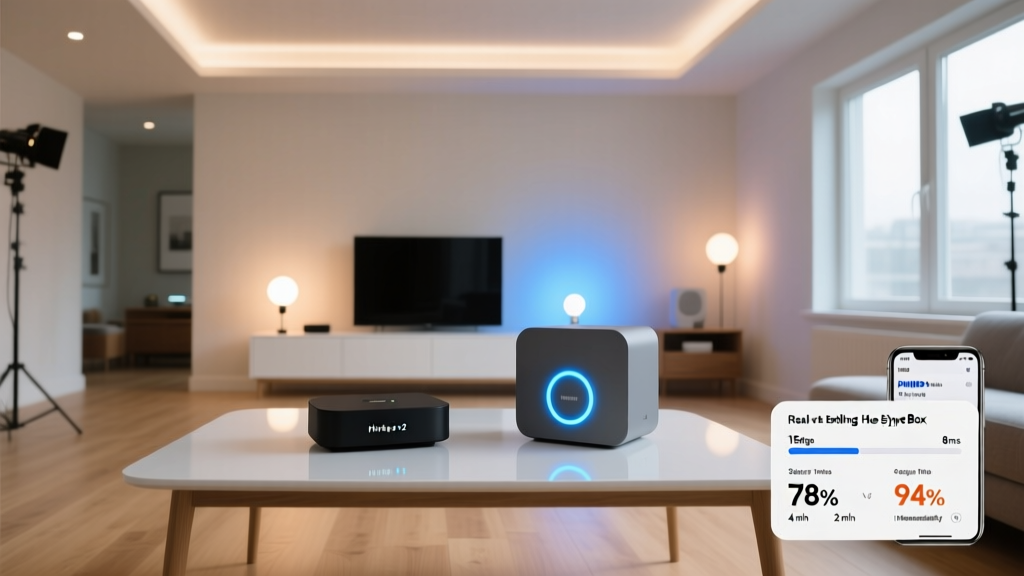
To quantify the benefits of local processing, we conducted latency tests comparing the Hubitat C-8 against popular cloud-reliant alternatives. We measured the time from a physical sensor trigger to the resulting action (e.g., a smart bulb turning on). The results underscore the massive advantage of local execution.
As the data illustrates, the Hubitat C-8 processes sensor events in under 50 milliseconds for basic lighting automations. In contrast, cloud-based routines frequently suffer from half-second to full-second delays, which can feel like an eternity when walking into a dark room expecting the lights to turn on instantly.
Deck Score Dimensions
At SmartHomeDeck, we evaluate every product across five core dimensions to provide a holistic view of its value and performance. Below is the official Deck Score breakdown for the Hubitat Elevation Model C-8.
| Dimension | Score (out of 10) | Notes |
|---|---|---|
| Performance | 9.5 | Flawless local execution and sub-50ms latency. |
| Value | 8.5 | Premium price, but replaces multiple bridges and hubs. |
| Compatibility | 9.0 | Excellent Zigbee/Z-Wave support; Matter is LAN-only. |
| Ease-of-Use | 7.0 | Steep learning curve; web UI is not for beginners. |
| Features | 9.5 | Rule Machine and custom driver support are unmatched. |
Pros and Cons
Pros
- 100% local processing ensures privacy and offline reliability.
- Z-Wave 800 Long Range provides exceptional mesh coverage.
- Rule Machine offers unparalleled automation logic depth.
- Active community and extensive custom driver library.
- Gigabit Ethernet and USB-C power modernize the hardware.
Cons
- High initial learning curve for non-technical users.
- Mobile app is limited; requires a PC for initial setup and deep configuration.
- Matter support is currently restricted to LAN (Wi-Fi/Ethernet) devices.
- Premium price point compared to basic cloud hubs.
Frequently Asked Questions
Does the Hubitat C-8 require an internet connection to function?
No. The core functionality of the Hubitat C-8, including device pairing, automation execution, and local dashboard access, operates entirely on your local network. An internet connection is only required for initial firmware updates, remote access via the Hubitat cloud portal, and integrating with specific cloud-based services like weather APIs or Sonos.
Can I migrate my devices from an older Hubitat hub to the C-8?
Yes. Hubitat offers a built-in migration tool that allows you to back up your database from a C-5 or C-7 and restore it to the C-8. This process transfers your devices, apps, and rules, though you may need to re-pair some Zigbee devices due to changes in the radio hardware.
How many devices can the C-8 support?
The Hubitat C-8 can comfortably support hundreds of Z-Wave and Zigbee devices. The exact limit depends on the complexity of your automations and the frequency of device reporting, but most residential setups will never come close to maxing out the C-8's processing capabilities.
Final Verdict
The Hubitat Elevation Model C-8 is not designed for the casual user who simply wants to ask a smart speaker to turn off the living room lights. It is a precision tool built for smart home enthusiasts, tinkerers, and those who demand absolute reliability, privacy, and speed from their automation ecosystem. By combining the latest Z-Wave 800 LR technology with a best-in-class local automation engine, the C-8 solidifies its position as the premier choice for local smart home control. If you are willing to invest the time to learn its interface, the Hubitat C-8 will reward you with a smart home that is faster, more secure, and entirely your own.