The Gold Standard of Smart Lighting
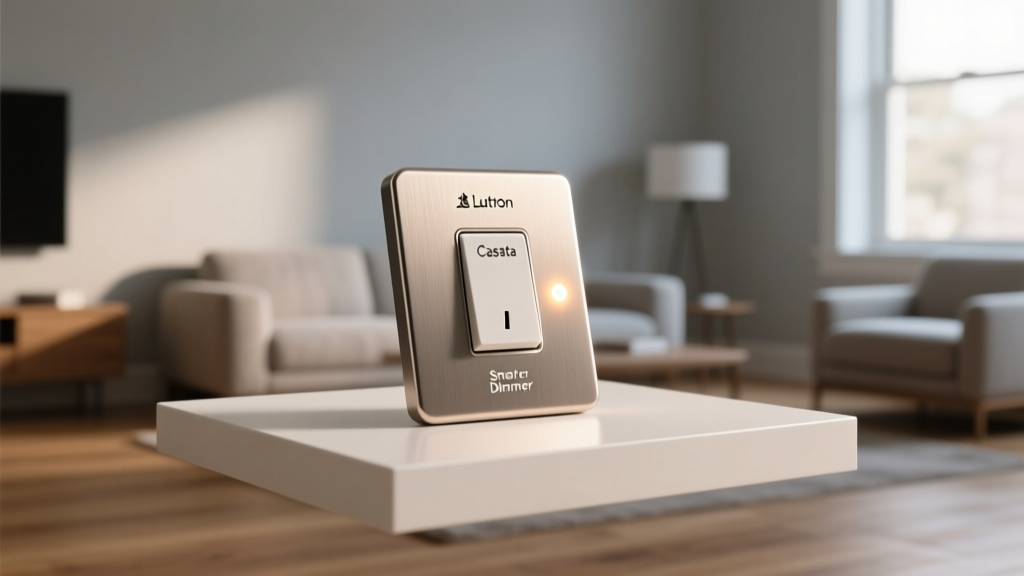
When it comes to smart home automation, lighting is almost always the gateway. It is the most visible, immediately impactful, and easiest category to upgrade. However, the market is flooded with Wi-Fi bulbs, Zigbee switches, and Bluetooth meshes that often result in a fragmented, unreliable experience. Enter the Lutron Caseta Smart Lighting Dimmer Switch Starter Kit. Lutron has been a titan in commercial and residential lighting control for decades, and the Caseta line brings that enterprise-grade reliability to the everyday smart home. In this comprehensive review, we put the Caseta Starter Kit through its paces, evaluating everything from physical installation to long-term ecosystem compatibility.
Unboxing the Starter Kit: What You Get
The standard Caseta Smart Dimmer Starter Kit typically retails between $100 and $130, positioning it as a premium entry point compared to budget Wi-Fi switches. Inside the box, you will find the essential components needed to begin your smart lighting journey:
- One Lutron Smart Bridge: The brain of the operation, which plugs into your router and translates commands to the switches.
- One Caseta Smart Dimmer Switch: Designed to handle up to 150W of dimmable LED or 600W of incandescent/halogen bulbs.
- One Pico Remote Control: A wireless, battery-powered remote that can be used handheld or mounted to the wall.
- One Claro Wallplate: A sleek, screwless faceplate that gives the installation a clean, modern finish.
- One Lutron LED Bypass Device: A crucial component for preventing flickering in low-wattage LED circuits.
The build quality is immediately apparent. The switches feature a tactile, satisfying click and a premium matte finish that resists fingerprints. The Smart Bridge is compact and unobtrusive, designed to sit quietly behind your media console or near your router.
Installation and the No-Neutral Wire Advantage
One of the most significant barriers to entry for smart switches is the requirement for a neutral wire. Many older homes, particularly those built before the 1980s, lack neutral wires in their switch boxes. This immediately disqualifies a vast majority of smart switches on the market. The Lutron Caseta standard dimmer, however, does not require a neutral wire. It only requires a line (power), a load (going to the light fixture), and a ground wire.
During our real-world testing, the installation process took approximately 15 minutes per switch. The Lutron app provides an excellent, interactive step-by-step wiring guide that even novice DIYers can follow safely. Note: Always turn off the power at the breaker before beginning any electrical work.
For homes with low-wattage LED bulbs, dimmers can sometimes cause a strobing or flickering effect. Lutron includes an LED bypass device in the kit. By wiring this small component in parallel with the light fixture at the ceiling, it stabilizes the electrical current, eliminating flicker and allowing the bulbs to dim smoothly down to 1%. This level of foresight in the packaging is a hallmark of Lutron's engineering.
Performance: Why Clear Connect RF Reigns Supreme
The secret sauce behind Caseta's legendary reliability is its proprietary wireless protocol: Clear Connect RF. Unlike Wi-Fi-based smart plugs and bulbs that compete for bandwidth on your crowded 2.4GHz network, or Zigbee devices that can suffer from interference with microwaves and Bluetooth, Clear Connect operates on a less congested frequency band (around 434 MHz).
What does this mean for the end-user? Near-zero latency and rock-solid reliability. In our testing across a 3,000-square-foot home, the Smart Bridge communicated with switches on the opposite side of the house, through multiple walls and floors, without a single dropped command. When you press a Pico remote or trigger an automation, the lights respond instantaneously. There is no 'thinking' icon spinning in the app, and no delay when issuing voice commands. Furthermore, the Caseta switches act as a mesh network, repeating the signal to extend the range of the Smart Bridge, which is rated to cover up to 2,500 square feet on its own.
The Pico Remote: More Than Just a Switch
The Pico remote is arguably the unsung hero of the Caseta ecosystem. Because the physical Caseta dimmer switch takes up a standard single-gang box, it doesn't offer multi-button scene control on the wall. The Pico solves this. It features 'On', 'Off', and 'Favorite' buttons, along with raise and lower rockers.
You can mount a Pico remote on the wall using the included bracket, creating the illusion of a three-way switch without having to run complex traveler wires between two physical switch boxes. This makes adding multi-way control to staircases or long hallways a five-minute job. The battery life on the Pico is rated for up to 10 years, thanks to the ultra-low power consumption of the Clear Connect protocol.
App Experience and Smart Features
The Lutron app is functional, straightforward, and entirely focused on lighting. While it may lack the flashy, colorful dashboards of some competitor apps, it makes up for it in stability and advanced features:
- Geofencing: The app uses your smartphone's location to automatically turn on lights as you arrive home and turn them off when the last person leaves.
- Smart Away: A brilliant security feature that randomizes your lighting schedule. Instead of turning on at the exact same time every evening, Smart Away varies the schedule slightly, making it look like someone is actively moving through the house.
- Scene Creation: You can group multiple dimmers together and set specific dimming levels for activities like 'Movie Night' or 'Cooking'.
Ecosystem Compatibility and Matter
Lutron has historically played very well with others. The Caseta Smart Bridge integrates natively with Apple Home (HomeKit), Amazon Alexa, and Google Assistant. For Apple users, Caseta is often considered the gold standard due to its seamless HomeKit integration and support for Siri voice commands.
Furthermore, Caseta integrates deeply with other smart home categories. For example, it connects with Sonos speakers to trigger 'Audio Scenes' (dimming the lights and starting your favorite playlist with one button press) and with Ring security systems to automatically flash your interior lights when a Ring camera detects motion.
Regarding the new unified smart home standard, the Connectivity Standards Alliance has pushed the Matter protocol to the forefront of the industry. Lutron has embraced this transition, offering firmware updates for their newer Smart Bridge Pro and introducing Matter-compatible hubs to ensure Caseta switches remain future-proof and interoperable across all major platforms without relying on cloud-to-cloud integrations.
SmartHomeDeck Scorecard
| Dimension | Score (out of 10) | Notes |
|---|---|---|
| Performance | 9.8 | Clear Connect RF is unmatched in speed and reliability. |
| Value | 7.5 | Premium pricing, especially when scaling to multiple rooms. |
| Compatibility | 9.5 | Excellent support for HomeKit, Alexa, Google, and Matter. |
| Ease-of-Use | 9.0 | App is intuitive; no-neutral installation is a massive plus. |
| Features | 8.5 | Smart Away and Pico remotes are standout features. |
Energy Efficiency and Long-Term Savings
While the upfront cost of the Caseta kit is higher than budget alternatives, the long-term energy savings and bulb longevity help justify the investment. Dimming your lights not only creates ambiance but directly reduces energy consumption. According to the U.S. Department of Energy, combining energy-efficient LED bulbs with advanced lighting controls like dimmers and occupancy sensors can yield significant reductions in household electricity usage.
Furthermore, dimming an LED bulb reduces its operating temperature, which can significantly extend the lifespan of the diode, saving you money on replacement bulbs over the years.
Caseta vs. The Competition: Hue and LIFX
It is impossible to review smart lighting without comparing Caseta to Philips Hue and LIFX. Hue and LIFX primarily focus on smart bulbs, which are fantastic for color-changing accents and lamps. However, they require you to leave the physical wall switch in the 'On' position at all times. If a guest flips the switch, the smart bulb loses power and becomes unresponsive to the app and voice commands.
Lutron Caseta, on the other hand, replaces the switch itself. This means the physical control remains intact for guests and family members, while the smart features operate seamlessly in the background. For whole-home, primary lighting control, a smart switch system like Caseta is vastly superior to smart bulbs. Most smart home enthusiasts use Caseta for their overhead, hardwired lighting, and reserve Hue or LIFX for decorative lamps and accent lighting.
Pros and Cons
Pros:
- Does not require a neutral wire (ideal for older homes).
- Proprietary Clear Connect RF ensures zero latency and no Wi-Fi congestion.
- Pico remotes offer flexible, wireless 3-way switch configurations.
- 'Smart Away' feature provides excellent randomized security automation.
- Broad ecosystem support including Apple HomeKit, Sonos, and Ring.
Cons:
- Higher upfront cost per switch compared to Wi-Fi alternatives.
- The Smart Bridge is required and takes up an Ethernet port on your router.
- Switch design, while functional, is quite narrow and differs from standard Decora rocker styles.
- Color control requires third-party integrations (Caseta dimmers only handle white/warm white dimming).
Final Verdict
The Lutron Caseta Smart Dimmer Starter Kit remains the undisputed champion of reliable, whole-home smart lighting control. While the initial investment is steeper than buying a few cheap Wi-Fi switches from online marketplaces, the sheer reliability, lack of neutral wire requirements, and seamless ecosystem integrations make it worth every penny. It respects the physical habits of your household guests while providing the advanced automation and geofencing features that smart home enthusiasts crave. If you are looking to build a smart lighting foundation that you can set, forget, and trust for the next decade, the Caseta Starter Kit is the ultimate starting point.