The Smart Bulb vs. Smart Switch Dilemma
When homeowners first dip their toes into smart home automation, they almost always start with smart bulbs. Brands like Philips Hue and LIFX offer brilliant colors and easy app-based control. However, as your smart home matures, the limitations of smart bulbs become glaringly obvious. If a guest flips the physical wall switch, your smart bulb loses power and becomes completely unresponsive. Furthermore, outfitting an entire house with smart bulbs is prohibitively expensive, especially for multi-bulb fixtures and recessed lighting.
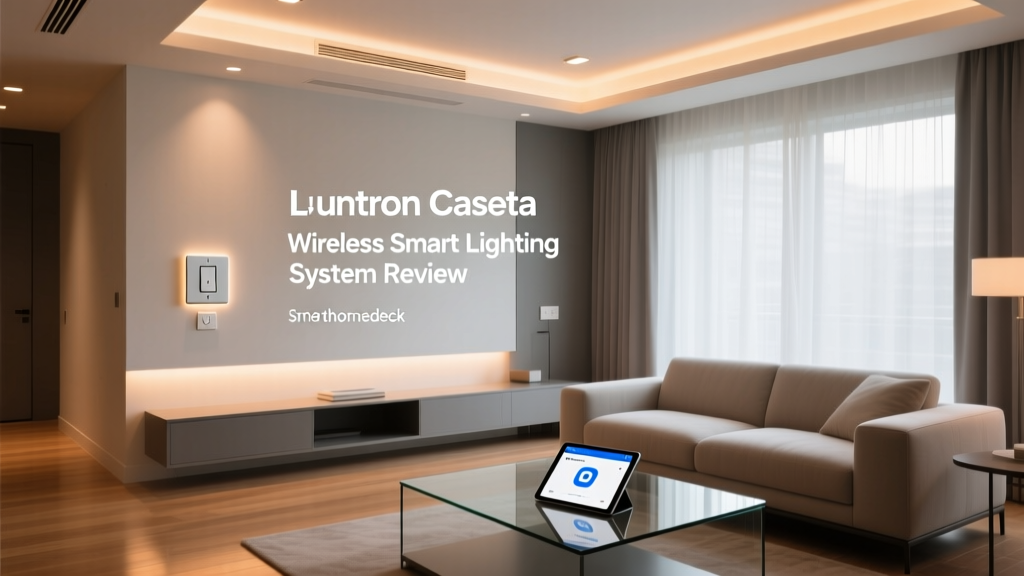
This is where smart switches step in to save the day. By replacing the physical switch on your wall, you maintain manual control while granting smart capabilities to every bulb connected to that circuit, including cheap, non-smart LEDs. Among the myriad of smart switches on the market, the Lutron Caseta Wireless Smart Lighting System has consistently stood as the gold standard. In this comprehensive SmartHomeDeck review, we put the Lutron Caseta Smart Bridge and Diva Smart Dimmer kit through rigorous real-world testing to see if it truly deserves its premium reputation.
Unboxing and Hardware Design
The standard Lutron Caseta starter kit typically includes the Smart Bridge (the hub), one Diva Smart Dimmer switch, and one Pico wireless remote. The build quality of Lutron products is immediately apparent. Unlike the flimsy, hollow-feeling plastics found on budget-friendly Wi-Fi switches, the Caseta Diva dimmer feels dense, premium, and engineered for longevity.
The Diva Smart Dimmer
The Diva dimmer features a signature design: a large, satisfying rocker paddle for on/off control, paired with a sleek vertical slider on the right side for dimming. A subtle column of LEDs on the left indicates the current brightness level. When the lights are off, these LEDs can be configured to glow softly, acting as a built-in nightlight to help you find the switch in the dark. The physical tactile feedback is exceptional; it feels like a high-end architectural fixture rather than a tech gadget.
The Pico Remote
The inclusion of the Pico remote is a masterstroke in user experience. It is a small, battery-powered, three-button remote (with up/down dimming controls) that can be mounted to a wall using a included bracket, turning a single-pole switch into a virtual 3-way switch without the need to run new wires through your walls. The Pico runs on a standard CR2032 coin battery, which Lutron rates for an astonishing 10 years of typical use.
The Smart Bridge
The Lutron Smart Bridge is a compact, unobtrusive puck that connects directly to your Wi-Fi router via an Ethernet cable. It acts as the brain of the operation, translating commands from your smartphone or voice assistant into Lutron's proprietary wireless protocol. For advanced users and custom integrators, Lutron also offers a Smart Bridge PRO, which adds support for high-end AV systems like Control4, Crestron, and RTI, as well as advanced IP control capabilities.
The Magic of Clear Connect RF
One of the most critical differentiators for the Lutron Caseta system is its wireless protocol. While competitors rely on Wi-Fi, Z-Wave, or Zigbee, Lutron utilizes its own proprietary Clear Connect RF technology. Operating on a sub-GHz frequency (distinct from the crowded 2.4 GHz band used by Wi-Fi, Bluetooth, and Zigbee), Clear Connect is specifically engineered for ultra-low latency and high reliability.
In our real-world testing, this difference is palpable. When you press a Pico remote or tap the app, the lights respond instantaneously. There is no 'thinking' pause, no cloud-server lag, and no mesh-network routing delay. Furthermore, because it doesn't share bandwidth with your Wi-Fi network, adding 50 Caseta switches to your home won't choke your router or slow down your streaming devices. The Smart Bridge creates its own dedicated mesh network, meaning every wired Caseta switch acts as a signal repeater, blanketing your home in rock-solid coverage.
Reliability in a smart home isn't about what happens when everything works; it's about what happens when the internet goes down. Because Clear Connect RF operates locally through the Smart Bridge, your physical switches and Pico remotes will continue to function flawlessly even if your ISP goes offline.
Installation and The Neutral Wire Advantage
Perhaps the single biggest hurdle in adopting smart switches is the wiring inside your walls. Many modern smart switches (like those from Leviton or GE) require a neutral wire to keep the switch's internal Wi-Fi radio powered when the lights are off. However, many older homes (and even some newer ones) do not have neutral wires present in the switch boxes.
The Lutron Caseta dimmers do not require a neutral wire. This makes them an absolute lifesaver for older homes. Installation involves connecting the Line (hot), Load, and Ground wires. If you do happen to have a neutral wire, you can cap it off, though Lutron provides an optional neutral connection on the dimmer if you prefer to use it for optimal performance with certain low-wattage LEDs.
It is important to note the load limits: the standard Caseta dimmer supports up to 150W of dimmable LED/CFL bulbs or 600W of incandescent/halogen bulbs. Given the high efficiency of modern LEDs, 150W is usually more than enough to power a dozen LED recessed cans on a single circuit.
App Experience and Automations
The Lutron app is clean, intuitive, and focused entirely on lighting and shading control. While it lacks the sprawling, complex automation routines found in Samsung SmartThings or Apple HomeKit, it excels at the fundamentals. Setting up schedules, grouping rooms, and adjusting dimming levels is a breeze.
Smart Away and Geofencing
One of the standout features of the Lutron app is Smart Away. Unlike basic schedules that turn lights on and off at the exact same time every day (which can make an empty house look obviously automated to potential burglars), Smart Away randomly turns lights on and off within a designated window around sunset and bedtime. This mimics human behavior, providing a highly effective security deterrent.
Additionally, the app utilizes geofencing to automatically turn off all your lights when the last person leaves the house, and turn them back on when the first person arrives. In our testing, the geofencing was remarkably accurate and reliable, a feat that many Wi-Fi-based systems struggle with due to background app-killing by modern smartphone operating systems.
Ecosystem Compatibility
Lutron has ensured that the Caseta system plays nicely with virtually every major smart home ecosystem. Out of the box, the Smart Bridge integrates seamlessly with:
- Apple HomeKit: Caseta is widely considered one of the most stable HomeKit accessories available. Siri voice control is instantaneous, and HomeKit Secure Video automations can trigger Caseta lights without latency.
- Amazon Alexa & Google Assistant: Voice commands via Echo or Nest devices are snappy and reliable. Grouping Caseta switches into virtual 'rooms' within the Alexa or Google apps works flawlessly.
- Samsung SmartThings: For users who want to tie their lighting into complex sensor-based automations (like triggering lights when a SmartThings motion sensor detects movement), the Hubitat and SmartThings integrations are robust.
- Matter Support: Lutron has been actively updating the Smart Bridge to support the Matter protocol, ensuring future-proof compatibility with emerging smart home standards.
Energy Efficiency and LED Optimization
Transitioning to smart lighting isn't just about convenience; it's also a strategic move for home energy efficiency. According to the U.S. Department of Energy's guide on indoor lighting and controls, utilizing advanced dimmers and automated scheduling can significantly reduce a household's lighting energy footprint. By ensuring lights are never left on in empty rooms and by dimming LEDs to 80% output (which is virtually indistinguishable from 100% to the human eye), homeowners can extend bulb life and cut energy costs.
Furthermore, pairing Lutron dimmers with ENERGY STAR certified lighting products ensures optimal performance. One common issue with cheap smart dimmers is LED flickering or a limited dimming range (e.g., the light won't go below 30% without turning off). Lutron maintains an extensive, publicly available LED compatibility matrix. By matching a Caseta dimmer with a tested, compatible LED bulb, you achieve smooth, flicker-free dimming all the way down to 1%.
Comparison: Lutron Caseta vs. The Competition
How does the Caseta stack up against other popular smart switches? Here is a quick breakdown:
| Feature | Lutron Caseta | Leviton Decora Smart | GE Cync (formerly C by GE) |
|---|---|---|---|
| Protocol | Clear Connect RF (Hub) | Wi-Fi / Matter (No Hub) | Bluetooth / Wi-Fi (No Hub) |
| Neutral Wire Required? | No | Yes (for most models) | Yes (for 3-way setups) |
| Local Control / Offline | Yes (Physical & Pico) | Limited (Matter dependent) | Poor (Cloud reliant) |
| 3-Way Switching | Wireless (via Pico Remote) | Wired (Traveler wires) | Wireless (Add-on switches) |
| Price per Switch | ~$55 - $65 | ~$45 - $55 | ~$40 - $50 |
While Leviton and GE offer lower upfront costs per switch by eliminating the need for a hub, they introduce network congestion, rely heavily on cloud servers, and often require neutral wires. The Lutron Caseta's higher initial investment (due to the Smart Bridge) pays massive dividends in long-term reliability, speed, and ease of multi-way switch installation.
Deck Score Dimensions
At SmartHomeDeck, we evaluate products across five core dimensions to provide a holistic view of their performance and value.
- Performance (9.5/10): Unmatched latency and reliability. Clear Connect RF is the undisputed king of local smart lighting control.
- Value (7.0/10): The premium price tag and the mandatory $80-$150 Smart Bridge make it an expensive investment for whole-home retrofits.
- Compatibility (9.8/10): Works with nearly every major voice assistant, smart home hub, and custom AV integration platform.
- Ease-of-Use (8.5/10): The app is simple, but the physical wiring process still requires basic electrical knowledge and breaker-shutoff safety protocols.
- Features (9.0/10): Smart Away, geofencing, and the Pico remote ecosystem offer incredible utility without overwhelming the user with unnecessary gimmicks.
Pros and Cons
Pros
- Does not require a neutral wire, making it ideal for older homes.
- Clear Connect RF ensures zero network congestion and instant response times.
- Local processing means physical switches and remotes work even if the internet goes down.
- Pico remotes solve 3-way and 4-way switch wiring nightmares effortlessly.
- Outstanding LED compatibility and flicker-free dimming.
Cons
- Requires the purchase of a Smart Bridge hub.
- Higher per-switch cost compared to Wi-Fi alternatives.
- Standard dimmer is limited to 150W of LEDs (though a higher-wattage model is available for a premium).
- The Smart Bridge requires a dedicated Ethernet port on your router.
Final Verdict
The Lutron Caseta Wireless Smart Lighting System is not the cheapest way to add smart controls to your home, but it is unequivocally the most reliable. In the smart home industry, 'boring' is the highest compliment you can give a product. You want your light switches to work every single time, without latency, without cloud errors, and without dropping off your network. Lutron delivers exactly that.
If you are outfitting a single lamp, a smart bulb might suffice. But if you are serious about upgrading your home's overhead lighting, recessed cans, and outdoor fixtures, the Lutron Caseta system is an investment that will pay daily dividends in convenience, security, and pure, unadulterated reliability. It easily earns the SmartHomeDeck Editor's Choice award for smart light control systems.