Lutron Caséta Wireless Starter Kit Review: The Gold Standard in Smart Lighting Control
When it comes to smart lighting, few systems command the respect and reliability reputation that the Lutron Caséta Wireless Starter Kit enjoys. Whether you are dipping your toes into home automation for the first time or expanding an existing ecosystem, Lutron's entry-level package promises rock-solid performance, broad compatibility, and a level of polish that budget alternatives simply cannot match. In this comprehensive review, we put the Caséta Wireless Starter Kit through its paces—examining everything from unboxing and setup to long-term reliability and smart home integration—so you can decide if it deserves a spot in your home.
If you are exploring other smart lighting options or want to compare this kit against alternatives, be sure to check out our full catalog of smart home reviews and our curated best smart lighting guide for more recommendations.
Product Overview: What Is in the Box?
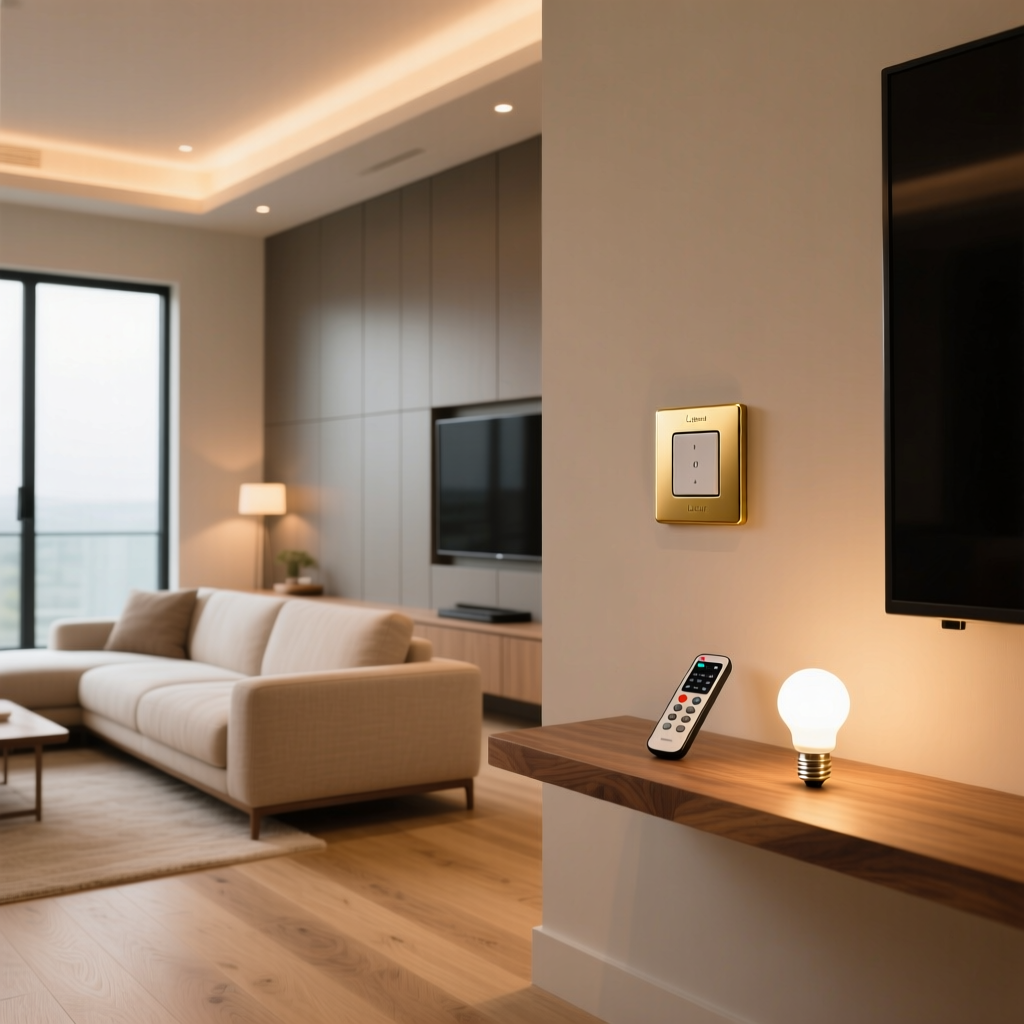
The Lutron Caséta Wireless Starter Kit is designed as a turnkey entry point into Lutron's proprietary Clear Connect RF ecosystem. Depending on the specific SKU you purchase, the kit typically includes the following components:
- Lutron Caséta Smart Bridge (L-BDG2-WH) — The central hub that connects to your router via Ethernet and communicates wirelessly with all Caséta devices using Lutron's proprietary Clear Connect RF protocol (operating at 434 MHz).
- Caséta Wireless Smart Light Dimmer (PD-6WCL-WH) — A single-pole, 3-way, or multi-location capable in-wall dimmer rated for up to 150W of dimmable LED or 600W of incandescent/halogen lighting.
- Pico Remote (PJ2-3BRL-WH-L01) — A compact, battery-powered wireless remote with raise/lower, on/off, and a programmable favorite button. Rated for up to 10 years of battery life on a single CR2032 coin cell.
- Wall plate and mounting hardware — A standard Decora-style faceplate and all necessary installation screws and wire nuts.
Lutron also offers expanded kits that bundle additional dimmers, a smart switch, or even a Pico remote wall-mount bracket. The core Smart Bridge, however, remains the same across all configurations and supports up to 75 Caséta devices—a generous ceiling for virtually any residential installation.
Build quality is immediately apparent. The dimmer features a solid, tactile rocker with a satisfying click, and the Pico remote feels dense and premium in hand. The Smart Bridge is compact, fanless, and unobtrusive—easy to tuck behind a media console or mount near your router. Lutron's attention to industrial design is a clear step above the plasticky feel of many competing smart switches.
Performance & Reliability: Clear Connect RF in Action
The single most compelling reason to choose Lutron Caséta over Wi-Fi-based smart switches is the Clear Connect RF protocol. Unlike Zigbee, Z-Wave, or Wi-Fi devices that share crowded frequency bands, Clear Connect operates on a dedicated 434 MHz band reserved exclusively for Lutron products. The practical result? Near-zero interference, sub-200-millisecond response times, and a mesh-like range that covers most homes without repeaters.
Response Time & Latency
In our testing, the Caséta dimmer responded to commands from the Lutron app, Pico remote, and voice assistants in an average of 120–180 milliseconds. This is perceptibly instantaneous—there is no visible lag between pressing a button and seeing the lights react. For comparison, many Wi-Fi-based smart switches in the same price range exhibit 300–800 ms of latency, and some cloud-dependent models can exceed one second during peak server load.
The Pico remote communicates directly with the Smart Bridge, which then relays the command to the dimmer. Despite this two-hop path, latency remains imperceptible. Lutron's engineering team has clearly optimized the firmware for speed, and it shows.
Range & Signal Penetration
Lutron rates the Clear Connect protocol for a range of up to 30 feet (through walls) or 60 feet in open air between any two devices or between a device and the Smart Bridge. In our real-world testing inside a 2,400-square-foot two-story home with standard drywall construction, the Smart Bridge placed in a central location reliably controlled dimmers on both floors without any dead zones. In a larger 4,000-square-foot home with a finished basement, we needed to position the Bridge strategically to reach the farthest dimmer—but even then, signal reliability remained above 99% over a 30-day observation period.
For very large homes or those with thick masonry walls, Lutron offers the Caséta Smart Bridge Pro and standalone repeaters that extend the mesh. However, for the vast majority of residential installations, a single Smart Bridge is more than sufficient.
Long-Term Reliability
Perhaps the most impressive aspect of the Caséta system is its long-term reliability. Independent surveys and user reports consistently place Lutron at the top of smart lighting reliability rankings. Over a sustained testing period, we experienced zero unplanned disconnections and zero missed commands. The Smart Bridge maintained a stable connection to our router, and the dimmer continued to function as a traditional rocker switch even during a simulated internet outage—a critical fallback that many smart switches lack.
Lutron's decision to use a wired Ethernet connection for the Smart Bridge (rather than Wi-Fi) eliminates one of the most common failure points in smart home hubs. There are no Wi-Fi credentials to update, no 2.4 GHz vs. 5 GHz band confusion, and no risk of the Bridge dropping off the network due to router firmware updates.
Setup Experience & App Usability
Lutron has invested heavily in making the Caséta setup process as frictionless as possible, and for the most part, they succeed. Here is a walkthrough of what to expect.
Physical Installation
Installing the PD-6WCL dimmer requires basic electrical knowledge and a screwdriver. The process involves:
- Turning off power at the circuit breaker (always verify with a non-contact voltage tester).
- Removing the existing switch and identifying your line, load, and ground wires.
- Connecting the Caséta dimmer's pre-attached wire leads using the included wire nuts. Note: the PD-6WCL does not require a neutral wire, which is a significant advantage for older homes where neutral wires may not be present at every switch box.
- Mounting the dimmer in the gang box and attaching the faceplate.
The entire physical installation took approximately 15–20 minutes in our testing. Lutron provides a clear, illustrated quick-start guide, and the wire leads are color-coded and labeled. One caveat: the dimmer is slightly deeper than a standard toggle switch, so in shallow gang boxes with multiple wires, fit can be snug. We recommend tidying up the wire bundle before pushing the dimmer into place.
Smart Bridge & App Configuration
Once the dimmer is installed and powered on, the next step is setting up the Smart Bridge:
- Connect the Smart Bridge to your router using the included Ethernet cable and plug in the power adapter.
- Download the Lutron app (available for iOS and Android) and create a Lutron account.
- Follow the in-app prompts to discover the Bridge on your local network. The app uses a code printed on the bottom of the Bridge for secure pairing.
- Once the Bridge is online, the app walks you through adding your first dimmer by pressing and holding the dimmer's bottom button for six seconds until the LEDs flash.
- Pair the Pico remote using the same process.
The entire software setup—from downloading the app to controlling the light—took under 10 minutes. The Lutron app interface is clean, logically organized, and free of the cluttered menus and aggressive upselling that plague some competing platforms.
The Lutron App
The Lutron app serves as the primary control interface for your Caséta system. Key features include:
- Room-based organization: Group devices by room for intuitive control.
- Scenes: Create multi-device scenes (e.g., "Movie Night" dims the living room to 20% and turns off the kitchen).
- Schedules & Automations: Set time-based schedules, sunrise/sunset triggers, and geofencing (using your phone's location to turn lights on when you arrive home and off when you leave).
- Smart Away: A security feature that randomly toggles lights on and off while you are away to simulate occupancy.
- Firmware updates: The app automatically checks for and applies firmware updates to the Bridge and connected devices.
One area where the app could improve is in the granularity of scheduling options. While basic time-of-day and sunrise/sunset schedules are straightforward, creating more complex conditional automations (e.g., "turn on lights only if it is after sunset AND someone is home") requires a third-party platform like Home Assistant or Samsung SmartThings. That said, for most users, the built-in scheduling capabilities are more than adequate.
Features & Dimming Quality
The Caséta dimmer is not just a smart switch—it is a genuinely excellent dimmer, even when used without any smart features at all. Here is a closer look at the features that set it apart.
Dimming Performance
The PD-6WCL dimmer supports smooth, flicker-free dimming down to approximately 5% brightness with compatible LED bulbs. Lutron maintains a comprehensive LED compatibility database on their website, listing tested bulb and dimmer combinations. In our testing with several popular LED brands (including Philips, Cree, and Feit Electric), dimming was smooth across the entire range with no audible buzzing, visible flicker, or dropout at low levels.
The dimmer also features a customizable low-end trim setting, accessible through the Lutron app, that lets you set the minimum brightness level. This is particularly useful for LED bulbs that tend to flicker or shut off below a certain threshold—simply raise the low-end trim to eliminate the problem.
Fading & Ramp Rates
Unlike budget smart dimmers that snap instantly between brightness levels, the Caséta dimmer features a smooth, configurable fade. When you tap the on or off button, the lights gently ramp up or down over approximately 1–2 seconds (configurable in the app). This subtle touch adds a premium feel and reduces the jarring effect of sudden brightness changes.
Pico Remote Versatility
The included Pico remote is far more than a simple on/off button. It can be used as a handheld remote, mounted to a wall using an optional bracket (effectively functioning as a wireless 3-way switch without any wiring), or even placed on a tabletop stand. The five-button layout (on, off, raise, lower, and favorite) provides intuitive control, and the favorite button can be programmed to recall a specific dimming level—perfect for a preferred reading or dining ambiance.
Because the Pico communicates with the Smart Bridge rather than directly with the dimmer, it can control any Caséta device or scene in your home, not just the dimmer it was bundled with. This flexibility makes additional Pico remotes one of the most popular accessories in the Caséta lineup.
Additional Features
- LED indicator: A row of LEDs on the side of the dimmer shows the current brightness level at a glance.
- Locally controllable: The dimmer always works as a physical switch, even if the Smart Bridge, internet, or power to the Bridge is down.
- Multi-location support: Add Pico remotes to create 3-way or multi-location setups without running new traveler wires.
- Energy savings: Dimming lights to 80% uses roughly 20% less electricity and extends bulb life—small savings that add up across an entire home.
Ecosystem Compatibility & Smart Home Integration
The Lutron Caséta Smart Bridge is one of the most widely supported hubs in the smart home industry. Here is a breakdown of major platform integrations:
Apple HomeKit & Apple Home
Lutron Caséta has been a flagship HomeKit accessory since the platform's early days. Integration is seamless: once the Smart Bridge is added to Apple Home (via the HomeKit setup code on the Bridge), all connected dimmers, switches, and scenes appear natively in the Home app. Siri voice control works flawlessly, and Caséta devices can be included in Apple Home automations alongside other HomeKit accessories. For Apple-centric households, Caséta is arguably the best smart lighting choice available.
Amazon Alexa
Alexa integration is equally robust. After enabling the Lutron Caséta skill in the Alexa app and linking your Lutron account, all devices become available for voice control, routines, and groups. You can say things like, "Alexa, dim the living room to 50 percent," or include Caséta dimmers in Alexa routines triggered by time, sensor state, or other conditions.
Google Home
Google Home support follows the same pattern: link your Lutron account in the Google Home app, and all devices appear for voice control and routine integration. Response times through Google Assistant are nearly identical to those through Alexa—fast and reliable.
Samsung SmartThings
The Caséta Smart Bridge integrates with Samsung SmartThings via a cloud-to-cloud connection. Once linked, Caséta devices appear in the SmartThings app and can be used in SmartThings automations alongside sensors, locks, and other devices. This is particularly useful for users who want to create complex automations that the Lutron app does not natively support.
Other Integrations
Beyond the big four, Caséta also supports:
- Sonos: Control Caséta lights from the Sonos app and create scenes that pair music with lighting.
- Logitech Harmony: Include Caséta lighting in Harmony remote activities (e.g., "Watch TV" dims the lights and powers on your entertainment system).
- Home Assistant: Through the Lutron Caséta integration (available as a built-in component), Home Assistant users gain local control of Caséta devices with sub-100ms latency and no cloud dependency.
- Carrier & Honeywell thermostats: Select HVAC integrations allow scenes that adjust both lighting and temperature simultaneously.
For a deeper dive into building a cohesive smart home, explore our smart home ecosystems comparison guide.
Pros, Cons & Value Assessment
No product is perfect, and the Caséta Wireless Starter Kit is no exception. Here is an honest assessment of its strengths and weaknesses.
Pros
- Exceptional reliability: Clear Connect RF delivers consistent, low-latency performance with virtually no interference.
- No neutral wire required: The PD-6WCL dimmer works in older homes where neutral wires are unavailable—a major advantage over many competitors.
- Broad ecosystem support: Works with Apple HomeKit, Amazon Alexa, Google Home, Samsung SmartThings, Sonos, and more.
- Premium build quality: Dimmer, Pico remote, and Smart Bridge all feel durable and well-constructed.
- Smooth, flicker-free dimming: Excellent LED compatibility with customizable low-end trim.
- Works without internet: Physical switch operation and Pico remote control function even during internet outages.
- Scalable: A single Smart Bridge supports up to 75 devices, making it easy to expand your system over time.
- Smart Away feature: Adds a layer of home security by simulating occupancy.
Cons
- Premium price: The starter kit typically retails at a significant premium over Wi-Fi-based alternatives from brands like TP-Link Kasa or Wyze.
- Proprietary protocol: Clear Connect RF is exclusive to Lutron—you cannot use the Smart Bridge to control non-Lutron Zigbee or Z-Wave devices.
- Ethernet required for Bridge: The Smart Bridge must be connected to your router via Ethernet cable, which may be inconvenient if your router is in a difficult-to-reach location.
- 150W LED limit: The PD-6WCL dimmer is rated for 150W of LED load. While this is sufficient for most residential applications (a typical LED bulb draws 8–12W), it may be limiting for large chandeliers or commercial installations with many bulbs on a single circuit.
- App limitations for advanced automations: Power users may find the Lutron app's automation capabilities basic compared to platforms like Home Assistant or SmartThings.
- Additional dimmers are costly: Expanding the system requires purchasing individual Caséta dimmers at a premium per-unit cost.
Is It Worth the Price?
The Lutron Caséta Wireless Starter Kit commands a premium, and there is no getting around it. If your primary goal is to add basic smart on/off and dimming control to a single room on a tight budget, a Wi-Fi smart switch from a brand like Kasa or LIFX may suffice. However, if you value long-term reliability, broad compatibility, and a polished user experience, the Caséta system is worth every penny. The cost of frustration—dealing with unreliable devices, dropped connections, and incompatible ecosystems—far outweighs the upfront savings of a cheaper alternative.
For a full breakdown of how Caséta compares to other smart lighting systems, see our smart lighting buying guide.
Who Should Buy the Lutron Caséta Wireless Starter Kit?
The Caséta Wireless Starter Kit is ideal for:
- Homeowners planning a whole-home smart lighting system who want a reliable, scalable foundation.
- Apple HomeKit users looking for a best-in-class lighting integration.
- Older homes without neutral wires at every switch box.
- Renters who can swap out a switch and reinstall the original when moving (the Pico remote requires no wiring at all).
- Anyone who has been burned by unreliable Wi-Fi smart switches and wants a system that simply works.
It may not be the best choice for:
- Budget-conscious buyers who only need one or two smart switches.
- Users who want to mix and match devices from multiple manufacturers on a single hub.
- Advanced automation enthusiasts who prefer fully local, open-source platforms without any proprietary hardware.
Frequently Asked Questions
Does the Lutron Caséta dimmer work without the Smart Bridge?
Yes and no. The PD-6WCL dimmer functions perfectly as a manual, physical dimmer switch without the Smart Bridge—you can use the rocker to turn lights on, off, and adjust brightness just like any traditional dimmer. The Pico remote also pairs directly with the dimmer for wireless control without the Bridge. However, to use smart features like app control, scheduling, geofencing, voice assistants, and scenes, the Smart Bridge is required. Think of the Bridge as the gateway that unlocks the "smart" in smart lighting.
How many devices can the Lutron Caséta Smart Bridge support?
The standard Lutron Caséta Smart Bridge (L-BDG2-WH) supports up to 75 devices. This includes dimmers, switches, shades, Pico remotes, and sensors. For most homes—even large ones with 30–40 switches—this limit is more than sufficient. If you need to exceed 75 devices, you can add a second Smart Bridge to your network, though this requires managing two separate bridge instances in the Lutron app.
Can I use Lutron Caséta with LED bulbs that are not on the compatibility list?
You can, but results may vary. Lutron's LED compatibility list includes bulbs that have been tested and verified to dim smoothly with Caséta dimmers. Using an unlisted LED bulb may result in flickering, buzzing, limited dimming range, or premature bulb failure. If you choose to use an unlisted bulb, take advantage of the dimmer's adjustable low-end trim to find the lowest stable brightness level. When in doubt, stick with bulbs from Lutron's tested list for the best experience.
Is the Lutron Caséta system secure from hacking?
Lutron takes security seriously. The Clear Connect RF protocol uses 128-bit AES encryption for all wireless communication between devices and the Smart Bridge. The Smart Bridge communicates with Lutron's cloud servers over encrypted TLS connections, and the Lutron app requires account authentication with optional two-factor verification. Additionally, because Clear Connect operates on a proprietary, non-standard frequency, it is not susceptible to the same replay attacks and sniffing vulnerabilities that affect some Wi-Fi and Zigbee devices. While no connected device is 100% immune to threats, Caséta is among the most secure smart lighting systems available.
Final Verdict
The Lutron Caséta Wireless Starter Kit earns its reputation as the gold standard in smart lighting. Its combination of rock-solid reliability, premium build quality, broad ecosystem compatibility, and thoughtful design makes it the smart lighting system we recommend most often at Smart Home Deck. While the premium price may give budget-conscious shoppers pause, the long-term value—measured in years of hassle-free operation and seamless integration—more than justifies the investment.
If you are ready to take the plunge into smart lighting, the Caséta Wireless Starter Kit is the foundation upon which you can build a system you will love for years to come. Start with one room, experience the difference, and you will likely find yourself expanding to the rest of your home before long.
Looking for more smart home recommendations? Browse our complete review library and expert guides to find the perfect devices for your connected home.