Introduction: The Case for Hardwiring Your Smart Mirror
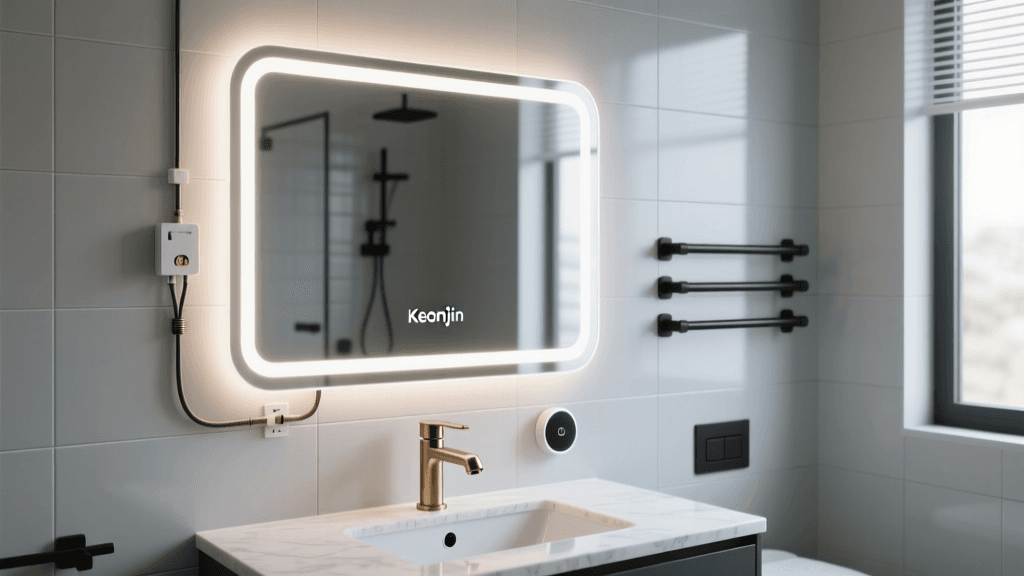
Upgrading your bathroom with a smart LED mirror is one of the most impactful aesthetic and functional improvements you can make to your home. However, the decision between a plug-in model and a hardwired model is a critical one that affects both the visual cleanliness of your space and the electrical safety of your bathroom. In this comprehensive installation and wiring review, we are taking a deep dive into the Keonjiin Smart LED Bathroom Mirror (24x32 inch model), specifically focusing on the hardwired installation process. While plug-in mirrors offer easy setup, they leave unsightly cords dangling across your backsplash, often requiring you to hire an electrician to install a recessed outlet behind the mirror anyway. Hardwiring the Keonjiin mirror directly into your home's electrical junction box eliminates the cord, provides a more permanent and secure connection, and aligns with best practices for high-draw bathroom fixtures.
The Keonjiin smart mirror is renowned for its high Color Rendering Index (CRI) lighting, responsive capacitive touch sensors, and rapid-heating anti-fog pads. But how does it fare when you take it out of the box and attempt to wire it directly into your home's 120V AC electrical system? As a senior reviewer for SmartHomeDeck, I spent a weekend tearing down my old builder-grade mirror, prepping the junction box, and hardwiring this unit to bring you a real-world, step-by-step installation guide. We will cover the necessary tools, National Electrical Code (NEC) considerations, the physical mounting process, and a full breakdown of its smart features once the power is turned back on.
Unboxing and Technical Specifications
Before we cut any wires, it is essential to understand the hardware we are working with. The Keonjiin mirror arrives exceptionally well-packaged, sandwiched between dense custom foam and encased in a reinforced cardboard box. Inside, you will find the mirror unit, a Z-bar (French cleat) mounting bracket, a hardware kit containing screws and drywall anchors, a user manual, and the crucial hardwiring whip extending from the backplate. Unlike some competitors that require you to cut the plug off a standard cord (which can void the warranty and expose poorly insulated wires), the hardwired version of the Keonjiin comes pre-equipped with a bare 3-wire whip (Live, Neutral, Ground) routed through a protective flexible metal conduit.
| Feature | Specification |
|---|---|
| Dimensions | 24' x 32' (Rectangular) |
| LED Type | 5050 SMD Dual-Row LEDs |
| Color Temperature | Adjustable 3000K (Warm) to 6000K (Daylight) |
| CRI (Color Rendering Index) | > 90 (Excellent for makeup/grooming) |
| Wattage | 35W (Lighting) + 150W (Anti-Fog Pad) |
| IP Rating | IP44 (Splash-proof for damp locations) |
| Input Voltage | 120V AC, 60Hz |
| Mounting System | Aluminum Z-Bar (French Cleat) |
One of the most important specs to note here is the combined wattage. While the LEDs draw a modest 35 watts, the anti-fog heating pad draws an additional 150 watts when activated. This means the mirror can pull nearly 185 watts at peak usage. While this is well within the limits of a standard 15-amp or 20-amp bathroom circuit, it underscores why a secure, hardwired connection using proper wire nuts or push-in connectors is vastly superior to relying on a cheap, aftermarket plug adapter hidden in a humid bathroom environment.
Pre-Installation: Tools and Safety Protocols
Working with electricity in a bathroom requires strict adherence to safety protocols due to the presence of water and high humidity. According to the National Fire Protection Association's NEC guidelines, bathroom electrical circuits must be properly grounded and, depending on the proximity to water sources, may require specific GFCI or AFCI protection at the breaker level. Always consult a licensed electrician if you are unsure about your home's wiring or local building codes.
Required Tools for the Job
- Non-Contact Voltage Tester: Absolutely mandatory to verify the power is off before touching any wires.
- Wire Strippers/Cutters: For prepping the house wires and the mirror's whip.
- Wago Lever-Nuts or Standard Wire Nuts: Wago 221 series connectors are highly recommended for their secure, vibration-resistant grip and ease of use in tight junction boxes.
- Power Drill & Bits: For mounting the Z-bar bracket into drywall or studs.
- Stud Finder: To locate wooden or metal studs behind the drywall for maximum mounting security.
- Tape Measure & Torpedo Level: Precision is key when hanging a heavy, expensive piece of glass.
- Phillips Head Screwdriver: For securing the mounting bracket and junction box cover.
Before beginning, locate your home's main electrical panel and turn off the breaker that supplies power to the bathroom lighting circuit. Flip the existing mirror's light switch to the 'ON' position, then use your non-contact voltage tester on the switch and the existing fixture to confirm the circuit is dead. Once verified, flip the switch back to 'OFF' and place a piece of painter's tape over the breaker panel to prevent anyone from accidentally turning it back on while you are working.
Step-by-Step Hardwiring Process
The hardwiring process for the Keonjiin mirror is straightforward, provided you have an existing junction box (J-box) behind your old mirror or vanity light. If you are moving from a plug-in setup to a hardwired setup, you will need to hire an electrician to run a new Romex cable from a nearby switch or outlet to a new J-box behind the mirror. Assuming you have an existing J-box, here is how the wiring is executed.
Step 1: Prepping the Junction Box
Remove the old fixture and expose the wires coming out of the junction box. You should see three main wires: a black (hot/live), a white (neutral), and a bare copper or green (ground) wire. If your home is older, you might encounter different colors, which is why referencing a guide like Family Handyman's wiring tutorials is incredibly helpful for identifying legacy wiring. Use your wire strippers to ensure the exposed copper on the house wires is straight and about 5/8 of an inch long.
Step 2: Connecting the Mirror's Whip
The Keonjiin mirror features a built-in LED driver housed in a sealed aluminum casing on the back of the mirror. The flexible metal conduit protecting the wires ensures that moisture cannot wick into the driver. Strip the mirror's wires to the same length as the house wires.
The Connections:
1. Ground First: Connect the bare/green ground wire from the mirror to the bare/green ground wire from the house, and ideally, to the ground screw inside the metal junction box. This is a critical safety step that prevents the mirror's aluminum frame from becoming energized in the event of a short circuit.
2. Neutral: Connect the white wire from the mirror to the white wire from the house.
3. Hot: Connect the black wire from the mirror to the black wire from the house (or the red/blue wire if your switch loop uses different coloring).
I highly using Wago 221 lever-nuts for these connections. They provide a much more secure connection in the humid, temperature-fluctuating environment of a bathroom compared to traditional twist-on wire nuts, which can loosen over time due to thermal expansion and contraction.
Step 3: Tucking and Securing
Carefully fold the wires and the Wago connectors into the back of the junction box. Smart mirrors have a recessed cavity on the backplate specifically designed to accommodate the bulk of the wire connections and the J-box itself. Ensure no wires are pinched against the sharp metal edges of the J-box, as this could compromise the insulation and create a severe shock hazard.
Mounting and Physical Installation
The Keonjiin mirror utilizes a Z-bar (or French cleat) mounting system. This is the gold standard for heavy wall-mounted fixtures. The Z-bar consists of two interlocking pieces of angled aluminum: one attaches to the wall, and the other is pre-attached to the back of the mirror.
- Measure and Mark: Determine the desired height of the mirror. Hold the wall-side Z-bar bracket against the wall and use your torpedo level to ensure it is perfectly horizontal. Mark the screw holes with a pencil.
- Locate Studs: Use your stud finder to see if any of the marked holes align with wooden or metal studs. Hitting at least one stud is highly recommended for a mirror of this size and weight (approx. 25 lbs).
- Drill and Secure: If you hit a stud, drill a pilot hole and use the provided wood screws. If you are drilling into drywall, use the provided heavy-duty toggle bolts or snap-toggles. Standard plastic expansion anchors are not sufficient for the dynamic load of a large bathroom mirror. Secure the Z-bar tightly to the wall.
- Hang the Mirror: With the help of a second person, lift the mirror and hook the mirror-side Z-bar over the wall-side bracket. The interlocking angle will hold the weight securely against the wall, leaving a small, uniform gap that houses the wiring cavity.
Smart Features, Anti-Fog, and Daily Use
With the physical installation complete, head back to your breaker panel and restore power to the bathroom circuit. When you flip the wall switch, the Keonjiin mirror's capacitive touch sensor will illuminate with a soft blue or white LED ring, indicating it is in standby mode.
Touch Sensor and Lighting Control
The touch sensor is located at the bottom center of the mirror. A short tap turns the main LEDs on. The Keonjiin features a memory function, meaning it will return to the exact brightness and color temperature you used last. By tapping and holding the sensor, you can cycle through the color temperatures from a warm 3000K (ideal for relaxing evening baths) to a crisp 6000K daylight (perfect for applying makeup or shaving, as it mimics natural sunlight). The CRI of >90 means that skin tones and colors are rendered accurately, without the sickly green or blue tint found in cheaper LED mirrors.
The Anti-Fog Pad: A Game Changer
The standout feature of any premium smart bathroom mirror is the anti-fog function, and Keonjiin executes this flawlessly. A dedicated touch button activates the 150W heating pad located behind the central viewing area. In my testing, it took approximately 45 seconds for the glass to become warm to the touch, and within 2 minutes, the center of the mirror was completely clear of condensation, even during a hot, steamy shower. It is important to note that bathroom electrical codes and safety experts generally recommend turning off the anti-fog function when not in use to prevent overheating and unnecessary energy consumption, though the Keonjiin does feature an auto-shutoff timer on some of its newer firmware revisions.
Ecosystem Compatibility
It is vital to clarify what 'smart' means in this context. The Keonjiin mirror is a 'smart' fixture in terms of its advanced LED drivers, memory chips, and capacitive sensors. However, it does not feature built-in Wi-Fi, Bluetooth, or native integration with Apple HomeKit, Amazon Alexa, or Google Home. If you want voice control or automated routines (e.g., turning on the mirror's lights when your smart shower turns on), you will need to wire the mirror to a smart wall switch, such as a Lutron Caseta or Kasa Smart Dimmer. Keep in mind that using a smart dimmer on the wall may conflict with the mirror's internal touch-dimming circuitry, so it is usually best to use a standard smart on/off switch and let the mirror handle its own dimming internally.
SmartHomeDeck Scorecard
Below is our proprietary Deck Score radar chart, evaluating the Keonjiin Smart Mirror across five critical dimensions for hardwired bathroom fixtures.
SmartHomeDeck Radar Score for Keonjiin Smart Mirror
- Performance (8.5/10): Excellent brightness, high CRI, and rapid anti-fog heating. Deducted slightly because the touch sensor can occasionally be overly sensitive to wet fingers.
- Value (9.0/10): Priced significantly lower than luxury brands like Electric Mirror, while offering 90% of the same functionality and build quality.
- Compatibility (6.0/10): Lacks native Wi-Fi or smart home ecosystem integration. Relies entirely on manual touch controls or a dumb wall switch.
- Ease-of-Use (7.5/10): The Z-bar mounting is great, but hardwiring requires electrical knowledge. The touch interface is intuitive once you learn the tap-and-hold gestures.
- Features (8.0/10): CCT adjustment, dimming, memory function, and anti-fog are all present and work reliably.
Pros and Cons
Pros:
- Pre-installed hardwire whip with protective metal conduit saves time and increases safety.
- High CRI (>90) LEDs provide exceptional, shadow-free grooming light.
- Z-bar mounting system makes hanging and leveling a heavy mirror manageable.
- Memory function remembers your preferred brightness and color temperature.
- IP44 rating ensures longevity in damp, steamy bathroom environments.
Cons:
- No native smart home (Wi-Fi/Bluetooth) integration.
- Anti-fog pad draws high wattage; requires a dedicated or lightly loaded circuit.
- Touch sensor requires a dry finger for consistent responsiveness.
Final Verdict: Is the Hardwiring Worth It?
The Keonjiin Smart LED Bathroom Mirror is a phenomenal upgrade for any master bath or powder room, provided you are willing to tackle the hardwiring process. By choosing the hardwired installation route, you elevate the mirror from a temporary appliance to a permanent, high-end architectural fixture. The elimination of the power cord, combined with the secure Z-bar mount and the safe, enclosed junction box connections, provides immense peace of mind in a moisture-heavy environment.
While it lacks the Wi-Fi connectivity that some smart home enthusiasts might crave, its core 'smart' features—adjustable CCT, memory retention, and rapid anti-fog technology—are executed with precision and reliability. If you are comfortable working with household electrical wiring (or are willing to hire a licensed electrician for a one-hour service call), the Keonjiin mirror offers unparalleled value, transforming your daily grooming routine into a luxury experience. Just remember: always turn off the breaker, test your wires, and prioritize a solid ground connection.