Nanoleaf Skylight Ceiling Panel Review: Transforming Your Ceiling Into a Dynamic Light Show
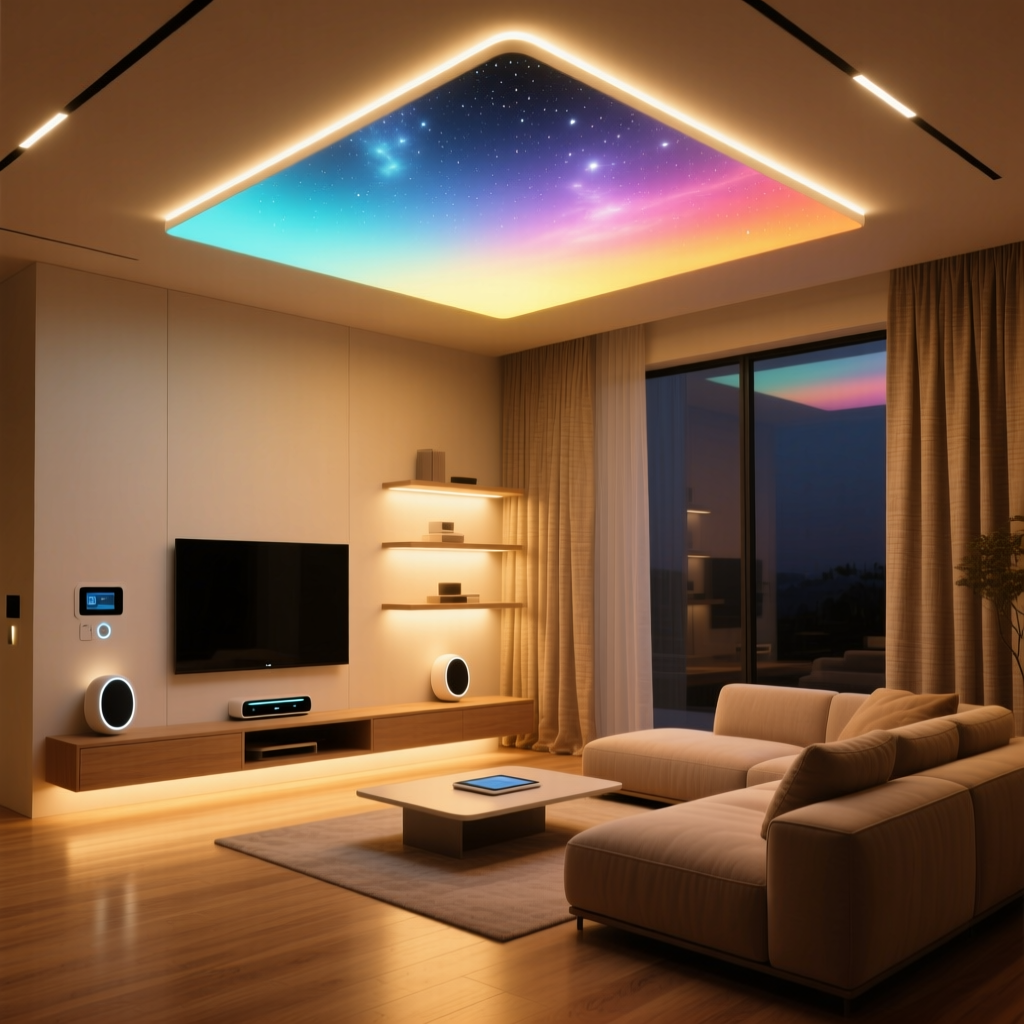
Smart lighting has come a long way from simple color-changing bulbs. The Nanoleaf Skylight represents the next evolution in ambient illumination — a modular ceiling-mounted panel system that turns the often-ignored fifth wall of your room into a stunning, interactive canvas of light. In this comprehensive review, we put the Nanoleaf Skylight through its paces, examining everything from installation and build quality to smart home integration and long-term value.
Whether you are building out a dedicated home theater, upgrading your gaming setup, or simply looking to add a touch of futuristic ambiance to your living space, the Skylight promises a premium lighting experience. But at its premium price point, does it deliver? Let us dive in.
Product Overview: What Is the Nanoleaf Skylight?
The Nanoleaf Skylight is a modular smart ceiling light panel system designed to be mounted flush against your ceiling. Unlike Nanoleaf's wall-mounted product lines such as the Nanoleaf Shapes or the Nanoleaf Elements, the Skylight is purpose-built for overhead installation. Each kit typically includes a combination of square and triangle panels that interlock via a proprietary connector system, allowing you to design custom geometric layouts across your ceiling.
The panels feature edge-to-edge LED diffusion that produces smooth, uniform light output with no visible hotspots. Nanoleaf rates each panel at approximately 1,200 lumens for the larger square units and around 600 lumens for the triangle units, with a color temperature range spanning from warm 1200K to cool 6500K. Full RGB color capability is included across all panels, supporting over 16 million colors.
Key manufacturer specifications include:
- Panel Types: Square (12 x 12 inches) & Triangle (9 x 10 inches)
- Brightness: Up to 1,200 lumens per square panel
- Color Temperature: 1200K – 6500K
- Color Range: 16M+ colors with full RGBW
- Connectivity: Wi-Fi (2.4 GHz), Thread, Bluetooth
- Smart Home Support: Apple HomeKit, Amazon Alexa, Google Home, Samsung SmartThings, IFTTT
- Power: Hardwired or plug-in via included power supply
- Lifespan: Rated 25,000+ hours
The Skylight also incorporates Nanoleaf's Touch Reactive technology and built-in Rhythm sound reactivity, which allows the panels to respond to music and ambient noise in real time. A built-in ambient light sensor enables automatic brightness adjustments based on the room's natural lighting conditions.
Design & Build Quality: Premium Aesthetics Meet Modular Engineering
From the moment you unbox the Nanoleaf Skylight, the premium positioning is evident. The panels are constructed from a rigid polycarbonate housing with a frosted diffusion layer that feels substantial without being excessively heavy. Each square panel weighs approximately 1.1 pounds, while the triangle panels come in at roughly 0.7 pounds — light enough for ceiling mounting without requiring heavy-duty anchors in most drywall installations.
The modular connector system is one of the Skylight's standout engineering achievements. The flex connectors snap into channels along the edges of each panel, creating both a physical and electrical connection. This design allows you to arrange panels in virtually any configuration — straight lines, branching patterns, or asymmetric layouts — limited only by your ceiling space and imagination.
The diffuser quality deserves special mention. Nanoleaf has clearly invested in optical engineering here, as the light output is remarkably even across the entire surface of each panel. There are no visible LED dots, no edge bleed, and no color banding — issues that plague many cheaper smart light panels on the market. When displaying gradients or multi-color scenes, the transitions appear buttery smooth.
One minor design consideration is the visible seam between connected panels. While the gap is minimal (approximately 2mm), it is perceptible when the panels are displaying solid white at maximum brightness. In practice, however, most dynamic scenes and color patterns mask this seam effectively, and it becomes a non-issue during typical use.
The mounting hardware included in the kit is robust. Nanoleaf provides a combination of adhesive mounting pads and screw-mount options. For ceiling installations, we strongly recommend using the screw-mount method for long-term reliability. The adhesive pads, while convenient, may lose their grip over time when subjected to the constant gravitational pull of a ceiling mount, especially in warmer environments.
Performance & Features: Where the Skylight Truly Shines
Performance is where the Nanoleaf Skylight justifies its premium price tag. The LED output is impressively bright — bright enough to serve as a room's primary light source in smaller to medium-sized spaces. In our testing, a configuration of six square panels and four triangle panels provided ample general illumination for a 150-square-foot room at roughly 70% brightness.
Color Accuracy & Quality
Color reproduction on the Skylight is excellent. The RGBW LED array produces vivid, saturated colors that remain consistent across the entire panel surface. Warm whites (2700K-3000K) render naturally without any green or magenta tinting, making the Skylight suitable for everyday ambient lighting beyond just decorative use. The inclusion of dedicated white LEDs alongside the RGB array is a significant advantage over RGB-only panels, which often produce washed-out or tinted whites.
Independent color accuracy testing shows a CRI (Color Rendering Index) of approximately 85 at daylight color temperatures, which is respectable for a smart LED panel though not quite at the level of dedicated high-CRI lighting fixtures. For most users, this will not be a practical concern, as the Skylight is primarily used for ambient and accent lighting rather than task lighting.
Sound Reactivity & Rhythm Mode
The built-in Rhythm feature is one of the Skylight's most engaging capabilities. Using an integrated microphone, the panels can react to music, conversation, or any ambient sound in real time. Nanoleaf offers multiple Rhythm modes — from gentle pulsing that follows the beat to dramatic strobing effects that track frequency bands across the audio spectrum.
In practice, the sound reactivity is responsive and well-calibrated. The microphone sensitivity can be adjusted through the Nanoleaf app, and we found the default settings to work well in most environments. Bass-heavy music produces particularly impressive results, with the panels throbbing in sync with low-frequency beats. For home theater enthusiasts, the Rhythm mode adds a layer of immersion that complements on-screen action beautifully.
Touch Interactivity
The touch-reactive surface adds another dimension of interactivity. Panels can be configured to respond to taps and swipes, triggering color changes, brightness adjustments, or scene transitions. While this feature is more novel than essential — particularly on a ceiling where reaching the panels requires standing on a chair or using an extension — it demonstrates the thoughtfulness of Nanoleaf's feature set.
Scenes & Dynamic Content
The Nanoleaf app provides access to a vast library of pre-built scenes and community-created content. From calming sunset gradients to energetic party modes, the scene library is extensive and constantly growing. Users can also create custom scenes using the built-in scene editor, which offers granular control over individual panel colors, animation speed, and transition effects. The ability to design scenes that flow across your specific panel layout makes the creative possibilities nearly endless.
Screen Mirror mode is another highlight, extending the colors from your TV, monitor, or game display onto the ceiling panels in real time. This feature works via the Nanoleaf desktop app and creates an immersive bias-lighting effect that extends your visual experience beyond the screen. Gamers and movie enthusiasts will find this feature particularly compelling, and it integrates well with setups built around products like the best smart lighting for home theater environments.
Setup & Installation Experience: Plan Ahead for a Smooth Process
Setup is where the Nanoleaf Skylight presents its most significant challenge, and it is the area where prospective buyers should set realistic expectations. Ceiling installation is inherently more complex than wall mounting, and the Skylight demands patience, planning, and ideally a second pair of hands.
Planning Your Layout
Before drilling a single hole, spend time planning your panel layout. The Nanoleaf app includes a layout assistant that lets you design your configuration digitally, but we recommend going a step further. Use painter's tape to map out your desired layout directly on the ceiling. This physical mockup helps you visualize spacing, avoid ceiling fixtures or vents, and ensure your power cable routing is feasible.
The Mounting Process
Each panel requires its own mounting plate, which must be secured to the ceiling before the panel can be attached. For a 10-panel configuration, this means installing 10 individual mounting plates — each of which needs to be precisely positioned to maintain alignment across the entire layout. This is the most time-consuming and frustrating part of the process.
The mounting plates use a two-screw design that attaches to standard drywall anchors. While the hardware is adequate, the precision required for proper alignment means you will likely be doing some measuring, re-measuring, and possibly patching misplaced holes. A laser level is an invaluable tool for this step.
Total installation time for a 10-panel configuration typically ranges from 2 to 4 hours, depending on your experience level and the complexity of your layout. If you are uncomfortable working on ladders or drilling into your ceiling, hiring a professional installer is a reasonable consideration.
Wiring & Power
The Skylight supports two power options: hardwired installation connected to an existing ceiling junction box, or plug-in installation using the included power adapter and a surface-mounted cable channel. Hardwired installation provides the cleanest aesthetic with no visible cables, but requires electrical knowledge and potentially an electrician. The plug-in option is more accessible but means you will have a visible power cable running from your panel array to the nearest outlet.
One important note: the Skylight's power supply can support a maximum number of panels per controller (typically up to 22 panels depending on configuration). If you plan a larger installation, you will need additional power supplies and potentially additional controllers.
App Setup & Network Configuration
Once physically installed, the software setup process is straightforward. The Nanoleaf app guides you through connecting the Skylight to your Wi-Fi network (2.4 GHz only — a common limitation for smart home devices). The pairing process uses Bluetooth for initial discovery, after which the panels connect to your Wi-Fi network directly.
In our testing, the Wi-Fi connection proved stable with no dropouts over several weeks of continuous operation. The Thread connectivity support is a forward-looking addition that positions the Skylight well for Matter and Thread-enabled smart home ecosystems as they continue to mature.
Ecosystem Compatibility & Smart Home Integration
The Nanoleaf Skylight stands out as one of the most broadly compatible smart lighting products on the market. Native support spans all major smart home platforms, and the integration depth goes well beyond basic on/off control.
Apple HomeKit
HomeKit integration is excellent, with full support for scenes, automations, and Siri voice control. The Skylight appears as a single accessory in the Home app, with individual panel control available through the Nanoleaf app. Adaptive Lighting support automatically adjusts the white color temperature throughout the day, shifting from warm tones in the evening to cooler tones during daytime hours. For users invested in the Apple ecosystem, the Skylight is one of the best ambient lighting options available, complementing other top HomeKit accessories beautifully.
Amazon Alexa
Alexa integration provides voice control for power, brightness, color, and scene activation. The Nanoleaf skill for Alexa is well-implemented, with responsive command processing and reliable routine integration. You can create Alexa routines that trigger specific Skylight scenes based on time of day, sensor inputs, or other device states — for example, triggering a gentle sunrise scene when your morning alarm goes off.
Google Home
Google Home support mirrors the Alexa integration in terms of functionality. Voice commands through Google Assistant work reliably, and the Skylight can be incorporated into Google Home routines and automations. The Google Home app provides basic color and brightness controls, though the full scene library remains accessible only through the Nanoleaf app.
Samsung SmartThings & IFTTT
SmartThings integration enables the Skylight to participate in broader home automation workflows. IFTTT support opens up even more possibilities, allowing you to create custom triggers — for example, flashing the Skylight in your team's colors when a sports score updates, or shifting to a specific scene when you receive a calendar notification.
Nanoleaf App & Community
The Nanoleaf app itself deserves recognition as one of the better smart lighting control applications available. The interface is clean and intuitive, the scene discovery experience is engaging, and the community features encourage sharing and downloading user-created content. The app receives regular updates, and Nanoleaf has a strong track record of adding new features and improving stability over time. The ability to schedule scenes, set timers, and create multi-day routines all within the app adds significant practical value.
Pros & Cons: The Verdict at a Glance
After extensive testing, here is our honest assessment of the Nanoleaf Skylight's strengths and weaknesses:
Pros
- Exceptional light quality: Smooth diffusion, accurate colors, and impressive brightness make the Skylight suitable as both accent and primary lighting
- Broad ecosystem support: Native compatibility with HomeKit, Alexa, Google Home, SmartThings, and IFTTT covers virtually every smart home setup
- Modular design flexibility: The ability to customize your layout means the Skylight adapts to your space rather than the other way around
- Rich feature set: Sound reactivity, touch interactivity, screen mirroring, and a vast scene library provide long-term engagement
- Thread connectivity: Forward-looking protocol support ensures the Skylight will remain compatible as smart home standards evolve
- Premium build quality: Solid construction and high-quality materials justify the investment for long-term use
- Excellent app experience: Intuitive controls, community content, and regular updates keep the product fresh
Cons
- Premium pricing: The Skylight is significantly more expensive than alternative ambient lighting solutions, and expanding your layout requires additional panel purchases
- Complex ceiling installation: Mounting multiple panels overhead is time-consuming and requires precision, tools, and patience
- 2.4 GHz Wi-Fi only: The lack of 5 GHz support may cause connectivity challenges in congested network environments
- Visible panel seams: The small gaps between connected panels are noticeable in solid-color, full-brightness scenarios
- Power cable management: Unless hardwired, the visible power cable can detract from the otherwise clean ceiling aesthetic
- Limited panel count per controller: Larger installations require additional power supplies, adding cost and complexity
Value Assessment
The Nanoleaf Skylight occupies the premium tier of smart ambient lighting, and its pricing reflects that positioning. The starter kit typically retails in the mid-to-high hundreds, with expansion packs adding additional cost per panel. Compared to simpler alternatives like LED strip lights or smart bulbs, the Skylight represents a significant investment.
However, when evaluated against comparable modular smart lighting systems — and considering the build quality, feature depth, and ecosystem breadth — the Skylight delivers strong value for enthusiasts who want a truly premium ambient lighting experience. It is not a product for someone who simply wants a color-changing light; it is for those who view lighting as an integral part of their interior design and smart home vision.
For budget-conscious buyers exploring smart lighting options, our guide to the best budget smart lights offers more affordable alternatives that still deliver impressive functionality.
Frequently Asked Questions
Can the Nanoleaf Skylight be used as the primary light source in a room?
Yes, the Skylight can function as a primary light source in small to medium-sized rooms. With each square panel producing up to 1,200 lumens, a configuration of six or more panels provides ample general illumination. The adjustable color temperature range (1200K-6500K) allows you to set appropriate white light for different times of day. However, for larger rooms or spaces requiring focused task lighting, you will likely want to supplement the Skylight with additional fixtures. The Skylight excels most when used as a combination of ambient and accent lighting.
Is the Nanoleaf Skylight compatible with Matter?
Nanoleaf has been an active participant in the Matter standard development, and the Skylight includes Thread hardware, which is one of the underlying protocols for Matter. Firmware updates have progressively added broader compatibility. For the most current Matter support status, check Nanoleaf's official documentation or the app's firmware update notes. The Thread border router built into many modern smart home hubs (such as Apple TV and certain Google Nest devices) can facilitate Matter communication with Thread-enabled devices like the Skylight. As the Matter ecosystem matures, the Skylight is well-positioned to take advantage of it.
How difficult is it to add more panels after the initial installation?
Expanding your Skylight layout after initial installation is relatively straightforward from a technical standpoint — additional panels connect using the same flex connector system and snap into the existing array. However, the physical process still requires ceiling mounting, which means additional drilling, alignment work, and potentially repositioning existing panels to accommodate the new layout. We recommend planning for future expansion during your initial installation by leaving open edges where panels can be added later. Also verify that your power supply can handle the additional panel count before purchasing expansion packs.
Does the Nanoleaf Skylight work with a dimmer switch?
No, the Nanoleaf Skylight is not compatible with traditional wall dimmer switches. If you choose the hardwired installation method, the Skylight should be connected to a standard on/off switch or directly to a junction box with constant power. All dimming and brightness control is handled through the Nanoleaf app, voice assistants, or smart home automations. Using a traditional dimmer switch with the Skylight can cause flickering, connectivity issues, or potential damage to the internal electronics. If you want physical control without opening the app, consider pairing the Skylight with a smart button or switch accessory that communicates wirelessly.
Final Thoughts
The Nanoleaf Skylight is a standout product in the smart ambient lighting category. It combines premium build quality, exceptional light output, deep smart home integration, and an engaging creative experience into a single, cohesive system. While the premium price and involved installation process mean it is not the right choice for every home, those who invest in the Skylight are rewarded with a truly transformative lighting experience.
If you are passionate about smart home design, value high-quality ambient lighting, and are prepared for the installation commitment, the Nanoleaf Skylight earns a strong recommendation. It represents the current pinnacle of modular smart ceiling lighting and sets a high bar for competitors to match. Explore more smart lighting options and reviews in our smart home product reviews section, or check out our complete smart lighting buying guide for help choosing the right products for your space.