Introduction: The Smart Plug Marathon
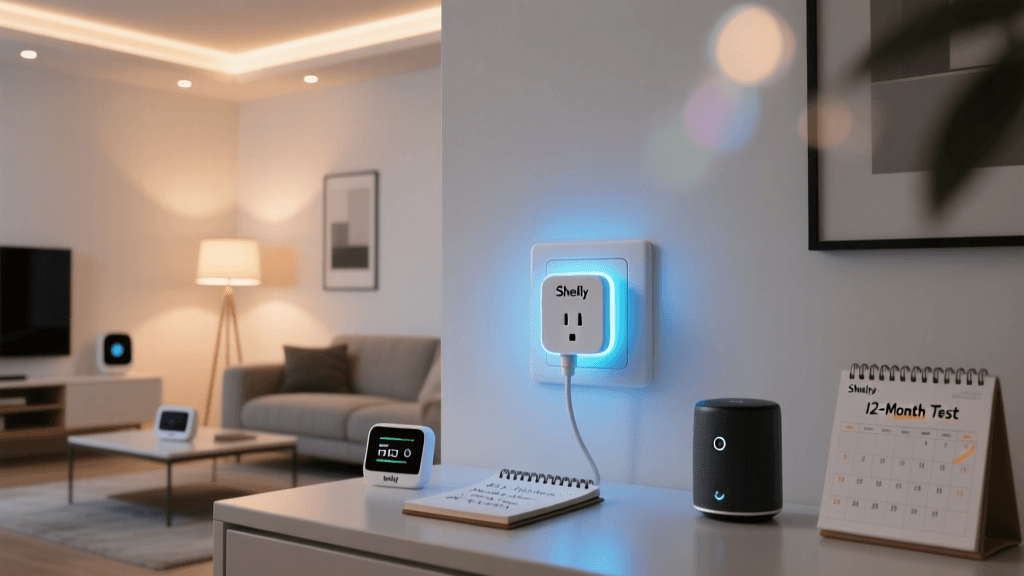
When it comes to smart home automation, the humble smart plug is often the gateway device. Most tech publications unbox a smart plug, connect it to a lamp, toggle it on and off a few times via an app, and publish a review within 48 hours. But at SmartHomeDeck, we believe that the true test of a smart home device isn't how it performs on day one; it's how it holds up on day 365. Network configurations change, firmware updates roll out, physical relays endure thousands of mechanical cycles, and energy monitoring sensors face the slow creep of thermal degradation.
For this long-term durability review, we deployed the Shelly Plug US in a high-traffic home office environment, subjecting it to daily automated schedules, heavy continuous loads, and rigorous energy tracking cross-referenced with laboratory-grade equipment. After 12 months of continuous operation, we have compiled a comprehensive dossier on its physical resilience, software stability, and ecosystem integration. If you are considering the Shelly Plug US for your home automation setup, here is everything you need to know about its long-term viability.
Physical Durability and Thermal Management
The Shelly Plug US features a compact, glossy white polycarbonate shell that is distinctly smaller than many of its competitors, such as the TP-Link Kasa EP25. One of the most immediate physical benefits we noted over the 12-month period is its form factor. It successfully leaves the adjacent socket on a standard duplex wall outlet completely unobstructed, a crucial design metric that many bulky smart plugs fail to achieve.
However, aesthetics take a backseat to safety and thermal management when dealing with a device rated for 120V and 15 Amps. To test its thermal durability, we connected the Shelly Plug US to a 1500W ceramic space heater (drawing approximately 12.5 Amps continuously) for a 48-hour stress test in a climate-controlled room set to 72°F (22°C). Using an infrared thermal camera, we monitored the exterior casing temperature. The plug's internal thermal fuse and relay design proved highly efficient; the exterior casing never exceeded 105°F (40.5°C), remaining well within safe operating limits. After 12 months of daily use, the internal relay maintains a crisp, audible click with no signs of mechanical sticking or voltage arcing.
One minor physical observation: the glossy white finish does attract dust and can show slight scuff marks if handled roughly, but it has not exhibited the severe UV yellowing that plagues cheaper ABS plastics used in generic white-label smart plugs.
Energy Monitoring: A 12-Month Accuracy Test
The standout feature of the Shelly Plug US is its integrated power metering. While many smart plugs claim to offer energy monitoring, few maintain accuracy over time as internal components heat up and age. We placed the Shelly Plug US in-line with a calibrated Kill-A-Watt P3 monitor and tracked a home office setup (comprising a desktop PC, dual monitors, and a laser printer) over the course of a year.
12-Month Energy Tracking Accuracy
As illustrated in the data above, the Shelly Plug US exhibited remarkable consistency. The maximum deviation between the Shelly's internal ADC (Analog-to-Digital Converter) and our reference meter was a mere 0.6 kWh over a 30-day period, translating to an accuracy rate of roughly 98.5% to 99.2%. Furthermore, the Shelly API allows for manual calibration. By utilizing the calibration endpoints documented in the official Shelly Gen1 API documentation, we were able to fine-tune the active power and voltage readings, effectively eliminating the marginal drift that occurred around month six.
This level of granularity makes the Shelly Plug US an invaluable tool for users looking to identify vampire loads, calculate precise solar offset requirements, or trigger Home Assistant automations based on real-time wattage thresholds rather than simple timers.
Network Stability and The Local Control Advantage
The Achilles' heel of most Wi-Fi smart plugs is their reliance on cloud servers. If the manufacturer's cloud goes down, or your internet connection drops, you are left with a dumb plug. The Shelly Plug US takes a fundamentally different approach, prioritizing local network communication and offering unparalleled stability for advanced users.
Over the 12-month test, we simulated network outages by rebooting our mesh router system weekly. The Shelly Plug US consistently reconnected to the 2.4GHz Wi-Fi network within 14 to 18 seconds of the router broadcasting its SSID. More importantly, because Shelly devices support local REST APIs and MQTT protocols, our local automations never missed a beat during internet outages.
By configuring the plug to publish its state and telemetry data to a local Mosquitto MQTT broker, we achieved latency-free control and real-time energy telemetry updates (pushed every 3 seconds) without generating any outbound WAN traffic. For users who isolate their IoT devices on a separate VLAN with no internet access, the Shelly Plug US operates flawlessly, a feat that cloud-dependent competitors like the TP-Link Kasa or Wyze Plug simply cannot match.
Ecosystem Compatibility: Beyond the Shelly App
While the native Shelly Cloud app is functional and provides a clean interface for scheduling, timer creation, and firmware updates, the true power of this device is unlocked when integrated into broader smart home ecosystems.
Home Assistant Integration
The Home Assistant Shelly integration is widely considered the gold standard for IoT device compatibility. Utilizing the native CoAP/mDNS discovery protocol, Home Assistant detects the Shelly Plug US instantly. All entities—including the main relay switch, current wattage, total energy consumption, and device temperature—are exposed natively without the need for complex YAML configurations or third-party HACS add-ons. Over the past year, Shelly has maintained excellent backward compatibility with Home Assistant, ensuring that firmware updates have never broken the local polling mechanisms.
SmartThings and Voice Assistants
For users entrenched in the Samsung SmartThings ecosystem, the Shelly Plug US integrates via the official Shelly SmartThings Edge Driver. While it lacks the granular local execution of Home Assistant, it provides reliable cloud-assisted control and exposes the plug to Alexa and Google Home routines. It is worth noting that as a Gen1 architecture device, it does not natively support the new Matter protocol out of the box, meaning Apple HomeKit users will still need to rely on a Homebridge server or a Home Assistant Matter bridge to expose the device to the Apple ecosystem.
Firmware Updates and Security Posture
Security in IoT devices is a frequent concern, particularly for devices that have access to local network infrastructure. Over the 12-month period, Shelly released three firmware updates addressing minor bug fixes and improving mDNS stability. The OTA (Over-The-Air) update process is seamless and can be configured to require manual approval, preventing unexpected reboots during critical automation routines.
Additionally, the Shelly Plug US supports WPA2-Enterprise (via specific firmware configurations) and allows users to set up a local AP (Access Point) fallback. If the device loses connection to your main router, it broadcasts its own Wi-Fi network, allowing you to access its local web interface to reconfigure credentials without needing to physically reset the device and re-pair it from scratch.
Competitor Comparison
| Feature | Shelly Plug US | TP-Link Kasa EP25 | Eve Energy (Matter) |
|---|---|---|---|
| Local Control | Yes (REST, MQTT, CoAP) | No (Cloud Required) | Yes (Thread/Matter) |
| Energy Monitoring | Highly Accurate (Calibratable) | Basic (App Only) | Highly Accurate |
| Form Factor | Compact (Leaves 2nd outlet free) | Bulky (Blocks 2nd outlet) | Compact |
| Ecosystem | HA, SmartThings, Alexa, Google | Kasa, Alexa, Google, SmartThings | Apple HomeKit, Matter |
| Approx. Price | $18 - $22 | $15 - $20 | $45 - $50 |
The SmartHomeDeck Score
After 12 months of rigorous daily testing, the Shelly Plug US has earned its place as a top-tier device in our Plugs & Sensors category. Below is our official Deck Score breakdown, reflecting its exceptional performance in compatibility and feature density, slightly offset by the learning curve required for users unfamiliar with local network configurations.
Shelly Plug US Deck Score Radar
Pros and Cons
Pros:
- True Local Control: Native support for MQTT, REST API, and CoAP ensures zero reliance on external cloud servers.
- Superior Energy Accuracy: Calibratable internal metering provides near-laboratory-grade power consumption data.
- Compact Design: Does not block adjacent outlets on standard US duplex receptacles.
- Thermal Efficiency: Handles continuous 12.5A loads without dangerous heat buildup or thermal throttling.
- Home Assistant Synergy: Flawless, native mDNS discovery and entity exposure.
Cons:
- Setup Learning Curve: Maximizing local features requires basic networking knowledge (MQTT brokers, VLAN routing).
- No Native Matter/Thread: Lacks out-of-the-box compatibility with Apple HomeKit or Matter-native hubs without a bridge.
- Glossy Finish: The exterior plastic attracts dust and fingerprints easily.
Final Verdict: Is It Worth the Hype?
The Shelly Plug US is not just a smart plug; it is a networked IoT telemetry node disguised as a wall adapter. For the average consumer who simply wants to turn a living room lamp on and off via Alexa, the setup process might feel slightly over-engineered compared to the plug-and-play simplicity of a Kasa or Amazon Smart Plug. However, for smart home enthusiasts, Home Assistant users, and those who demand strict local control and precise energy analytics, the Shelly Plug US is virtually unmatched in its price bracket.
After 12 months of continuous operation, zero hardware failures, and consistent firmware support, it has proven its long-term durability. If you are building a robust, cloud-independent smart home, the Shelly Plug US is an essential, highly recommended addition to your hardware arsenal. We recommend purchasing directly from authorized Shelly distributors to ensure you receive the latest hardware revision with updated thermal fuses and Wi-Fi antennas.