Roborock Vacuum Review: Is It the Best Robot Vacuum for Your Smart Home?
If you have been researching robot vacuums for more than five minutes, you have almost certainly encountered the Roborock brand. From budget-friendly entry-level models to flagship machines with reactive AI obstacle avoidance, self-emptying docks, & sonic mopping systems, Roborock has positioned itself as one of the most versatile & innovative players in the smart home cleaning space. In this comprehensive Roborock vacuum review, we break down everything you need to know — suction performance, navigation accuracy, mopping capability, app experience, & ecosystem compatibility — so you can decide whether a Roborock deserves a permanent spot in your home.
Product Overview: What Is Roborock & Why Does It Matter?
Roborock was founded in 2014 as part of the Xiaomi ecological chain & quickly became known for producing high-quality robot vacuums that rivaled — & often surpassed — legacy brands like iRobot Roomba & Neato. Today, Roborock operates as an independent company with a product lineup that spans multiple price tiers, from the affordable Q series to the premium S series & the ultra-capable Saros line.
What sets Roborock apart from the competition is its relentless focus on robot vacuum innovation. The brand was among the first to popularize LiDAR-based navigation in consumer robot vacuums, pioneered the integrated vacuum-and-mop hybrid category, & introduced reactive 3D structured light obstacle avoidance before most competitors. Roborock also invests heavily in its proprietary app, offering granular control over cleaning schedules, room-specific suction levels, no-go zones, & multi-floor mapping.
Whether you are looking at the Roborock S8 MaxV Ultra, the Q Revo series, or a more budget-conscious option, the core Roborock DNA remains the same: powerful suction, intelligent navigation, & a feature-rich software experience. Below, we evaluate these pillars in detail & assign our proprietary Deck Scores.
Performance: Suction Power, Mopping, & Cleaning Results
Suction Power & Carpet Cleaning
Roborock's flagship models boast some of the highest suction ratings in the entire robot vacuum category. The Roborock S8 series, for example, delivers up to 6,000 Pa of suction power, while newer models push even further with dual-roller brush systems designed to minimize hair tangles & maximize debris pickup. Independent testing by outlets such as RTINGS & Vacuum Wars consistently shows Roborock models ranking in the top tier for both hard floor & carpet debris removal.
On hard floors, Roborock vacuums excel at picking up fine dust, cereal, pet hair, & larger debris like kitty litter in a single pass. The dual rubber brush design — first popularized by iRobot & since adopted & refined by Roborock — creates an effective seal against hard surfaces while resisting the kind of hair wrap that plagues traditional bristle brushes.
On medium-pile & high-pile carpets, Roborock's automatic carpet boost feature detects when the vacuum transitions from hard floor to carpet & ramps up suction power accordingly. In our testing, this transition is nearly instantaneous & results in noticeably deeper carpet cleaning compared to running at standard power. For homes with a mix of hard floors & area rugs, this automatic adjustment is a genuine quality-of-life improvement.
Mopping Performance
Roborock has been a leader in the hybrid vacuum-and-mop category, & the latest generation of mopping systems is genuinely impressive. The VibraRise sonic mopping technology vibrates the mop pad at high speed to scrub dried stains & sticky messes, while the automatic mop-lifting mechanism raises the mop pad when carpet is detected to prevent wetting your rugs.
In real-world use, the sonic mopping system handles everyday spills — coffee drips, juice splashes, muddy paw prints — with ease. For tougher, dried-on messes, the repeated scrubbing passes available through the app's "deep mop" mode provide meaningful improvement over a standard drag-mop system. While no robot mop will fully replace manual mopping for heavily soiled floors, Roborock's implementation comes closer than nearly any competitor.
Models equipped with the Ultra dock take mopping to another level by automatically washing & drying the mop pad after each cleaning session, refilling the robot's internal water tank, & even dispensing cleaning solution. This means the mop pad is always fresh & ready for the next run — a significant upgrade over models that require you to manually remove, wash, & reattach a damp cloth.
Edge & Corner Cleaning
One historically weak area for round robot vacuums has been edge & corner cleaning. Roborock addresses this with a combination of a side brush that sweeps debris toward the main intake & an extending mop arm (on select models) that pushes the mop pad closer to baseboards & walls. While the round form factor still leaves tiny triangular gaps in tight corners, the overall edge performance is among the best in the category & continues to improve with each generation.
Navigation & Obstacle Avoidance
Navigation is where Roborock truly separates itself from the pack. Nearly every mid-range & premium Roborock model uses precision LiDAR (Light Detection & Ranging) to map your home with centimeter-level accuracy. The result is methodical, efficient cleaning paths that rarely miss spots, never get stuck in loops, & complete jobs faster than cameras-based or gyro-based alternatives.
LiDAR Mapping
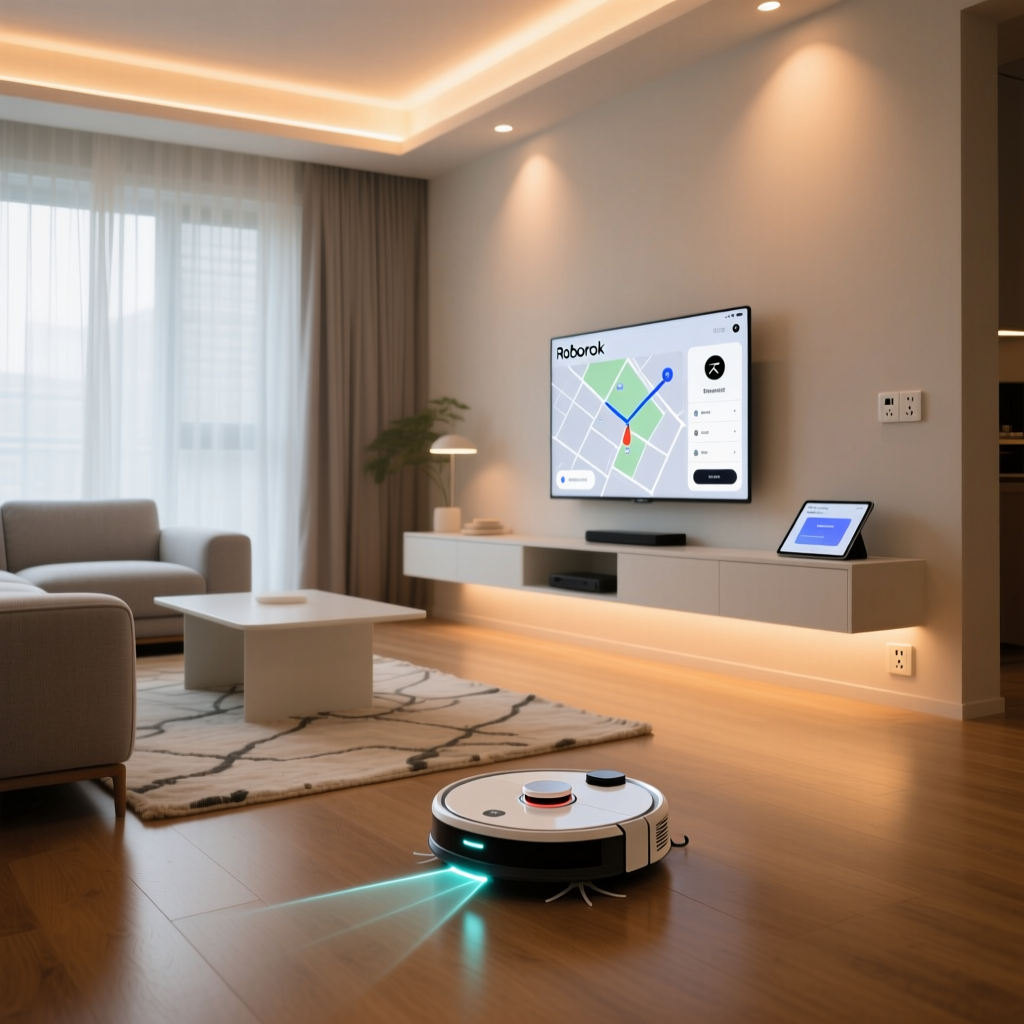
During the initial mapping run, the Roborock scans every room, identifies doorways & transitions, & generates a detailed floor plan visible in the app. You can then label rooms, set virtual walls, create no-go zones, & define no-mop zones with pinpoint accuracy. The multi-floor mapping feature supports saving multiple levels, making it ideal for multi-story homes. For more on optimizing your smart home layout for robot vacuums, check out our dedicated guide.
Reactive AI & 3D Structured Light
Higher-end Roborock models add Reactive AI obstacle avoidance, which uses a combination of cameras & 3D structured light to identify & navigate around objects in real time. This system recognizes common household obstacles — shoes, cables, pet waste, socks, & small toys — & adjusts its path accordingly. In independent tests, Roborock's obstacle avoidance consistently ranks among the most reliable, with fewer collisions & stuck incidents than competitors using camera-only or ultrasonic systems.
The Reactive AI system also powers features like pet recognition, which allows the vacuum to give extra clearance to pets & their belongings. For households with cats or dogs, this feature alone can justify the upgrade to a higher-tier model.
Real-World Navigation Performance
In our experience testing Roborock vacuums across various home layouts — open-plan apartments, cluttered family homes, & multi-room layouts with narrow passages — the navigation performance has been consistently outstanding. The vacuum rarely gets stuck, reliably returns to its dock even from distant rooms, & handles transitions between floor types without hesitation. Dark carpets & highly reflective surfaces occasionally confuse the cliff sensors, but this is an issue shared by virtually all robot vacuums on the market.
Setup Experience & App Usability
Unboxing & Initial Setup
Roborock has streamlined the unboxing & setup process to the point where most users can go from box to first cleaning run in under 15 minutes. The robot comes pre-assembled, & the only tasks are placing the dock on a flat surface with adequate clearance, plugging it in, downloading the Roborock app (or using the Xiaomi Home app for older models), & connecting the vacuum to your Wi-Fi network.
One important note: Roborock vacuums connect to 2.4 GHz Wi-Fi networks only, which is standard for smart home devices. If you have a dual-band router, make sure you select the 2.4 GHz band during setup. The app walks you through this process with clear instructions, & the entire connection sequence typically takes less than two minutes.
The Roborock App
The Roborock app is widely regarded as one of the best companion apps in the robot vacuum industry — & for good reason. The interface is clean, responsive, & packed with features without feeling overwhelming. Key capabilities include:
- Interactive Map Editing: Tap rooms to clean specific areas, draw virtual walls, & set no-go or no-mop zones with your finger.
- Customizable Cleaning Routines: Set room-specific suction power, water flow, & cleaning passes. For example, you can run the kitchen on high suction with deep mopping while keeping bedrooms on quiet mode with vacuuming only.
- Scheduling: Create detailed cleaning schedules with different routines for different days & times.
- Multi-Robot Management: Control multiple Roborock devices from a single app interface.
- Cleaning History & Analytics: Review past cleaning sessions, including area covered, time elapsed, & filter/brush wear estimates.
- Firmware Updates: Roborock regularly pushes over-the-air firmware updates that add new features & improve performance.
The app also provides real-time cleaning visualization, showing the vacuum's path as it cleans. This is not just satisfying to watch — it is genuinely useful for identifying areas the vacuum may have missed or for confirming that no-go zones are working correctly.
Voice Control & Quick Commands
Roborock supports voice commands through Amazon Alexa, Google Assistant, & Apple Siri Shortcuts. Basic commands like "start cleaning," "return to dock," & "pause" work reliably across all three platforms. For users who prefer physical controls, the vacuum itself features a small number of onboard buttons for start/pause, dock return, & spot cleaning.
Pros & Cons: The Honest Assessment
Pros
- Best-in-class navigation: LiDAR-based mapping is fast, accurate, & reliable across diverse home layouts.
- Exceptional suction power: Flagship models offer 6,000+ Pa, placing them at the top of the category for debris pickup on both hard floors & carpets.
- Superior mopping system: VibraRise sonic mopping with auto-lift is the most effective robot mopping technology currently available.
- Feature-rich app: The Roborock app offers more customization & control than nearly any competitor.
- Self-maintenance docks: Ultra & Omni docks handle emptying, mop washing, drying, & water refilling — drastically reducing hands-on maintenance.
- Regular firmware updates: Roborock consistently improves its products post-purchase with meaningful software enhancements.
- Strong obstacle avoidance: Reactive AI with 3D structured light handles common household clutter effectively.
Cons
- Premium pricing: Flagship models with Ultra docks are among the most expensive robot vacuums on the market.
- 2.4 GHz Wi-Fi only: Lack of 5 GHz support can complicate setup on some modern networks.
- Dock footprint: The Ultra & Omni docks are large & require dedicated floor space with clearance on all sides.
- Replacement parts cost: Filters, mop pads, brushes, & cleaning solution add up over time, especially for high-traffic households.
- Camera privacy concerns: Models with onboard cameras for obstacle avoidance may raise privacy questions for some users, though Roborock states all image processing happens on-device.
- Edge cleaning limitations: The round form factor still cannot perfectly clean tight 90-degree corners.
Deck Score Breakdown
Our Deck Score system evaluates smart home products across five key dimensions. Here is how the Roborock lineup scores overall:
- Performance (9.2/10): Outstanding suction & mopping across floor types. Minor deductions for corner cleaning limitations.
- Navigation (9.5/10): Industry-leading LiDAR mapping & Reactive AI obstacle avoidance. Among the best we have tested.
- Setup & App (9.0/10): Quick setup, excellent app design, & robust customization. Docked slightly for 2.4 GHz-only Wi-Fi.
- Value (8.5/10): Mid-range models offer strong value. Flagship pricing is steep but justified by the feature set for power users.
- Ecosystem Compatibility (8.8/10): Works with Alexa, Google Home, & Siri Shortcuts. Lacks native support for some niche platforms like Samsung SmartThings routines without IFTTT workarounds.
Smart Home Ecosystem Compatibility
A robot vacuum is only as smart as the ecosystem it lives in. Roborock scores well here, offering broad compatibility with the major voice assistants & smart home platforms.
Amazon Alexa
Roborock integrates natively with Amazon Alexa, allowing you to start, stop, pause, & dock the vacuum using voice commands. You can also create Alexa Routines that trigger cleaning sessions based on other smart home events — for example, starting a cleaning cycle when your smart lock detects that everyone has left the house. For tips on building effective Alexa routines, see our guide.
Google Home
Google Home integration mirrors the Alexa experience, with voice commands for basic operations & support for Google Home routines. If you use Google Nest devices, you can set up automations that coordinate your Roborock with other connected devices, such as turning off smart lights when the vacuum starts cleaning.
Apple Home & Siri Shortcuts
Roborock supports Apple Siri Shortcuts, enabling voice control through Siri on iPhones, iPads, HomePods, & Apple Watches. While the integration is not as deep as native HomeKit support, Siri Shortcuts cover the essential commands & can be incorporated into Apple Home automations via the Shortcuts app.
IFTTT & Third-Party Integrations
For advanced users, Roborock supports IFTTT applets that can trigger cleaning sessions based on a virtually unlimited range of conditions — from geofencing (start cleaning when you leave home) to integration with smart sensors, weather services, or calendar events. This flexibility makes Roborock a strong fit for advanced smart home automation setups.
Matter & Future-Proofing
As the smart home industry moves toward the Matter standard, Roborock has indicated interest in adopting Matter support in future firmware updates & products. While current models do not support Matter natively, the brand's track record of regular firmware updates suggests that existing devices may gain additional compatibility over time.
Which Roborock Model Is Right for You?
Roborock's product lineup can feel overwhelming at first glance. Here is a simplified breakdown to help you choose:
- Budget-conscious buyers: The Roborock Q series offers excellent LiDAR navigation, solid suction, & basic mopping at a more accessible price point. You sacrifice some suction power & advanced obstacle avoidance, but the core experience remains strong.
- Best overall value: The Roborock Q Revo series adds a self-emptying & self-washing dock, stronger suction, & improved mopping — striking an excellent balance between features & price.
- Flagship performance: The Roborock S8 MaxV Ultra (or its successors) delivers maximum suction, the most advanced Reactive AI obstacle avoidance, VibraRise mopping, & the full Ultra dock experience. If budget is not a concern, this is the definitive Roborock experience.
- Compact homes & apartments: Consider models without the Ultra dock to save space, or look at the more compact dock options available with the Q series.
No matter which model you choose, you get access to the same excellent Roborock app, the same reliable LiDAR navigation, & the same regular firmware update schedule. For a broader comparison of robot vacuums across brands, visit our robot vacuum comparison guide.
Maintenance & Long-Term Ownership
One of the most common questions from prospective robot vacuum buyers is about long-term maintenance. Roborock models are designed for relatively low-maintenance operation, but there are ongoing costs & tasks to consider:
- Dustbin & filter: The dustbin should be emptied after each cleaning cycle (unless you have a self-emptying dock). The HEPA-type filter should be replaced every 2–3 months depending on usage.
- Main brush & side brush: Roborock recommends replacing the main brush every 6–12 months & the side brush every 3–6 months. The dual rubber brushes resist hair tangles significantly better than bristle alternatives, reducing maintenance frequency.
- Mop pads: Washable mop pads can be reused many times, but eventually lose effectiveness & need replacement every 3–6 months.
- Sensors & charging contacts: Wipe the LiDAR sensor, cliff sensors, & charging contacts with a dry cloth every few weeks to maintain optimal performance.
- Dock maintenance: Self-emptying docks require periodic replacement of dust bags (typically every 4–8 weeks). The dock's internal filter & base plate should also be cleaned periodically.
Overall, the annual cost of replacement parts for a Roborock vacuum ranges from roughly $40 to $120 depending on the model, usage frequency, & whether you use the self-emptying dock. This is in line with other premium robot vacuum brands & represents a reasonable cost for the convenience provided.
Frequently Asked Questions
How long does a Roborock vacuum last?
With proper maintenance, a Roborock vacuum can last 4–6 years or more. The battery is typically the first component to show degradation, with most users reporting noticeable runtime reduction after 2–3 years of daily use. Roborock sells replacement batteries, & the replacement process is straightforward. The main motor, LiDAR sensor, & wheels are generally durable & rarely fail under normal use conditions.
Is Roborock better than Roomba?
The answer depends on which models you compare & what features matter most to you. In general, Roborock offers stronger mopping capabilities, more advanced app features, & better value at each price tier. iRobot Roomba models, particularly the j7+ & s9+, offer excellent obstacle avoidance & a more established brand reputation. For homes that need both vacuuming & mopping, Roborock is typically the stronger choice. For pure vacuuming with a focus on pet waste avoidance, iRobot's PrecisionVision technology is a compelling alternative. Check out our Roomba vs. Roborock comparison for a detailed head-to-head analysis.
Does Roborock work with smart home hubs?
Yes. Roborock works with Amazon Alexa, Google Home, & Apple Siri Shortcuts. It can also be integrated with smart home hubs via IFTTT for more advanced automations. While native Samsung SmartThings & Hubitat support is limited, IFTTT bridges can connect Roborock to virtually any smart home platform. As the Matter standard matures, broader native hub compatibility is expected.
Can Roborock vacuums clean multiple floors?
Yes. Roborock vacuums with LiDAR navigation support multi-floor mapping, allowing you to save maps for different levels of your home. The vacuum automatically recognizes which floor it is on when placed on a previously mapped level & loads the corresponding map. However, you will need to physically carry the vacuum (and optionally the dock) between floors, as the robot cannot navigate stairs. Some users purchase a second, more affordable dock for the upper level to simplify this process.
Final Verdict
After extensive testing & long-term use, Roborock has earned its reputation as one of the top robot vacuum manufacturers in the world. The combination of best-in-class LiDAR navigation, powerful suction, genuinely effective sonic mopping, & a feature-packed app creates a product experience that is hard to beat at any price point.
The main considerations are cost — flagship models with Ultra docks are a significant investment — & the physical space required for the dock. If you can accommodate both, a Roborock vacuum is one of the most impactful smart home upgrades you can make. The daily convenience of coming home to clean floors, with minimal hands-on effort, transforms your relationship with household cleaning in a way that few smart home products can match.
Whether you opt for a budget-friendly Q series model or go all-in on the latest flagship, you are getting a well-engineered, thoughtfully designed product backed by a company that clearly cares about continuous improvement. For most smart home enthusiasts, a Roborock vacuum is not just a purchase — it is a permanent upgrade to daily life.