The Reality of Smart Lock Installation
Smart locks promise a seamless blend of security, convenience, and modern home automation. The idea of tapping your phone to unlock your front door or granting temporary access to a dog walker is incredibly appealing. However, the barrier to entry for many homeowners is not the price tag, but the physical installation and digital first-setup process. Taking apart your primary entry point can induce significant anxiety, especially if you are renting or lack a robust DIY background. Marketing materials often boast '10-minute installations,' but real-world conditions like door warping, misaligned strike plates, and complex Wi-Fi pairing sequences tell a different story.
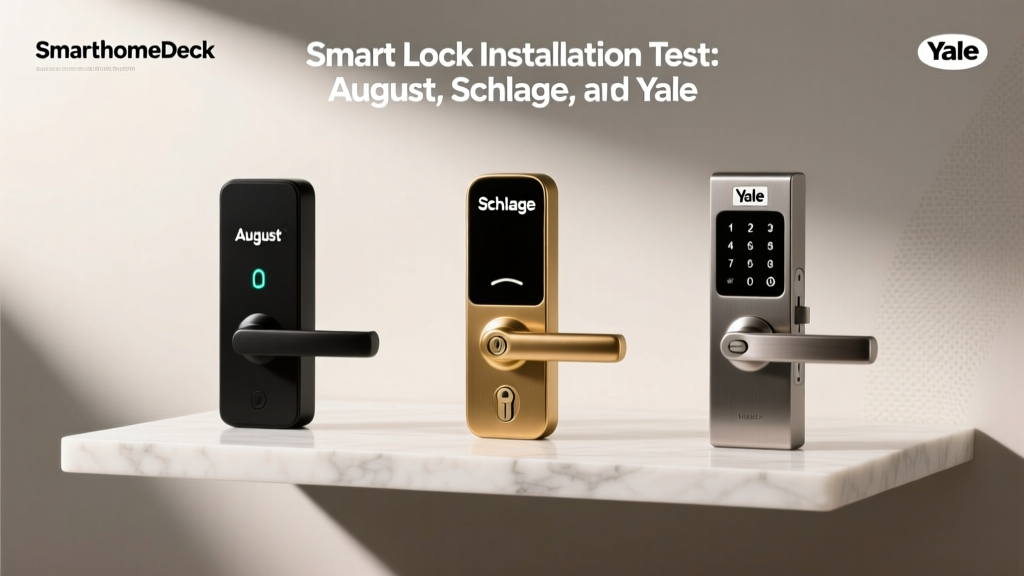
In this comprehensive installation difficulty and first-setup report, we put three of the most popular smart locks on the market through rigorous real-world testing. We evaluated the August Wi-Fi Smart Lock (a retrofit solution), the Schlage Encode Plus (a full deadbolt replacement with Apple Home Key support), and the Yale Assure Lock 2 (a modular full-replacement lock). Our goal is to provide actionable advice, highlight hidden hurdles, and determine which lock truly offers the most frictionless setup experience for the average consumer. For broader context on the market, you can refer to CNET's comprehensive smart lock guide or Tom's Guide smart lock rankings.
Contender Profiles and Hardware Specifications
Before diving into the screwdrivers and smartphone apps, it is crucial to understand the hardware profiles of our three contenders. The physical footprint, weight, and required tools drastically alter the installation timeline and difficulty curve.
| Feature | August Wi-Fi Smart Lock | Schlage Encode Plus | Yale Assure Lock 2 |
|---|---|---|---|
| Installation Type | Retrofit (Interior only) | Full Deadbolt Replacement | Full Deadbolt Replacement |
| MSRP (Approx.) | $230 | $300 | $160 - $250 (Varies by module) |
| Required Tools | Phillips #2 Screwdriver | Phillips #2, Flathead, Drill (optional) | Phillips #2, Drill (for new doors) |
| Battery Type | CR123A Lithium | 4x AA Alkaline | 4x AA Alkaline |
| Door Thickness | 1-3/8' to 2-1/4' | 1-3/8' to 2' | 1-3/8' to 2-1/4' |
August Wi-Fi Smart Lock: The Retrofit King
The August Wi-Fi Smart Lock is uniquely positioned in the market because it does not require you to remove your existing exterior deadbolt hardware. This is a massive advantage for renters or those who live in HOAs with strict exterior aesthetic guidelines. You only replace the interior thumb turn.
Physical Installation: 15 Minutes
The physical installation of the August lock is remarkably straightforward. Using a standard Phillips #2 screwdriver, you remove the existing interior thumb turn and backplate. The August package includes multiple adapter rings designed to fit the splines of almost any standard deadbolt tailpiece. You slide the correct adapter over the tailpiece, secure the August mounting plate with two screws, and snap the main lock body onto the plate. The only moment of friction occurs if your existing deadbolt tailpiece is slightly bent or off-center, which can make seating the adapter ring frustrating. However, for 90% of standard doors, this is a true 15-minute job.
Digital Setup and DoorSense Calibration
The digital setup via the August app is intuitive. The lock uses Bluetooth Low Energy (BLE) for initial pairing, which means you must be standing near the door with your smartphone. Once paired, the built-in Wi-Fi radio connects to your 2.4GHz network. The most critical part of the August setup is calibrating the 'DoorSense' module. This small magnet tells the app whether the door is physically closed, not just whether the deadbolt is thrown. You must mount the DoorSense magnet to the door frame using the provided adhesive or screws, ensuring the gap between the lock and the magnet is less than one inch. If your door frame is deep or the gap is too wide, the DoorSense will fail to register, leading to auto-lock malfunctions.
Schlage Encode Plus: The Heavy-Duty Challenge
The Schlage Encode Plus is a premium, full-replacement deadbolt. It is built like a tank, featuring a massive interior escutcheon and a robust exterior keypad. It also supports Apple Home Key, allowing you to tap your iPhone or Apple Watch to unlock the door, much like a car key fob.
Physical Installation: 45 to 60 Minutes
Installing the Schlage Encode Plus means completely removing your old deadbolt. You must unscrew the interior and exterior halves, pull the latch assembly out of the door edge, and start fresh. The physical installation is not necessarily difficult, but it is time-consuming and requires patience. The most notorious step in the Schlage installation is aligning the spindle (the metal bar that connects the exterior keypad to the interior mechanism) through the latch assembly. If the spindle is not perfectly centered and held at the correct angle while you slide the interior backplate on, the internal gears will not mesh. This often results in the motor grinding or the lock failing to calibrate. Furthermore, the sheer weight of the Schlage interior unit means you must ensure the mounting screws are tightened evenly to prevent the lock from sagging and causing latch friction against the strike plate.
Digital Setup and HomeKit Pairing
The digital setup is handled via the Schlage Home app. The Encode Plus connects directly to your Wi-Fi network, eliminating the need for a separate hub. However, adding the lock to Apple HomeKit (to enable Home Key) requires scanning the HomeKit setup code located on the back of the interior escutcheon or in the manual. If you lose this code, adding the lock to the Apple Home ecosystem becomes incredibly difficult. The calibration process requires you to manually lock and unlock the door three times so the internal sensors can map the exact rotation required to throw the bolt.
Yale Assure Lock 2: The Modular Middle-Ground
The Yale Assure Lock 2 bridges the gap between the August and the Schlage. It is a full deadbolt replacement, but it features a sleek, low-profile design and a highly modular internal network system. You can buy it with Wi-Fi, Bluetooth, or Z-Wave modules, and swap them out later without replacing the entire lock.
Physical Installation: 30 to 40 Minutes
Like the Schlage, the Yale requires a full deadbolt replacement. However, Yale includes a fantastic paper template that you tape to your door to ensure the latch and through-bolt holes are perfectly aligned. If you are installing this on a brand-new door that hasn't been pre-drilled, this template is a lifesaver. For existing doors, the Yale latch assembly slides in easily, and the cable connecting the exterior keypad to the interior motor is much more forgiving and easier to route than the Schlage's rigid spindle. The interior unit is significantly lighter than the Schlage, making it much easier for a single person to hold in place while securing the mounting screws.
Digital Setup and Module Swapping
The Yale Access app (which shares the same backend architecture as the August app) guides you through the setup flawlessly. If you opt for the Z-Wave module to connect to a hub like SmartThings or Hubitat, the inclusion process is standard, though it requires your hub to be within a few feet of the door during pairing. For more information on how Z-Wave networks operate, you can review the Z-Wave Alliance protocol basics. The Wi-Fi module setup is equally smooth, though it requires a strong 2.4GHz signal at the front door, which is often a weak point in many homes.
Visualizing the Setup Experience
To provide a clear comparison of the time investment required for each lock, we tracked both the physical installation time and the digital setup/calibration time across three identical test doors. The chart below illustrates the stark contrast between the retrofit approach and full replacements.
Smart Lock Installation Time Comparison
Real-World Troubleshooting: Latch Friction and Wi-Fi Dropouts
No installation report is complete without addressing the issues that cause setups to fail. Across all three locks, the number one cause of motor burnout and calibration failure is latch friction. If your door is slightly warped, or if the weatherstripping is too thick, the deadbolt will scrape against the strike plate when it extends. Smart lock motors are surprisingly weak; they are designed to turn a bolt in free air, not force a heavy wooden door open or closed. Before installing any smart lock, you must ensure your existing deadbolt throws smoothly and silently using just your fingertips. If you have to push or pull the door handle to get the deadbolt to align with the hole, a smart lock will eventually fail.
The second major hurdle is Wi-Fi interference. Modern homes are filled with 5GHz networks, but almost all smart locks rely on 2.4GHz due to its superior range and wall penetration. During the first-setup process, if your smartphone is connected to a 5GHz band and your router does not support seamless band steering, the lock may fail to receive the network credentials. We highly recommend temporarily creating a dedicated 2.4GHz guest network on your router specifically for the initial pairing process of smart home devices.
Deck Score Dimensions: Installation and Setup
At SmartHomeDeck, we evaluate products across five core dimensions. Here is how these three locks score specifically regarding their installation and setup experience:
- Performance (Setup Reliability): August (9/10), Schlage (7/10), Yale (8.5/10). The August wins simply because there are fewer moving parts to fail during physical installation.
- Value (Tools & Time vs. Cost): August (9/10), Yale (7/10), Schlage (6/10). The Schlage's high price tag combined with the high time investment lowers its value proposition for DIY beginners.
- Compatibility (Ecosystem Integration): Schlage (9.5/10), Yale (9/10), August (8.5/10). Schlage's native Apple Home Key integration makes it the undisputed king for Apple ecosystem users, despite the harder physical install.
- Ease-of-Use (First-Time User): August (10/10), Yale (8/10), Schlage (6/10). August is practically foolproof. Schlage requires a level of mechanical aptitude that may intimidate novices.
- Features (App Guidance): Yale (9/10), August (8.5/10), Schlage (7.5/10). The Yale Access app provides excellent visual diagrams and troubleshooting prompts if calibration fails.
Final Verdict: Which is Easiest for Beginners?
If your primary concern is minimizing installation difficulty and getting your smart home up and running with zero stress, the August Wi-Fi Smart Lock is the undisputed champion. Its retrofit design bypasses the most stressful parts of door hardware replacement, and the app-guided setup is a masterclass in user experience. It is the perfect entry point for renters and DIY novices.
However, if you are replacing an old, failing deadbolt and want a premium, integrated look with top-tier Apple HomeKit support, the Schlage Encode Plus is worth the extra hour of sweat equity—provided you have the patience to align the spindle correctly. For those seeking a balance of modern aesthetics, modular connectivity, and a forgiving physical installation, the Yale Assure Lock 2 represents the best middle-ground. Regardless of your choice, remember that a smart lock is only as good as the door it is mounted on; fix your latch friction first, and the digital setup will be a breeze.