The Hidden Friction of Smart Home Security
Smart locks promise a seamless, keyless future where your door unlocks as you approach and secures itself when you leave. Marketing materials frequently boast about 'five-minute installations' and 'effortless setup.' However, as any seasoned smart home enthusiast or DIY homeowner knows, the reality of mounting a motorized deadbolt, routing data cables, and calibrating sensors is rarely that simple. The gap between unboxing and achieving reliable, automated security is where many users encounter their first major smart home friction point.
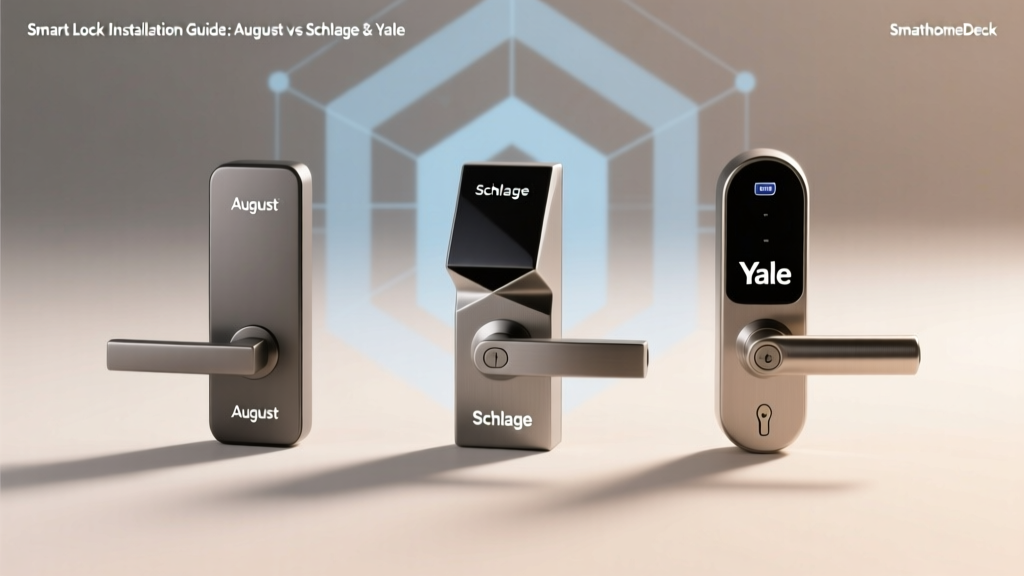
In this comprehensive installation and first-setup report, we evaluate three of the most popular smart locks on the market: the August Wi-Fi Smart Lock (4th Gen), the Schlage Encode Plus, and the Yale Assure Lock 2. We are looking past the daily user experience to focus entirely on the initial hurdle: physical installation, door prep, app onboarding, network pairing, and sensor calibration. Whether you are a renter looking for a non-destructive upgrade or a homeowner replacing your exterior hardware, understanding the true setup cost is vital.
Our Installation & Setup Testing Methodology
To accurately measure setup friction, our testing team installed each lock on three different door types: a standard interior hollow-core door (for bench testing), a vintage solid wood exterior door with slight warping, and a modern pre-hung steel exterior door. We timed every phase of the process and scored them based on the following metrics:
- Physical Installation: Required tools, door prep, backset adjustments, and hardware mounting.
- Digital Onboarding: Account creation, app UI/UX, firmware update times, and network handshakes.
- Calibration & Testing: DoorSense/magnet alignment, auto-lock timing, and motor strain testing.
According to testing insights from Wirecutter's extensive smart lock reviews, physical door alignment and binding are the leading causes of smart lock motor failure and battery drain. A lock that is difficult to calibrate on a slightly warped door will quickly become a daily frustration.
Door Prep: The Step Everyone Misses
Before unboxing any smart lock, you must verify your door's geometry. Standard US doors require a 2-1/8-inch cross-bore hole and a backset (the distance from the edge of the door to the center of the hole) of either 2-3/8 inches or 2-3/4 inches. Furthermore, door thickness typically ranges from 1-3/8 to 2-1/4 inches. If your door 'binds' (rubbing against the weatherstripping or frame when closing), the smart lock's motor will strain to throw the deadbolt, leading to premature battery death and calibration errors. Always fix door binding with a simple hinge adjustment before installing a smart lock.
August Wi-Fi Smart Lock (4th Gen): The Renter's Retrofit
The August Wi-Fi Smart Lock takes a fundamentally different approach to hardware. Instead of replacing the entire deadbolt, it replaces only the interior thumbturn, leaving your exterior keys and hardware completely intact. Priced around $230 to $250, it is the undisputed champion for renters or those with strict HOA exterior guidelines.
Physical Installation
Physical setup is genuinely a 10-minute job requiring only a Phillips-head screwdriver. You remove the existing thumbturn, mount the August adapter plate, and snap the motorized unit into place. However, the real installation challenge is the DoorSense module. This small magnetic sensor must be mounted on the door frame to tell the app whether the door is physically closed, not just whether the deadbolt is thrown. Finding the perfect alignment where the magnet triggers the sensor without interfering with the weatherstripping requires patience, double-sided tape testing, and sometimes drilling into the frame.
App Onboarding & Calibration
The August app is visually appealing but heavily reliant on Bluetooth for initial setup before handing off to Wi-Fi. The calibration wizard walks you through opening and closing the door, but it is notoriously sensitive. If your door has even a slight amount of 'play' when closed, the DoorSense may report the door as 'open' when it is actually shut, breaking auto-lock routines.
Schlage Encode Plus: The Heavyweight Full Replacement
Retailing between $250 and $300, the Schlage Encode Plus is a traditional deadbolt replacement. It is a premium, heavy-duty piece of hardware that supports Apple HomeKey, allowing you to tap your iPhone or Apple Watch to unlock.
Physical Installation
This is where the Schlage demands respect. The exterior keypad is heavy, and the interior assembly is bulky. Installation requires feeding a delicate data cable through the 2-1/8-inch cross-bore while simultaneously supporting the exterior keypad so it doesn't dangle and snap the wires. It is strictly a two-person job or requires a temporary jig. The latch is adjustable between 2-3/8 and 2-3/4 backsets, which is standard, but the sheer weight of the unit means you must ensure your door hinges are tight to prevent sagging.
App Onboarding & Calibration
Where Schlage struggles in physical installation, it shines in digital setup. The Schlage Home app (or Apple Home app, if you prioritize HomeKit) is remarkably straightforward. Because it utilizes a traditional mechanical deadbolt throw, there is no separate 'door closed' magnet to install. The calibration simply requires you to press a button on the interior assembly while the door is open, then close it and press it again. The motor learns the exact distance required to throw the bolt, making it vastly superior for warped or older doors compared to the August.
Yale Assure Lock 2: The Modular Minimalist
The Yale Assure Lock 2 (starting around $160 for the keypad, up to $250 for the touchscreen and advanced modules) is celebrated for its slim profile and modular smart home ecosystem support via swappable Smart Modules (Z-Wave, Zigbee, HomeKit, or Matter).
Physical Installation
Yale has engineered a fantastic mounting plate system. The exterior keypad is lightweight, and the interior assembly uses a clever latch mechanism that makes holding the unit against the door while feeding the cable much easier than the Schlage. However, the Yale requires a very precise 2-1/8-inch hole; if your existing hole is even slightly off-center or chipped, the slim Yale backplate may not cover the damage, forcing you to patch and paint the door.
App Onboarding & Calibration
The Yale Access app is essentially a rebranded August app (both are owned by ASSA ABLOY). Consequently, it shares the same Bluetooth-to-network handoff quirks. If you opt for the Matter-over-Thread Smart Module, the setup requires a compatible Thread Border Router (like an Apple TV 4K or Nest Hub). While Thread offers superior long-term reliability and battery life, the initial pairing process for users unfamiliar with Thread networks can be confusing, often resulting in 'device not found' errors if the border router is too far away during setup.
Setup Time & Difficulty Comparison
To visualize the friction involved in getting these devices operational, we tracked the average time spent across three distinct phases on a standard exterior door. As shown below, physical install time does not always correlate with total setup time.
| Feature | August Wi-Fi (4th Gen) | Schlage Encode Plus | Yale Assure Lock 2 |
|---|---|---|---|
| Type | Retrofit (Interior Only) | Full Deadbolt Replacement | Full Deadbolt Replacement |
| Tools Required | Phillips Screwdriver, Tape | Phillips, Drill (optional) | Phillips, Drill (optional) |
| Door Thickness | 1-3/8" to 2-1/4" | 1-3/8" to 2-1/4" | 1-3/8" to 2-1/4" |
| Network Protocol | Wi-Fi (2.4GHz) / BLE | Wi-Fi (2.4GHz) / BLE | Modular (Matter/Thread/Wi-Fi) |
| Setup Deck Score | 7.5 / 10 | 8.5 / 10 | 8.0 / 10 |
Network Handshakes and Ecosystem Pairing
The transition from Bluetooth setup to permanent network connectivity is a major point of failure. The August and Schlage both rely on 2.4GHz Wi-Fi. If your smartphone is connected to a 5GHz band or a mesh network with aggressive band-steering during the initial setup, the lock will frequently fail to receive the Wi-Fi credentials. Our lead tester noted,
'Always force your phone onto the 2.4GHz guest network or split your SSIDs before attempting to pair a Wi-Fi smart lock. It saves 15 minutes of sheer frustration.'
Conversely, if you choose the Yale Assure Lock 2 with a Matter module, you bypass Wi-Fi entirely in favor of Thread. As highlighted by the Connectivity Standards Alliance (CSA), Matter over Thread provides a decentralized, low-power mesh network. While the initial Thread commissioning requires a compatible border router, the long-term reliability and elimination of Wi-Fi password changes make it the superior choice for permanent homeowners.
Security Considerations During Setup
During the first-setup phase, users are often prompted to create accounts, set up master PIN codes, and invite family members. It is crucial to approach this digital onboarding with the same rigor as physical security. The Federal Trade Commission (FTC) advises users to enable multi-factor authentication (MFA) on all smart home accounts immediately upon creation. Failing to secure the August or Yale Access app with MFA leaves your physical home vulnerable to credential-stuffing attacks, completely negating the security of the physical deadbolt.
Calibration: Where Most Users Give Up
Calibration is the process of teaching the lock's motor exactly how far to turn to lock and unlock your specific door. If a lock is under-calibrated, the deadbolt won't fully extend into the strike plate, leaving your door insecure. If over-calibrated, the motor will grind against the mechanical stop, draining batteries and stripping internal gears.
The Schlage Encode Plus handles this flawlessly by measuring the mechanical resistance of the bolt throw. The August, however, relies on the DoorSense magnet to know if the door is closed before it attempts to auto-lock. If the magnet is misaligned by even a fraction of an inch, the August will refuse to engage the auto-lock feature, citing a 'door open' error. This makes the August highly dependent on perfect door alignment, whereas the Schlage is much more forgiving of seasonal door warping.
Final Deck Scores for Installation
When evaluating smart locks strictly through the lens of installation difficulty and first-setup friction, clear winners emerge based on the user's living situation.
August Wi-Fi Smart Lock
Setup Deck Score: 7.5/10
The August wins on physical installation time and is the only viable option for renters. However, the DoorSense calibration and Wi-Fi band-steering issues during app onboarding deduct significant points. It requires a perfectly square door to function reliably without daily app errors.
Schlage Encode Plus
Setup Deck Score: 8.5/10
While the physical installation is heavy and cumbersome (strongly recommended to use a second pair of hands), the digital onboarding, mechanical calibration, and lack of secondary door sensors make it the most 'set-it-and-forget-it' device once it is mounted. It is the top choice for homeowners who want robust security without ongoing calibration headaches.
Yale Assure Lock 2
Setup Deck Score: 8.0/10
The Yale strikes a balance. The physical mounting plate is highly forgiving, and the slim profile is aesthetically pleasing. The modular ecosystem approach is brilliant for future-proofing, but navigating the Yale Access app and understanding the nuances of Thread vs. Wi-Fi modules during initial setup adds a layer of complexity that casual users may find daunting.
Ultimately, the 'easiest' smart lock to install depends entirely on your door's condition, your living arrangement, and your comfort level with network protocols. Measure your backset, check your hinges, and choose the ecosystem that aligns with your smart home strategy before you ever pick up a screwdriver.