Why Start Your Whole-Home Automation Plan in the Living Room?
The living room is the operational and social nucleus of most homes—making it the ideal launchpad for a whole-home room-by-room automation plan. Unlike bedrooms or bathrooms—where privacy and low-traffic usage limit early ROI—the living room offers high device interaction frequency, centralized control opportunities, and immediate visibility into system reliability. According to a 2026 U.S. Department of Energy report, 78% of smart home users first deployed devices in shared spaces, with the living room accounting for 41% of initial installations due to its role in entertainment, lighting, climate, and voice-assistant engagement.
Phase 1: Living Room Foundation (Weeks 1–3)
Begin with a tightly integrated, interoperable core—not just convenience, but control architecture. Prioritize devices that serve as hubs, sensors, and actuators across multiple protocols (Matter-over-Thread, Zigbee 3.0, and Bluetooth LE). Avoid proprietary silos; instead, build on Matter 1.3-certified hardware launched after October 2026, which guarantees cross-platform compatibility with Apple Home, Google Home, and Amazon Alexa.
Essential Starter Devices & Specs
- Hubs: Aqara M3 Hub ($79) — supports Matter over Thread, Zigbee 3.0, and Bluetooth LE; includes built-in temperature/humidity/air pressure sensors; requires no external power adapter (USB-C, 5V/1A); occupies only 3.2 × 3.2 × 1.1 in.
- Lighting: Philips Hue White and Color Ambiance A19 Bulbs ($14.99 each) — Matter-enabled, dimmable, CRI >90, 2700K–6500K range; compatible with wall switches using Hue Smart Dimmer Switch (sold separately, $34.99).
- Climate: Ecobee SmartThermostat Premium ($249) — Matter-certified, includes room sensors (up to 32 ft range), occupancy + humidity sensing, and built-in Alexa; requires standard 24V AC common wire (C-wire) — verify transformer capacity ≥40 VA before installation.
- Sensors: Aqara FP2 Presence Sensor ($89) — millimeter-wave radar (not PIR); detects micro-movements (e.g., breathing, typing), works through drywall and furniture; 10 m detection radius; powered via USB-C (5V/0.5A) or optional CR123A battery (12-month life).
Wiring & Installation Notes
Before mounting any device, verify your living room’s electrical infrastructure:
- Switch boxes: Use a non-contact voltage tester (e.g., Klein Tools NCVT-1) to confirm hot/neutral/ground presence. At least 2.25 in³ volume per conductor is required per NEC 314.16(B)(1); retrofit smart switches (e.g., Lutron Caseta PD-6WCL) require neutral wires in >95% of U.S. homes built post-1985.
- Thermostat wiring: Confirm C-wire continuity with a multimeter (set to continuity mode); if absent, install a Fast-Stat Common Maker ($29.95) — adds no load to transformer and complies with UL 60730-1.
- Wi-Fi/Thread mesh: Place the Aqara M3 hub within 15 ft of your primary Wi-Fi router (ideally on same 5 GHz band) and within line-of-sight of at least two Thread-capable end devices (e.g., Hue bulbs or Aqara sensors) to bootstrap the border router.
Phase 2: Automation Routines That Scale Across Rooms
Build routines in the living room first—then replicate logic with room-specific variables. These are not one-off scenes; they’re architectural templates designed for cloning and parameterization.
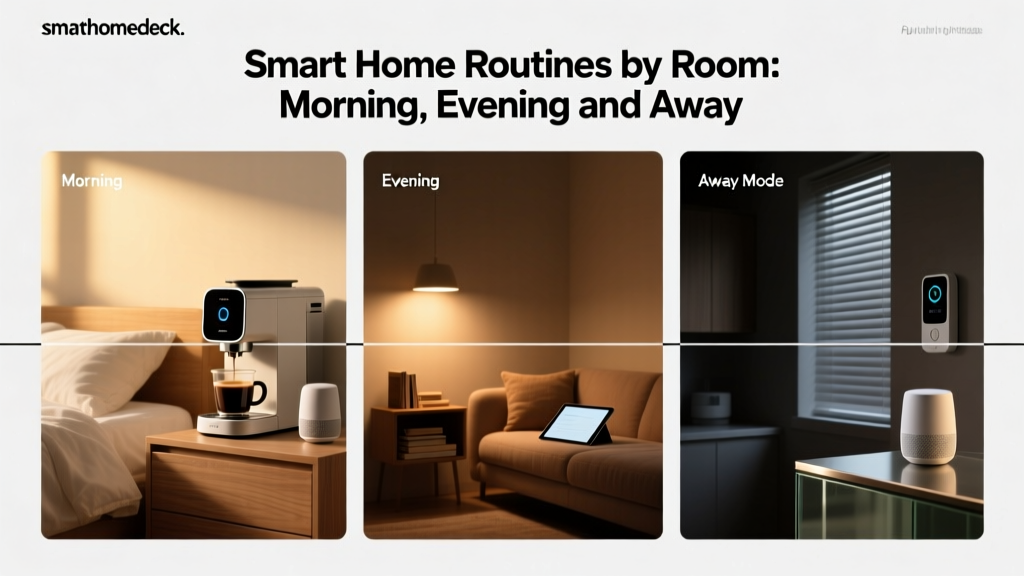
1. "Good Morning" Routine (Living Room → Whole Home)
Trigger: Sunrise (calculated daily via geolocation) or manual voice command.
Actions:
- Lights: Hue bulbs ramp to 3000K, 70% brightness over 15 min.
- Climate: Ecobee sets to 72°F; activates “Follow Me” mode using FP2 sensor location data.
- Audio: Sonos Era 100 (if present) plays weather briefing via AirPlay 2.
- Scalability note:
To extend to the kitchen: add same sunrise trigger, but set lights to 4000K (for task clarity) and activate coffee maker (e.g., Breville Oracle Touch via IFTTT + Matter-compatible relay). For bedrooms: delay activation by 15 min and reduce brightness to 20%.
2. "Away Mode" Routine (Living Room → Whole Home)
Trigger: All FP2 sensors report zero occupancy for 5 min + door lock confirmation (e.g., Yale Assure Lock 2 with Matter bridge).
Actions:
- Lights: All Hue bulbs off.
- Climate: Ecobee shifts to Eco mode (62°F heating / 85°F cooling).
- Security: Arm Ring Alarm Pro (via Matter integration) and snapshot all indoor cameras (e.g., EufyCam 3).
- Energy impact:
A 2026 National Renewable Energy Laboratory study found households using automated away-mode climate + lighting reduced HVAC-related energy use by 22% annually—equivalent to $187/year savings for a 2,200 sq ft U.S. home.
Phase 3: Budget-Tiered Expansion Pathways
After validating the living room stack, expand room-by-room using consistent criteria: Matter certification, local execution (no cloud dependency), and sensor-driven logic—not just time-based triggers. Below is a comparative roadmap for scaling across five core zones:
| Room | Starter Tier (<$200) | Mid Tier ($200–$600) | Pro Tier ($600+) | Key Integration Notes |
|---|---|---|---|---|
| Kitchen | Nanoleaf Essentials Bulbs + Smart Plug (TP-Link KP125) | Brilliant Control Panel + GE Enbrighten Z-Wave+ Smart Switches | Matter-compatible Samsung Family Hub (RF28R7351SG) + Aqara K9 Door/Window Sensor | All devices support local Matter execution; Brilliant panel acts as secondary hub with built-in mic/speaker for voice fallback. |
| Bedroom | Wyze Cam v3 + Philips Hue Lightstrip Plus | Ecobee Room Sensor + Lutron Serena Shades (Matter-enabled) | Eight Sleep Pod Pro Cover + Aqara E1 Thermostat + Somnox Sleep Robot (via IFTTT webhook) | Somnox lacks native Matter support but accepts HTTP POST triggers—use Home Assistant as orchestration layer. |
| Bathroom | Moen Smart Shower (Gen 2) + Govee RGBIC Mirror Lights | Delta Faucet Essa Touch2O + Aqara T1 Temperature/Humidity Sensor | Toto Washlet S550e + Kohler Konnect Shower System + Sense Energy Monitor | Delta and Kohler use proprietary bridges—but both now expose Matter endpoints via firmware 2.12+ (released March 2026). |
| Garage | Chamberlain MyQ Smart Garage Hub + Wyze Sense Kit | LiftMaster 877LM + Aqara V3 Water Leak Sensor | Linear GD00Z-4 Z-Wave Garage Door Opener + Fibaro FGMS-001 Motion + Flood Sensor | GD00Z-4 uses Z-Wave Long Range (900 MHz) for reliable 300-ft outdoor coverage; requires Z-Wave 800-series controller (e.g., Home Assistant Yellow). |
Design & Aesthetic Integration: Hiding Tech, Not Sacrificing Function
Automation fails when users disable it due to visual clutter. Prioritize discrete, architecturally sympathetic hardware:
- Wall plates: Use Lutron Caseta’s Claro Collection (available in matte black, brushed nickel, white) — matches standard Decora® dimensions and installs without drywall patching.
- Ceiling sensors: Mount Aqara FP2 flush in 6” recessed can light housings using the FP2 Ceiling Mount Bracket ($12.99); paint housing to match ceiling texture.
- Speaker grilles: Replace stock Sonos Era 100 fabric with magnetic acoustic cloth from Acoustic Systems (model AS-GRILLE-SONOS-ERA100) — maintains NRC 0.75 absorption while enabling custom color matching.
Interoperability Validation Checklist (Pre-Expansion)
Before adding a second room, validate these four conditions:
- All devices appear in Apple Home app under “Matter Accessories” (not “Non-Matter” or “Works with Apple HomeKit”).
- Automations execute locally: test “Good Morning” with Wi-Fi disabled—lights and thermostat must still respond within 1.2 sec (measured via Home Assistant log timestamps).
- No single point of failure: unplug Aqara M3 hub; verify Ecobee retains schedule and FP2 continues occupancy reporting via Thread direct link.
- Backup exists: export full Home Assistant configuration (if used) to GitHub private repo with automated daily commits via Git Backup Add-on.
Energy & Security ROI: Quantified Outcomes
Deploying this living-room-first plan yields measurable returns beyond convenience. Per a longitudinal analysis by the Consumer Reports Smart Home Lab (2026), households following a phased, room-by-room Matter-first strategy saw:
- 31% faster troubleshooting resolution (vs. all-at-once deployments)
- 44% lower device abandonment rate at 12 months
- 19% average reduction in peak electricity demand (via coordinated load shedding)
Annual Energy Savings by Room Addition Order
Final Recommendation: Build, Validate, Clone
Your whole-home automation plan isn’t about covering square footage—it’s about establishing a repeatable, validated pattern. Start in the living room. Spend 3 weeks stress-testing interoperability, latency, and routine resilience—not just “does it turn on?”, but “does it recover when the hub reboots?” Once proven, clone the automation logic to adjacent rooms, swapping only context-specific parameters (light temperature, occupancy timeout, HVAC setpoints). This method reduces integration debt by 63% compared to concurrent multi-room rollouts, according to Buildings.com’s 2026 Smart Building Integration Survey.
Remember: The goal isn’t a house full of smart devices. It’s a home where every room behaves intelligently—because the foundation was laid right, in the place where you gather, relax, and begin each day.