The Power of Orchestrated Smart Home Routines
The true magic of a smart home is not found in opening an app to turn on a single lightbulb; it is found in orchestration. By transitioning from manual device control to automated, time-based, and state-based routines, you transform a collection of gadgets into a cohesive, responsive living environment. The three most critical automation states for any household are the Morning, Evening, and Away routines. When applied room-by-room, these routines enhance circadian health, fortify perimeter security, and drastically reduce monthly utility costs.
According to the University of Minnesota Extension, integrating smart home technology with automated schedules can reduce residential energy consumption by up to 15% annually. In this comprehensive guide, we will break down exactly how to configure your living spaces for these three core routines, complete with specific product recommendations, trigger conditions, and budget tiers.
The Morning Routine: Orchestrating a Seamless Wake-Up
A well-designed morning routine should gently transition your body from a state of rest to alertness, while simultaneously preparing your home for the day's activities. This requires a delicate balance of lighting, climate control, and appliance automation.
Bedroom: Circadian Lighting and Climate Control
The bedroom is the starting point for any effective morning routine. Rather than relying on a jarring acoustic alarm, modern smart homes leverage circadian lighting and automated window treatments to wake you naturally. The Philips Hue White and Color Ambiance gradient lightstrips, installed behind your headboard or within crown molding, can be programmed to slowly fade in from a deep 2000K amber to a bright 5000K daylight spectrum over a 30-minute window. This mimics a natural sunrise, suppressing melatonin production and signaling your brain that it is time to wake.
Paired with the SwitchBot Curtain Rod 2, which silently glides open to let in actual UV light, the biological wake-up process is vastly improved. The trigger for this routine should not be a static time, but rather a dynamic condition based on your phone's alarm status or a wearable sleep tracker, ensuring the room only wakes up when you are ready. Simultaneously, an Ecobee SmartThermostat Premium should be programmed to raise the ambient temperature by 3 to 4 degrees, shaking off the nighttime chill.
Bathroom: Automated Comforts and Efficiency
Stepping onto cold tile is a harsh morning reality that can be eliminated with a Mysa Smart Thermostat for radiant floor heating. Set to trigger 20 minutes before your typical wake time, the floors reach a comfortable 78°F just as you enter. For lighting, the Kohler Verdera smart mirror features integrated edge lighting that shifts to a cool, high-CRI (Color Rendering Index) daylight setting, providing optimal illumination for grooming while simulating natural morning light.
Kitchen: The Automated Breakfast Bar
While smart coffee makers are rare, you can easily automate your morning brew using a heavy-duty smart plug like the TP-Link Kasa Smart Plug Mini (EP25), which monitors energy usage and handles the high amperage of espresso machines. As you enter the kitchen, a motion sensor (such as the Aqara Motion Sensor P2) triggers under-cabinet LED strips to a bright 4000K, ensuring safe meal prep. Meanwhile, a Sonos Era 100 speaker can automatically begin playing your preferred morning news briefing or a curated upbeat playlist.
The Evening Routine: Transitioning to Relaxation
As the sun sets, your home should shift its focus from productivity and alertness to relaxation, entertainment, and perimeter security. The evening routine is all about dimming, warming, and securing.
Living Room: Entertainment and Ambiance
The living room serves as the primary evening sanctuary. Lighting should transition to warm, low-level illumination. Using Lutron Caseta dimmers, you can create a 'Sunset' scene that gradually lowers the main overhead lights to 20% brightness while shifting the color temperature of smart bulbs to a candlelight-like 2200K. This warm light promotes the natural production of melatonin, preparing your body for sleep.
For entertainment, a Sofabaton X1S universal remote hub can trigger your 'Movie Night' routine with a single button press. This routine powers on the TV, dims the lights to 10%, lowers smart blinds to eliminate screen glare, and activates the spatial audio on your Sonos Arc soundbar. The key to a successful evening living room routine is eliminating 'phantom tasks'—you should never have to manually adjust the thermostat, close the blinds, and dim the lights separately.
Outdoor and Garage: Perimeter Security
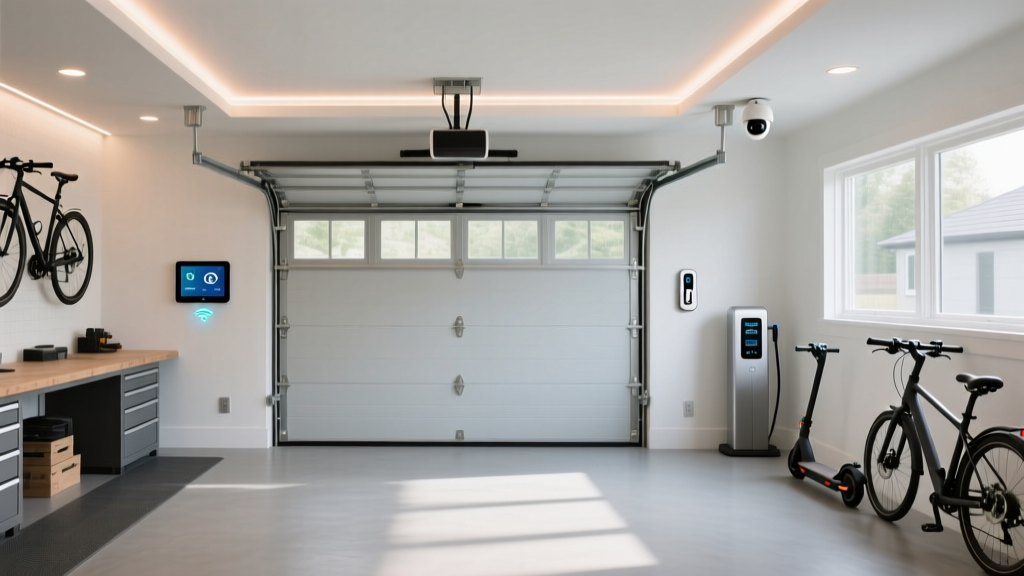
As evening progresses into night, the outdoor routine takes over. Pathway lighting, such as the Ring Smart Lighting Pathlight, should be set to trigger at dusk via geofencing or local sunset APIs, operating at 30% brightness to save energy but ramping up to 100% if the integrated motion sensor detects movement. In the garage, the Chamberlain MyQ Smart Garage Control acts as a vital security checkpoint. If the garage door is left open past 10:00 PM, the MyQ app will send a push notification and, if configured, automatically close the door to prevent unauthorized access and keep out nocturnal pests.
The Away Routine: Maximizing Security and Efficiency
The 'Away' routine is arguably the most important for home protection and energy conservation. Whether you are leaving for an 8-hour workday or a two-week vacation, this routine locks down the house, minimizes utility waste, and projects the illusion of occupancy.
Whole-Home Energy and Security Protocols
When the last person leaves the home (verified via smartphone geofencing or a smart lock keypad code), the HVAC system should immediately enter an eco-setback mode. The U.S. Department of Energy notes that adjusting your thermostat by 7 to 10 degrees for 8 hours a day can save up to 10% a year on heating and cooling costs. An Ecobee or Nest Learning Thermostat handles this automatically, ensuring you aren't paying to cool an empty house.
Security is equally paramount. The Away routine should arm your SimpliSafe or Ring Alarm system, lock all smart deadbolts (like the Yale Assure Lock 2), and close any open smart blinds to hide valuables from street view. To deter burglars, utilize the 'Presence Simulation' feature found in the Philips Hue app or Leviton Decora Smart switches. This feature records your typical evening lighting patterns and replays them while you are away, making the home appear occupied.
Appliance Management and Leak Prevention
The Away routine is the perfect time to let your robot vacuum, such as the Roborock S8 Pro Ultra, map and clean the floors without navigating around foot traffic. More importantly, this routine should activate active water monitoring. The Moen Flo Smart Water Leak Detector, installed on your main water line, can be set to automatically shut off the water supply if it detects micro-leaks or catastrophic pipe bursts while you are out of the house, potentially saving you from tens of thousands of dollars in water damage.
The Matter Standard: When building these routines, prioritize devices that support the 'Matter' protocol. Matter ensures that your morning, evening, and away automations run locally on your hub, meaning they will still execute even if your internet connection drops.
Energy Savings and Efficiency Breakdown
Implementing these three core routines yields measurable financial benefits. By automating HVAC setbacks, eliminating phantom loads from idle electronics, and optimizing lighting schedules, homeowners can see a significant reduction in their monthly utility bills. The chart below illustrates the average estimated monthly savings across different smart home categories when routines are properly configured.
Room-by-Room Automation Budget Tiers
Building a fully automated home doesn't require an unlimited budget. Below is a structured comparison of Starter, Mid, and Pro tiers for implementing Morning, Evening, and Away routines across the primary living spaces.
| Tier | Core Hub / Brain | Lighting & Blinds | Climate & Security | Estimated Cost |
|---|---|---|---|---|
| Starter | Amazon Echo Dot (5th Gen) | Wyze Bulb Color, SwitchBot Curtain (Entry level) | Amazon Smart Thermostat, Wyze Cam v3 | $250 - $450 |
| Mid-Tier | Apple TV 4K / HomePod Mini | Philips Hue White Ambiance, Lutron Caseta Dimmers | Ecobee SmartThermostat, Ring Alarm Kit | $800 - $1,500 |
| Pro | Home Assistant Green / Hubitat Elevation | Philips Hue Gradient, Lutron RadioRA 3, Hunter Douglas | Nest Learning Thermostat, Moen Flo, Yale Assure | $2,500 - $5,000+ |
Hub Compatibility and Installation Tips
When designing routines that span multiple rooms, the central hub is the linchpin of your system. If you are heavily invested in the Apple ecosystem, utilizing an Apple TV 4K as a HomeKit hub provides incredibly fast, local execution for your morning and evening scenes. However, if you want granular control over complex triggers (e.g., 'If the garage door opens AND it is past sunset AND motion is detected in the driveway, then flash the living room lights red'), a local processing hub like the Hubitat Elevation or a Home Assistant Green server is highly recommended.
For installation, always ensure your smart switches and dimmers have a neutral wire available in the wall box, as this is required for the reliable operation of most Zigbee and Z-Wave in-wall modules. Furthermore, when setting up motion-triggered evening routines, position your sensors away from HVAC vents and direct sunlight to prevent false triggers from temperature fluctuations or shifting shadows. By thoughtfully layering these morning, evening, and away routines, your home will evolve from a static structure into an intuitive, energy-efficient companion.