Building the Ultimate Smart Home Theater Media Room
The evolution of home entertainment has transformed the traditional living room setup into a dedicated, immersive smart media room. No longer confined to a simple flat-screen television and a basic soundbar, today's home theater integrates high-fidelity audio, dynamic bias lighting, automated acoustic treatments, and centralized smart home control. Whether you are converting a spare bedroom, finishing a basement, or designing a custom addition, creating the ultimate entertainment space requires a strategic blend of premium hardware and intelligent automation. In this comprehensive guide, we break down the essential components, budget tiers, and automation routines necessary to build a cinematic oasis that rivals commercial theaters.
The Core Pillars of a Smart Media Room
A successful media room relies on five interconnected pillars: Visual Fidelity, Immersive Audio, Environmental Control (Lighting and Acoustics), Network Infrastructure, and Centralized Automation. Neglecting any one of these areas can bottleneck the entire experience. For instance, pairing a reference-level OLED display with a subpar soundbar will result in a disjointed sensory experience. Similarly, failing to plan your network infrastructure can lead to buffering issues when streaming 4K HDR content from a local NAS or high-bitrate cloud services. By treating the room as a holistic ecosystem, you ensure that every movie night, gaming session, and concert playback is executed flawlessly.
Budget Tiers: Starter, Mid-Range, and Pro
Building a smart home theater is a scalable endeavor. Below is a structured comparison of three distinct budget tiers, outlining the expected hardware and capabilities for each level.
| Feature | Starter ($2k-$4k) | Mid-Range ($8k-$15k) | Pro ($30k+) |
|---|---|---|---|
| Display | LG C3 65" OLED | Sony A95L 77" QD-OLED | Sony VPL-XW7000ES Laser Projector |
| Audio | Sonos Beam Gen 2 | Denon AVR-X3800H + KEF Q Series | Trinnov Altitude16 + Bowers & Wilkins Custom |
| Lighting & Shades | Govee LED Strips + Manual Blackout | Philips Hue Play Sync + Lutron Serena | Lutron Ketra + Ketra Motorized Drapes |
| Control Hub | Apple TV 4K / HomeKit | Hubitat / Home Assistant | Control4 / Josh.ai Voice |
- Starter Tier: Focuses on high-impact, low-complexity upgrades. An OLED TV provides perfect blacks, while a premium smart soundbar handles Dolby Atmos decoding without the need for complex receiver wiring. Smart lighting is limited to ambient LED strips synced via camera-based apps.
- Mid-Range Tier: Introduces dedicated amplification, discrete surround speakers, and advanced automation. Motorized blackout shades eliminate glare, and a local hub like Hubitat allows for complex, multi-device routines that do not rely on cloud processing.
- Pro Tier: A no-compromise, reference-level experience. Laser projection on an acoustically transparent screen, room-correction software (like Dirac Live or Trinnov Optimizer), and architectural lighting that shifts color temperature dynamically to match the on-screen action.
Visual Fidelity: Choosing Your Display
The centerpiece of any media room is the display. When selecting a screen, you must balance ambient light rejection, viewing angles, and contrast ratios. According to comprehensive testing and recommendations from RTINGS home theater TV guidelines, OLED technology remains the gold standard for dedicated, light-controlled rooms due to its infinite contrast ratio and pixel-level dimming. Models like the Sony BRAVIA XR A95L (QD-OLED) or the LG G3 (MLA OLED) deliver breathtaking HDR highlights and deep, inky blacks that make cinematic letterboxing disappear into the darkness.
However, if your media room exceeds 100 inches, a high-lumen laser projector becomes the more economical and immersive choice. Projectors like the Epson LS12000B or Sony VPL-XW7000ES utilize laser light sources for long-lasting brightness and deep color volume. When pairing a projector with a smart home system, ensure it supports IP control or RS-232 serial communication, allowing your automation hub to power the unit on, switch lens memories for different aspect ratios (e.g., 2.35:1 vs 16:9), and monitor lamp hours without relying on fragile infrared blasters.
Immersive Audio: Beyond the Soundbar
While high-end soundbars have improved dramatically, a true media room demands discrete, amplified audio. The objective is to create a three-dimensional soundstage that envelops the listener. Dolby Atmos official guidelines emphasize the importance of height channels to simulate overhead audio objects, such as rain, helicopters, or atmospheric ambience. A 7.1.4 or 9.2.4 channel configuration is ideal for most rectangular rooms.
For the mid-range enthusiast, a network-capable Audio/Video Receiver (AVR) like the Denon AVR-X3800H serves as the brain of the audio system. It supports HEOS for multi-room audio distribution, HDMI 2.1 for 4K/120Hz gaming passthrough, and advanced room correction via Audyssey MultEQ XT32. Pair this with in-wall or in-ceiling speakers for a clean aesthetic, ensuring that the front left, center, and right channels are positioned directly behind an acoustically transparent projection screen to anchor the dialogue to the visual action on screen.
Smart Lighting and Acoustic Treatment
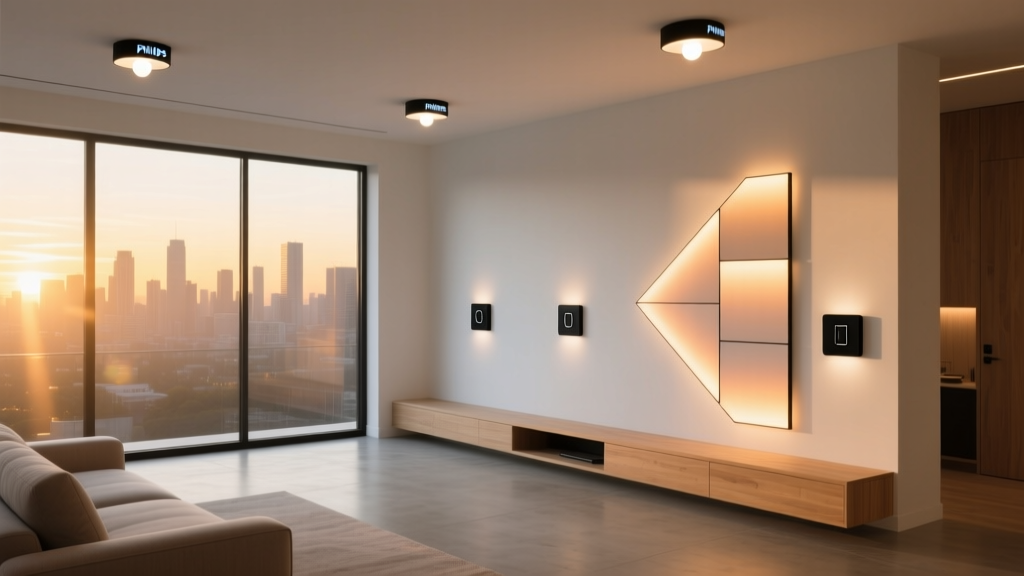
Lighting and acoustics are the unsung heroes of the media room experience. Bias lighting—soft illumination placed behind the display—reduces eye strain during dark scenes and tricks the human eye into perceiving deeper blacks on the screen. The Philips Hue Play HDMI Sync Box captures the video signal and projects matching colors onto the wall behind the TV, creating an expansive, immersive glow that extends the picture beyond its physical bezels.
Acoustically, hard surfaces are the enemy of high-fidelity audio. Sound waves bouncing off drywall and hardwood floors create flutter echo and muddy bass response. Integrating smart motorized drapes, such as Lutron Serena shades, serves a dual purpose: they block ambient light and act as variable acoustic absorbers. When the shades deploy for movie time, they instantly dampen high-frequency reflections, tightening the audio staging. Complement this with hidden acoustic panels wrapped in fabric that matches your room's decor, and bass traps in the corners to manage low-frequency standing waves.
Audio Setup Cost vs. Immersion Score
Understanding the law of diminishing returns is crucial when budgeting for audio gear. The chart below illustrates how estimated costs scale against the subjective immersion score of various surround sound configurations.
Audio Setup Cost vs Immersion Score
As the data suggests, moving from a basic 2.1 soundbar to a 5.1.2 Atmos system yields the most significant leap in immersion per dollar spent. Upgrading to a dedicated 7.1.4 AVR system pushes the experience into true cinematic territory, while reference-level 9.2.4 systems represent the pinnacle of audiophile perfection, requiring substantial financial investment and professional acoustic calibration.
Automation Routines for Cinematic Experiences
The true magic of a smart media room lies in its automation. Rather than juggling five different remotes, a single voice command or button press should orchestrate the entire environment. Using platforms like Home Assistant, Hubitat, or Control4, you can create sophisticated macros.
The "Movie Time" Routine
When the user triggers the "Movie Time" routine via a smart switch or voice assistant, the following sequence occurs:
- The Lutron motorized blackout shades lower to 100%.
- The HVAC system adjusts the thermostat down by two degrees to compensate for the heat generated by the AV rack and seated guests.
- The Philips Hue overhead lights fade to 0% over 5 seconds, while the bias lighting activates at 15% brightness.
- The projector powers on, the screen drops from the ceiling, and the AVR switches to the designated HDMI input.
- Motorized recliners automatically adjust to the pre-set "Zero Gravity" viewing position.
The "Intermission" Routine
Pressing pause on the media player triggers the intermission macro. The bias lighting increases to 40%, the overhead pathway lights illuminate at a dim 20% to allow safe movement, and the HVAC fan speed reduces to minimize ambient noise during quiet conversations. Once playback resumes, the room seamlessly transitions back to its cinematic state.
Room Dimensions, Network, and Installation
Before purchasing any equipment, you must evaluate the physical dimensions of your room. According to THX viewing standards, the optimal viewing angle for a cinematic experience is 40 degrees. To calculate the ideal seating distance, multiply your screen's diagonal size by 1.2. For example, a 120-inch projector screen requires a primary viewing distance of roughly 12 feet. Ensure your room depth can accommodate this distance while leaving at least three feet behind the seating row for surround sound diffusion and recliner clearance.
Network Infrastructure and Power
A smart media room is a bandwidth-hungry environment. Streaming 4K Dolby Vision content from multiple services, alongside local Plex server playback, demands a robust network. Avoid relying on Wi-Fi for your primary media player or projector. Instead, run shielded Cat6a ethernet cables directly to the media rack. Furthermore, dedicate a 20-amp electrical circuit exclusively for your AV equipment. Pair this with a high-capacity power conditioner (such as those from Furman or Panamax) to protect your sensitive amplifiers and laser projectors from voltage spikes and dirty power, ensuring a clean noise floor for your audio system.
Pro Tip: Always run flexible conduit behind your walls during the construction or renovation phase. Even if you only pull a single Cat6a cable and an HDMI 2.1 cord today, having a 1.5-inch flexible conduit allows you to pull fiber optic cables or future networking standards in the future without tearing open your drywall.
Cable Management and Aesthetic Integration
Aesthetics matter just as much as performance. Exposed cables and blinking router lights can be highly distracting in a darkened room. Utilize a dedicated AV rack, ideally housed in an adjacent closet or a ventilated, soundproofed niche within the room. Use braided cable sleeves, velcro ties, and patch panels to maintain a clean, organized wiring harness. For in-wall speakers, ensure you use backer boxes to prevent sound from leaking into adjacent rooms and to maintain the acoustic integrity of the speaker's enclosure volume.
Conclusion
Designing the ultimate smart home theater media room is a deeply rewarding project that merges cutting-edge technology with interior design and acoustic science. By carefully selecting your display and audio gear, implementing intelligent lighting and shade control, and building robust automation routines, you create a space that transcends traditional viewing. Whether you opt for a streamlined Starter setup or a uncompromising Pro-level reference theater, the key to success lies in meticulous planning, proper room measurement, and a commitment to integrating every device into a cohesive, automated ecosystem. Grab your popcorn, dim the lights, and enjoy the show.