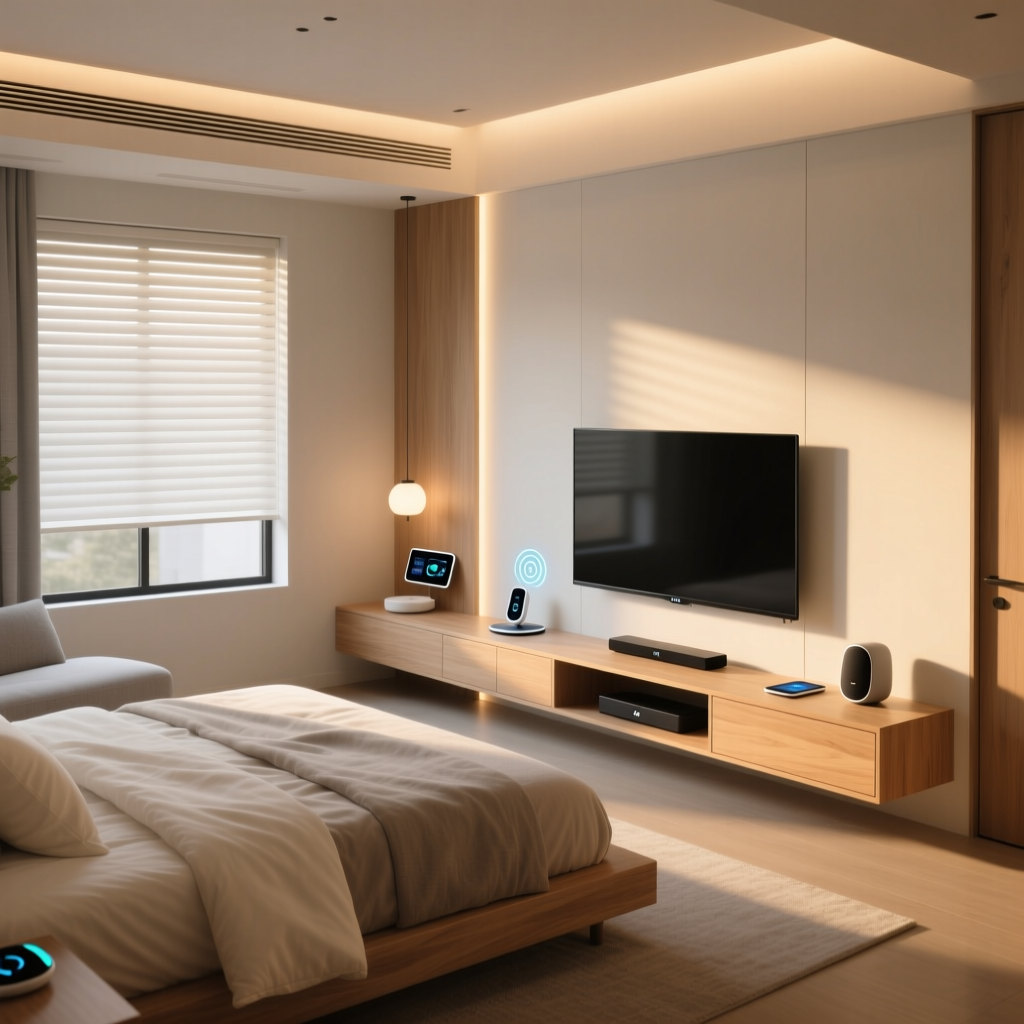
Designing a dedicated entertainment and media room is the pinnacle of the smart home experience. Unlike a multipurpose living room, a dedicated home theater allows you to control every variable: ambient light, acoustic reflections, audio calibration, and visual contrast. Whether you are building a new space or retrofitting an existing spare room, creating the ultimate smart home theater requires a strategic blend of high-fidelity hardware, acoustic engineering, and seamless automation.
In this comprehensive guide, we break down the essential components of a modern media room, comparing the latest display technologies, immersive audio configurations, and the smart home routines that tie everything together into a cinematic experience.
Visuals: The Battle Between OLED and Ultra-Short Throw Projectors
The centerpiece of any media room is the display. When designing a dedicated space where ambient light can be strictly controlled, you generally have two premium paths: large-format OLED TVs and Ultra-Short Throw (UST) laser projectors. According to testing methodologies by RTINGS Home Theater Reviews, OLED technology remains the gold standard for infinite contrast and perfect black levels, which are critical for cinematic viewing in dark rooms.
Large-Format OLED: The Contrast King
The LG G3 (or the newer G4 series) featuring Micro Lens Array (MLA) technology represents the peak of OLED brightness and color volume. In a light-controlled media room, an 83-inch or 97-inch OLED delivers pixel-level dimming that makes starfields and shadow details pop. Furthermore, HDMI 2.1 bandwidth (48 Gbps) ensures compatibility with 4K at 120Hz, making the display equally adept for next-generation gaming via a PlayStation 5 or Xbox Series X.
Ultra-Short Throw (UST) Projectors: The Massive Screen Solution
If your goal is a 120-inch to 150-inch screen, UST projectors like the Samsung Premiere LPU9D or the Epson LS800 are the most cost-effective and aesthetically pleasing solutions. UST projectors sit mere inches from the wall, eliminating the need for ceiling mounts and long cable runs. However, they require a specialized Ambient Light Rejecting (ALR) screen with a specific gain (usually 0.6 to 0.8) to maintain contrast and prevent the image from looking washed out.
| Feature | 83"+ OLED TV (e.g., LG G-Series) | UST Laser Projector (e.g., Samsung Premiere) |
|---|---|---|
| Max Practical Size | 97 inches (cost-prohibitive beyond) | 120 - 150 inches |
| Black Levels | Perfect (Infinite Contrast) | Good (Dependent on ALR screen & room darkness) |
| Installation | Heavy, requires reinforced wall mount | Requires precise alignment & specialized ALR screen |
| Gaming Specs | 4K @ 120Hz, VRR, Dolby Vision Gaming | 4K @ 60Hz (mostly), limited VRR support |
Audio Engineering: Achieving True Dolby Atmos Immersion
Visuals draw you in, but audio places you inside the scene. The industry standard for immersive media is object-based surround sound. As outlined by Dolby Laboratories, Dolby Atmos allows sound mixers to place audio objects in a 3D space, including overhead. For a dedicated room, you must choose between a premium wireless soundbar ecosystem and a traditional Audio/Video Receiver (AVR) with architectural speakers.
The Wireless Route: Sonos Ultimate Immersive Set
For rooms where running speaker wire through walls is impossible, the Sonos Arc paired with the Sub (Gen 3) and two Era 300 rear speakers provides a phenomenal 7.1.4 channel experience. The Era 300s feature up-firing drivers that bounce sound off the ceiling to simulate height channels. This setup relies on Wi-Fi and Apple AirPlay 2 or HDMI eARC, and utilizes Sonos Trueplay room correction to tune the audio to your room's specific acoustics.
The Enthusiast Route: Dedicated AVR and In-Wall Speakers
For reference-level audio that meets THX Certification Standards, a dedicated AVR like the Denon AVR-X3800H paired with Klipsch Reference Premiere in-wall and in-ceiling speakers is unmatched. A 7.2.4 configuration (7 ear-level channels, 2 subwoofers, 4 ceiling height channels) provides seamless panning and earth-shattering bass. Dual subwoofers are highly recommended in dedicated rooms to smooth out low-frequency room modes and provide even bass response across multiple seating rows.
Audio Setup Comparison: Premium Soundbar vs Dedicated AVR System
Acoustic Treatments and Smart Environmental Control
The most expensive speakers will sound mediocre in a room with hard, reflective surfaces. Dedicated media rooms require acoustic management. You should address first reflection points on the side walls and ceiling using 2-inch thick fiberglass or acoustic foam panels. Bass traps are essential in the front corners to prevent low-frequency muddiness.
Environmental control is equally critical. Light pollution from streetlamps or moonlight can ruin projector contrast. Integrating smart blackout shades, such as Lutron Serena or Hunter Douglas PowerView, ensures the room can achieve absolute darkness on command. These shades can be integrated into your primary smart home hub via Lutron Caseta or Matter over Thread.
Pro Tip: Paint your ceiling and side walls a dark, matte color (like charcoal or deep navy). Matte finishes prevent the light from your TV or projector from reflecting off the walls and bouncing back onto the screen, which severely degrades perceived contrast.
Lighting: Bias Lighting and Scene Syncing
Watching a bright screen in a pitch-black room causes severe eye strain. Bias lighting—soft illumination placed behind the display—solves this by raising the ambient light level just enough to keep your pupils from overworking, which actually makes the screen appear to have deeper blacks.
For OLED TVs, the Philips Hue Play Gradient Lightstrip combined with the Hue HDMI Sync Box offers real-time color matching. The Sync Box reads the HDMI signal and adjusts the LED colors to match the edges of the screen, extending the visual experience onto the wall behind the TV. For a more budget-friendly approach, Govee's AI-powered camera sync strips offer similar immersion without requiring an inline HDMI pass-through.
Additionally, install dimmable smart sconces or LED strip lighting in cove molding. Using Zigbee or Z-Wave smart switches (like Lutron Aurora or Inovelli) allows you to set specific lighting scenes that transition smoothly as the movie begins.
The Brain: Media Players and Smart Automation Hubs
To tie the AV equipment, lighting, and shades together, you need a robust media player and a central automation hub.
Media Players
The Apple TV 4K (3rd Gen) remains the best overall streaming device for home theaters due to its color-calibration feature (which uses an iPhone to tune the TV's output) and its support for high-bitrate audio formats. For local media enthusiasts with a NAS drive, the Nvidia Shield TV Pro is unrivaled, offering AI upscaling and lossless audio passthrough for Plex servers.
Automation Hubs
While Apple HomeKit or Samsung SmartThings can handle basic routines, a dedicated local hub like Home Assistant (running on a Raspberry Pi or Intel NUC) or Hubitat Elevation provides the speed and reliability required for complex media room logic. Local processing ensures that your 'Movie Time' routine triggers instantly, without relying on cloud servers.
Master Automation Routines for the Media Room
The true magic of a smart home theater lies in the automation. Here are three essential routines to program into your hub:
1. The 'Movie Time' Sequence
Trigger: A smart button press, or the Apple TV transitioning to a 'Playing' state via the Home Assistant Apple TV integration.
Actions:
- Lutron smart blinds lower to 100% closed.
- Overhead recessed lights fade to 0% over 5 seconds.
- Cove LED lighting sets to a deep, dim blue (10% brightness).
- AV Receiver powers on via IP control or smart IR blaster and sets volume to reference level (-20dB).
2. The 'Intermission' Routine
Trigger: Media player state changes to 'Paused' for more than 3 seconds.
Actions:
- TV/Projector remains on.
- Cove lighting slowly brightens to 30% warm white to allow for safe movement and snack grabbing.
- AV Receiver drops volume by 15dB so conversation is easy.
3. The 'Credits Roll' Routine
Trigger: A vibration sensor on the remote control is flipped face down, or a 'Stop' command is issued.
Actions:
- AV Receiver powers off.
- Projector powers down (OLED TV turns off via CEC).
- Overhead lights fade up to 50% over 10 seconds to allow eyes to adjust.
- HVAC smart thermostat adjusts the temperature by 2 degrees to compensate for the body heat generated by a full room of people.
Budget Tiers: Building Your Media Room
Building a dedicated media room is an investment. Below is a breakdown of what you can expect to spend across three distinct tiers, factoring in AV equipment, smart home integration, and basic acoustic treatments (excluding the cost of physical construction and drywall).
| Category | Starter Tier ($4,000 - $7,000) | Mid-Tier Enthusiast ($12,000 - $18,000) | Pro Reference ($35,000+) |
|---|---|---|---|
| Visuals | 77" Premium OLED (e.g., LG C-Series) | 83" OLED or 120" UST Projector + ALR Screen | 150" 4K Laser Projector + Acoustically Transparent Screen |
| Audio | Premium Soundbar + Wireless Sub (e.g., Sonos Arc) | 9-Channel AVR + 5.1.2 In-Wall Speakers + 1 Sub | 11-Channel AVR/Processor + 7.2.4 Reference Speakers |
| Automation & Lighting | Smart Bulbs, Basic IR Blaster, Apple TV 4K | Hue Sync Box, Smart Switches, Motorized Blinds | Lutron RadioRA 3, Home Assistant Server, Crestron Control |
| Acoustics | DIY Foam Panels and Heavy Curtains | Professional First-Reflection Panels & Bass Traps | Fully Decoupled Room-in-Room Construction & Custom Fabric Walls |
Conclusion
A smart home theater is more than just a large screen and loud speakers; it is a meticulously orchestrated environment where technology disappears, leaving only the magic of cinema. By carefully selecting your display technology based on room dimensions, investing in object-based Dolby Atmos audio, treating your room acoustically, and tying it all together with localized smart home automation, you can create an entertainment space that rivals—and often exceeds—the local commercial multiplex. Start with a solid foundation of light and sound control, and scale your automation as your system grows.