The Living Room Energy Profile
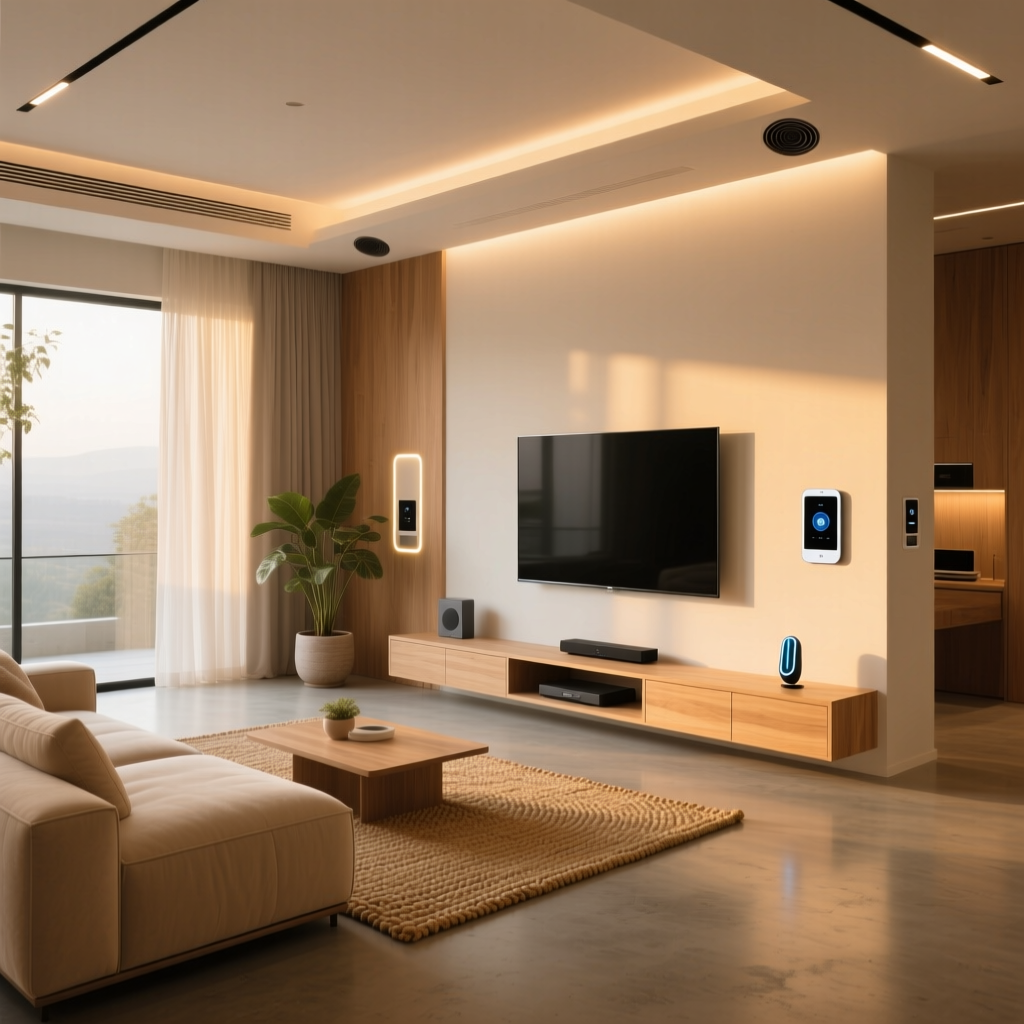
The living room is the undisputed heart of the modern home, serving as a hub for entertainment, relaxation, and family gatherings. However, this high-traffic space is also one of the most significant contributors to residential energy waste. From large OLED televisions and gaming consoles drawing continuous standby power to expansive windows that leak thermal energy and hardwired lighting fixtures left illuminated in empty rooms, the variables governing living room energy consumption are complex. According to the U.S. Department of Energy, electronics and lighting can account for up to 20% of a home's total energy use, much of which is concentrated in common areas. By strategically deploying smart home technology, you can transform this space into a highly efficient, automated environment that actively manages its own power footprint. This comprehensive guide breaks down the exact devices, configurations, network protocols, and automation routines needed to build an energy-saving smart living room without compromising on comfort or aesthetic appeal.
Climate Control: The Heavyweight Champion of Savings
Heating and cooling account for nearly half of a typical home's energy consumption. According to the U.S. Department of Energy, upgrading to a smart thermostat can save homeowners an average of 8% on heating and cooling bills annually. In a large living room, a single hallway thermostat often fails to capture the true temperature of the space, leading to over-conditioning and wasted electricity.
Top Thermostat Contenders
- Ecobee Smart Thermostat Premium ($249): The standout feature for living rooms is the included SmartSensor. By placing the sensor on your living room console table, you prioritize comfort exactly where you spend your time, rather than letting the hallway dictate the climate. It supports Matter, Thread, and Zigbee, making it a robust, low-power hub for future expansions. It also features built-in occupancy sensing, ensuring the HVAC system doesn't run at peak capacity when the living room is empty.
- Google Nest Learning Thermostat ($229): Ideal for those who prefer set-and-forget algorithms. Its Farsight display lights up when you enter the living room, providing ambient feedback without requiring constant interaction. Note that Nest relies heavily on Wi-Fi and proprietary protocols, lacking native Thread support, which can marginally increase network congestion compared to mesh alternatives.
Micro-Climate Management with Room Sensors
Living rooms often feature high vaulted ceilings or large south-facing windows, creating thermal stratification where the air near the ceiling is significantly warmer than the seating area. By deploying multiple room sensors (e.g., Ecobee or Honeywell T6), you can configure your HVAC system to average the temperature across the living room and adjacent kitchen. This prevents the system from short-cycling—a highly inefficient operational state where the HVAC unit turns on and off rapidly, drawing massive startup amperage while failing to properly dehumidify the space.
Lighting: Illuminating Efficiency
Transitioning to smart LED lighting is a foundational step in any energy-saving configuration. The ENERGY STAR program notes that certified smart lighting uses up to 90% less energy than incandescent alternatives while offering granular control over brightness and color temperature.
Philips Hue vs. Lutron Caseta
- Philips Hue White and Color Ambiance (Starting at $49/bulb): Hue bulbs communicate via a low-power Zigbee mesh network through the Hue Bridge. This is vastly more energy-efficient than Wi-Fi bulbs, which can bog down your router and draw more standby power. For a living room with 6 recessed lights, the energy draw of the Zigbee radios is negligible. Furthermore, utilizing Hue's 'Daylight Harvesting' routines via third-party apps allows lights to dim automatically when natural sunlight is flooding the living room through the windows.
- Lutron Caseta Wireless Dimmers ($59/switch): If your living room uses hardwired fixtures, chandeliers, or specialty LED strips, smart switches are vastly superior to smart bulbs. Lutron's Clear Connect RF protocol is incredibly reliable, operates on a dedicated frequency to avoid Wi-Fi interference, and consumes virtually zero standby power. Because you are dimming the electrical current at the source, you are actively reducing the wattage consumed by the fixtures, whereas a smart bulb at 50% brightness still draws its base standby wattage.
Slaying Vampire Power with Smart Plugs
'Vampire power' or standby electricity drain occurs when devices like televisions, soundbars, and gaming consoles are turned off but remain plugged in. Modern gaming consoles, such as the PlayStation 5 and Xbox Series X, can draw anywhere from 1.5 to 10 watts in 'Rest Mode' to maintain network connections and download updates. Over a year, a single console left in Rest Mode can consume over 50 kWh of electricity. The U.S. Department of Energy estimates that standby power can account for 5% to 10% of total residential energy use.
Targeted Power Strips and Plugs
- Kasa Smart Plug Mini (EP10) ($15/pack of 2): Perfect for individual floor lamps, air purifiers, or space heaters. The EP10 features a built-in energy monitoring dashboard in the Kasa app, allowing you to track daily kWh consumption and identify devices that are drawing unexpected background power.
- Belkin Wemo Smart Power Strip ($49): Essential for the entertainment center. Plug your TV, soundbar, Apple TV, and gaming consoles into this strip. You can automate the strip to completely cut power at 2:00 AM, eliminating overnight vampire drain. When you are ready to watch a movie, a single tap in your smart home app restores power to the entire stack simultaneously.
Smart Window Treatments for Passive Climate Control
Solar heat gain through living room windows drastically increases summer cooling loads, forcing your air conditioner to work overtime. Smart blinds can automatically adjust based on the sun's position, acting as a passive thermal barrier.
- SwitchBot Blind Tilt ($89): A budget-friendly, retrofit solution that uses a small motorized arm to tilt your existing wand-controlled blinds. It utilizes Bluetooth and can be connected to Wi-Fi via a SwitchBot Hub for remote access and solar scheduling based on local sunrise/sunset APIs.
- Eve MotionBlinds (Starting at $399): A premium, Thread-enabled roller shade. Because it uses Thread, it operates with ultra-low latency and minimal power consumption, integrating seamlessly with Apple HomeKit and Matter ecosystems without requiring a proprietary hub.
Network Efficiency: The Hidden Energy Variable
When designing a smart living room, the underlying network protocol plays a hidden role in energy efficiency. Wi-Fi is notoriously power-hungry; a dozen Wi-Fi smart bulbs will not only draw more standby power but will also force your router to work harder, increasing its thermal output and electricity consumption. By prioritizing Zigbee (Philips Hue, Aqara) and Thread (Eve, Nanoleaf, Ecobee), you offload device communication to low-power mesh networks. Thread, in particular, is designed for battery-operated devices to run for years on a single coin cell battery, ensuring that your smart home infrastructure is as energy-efficient as the appliances it controls.
Budget Tiers: Starter, Mid, and Pro Configurations
| Tier | Core Devices | Estimated Cost | Energy Savings Potential |
|---|---|---|---|
| Starter | Wyze Thermostat, 2x Kasa Smart Plugs, Wyze Bulb Color | $90 - $130 | Low to Moderate (Focuses on standby power and basic scheduling) |
| Mid-Range | Ecobee Smart Thermostat Enhanced, Lutron Caseta Starter Kit, Kasa Power Strip | $350 - $450 | Moderate to High (Adds reliable hardwired lighting and room sensors) |
| Pro | Ecobee Premium + 3 Sensors, Lutron RadioRA 3, Eve MotionBlinds, Home Assistant Server | $1,200 - $2,000+ | Maximum (Full passive solar management, advanced mesh networking, zero vampire power) |
Automation Routines for Maximum Efficiency
Hardware is only half the equation; intelligent automation is where the real financial savings occur. By linking geofencing, occupancy sensors, and time-of-day variables, your living room can manage itself.
The 'Leave Home' Routine
Triggered by geofencing (when all registered smartphones leave a 500-meter radius):
- Set thermostat to Eco mode (e.g., 78°F in summer, 65°F in winter).
- Turn off all living room Lutron switches and Hue bulbs.
- Cut power to the entertainment center smart strip to eliminate console standby drain.
- Close Eve MotionBlinds to block afternoon solar heat gain.
The 'Movie Night' Routine
Triggered by voice command or a physical smart button (like the Hue Dimmer Switch):
- Dims living room lights to 20% brightness and shifts color temperature to a warm 2000K, reducing eye strain and power draw.
- Ensures the entertainment center power strip is ON.
- Adjusts the thermostat by 1 degree to account for the heat output generated by the large OLED TV and multiple occupants in the room.
The 'Deep Sleep' Routine
Triggered at 1:00 AM daily:
- Forces the entertainment center smart strip to the OFF state, overriding any manual switches left on.
- Verifies that the living room thermostat is in its nighttime sleep schedule.
- Ensures all smart blinds are fully closed for morning thermal insulation.
Energy Savings Visualization
Understanding where your investment yields the highest return is crucial for planning your living room upgrade. The chart below illustrates the average annual energy savings (in USD) based on typical US utility rates and living room usage patterns.
Installation Tips and Wiring Requirements
Before purchasing any hardwired device, you must verify your home's electrical infrastructure to avoid costly returns or installation delays.
- The C-Wire (Common Wire): Most advanced smart thermostats like the Ecobee and Nest require a continuous 24V power source, known as a C-wire. If your living room HVAC control lacks this wire, you will need to use the included Power Extender Kit (PEK) or hire an HVAC technician to run a new wire from the air handler. Running a smart thermostat without a C-wire can lead to 'power stealing,' which may damage your HVAC control board over time.
- Neutral Wires for Switches: Smart switches like Lutron Caseta and GE Cync require a neutral wire (usually a bundle of white wires in the back of the switch box) to complete the circuit and power the internal radio. Homes built before the 1980s often lack neutral wires in switch boxes, requiring a specialized 'no-neutral' switch or a full electrical retrofit.
- Thread Border Routers: To maximize the efficiency of Thread-enabled devices (like Eve MotionBlinds or Nanoleaf bulbs), ensure you have a Thread Border Router on the same floor as your living room. An Apple TV 4K, HomePod Mini, or Nest Hub (2nd Gen) placed in the living room will act as this bridge, reducing latency and preventing Wi-Fi congestion.
Aesthetic and Design Considerations
Energy efficiency should not come at the cost of interior design. A well-planned smart living room hides the technology while amplifying the comfort.
- Hiding Sensors: Room sensors can be eyesores. Ecobee sensors can be mounted on discreet shelving, behind a breathable fabric lampshade, or tucked into a decorative shadow box to hide them while still allowing accurate temperature and occupancy readings.
- Switch Plate Matching: When installing Lutron Caseta switches, you can order custom color-matched faceplates (e.g., Satin Nickel, Matte Black, or Midnight) to seamlessly blend with modern living room hardware, door handles, and trim.
- Concealing Smart Plugs: Smart plugs are notoriously bulky and can block adjacent outlets. Use ultra-slim models like the Kasa EP10 or recessed smart plugs that tuck behind wall-mounted TVs and media consoles to maintain a clean, wire-free aesthetic.
Conclusion
Configuring an energy-efficient smart living room requires a holistic approach that bridges climate control, lighting, and standby power management. By selecting devices that utilize low-power mesh networks like Thread and Zigbee, and by implementing strict geofenced automation routines, you can drastically reduce your carbon footprint and utility bills. Whether you start with a simple smart plug to monitor your entertainment center or invest in a full suite of solar-responsive blinds and hardwired dimmers, the living room remains the most impactful space to begin your smart energy journey. Through careful planning, proper wiring verification, and intelligent scheduling, your living room will become a showcase of modern comfort and environmental responsibility.