The Living Room: Your Home's Biggest Energy Hub
The living room is the heart of the home, serving as a gathering space for families, a hub for entertainment, and often the largest single zone in a residential floor plan. Because of its size and the variety of electronics it houses, the living room is also one of the most significant contributors to your monthly utility bills. According to the U.S. Department of Energy, heating and cooling account for nearly half of a typical home's utility expenses, and the living room's massive volume of air is frequently the primary driver of that HVAC workload.
Transitioning to a smart living room is not just about adding voice assistants or color-changing bulbs; it is about creating an intelligent ecosystem that actively manages energy consumption. By strategically deploying smart thermostats, automated window treatments, and energy-monitoring smart plugs, you can drastically reduce your carbon footprint and lower your monthly expenses. This comprehensive guide will walk you through the exact devices, budget tiers, and automation routines required to build an energy-efficient living room that does not compromise on comfort or aesthetics.
Core Devices for an Energy-Efficient Living Room
To build a truly efficient smart living room, you must address the three main pillars of energy consumption: climate control, solar heat gain, and phantom electrical loads. Here are the best-in-class devices for each category.
1. Smart Thermostats with Room Sensors
The living room often suffers from temperature imbalances. The thermostat in the hallway might read 72 degrees, but the living room, with its large exterior windows, might be 68 degrees. Smart thermostats equipped with remote room sensors solve this issue.
- Top Pick: Ecobee SmartThermostat Premium. This device includes a built-in smart speaker and comes with a remote room sensor. The sensor detects both temperature and occupancy, ensuring the HVAC system only works hard when the living room is actually in use.
- Runner Up: Google Nest Learning Thermostat. Pair it with Nest Temperature Sensors to prioritize the living room during evening hours when the family is gathered for movie night.
- Energy Impact: Smart thermostats can reduce heating and cooling costs by 10% to 15% annually by learning your schedule and utilizing eco-modes when the house is empty.
2. Automated Smart Blinds and Shades
Windows are responsible for significant heat loss in the winter and massive solar heat gain in the summer. The DOE notes that energy-efficient window attachments like automated shades are critical for managing the Solar Heat Gain Coefficient (SHGC). By automating your blinds, you can passively cool or heat the room using the sun.
- Premium Choice: Lutron Serena Honeycomb Shades. These offer unparalleled quiet operation, seamless integration with major smart home platforms, and excellent thermal insulation due to their cellular design.
- Budget Alternative: SwitchBot Blind Tilt. This clever device retrofits onto your existing blind wands. It includes a built-in solar panel to keep its battery charged and can automatically adjust the tilt angle based on the position of the sun.
3. Smart Lighting and Energy-Monitoring Plugs
The modern living room is packed with electronics: televisions, soundbars, gaming consoles, and streaming boxes. Many of these devices draw 'vampire power' or 'phantom loads' even when turned off. Furthermore, outdated lighting can waste significant wattage.
- Smart Lighting: Philips Hue White Ambiance. Upgrading to smart LEDs ensures you are using a fraction of the wattage of incandescent bulbs. The 'Ambiance' feature allows you to shift to cooler, energizing light during the day and warmer tones at night, all while maintaining peak efficiency. The ENERGY STAR program certifies that qualified smart LEDs use up to 90% less energy than traditional lighting.
- Smart Plugs: Kasa Smart Plug Slim with Energy Monitoring (EP25). Plug your entire entertainment center into a heavy-duty smart plug or power strip. You can monitor exactly how much power your TV and console draw and set schedules to completely cut power during sleeping hours, eliminating phantom loads.
Budget Tiers: Starter, Mid, and Pro Setups
Not every homeowner is ready to invest thousands of dollars into a complete living room overhaul. Below is a structured breakdown of three budget tiers to help you achieve energy savings at a price point that works for you.
| Tier | Core Devices Included | Estimated Cost | Primary Energy Benefit |
|---|---|---|---|
| Starter | 1 Smart Thermostat, 2 Smart Bulbs, 1 Energy Monitoring Plug | $150 - $250 | Eliminates basic phantom loads and optimizes HVAC scheduling. |
| Mid-Range | Starter + 1 Room Sensor, SwitchBot Blind Tilt, Full Smart Light Kit | $350 - $600 | Adds passive solar management and precise occupancy-based climate control. |
| Pro | Mid-Range + Lutron Serena Shades, Ecobee Premium, Advanced Hub | $1,200 - $2,500+ | Total ecosystem integration, maximum thermal insulation, and utility demand-response participation. |
Automated Routines for Maximum Efficiency
Hardware is only half the battle; the true magic of a smart living room lies in its software automations. By linking your devices together via platforms like Apple Home, SmartThings, or Home Assistant, you can create routines that save energy without requiring manual input.
The 'Morning Solar Harvest' Routine
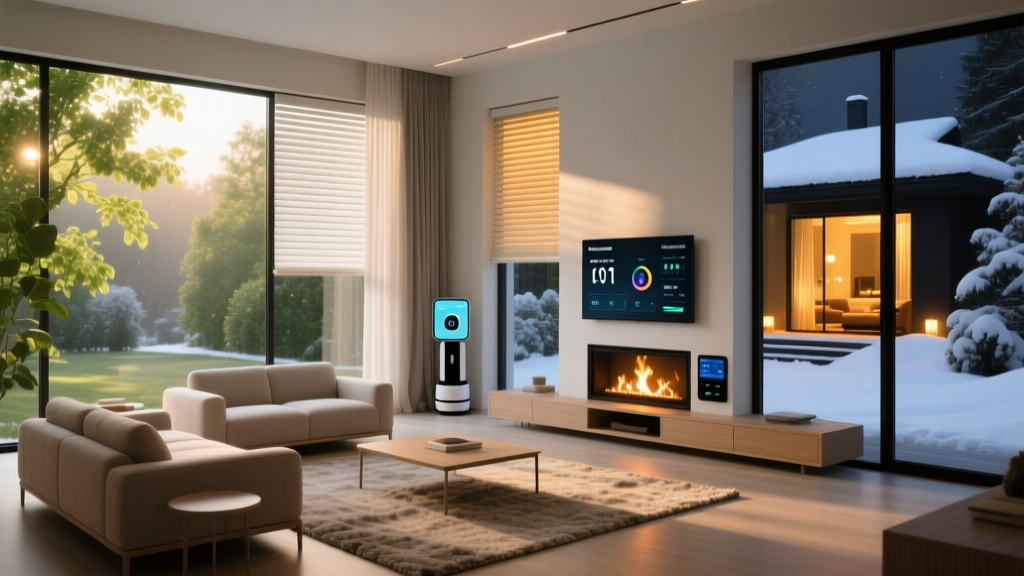
During colder months, you want to utilize the sun to naturally heat your living room. Set an automation that triggers at sunrise: the smart blinds open completely, and the smart thermostat adjusts the target temperature down by two degrees, knowing the solar heat gain will compensate. This prevents the furnace from kicking on unnecessarily during the morning hours.
The 'Summer Peak Shading' Routine
In the summer, the goal is to keep the heat out. Configure your SwitchBot or Lutron blinds to close automatically when the outdoor temperature exceeds 80 degrees Fahrenheit and the sun is directly hitting the living room windows. This simple action can reduce the air conditioning workload by up to 20% during peak afternoon hours.
The 'Phantom Load Purge' Routine
Entertainment centers are notorious for drawing power 24/7. Create a 'Goodnight' routine that triggers when your smart thermostat switches to 'Sleep' mode or when your phone leaves the living room geofence after 11 PM. This routine turns off the Kasa smart plug powering the TV, soundbar, and gaming consoles, completely severing the electrical connection and stopping vampire power drain.
Charting the Savings: Smart vs. Traditional Living Rooms
Visualizing the financial impact of these upgrades helps justify the initial investment. The chart below illustrates the average monthly energy costs (in USD) attributed specifically to living room HVAC and electronics usage over a six-month period, comparing a traditional setup against a fully optimized smart living room.
As the data demonstrates, the smart optimized setup consistently undercuts the traditional living room. The most dramatic savings occur during extreme temperature months (January and June), where automated window treatments and intelligent thermostat scheduling prevent the HVAC system from overworking. Over a full year, these monthly savings can easily cover the cost of the Starter and Mid-Range hardware tiers.
Installation and Aesthetic Considerations
When integrating smart devices into your living room, maintaining the aesthetic appeal of the space is paramount. A living room cluttered with visible wires and plastic hubs defeats the purpose of a comfortable sanctuary.
Thermostat Wiring and Placement
Before purchasing a smart thermostat, check your current wall plate for a C-wire (common wire). Most premium smart thermostats require continuous power to run their Wi-Fi radios and displays. If you lack a C-wire, you may need to purchase an adapter kit or hire an HVAC technician to run one. Additionally, ensure the thermostat is placed on an interior wall, away from direct sunlight, drafty windows, or heat-generating lamps, as these will skew the temperature readings and cause inefficient HVAC cycling.
Concealing Smart Plugs and Hubs
Smart plugs can be bulky. When plugging in your entertainment center, opt for slim-profile plugs like the Kasa EP25 or Eve Energy, which are designed not to block adjacent outlets. For smart home hubs (like the Philips Hue Bridge or SmartThings Station), mount them behind the television using heavy-duty velcro strips or place them inside a ventilated media console to keep them out of sight while maintaining a strong network connection.
Window Treatment Integration
If you choose hardwired smart blinds like Lutron Serena, plan for the installation during a renovation or be prepared to hire a professional to conceal the wiring inside the window casing. For battery-operated retrofit options like SwitchBot, ensure the solar panel accessory is placed discreetly on the window sill or lower glass pane where it can receive adequate light without obstructing the view.
Frequently Asked Questions
Will smart devices drain more electricity than they save?
It is a common misconception that the Wi-Fi radios in smart devices consume significant power. In reality, modern smart home protocols like Zigbee, Z-Wave, and Thread are incredibly low-power. The milliwatts consumed by a smart bulb's standby radio are vastly outweighed by the kilowatts saved through automated scheduling, LED efficiency, and HVAC optimization.
What happens to my smart blinds and thermostat if the Wi-Fi goes down?
High-quality smart devices are designed with local fallbacks. A smart thermostat will continue to follow its last downloaded schedule and maintain the physical temperature settings even without an internet connection. Similarly, battery-powered smart blinds will still respond to physical remotes or local Bluetooth commands, ensuring you are never left in the dark or exposed to the sun.
Do I need a professional to install these energy-saving devices?
The Starter and Mid-Range tiers are largely DIY-friendly. Swapping light bulbs, plugging in smart plugs, and attaching a blind tilt motor take only minutes. Installing a smart thermostat is a moderate DIY task that requires turning off the breaker and following wiring diagrams. However, hardwired custom blinds (Pro tier) and complex HVAC systems (like heat pumps with auxiliary heat) may require professional installation to ensure safety and optimal performance.
Conclusion
Transforming your living room into an energy-efficient smart space is one of the most impactful upgrades you can make to your home. By combining intelligent climate control, automated solar management, and strict phantom-load elimination, you create a room that is not only more comfortable and convenient but also significantly kinder to your wallet and the environment. Start with the Starter tier to eliminate immediate waste, and gradually expand your ecosystem as you see the utility savings roll in month after month.