Smart Living Room Ideas: The Complete Setup Guide for Every Budget
The living room is the heart of your home — where you entertain guests, unwind after a long day, binge-watch your favorite series, and spend quality time with family. It is also the single most impactful room to upgrade with smart home technology. A well-designed smart living room seamlessly blends convenience, entertainment, ambiance, and energy efficiency into one cohesive experience that elevates your daily life.
Whether you are just dipping your toes into smart home automation or you are ready to build a fully integrated entertainment powerhouse, this guide walks you through everything you need to know. We cover recommended devices across three budget tiers, installation strategies, automation routines that actually make your life easier, and design tips to ensure your technology complements your décor rather than clashing with it.
If you are planning a whole-home smart setup, be sure to explore our complete room-by-room smart home guide for ideas on every space in your house.
Room Overview: Why the Living Room Deserves Your Smart Home Attention First
Of all the rooms in your home, the living room offers the highest concentration of smart home opportunities. Think about the devices you already use in this space: your television, sound system, lighting, thermostat, and possibly window treatments. Every single one of these can be upgraded, connected, and automated to create a living room that responds intelligently to your lifestyle.
A smart living room delivers benefits across several key areas:
- Entertainment: Voice-controlled media, unified remotes, and immersive audio systems that rival commercial theaters.
- Ambiance: Automated lighting scenes that shift from bright and energizing for daytime activities to warm and cinematic for movie nights.
- Comfort: Intelligent climate control that learns your preferences and adjusts temperature before you even sit down.
- Energy Efficiency: Smart plugs, automated blinds, and occupancy-aware systems that reduce waste without sacrificing comfort.
- Convenience: Routines that handle multiple actions with a single voice command or tap on your phone.
The living room also serves as the natural hub for your broader smart home ecosystem. Most people place their primary smart speaker or display here, making it the command center for controlling devices throughout the rest of the house. Getting this room right sets the foundation for a seamless whole-home experience.
Smart Living Room Budget Tiers: Starter, Mid-Range & Professional
One of the biggest misconceptions about smart home technology is that you need to spend thousands of dollars to get meaningful results. The truth is that impactful smart living room upgrades exist at every price point. Below, we break down three budget tiers so you can find the right starting point for your situation.
Starter Tier ($150–$500)
The Starter tier is perfect for renters, first-time smart home buyers, or anyone who wants to test the waters without a major financial commitment. At this level, you focus on high-impact, low-complexity devices that deliver immediate value.
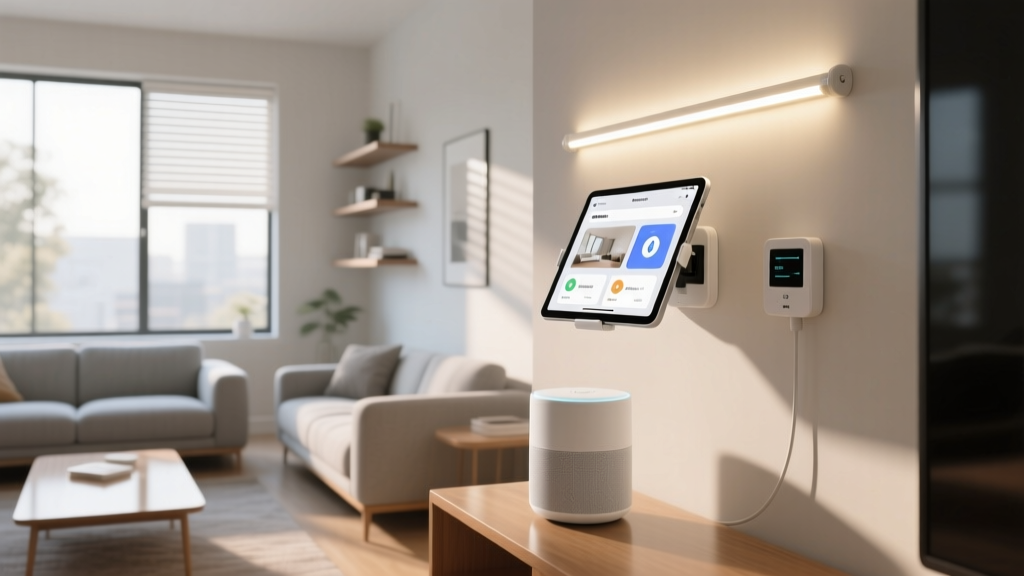
- Smart Speaker or Display: An Amazon Echo, Google Nest, or Apple HomePod mini serves as your voice control hub and handles music, questions, and basic smart home commands. Check our best smart speakers review for top picks.
- Smart Bulbs or Smart Plug: Replace a few key lamps with smart bulbs or plug your existing floor lamp into a smart plug for voice and app-controlled lighting. Browse our smart bulb comparisons for recommendations.
- Streaming Device: A smart streaming stick or box gives you app-based entertainment control and often includes voice remote functionality.
- Smart Plug for Accessories: Plug your existing fan, air purifier, or decorative lighting into a smart plug for scheduled and voice-activated control.
Estimated total: $150–$500 depending on brand choices and existing equipment.
Mid-Range Tier ($500–$2,000)
The Mid-Range tier is where your smart living room starts to feel genuinely transformative. You add dedicated devices for entertainment, lighting, and climate that work together as a coordinated system.
- Smart Thermostat: A learning thermostat optimizes your living room temperature based on occupancy and schedule. See our smart thermostat guide for detailed reviews.
- Smart Lighting System: Expand to a full set of smart bulbs, light strips behind your TV for bias lighting, and a smart switch for your main overhead fixture.
- Soundbar or Smart Speaker System: Upgrade your audio with a Wi-Fi-enabled soundbar or a multi-room speaker setup for rich, room-filling sound.
- Universal Smart Remote or Hub: Consolidate all your entertainment devices under a single control interface.
- Smart Blinds or Curtain Motor: Motorized window treatments that open and close on schedule or based on sunlight conditions.
- Smart Air Quality Monitor: Track and respond to indoor air quality changes in real time.
Estimated total: $500–$2,000 depending on room size and device quality.
Professional Tier ($2,000–$10,000+)
The Professional tier delivers a truly cinematic, fully automated living room experience. This is for homeowners who want premium performance, flawless integration, and a living room that impresses every visitor.
- Smart TV or Projector System: A large-format OLED TV or a ceiling-mounted ultra-short-throw projector with motorized screen. Explore our smart TV reviews for the latest options.
- Surround Sound or Dolby Atmos System: A full multi-channel speaker setup with in-wall or in-ceiling speakers, a powerful subwoofer, and an AV receiver with smart home integration.
- Whole-Home Audio Integration: Built-in architectural speakers that blend invisibly into your ceiling or walls while delivering audiophile-grade performance.
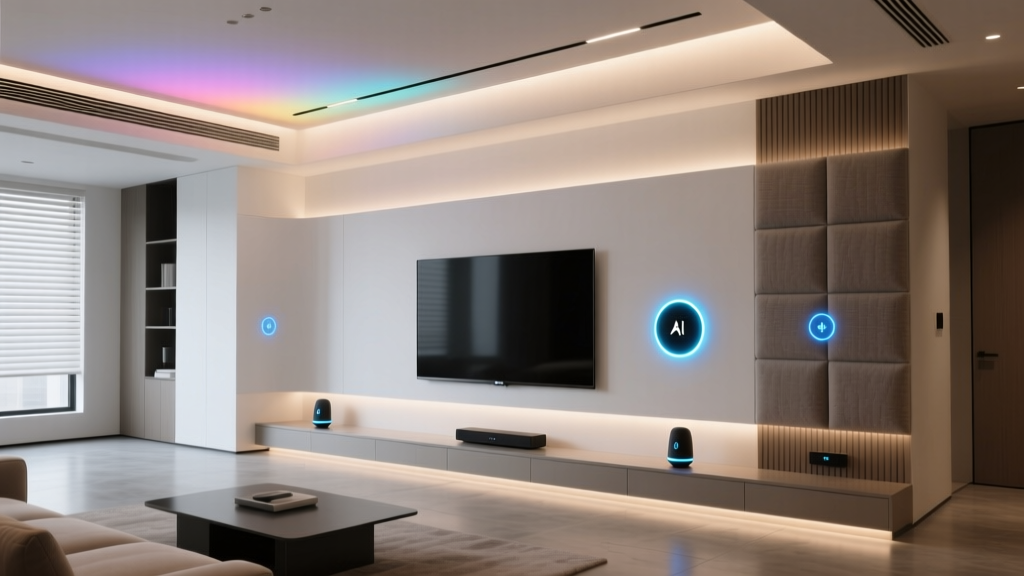
- Professional Lighting Design: Layered smart lighting with recessed fixtures, accent lights, cove lighting, and scene-based automation all controlled through a single app or keypad.
- Motorized Window Treatments: Custom-fitted smart blinds or drapes with quiet motors and sun-tracking automation.
- Smart Home Hub or Controller: A dedicated hub like a Control4, Savant, or Home Assistant server that ties every device together with advanced automations.
- Acoustic Treatment: Sound panels and bass traps optimized for your room dimensions to maximize audio quality.
Estimated total: $2,000–$10,000+ depending on room size, brand preferences, and professional installation costs.
Essential Smart Devices for Your Living Room
Now that you understand the budget landscape, let us dive deeper into the specific device categories that make a smart living room truly exceptional. Each category below includes what to look for, why it matters, and how it integrates with the rest of your setup.
Smart Entertainment: TV, Audio & Streaming
Entertainment is the primary function of most living rooms, so this category deserves the most attention and typically the largest share of your budget.
Smart TVs have evolved dramatically. Modern options offer built-in streaming apps, voice assistants, and integration with smart home platforms. Look for features like HDMI 2.1 ports for gaming, HDR support for vivid picture quality, and native compatibility with your preferred smart home ecosystem (Alexa, Google Home, or Apple HomeKit). If you already own a great TV, a smart streaming device can add most smart features without replacing the television itself.
Audio is equally critical. A soundbar is the simplest upgrade and can dramatically improve dialogue clarity and bass response compared to built-in TV speakers. For a more immersive experience, consider a surround sound system with rear speakers and a wireless subwoofer. Multi-room audio systems let you extend your living room music to other areas of the house, creating a seamless listening experience throughout your home. Our soundbar reviews cover the top options at every price point.
Universal remotes and hubs eliminate the frustration of juggling five different remote controls. A good universal remote or hub consolidates your TV, soundbar, streaming device, and even your lights into a single, intuitive interface. Some solutions use a combination of infrared, Bluetooth, and Wi-Fi to control virtually every device in your entertainment center.
Smart Lighting: Setting the Perfect Mood
Lighting transforms the atmosphere of your living room more than any other single element. Smart lighting goes far beyond simple on-and-off control — it lets you adjust brightness, color temperature, and even hue to match any activity or time of day.
Smart bulbs are the easiest entry point. Screw them into existing fixtures and control them via app or voice. Look for bulbs that support warm-to-cool color temperature adjustment, which lets you shift from energizing daylight tones in the morning to relaxing warm tones in the evening.
Light strips are an underappreciated living room upgrade. Place them behind your TV to create bias lighting that reduces eye strain during viewing sessions. Run them along shelving units, under furniture, or behind crown molding for subtle accent lighting that adds depth and sophistication to the room.
Smart switches and dimmers replace your wall switches and give you smart control over existing fixtures without changing the bulbs. This is especially useful for overhead lights, chandeliers, or any fixture where smart bulbs are impractical. Our smart switch guide walks you through the best options and wiring considerations.
For the ultimate lighting setup, consider a layered approach: ambient lighting from your main fixture, task lighting from floor and table lamps, and accent lighting from strips and spotlights. Each layer can be independently controlled and combined into preset scenes for different activities.
Climate Control & Air Quality
Comfort is invisible when done right but impossible to ignore when done wrong. Smart climate devices ensure your living room is always at the ideal temperature and air quality without constant manual adjustment.
A smart thermostat learns your schedule and preferences over time, pre-heating or cooling the room before you typically arrive and saving energy when the space is unoccupied. Many models include room sensors that specifically monitor the temperature in your living room, ensuring accuracy even if the thermostat itself is mounted in a hallway.
Smart air purifiers and air quality monitors are increasingly important, especially in urban environments or homes with pets. These devices can automatically adjust fan speed based on real-time particulate readings and alert you when filters need replacement.
For rooms with ceiling fans, smart fan controllers let you adjust speed and direction from your phone or through voice commands, and can be integrated into automation routines that coordinate with your thermostat for optimal comfort.
Smart Window Treatments
Motorized blinds and curtains are one of the most visually impressive smart home upgrades you can make to a living room. Beyond the wow factor, they offer genuine practical benefits:
- Energy savings: Automatically close blinds during hot afternoon hours to reduce cooling costs, or open them on sunny winter days for passive heating.
- UV protection: Prevent sun damage to your furniture, artwork, and flooring by scheduling blinds to close during peak UV hours.
- Privacy: Close all window treatments simultaneously at sunset with a single command.
- Glare reduction: Program blinds to partially close during times when sunlight creates glare on your TV screen.
Options range from affordable retrofit motors that attach to your existing blinds to fully custom motorized shades with quiet, powerful motors and fabric choices that match your interior design.
Smart Security & Monitoring
While the living room is not typically the primary security zone, a few well-placed devices add valuable peace of mind:
- Indoor security camera: A compact camera with privacy shutter lets you check on your home while away and can double as a pet monitor.
- Smart smoke & CO detector: Connected detectors send alerts to your phone and can integrate with your smart home to turn on lights and unlock doors during an emergency.
- Smart doorbell display: If your living room has a smart display, you can see who is at the front door without getting up from the couch.
For a complete overview of home security options, visit our smart home security guide.
Smart Living Room Automation Routines That Actually Work
Devices are only half the equation. The real magic of a smart living room comes from automation routines — predefined sequences that coordinate multiple devices to perform actions together. Here are the most practical and impactful routines you should set up.
Morning Wake-Up Routine
Start your day gently with a routine that gradually brightens your living room lights over 15 minutes, raises the blinds to let in natural light, sets the thermostat to your preferred daytime temperature, and begins playing your morning news briefing or favorite playlist through your smart speaker. This is especially effective if your living room is adjacent to your kitchen or bedroom.
Movie Night Routine
This is the crowd favorite. With a single voice command like "It is movie time," your routine dims the main lights to 10 percent, turns on bias lighting behind the TV, closes the blinds, sets the thermostat to a comfortable temperature, powers on the TV and soundbar, and launches your preferred streaming app. When the movie ends, a "Movie over" command reverses everything back to normal.
Entertaining Guests Routine
When company arrives, trigger a routine that sets warm, welcoming lighting at about 70 percent brightness, plays background music at a conversational volume, adjusts the thermostat to accommodate extra body heat, and ensures any security cameras in common areas are set to your preferred privacy mode.
Leaving Home Routine
When you head out, a "Goodbye" routine turns off all living room lights, powers down entertainment equipment, lowers the thermostat to eco mode, closes the blinds, and arms your security system. This can be triggered manually, by a geofence when your phone leaves the area, or by a smart button near the front door.
Nighttime Wind-Down Routine
As bedtime approaches, your living room transitions automatically. Lights shift to warm, dim tones, the TV turns off at a preset time to prevent late-night binge sessions, the thermostat adjusts to your sleeping temperature, and the blinds close for privacy and insulation.
Most of these routines can be set up through your smart home platform's app — whether that is Alexa Routines, Google Home Automations, Apple HomeKit Scenes, or a more advanced platform like Home Assistant. The key is to start with one or two routines and gradually expand as you become more comfortable with the system.
Installation Tips & Design Considerations
Technology should enhance your living room's aesthetics, not detract from them. Thoughtful installation and design choices ensure your smart devices look as good as they perform.
Hide the Wires
Nothing undermines a sleek smart living room faster than a tangle of visible cables. Invest in cable management solutions such as in-wall cable channels, cord covers painted to match your walls, or furniture with built-in cable routing. For wall-mounted TVs, consider an in-wall power kit that routes power and HDMI cables behind the drywall for a truly clean look.
Choose Devices That Match Your Décor
Smart home devices now come in a wide range of finishes and styles. Smart speakers are available in fabric, wood, and metal finishes that complement modern, traditional, and minimalist interiors alike. Smart bulbs come in decorative filament styles for exposed fixtures. Light strips can be hidden entirely behind furniture or architectural features. Take time to select devices that align with your design vision.
Plan Your Network Infrastructure
A smart living room with a dozen or more connected devices needs a robust Wi-Fi network. Before adding devices, ensure your router can handle the load. Consider upgrading to a mesh Wi-Fi system for consistent coverage, especially in larger living rooms or open-concept spaces. For bandwidth-intensive devices like smart TVs and streaming boxes, use wired Ethernet connections whenever possible to free up wireless bandwidth for other devices. Our network setup guide covers everything you need to know.
Speaker Placement Matters
Audio quality depends heavily on speaker positioning. For soundbars, mount them directly below or above the TV at ear level when seated. Surround speakers should be placed slightly behind and to the sides of the main seating area, angled toward the listeners. Subwoofers benefit from corner placement for maximum bass response, but experiment with the "subwoofer crawl" technique to find the optimal position for your specific room.
Lighting Layer Strategy
Design your smart lighting in three layers: ambient (overhead), task (reading lamps, desk lights), and accent (light strips, spotlights on artwork). Each layer should be independently controllable so you can mix and match for any activity. Use warm color temperatures (2700K–3000K) for relaxation and cooler temperatures (4000K–5000K) for tasks like reading or working from the couch.
Smart Home Hub Placement
If your system uses a dedicated hub, place it centrally in the living room or in an open area nearby. Hubs that rely on Zigbee, Z-Wave, or Thread protocols have limited range, so central placement ensures reliable communication with all your devices. Avoid placing hubs inside closed cabinets or behind large metal objects that can interfere with wireless signals.
Frequently Asked Questions
What is the single best smart device to start with for a living room?
A smart speaker or smart display is the best starting point for most people. It serves as a voice control hub for all future devices, provides entertainment through music and streaming, answers questions, manages timers and reminders, and gives you a taste of smart home convenience with minimal investment. From there, you can gradually add smart bulbs, a streaming device, and other accessories that integrate with your chosen ecosystem.
Do I need to replace all my existing living room devices to make it smart?
Absolutely not. Many smart home upgrades work with your existing equipment. Smart plugs turn ordinary lamps and fans into controllable devices. Infrared blasters or hubs can add smart control to your existing TV and audio equipment. Smart switches replace wall switches while keeping your current light fixtures. The beauty of modern smart home technology is its ability to bridge old and new devices into a unified system.
How many smart devices can my Wi-Fi network handle in one room?
Most modern routers can handle 25–50 connected devices across your entire home, which is more than sufficient for a smart living room setup. However, if you plan to install many devices throughout your house, consider upgrading to a mesh Wi-Fi system or a router designed for high device counts. For Zigbee or Z-Wave devices, the hub manages those connections independently, reducing load on your Wi-Fi network.
Can I mix different smart home brands and ecosystems in my living room?
Yes, but with some caveats. Many devices now support multiple ecosystems, and the Matter smart home standard is making cross-brand compatibility easier than ever. That said, the smoothest experience comes from choosing devices within the same ecosystem (Alexa, Google Home, or Apple HomeKit). If you do mix brands, a platform like Home Assistant or a hub that bridges multiple protocols can unify everything under one roof. Always check compatibility before purchasing new devices.
Is professional installation worth it for a smart living room?
It depends on the complexity of your setup. Starter and mid-range installations are almost entirely DIY-friendly — most devices are designed for easy self-installation with app-guided setup processes. However, professional installation becomes worthwhile for in-wall wiring, custom built-in speakers, motorized window treatments requiring precise measurements, and advanced lighting systems with hardwired keypads. If you are investing in a professional-tier setup, the cost of professional installation ensures everything is done safely, cleanly, and optimally.
Final Thoughts on Building Your Smart Living Room
Creating the perfect smart living room is a journey, not a one-time project. Start with the devices and automations that address your biggest pain points — whether that is fumbling for remotes, struggling with lighting ambiance, or wasting energy on heating and cooling an empty room. Build from there, adding layers of automation and new devices as your comfort and budget allow.
The most successful smart living rooms are not the ones with the most gadgets. They are the ones where technology fades into the background, making everyday moments smoother, more enjoyable, and more comfortable without demanding constant attention. Choose devices that solve real problems, invest in reliable products from reputable brands, and take the time to set up automations that genuinely reflect how you live.
Ready to explore smart upgrades for other areas of your home? Check out our smart bedroom ideas, smart kitchen guide, and our full smart home guides library for more inspiration and detailed reviews.