Introduction to the Smart Living Room
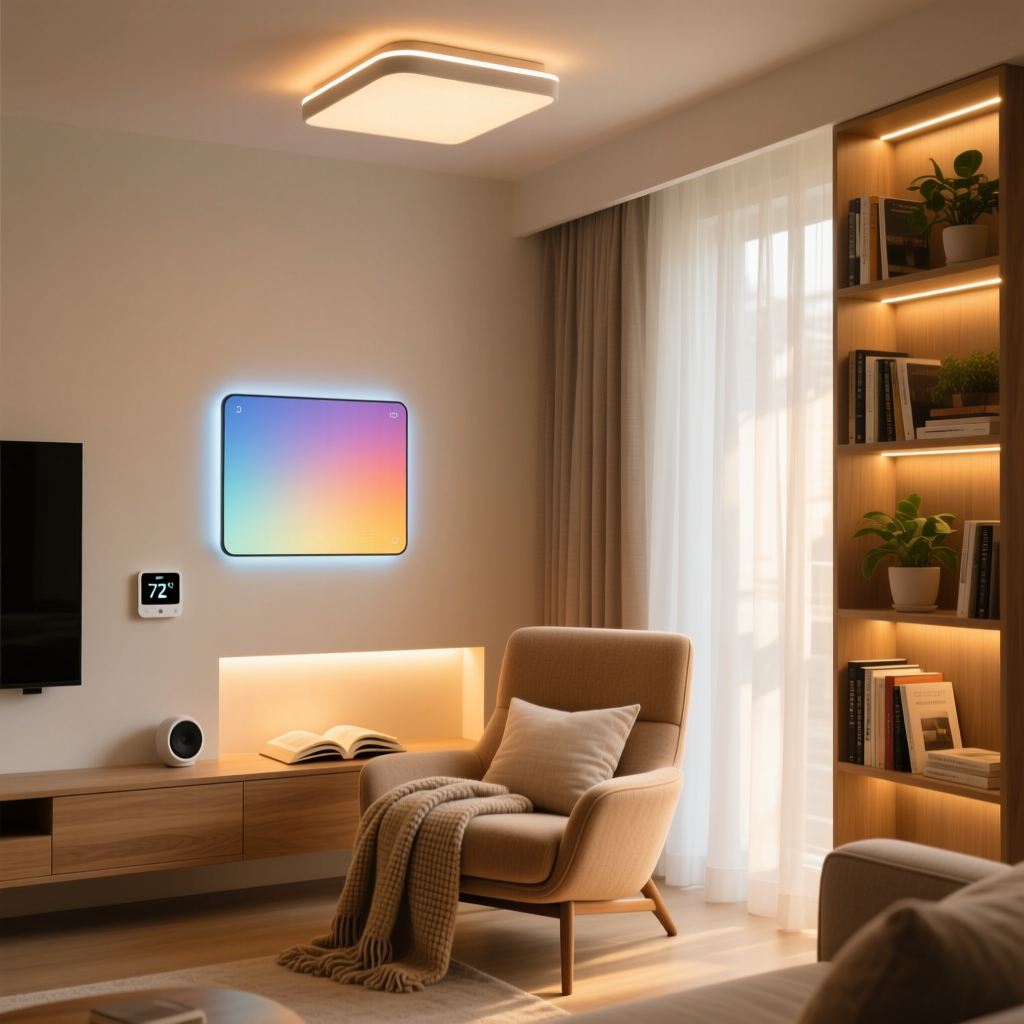
The living room is undeniably the heart of the modern home. It is where we gather to watch blockbuster movies, host friends, read books, and unwind after a long day. Transforming this shared space into a smart living room is not just about adding gadgets; it is about creating an environment that intuitively adapts to your lifestyle, enhances comfort, and elevates entertainment. Whether you are building a home theater from scratch or simply looking to add automated ambiance to your existing setup, a strategic approach is essential.
In this comprehensive guide, we will break down the core components of a smart living room, from network infrastructure and lighting to immersive audio and climate control. We will also provide actionable budget tiers, automation routines, and design considerations to ensure your technology blends seamlessly with your interior decor.
Core Components of a Smart Living Room
1. Network Infrastructure and Smart Hubs
Before purchasing a single smart bulb or speaker, you must establish a robust network foundation. A typical smart living room can easily host 20 to 30 connected devices. Relying on a standard ISP-provided router will inevitably lead to network congestion and dropped connections.
- Mesh Wi-Fi Systems: Invest in a Wi-Fi 6 or Wi-Fi 6E mesh system like the Eero Pro 6E or TP-Link Deco XE75. These systems provide blanket coverage and handle high device densities with ease.
- Smart Hubs and Protocols: To reduce Wi-Fi strain, utilize devices that operate on Zigbee, Thread, or the new Matter protocol. According to the Connectivity Standards Alliance (CSA), Matter over Thread creates a low-latency, low-power mesh network that allows devices from different brands to communicate locally without relying on the cloud. Hubs like the Apple HomePod Mini, Amazon Echo (4th Gen), or Samsung SmartThings Station act as vital Thread border routers and Zigbee coordinators.
2. Smart Lighting and Ambiance
Lighting dictates the mood of your living room. A well-designed smart lighting plan incorporates three layers: ambient, task, and accent lighting.
- Smart Bulbs vs. Smart Switches: For lamps and accent fixtures, smart bulbs like the Philips Hue White and Color Ambiance (E26/A19) offer 16 million colors and a color temperature range from 2000K (candlelight) to 6500K (daylight). However, for overhead recessed lighting, smart switches like the Lutron Caseta Pro Dimmer are superior. They maintain physical control and prevent the "dead bulb" issue that occurs when someone flips a traditional switch on a smart bulb.
- Color Rendering Index (CRI): When selecting smart bulbs for areas where you read or display art, look for a CRI of 90 or higher to ensure colors appear vibrant and accurate.
- Accent Lighting: Philips Hue Gradient Lightstrips mounted behind your media console or TV provide bias lighting, which reduces eye strain during movie watching and can sync with on-screen colors via the Hue Sync Box.
Upgrading your lighting not only improves ambiance but also efficiency. The U.S. Department of Energy notes that combining LED smart lighting with automated scheduling and dimming can significantly reduce residential lighting energy consumption.
3. Entertainment and Immersive Audio
The focal point of any living room is the entertainment system. A smart setup goes beyond a large screen; it integrates audio, video, and control into a unified experience.
- The Display: For a dedicated home theater feel, OLED panels like the LG C-Series or Sony Bravia XR offer infinite contrast and perfect blacks. If your living room doubles as a bright, multi-use space, consider Samsung The Frame TV, which displays high-resolution art when turned off, blending into your gallery wall.
- Media Streamers: The Apple TV 4K (Wi-Fi + Ethernet) and Nvidia Shield TV Pro are the gold standards. They support HDMI 2.1 features, Dolby Vision, and act as secondary smart home hubs (HomeKit and SmartThings, respectively).
- Immersive Audio: Ditch the soundbar for a true Dolby Atmos experience if space permits. The Sonos Arc paired with a Sonos Sub and two Era 300 rear speakers delivers breathtaking spatial audio. Ensure your TV's HDMI eARC (Enhanced Audio Return Channel) port is used to pass uncompressed lossless audio formats like Dolby TrueHD back to the sound system.
4. Climate Control and Motorized Shades
Comfort is paramount in a shared living space. Smart climate control learns your habits and adjusts accordingly, saving energy while maintaining the perfect temperature.
- Smart Thermostats: The Ecobee SmartThermostat Premium features built-in Alexa, air quality monitoring, and remote room sensors. These sensors are crucial for living rooms, ensuring the space is heated or cooled based on actual occupancy rather than the temperature in a distant hallway. ENERGY STAR certified smart thermostats are proven to save an average of 8% on heating and cooling bills annually.
- Motorized Shades: Lutron Serena or IKEA Fyrtur smart blinds can automatically lower during the hottest part of the day to reduce HVAC load, or close automatically when you start a movie to eliminate screen glare.
Budget Tiers: Starter, Mid-Range, and Pro Setups
Building a smart living room can be scaled to fit almost any budget. Below is a breakdown of what you can achieve at three distinct price points.
| Category | Starter (Under $600) | Mid-Range ($1,500 - $2,500) | Pro ($5,000+) |
|---|---|---|---|
| Lighting | 2x Wyze Bulb Color, 1x Smart Plug | Lutron Caseta Starter Kit, 4x Hue Bulbs | Full Lutron RadioRA 3 System, Hue Gradient Strips |
| Entertainment | Roku Streaming Stick 4K, Existing TV | Apple TV 4K, Sonos Beam Gen 2 | Apple TV 4K, Sonos Arc + Sub + Era 300s, OLED TV |
| Climate | Amazon Smart Thermostat | Ecobee SmartThermostat Enhanced | Ecobee Premium + 3x Room Sensors |
| Shades | Manual Blinds (No Smart Integration) | 2x IKEA Fyrtur Smart Blinds | Custom Lutron Serena Wood Blinds |
| Control Hub | Amazon Echo Dot | Apple HomePod Mini (Pair) | Samsung SmartThings Station Pro + Thread Mesh |
Visualizing the Investment
To help you understand where your money goes, the chart below illustrates the estimated cost distribution across major smart living room categories based on the budget tiers outlined above.
Smart Living Room Cost Breakdown by Tier
Automation Routines for Everyday Living
The true magic of a smart living room lies in automation. By linking devices together, you eliminate the need to manage them individually. Here are three essential routines to program:
1. The "Movie Night" Routine
Trigger: Voice command ("Hey Siri, it's movie night") or a physical smart button (like the Hue Dimmer Switch) mounted on the coffee table.
Actions:
- Living room main lights dim to 10% brightness at 2200K (warm amber).
- Hue Gradient lightstrip behind the TV activates in media sync mode.
- Motorized shades lower completely to eliminate glare.
- TV turns on, switches to the correct HDMI input, and the Sonos Arc powers up to the Dolby Atmos profile.
- Ecobee thermostat adjusts the temperature down by 2 degrees to account for body heat and electronics.
2. The "Morning Wake Up" Routine
Trigger: Time-based (7:00 AM) combined with a motion sensor detecting movement in the adjacent hallway.
Actions:
- Motorized shades slowly raise over a 15-minute period to let in natural sunlight.
- Smart bulbs gradually fade from 0% to 60% brightness at 4000K (energizing daylight) to simulate a sunrise.
- Smart plug connected to the coffee maker in the adjacent kitchen turns on.
3. The "Leaving Home" Routine
Trigger: Geofencing (all registered smartphones leave a 1-mile radius) or a smart lock engaging on the front door.
Actions:
- All living room lights and entertainment systems are powered off.
- Smart plugs connected to space heaters or fans are turned off for safety.
- Ecobee thermostat switches to "Away" mode to conserve energy.
- Security cameras in the living room (if applicable) are armed and privacy shutters are opened.
Pro Tip: When building automations, always include a physical fallback. Smart switches and physical buttons ensure that guests or family members who are unfamiliar with your voice assistant can still control the room effortlessly.
Design and Aesthetic Considerations
Technology should enhance your living room's design, not clutter it. Achieving a clean, high-end look requires careful planning regarding cable management and device placement.
- Recessed Media Boxes: If you are mounting a TV on the wall, hire an electrician to install a recessed media box behind the display. This allows power strips, Apple TVs, and HDMI pigtails to sit flush inside the wall, leaving only a single, slim cable cover running down to your console.
- Gallery Wall Integration: If using a lifestyle TV like Samsung The Frame, integrate it into a gallery wall. Use matching smart picture lights (like those from Picture Light Art) connected to smart plugs to illuminate the surrounding physical art, making the digital art blend seamlessly with the physical pieces.
- Speaker Placement: For surround sound, rear speakers must be placed at ear level when seated. If running wires across the room is impossible, consider architectural in-wall or in-ceiling speakers (like Sonos Architectural by Sonance) wired back to a centralized amplifier hidden in a media closet.
Installation Tips and Best Practices
Before you begin drilling holes and swapping out switches, keep these critical installation best practices in mind:
- Check for Neutral Wires: Most advanced smart dimmers and switches (like Lutron Caseta or GE Cync) require a neutral wire to stay powered on when the lights are off. Open your existing switch boxes to verify the presence of a bundle of white wires. If you lack neutral wires, you will need to stick to specific "no-neutral" switches or use smart bulbs instead.
- Calculate Load Limits: Smart dimmers have maximum wattage limits, typically ranging from 150W to 600W for LED bulbs. Because LEDs draw very little power, a 150W dimmer can usually handle 10 to 15 standard LED bulbs. Always check the manufacturer's LED compatibility matrix to prevent flickering.
- Map Your Network: Use a Wi-Fi analyzer app to identify dead zones in your living room before placing hubs or Thread border routers. Placing a HomePod Mini inside a closed metal media cabinet will severely degrade its ability to act as a Thread border router, causing your smart blinds and sensors to lag.
- HDMI Cable Quality: If you are running an HDMI cable through a wall to an external media closet, you must use a Certified Ultra High Speed HDMI 2.1 cable (capable of 48Gbps) to support 4K at 120Hz and eARC. For runs longer than 15 feet, invest in a fiber optic HDMI cable to prevent signal degradation.
Conclusion
Creating the ultimate smart living room is a journey that blends cutting-edge technology with thoughtful interior design. By starting with a robust network, choosing the right mix of smart lighting and entertainment hardware, and programming automations that fit your daily rhythm, you can build a space that is as functional as it is beautiful. Whether you are starting with a modest budget or going all-in on a professional-grade home theater, the key is to prioritize reliability, interoperability through standards like Matter, and aesthetic harmony. Your living room is the hub of your home; make it smart, make it seamless, and most importantly, make it yours.