The Evolution of the Smart Entertainment Room
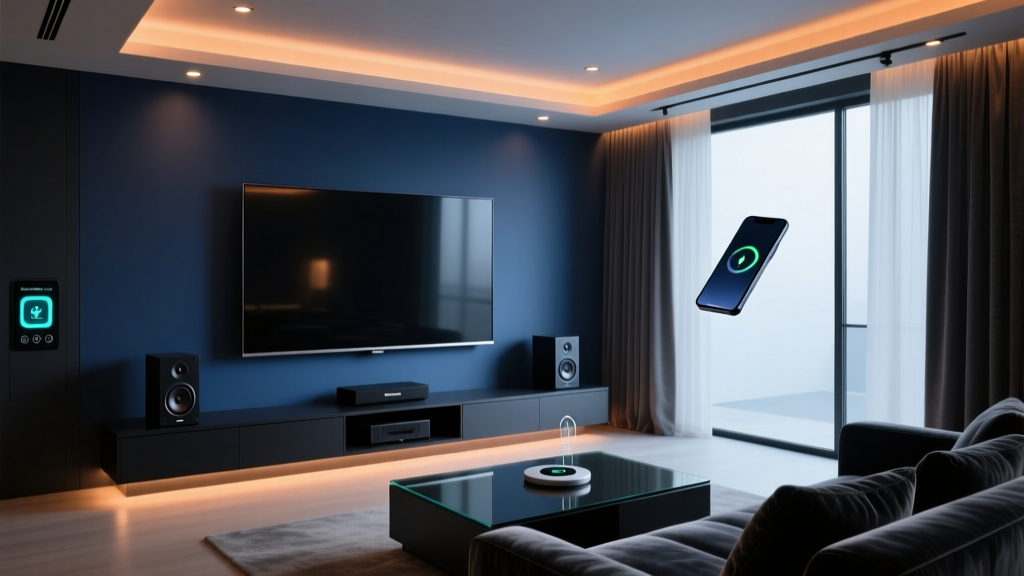
The modern media room is no longer just a space with a large television and a comfortable couch. It has evolved into a highly integrated, immersive environment where cutting-edge audiovisual technology meets seamless smart home automation. Whether you are building a dedicated home theater for cinematic masterpieces or a high-performance gaming sanctuary for competitive multiplayer sessions, the integration of smart devices is what elevates the experience from merely watching to truly feeling the content. Designing a smart entertainment and media room requires a delicate balance of acoustic engineering, visual fidelity, network infrastructure, and automated control systems.
At SmartHomeDeck, we believe that the best media rooms anticipate your needs. When you press "Play," the lights should dim to the perfect bias level, the smart blinds should close to eliminate screen glare, and the climate control should adjust to account for the heat generated by your AV receiver and gaming console. This comprehensive guide will walk you through the anatomy of the ultimate smart entertainment room, providing specific product recommendations, budget tiers, and automation routines to help you build your dream setup.
Visual Immersion: Displays and Projection
The centerpiece of any media room is the display. For dedicated smart home theaters where ambient light can be completely controlled, OLED technology remains the undisputed king of contrast. The LG G4 OLED or Sony A95L QD-OLED offers infinite contrast ratios, perfect blacks, and support for HDMI 2.1 features like 4K at 120Hz and Variable Refresh Rate (VRR), which are essential for next-gen gaming on the PlayStation 5 and Xbox Series X. According to the HDMI Forum, utilizing certified Ultra High Speed HDMI cables is critical to ensure the full 48 Gbps bandwidth required for uncompressed 4K/120Hz HDR gaming without signal dropouts.
For larger rooms where a screen size exceeding 85 inches is desired, ultra-short-throw (UST) or traditional laser projectors are the optimal choice. The Epson LS12000B or the Samsung The Premiere 4K Smart Laser Projector can easily project a 120-inch to 150-inch image. Pairing these with an Ambient Light Rejecting (ALR) screen ensures that your smart lighting system does not wash out the picture. Motorized projector screens can be integrated into your smart home hub, automatically dropping down when the projector powers on and retracting when the system enters standby mode.
Auditory Excellence: Smart Audio and Dolby Atmos
Visuals draw you in, but audio is what keeps you immersed. A true smart home theater relies on an object-based audio format like Dolby Atmos. As detailed by Dolby Laboratories, Atmos moves away from traditional channel-based audio, allowing sound designers to place specific audio objects in a three-dimensional space, including overhead. To achieve this in a smart media room, you need an AV receiver (AVR) that supports at least a 5.1.2 or 7.1.4 speaker configuration, paired with smart room correction software.
The Denon AVR-X3800H is a standout choice, featuring nine channels of amplification, support for four subwoofers, and built-in HEOS for multi-room audio streaming. It integrates seamlessly with major smart home ecosystems via IP control. For speakers, the KEF R Series or SVS Prime series offer exceptional clarity and dynamic range. If running in-wall or ceiling wires for Atmos height channels is impossible in your space, high-end smart soundbars like the Sonos Arc or Sennheiser Ambeo Soundbar Plus utilize advanced psychoacoustics and upward-firing drivers to bounce sound off the ceiling, simulating a 3D audio environment.
Ambient Control: Smart Lighting and Climate
Lighting in a media room serves two purposes: eliminating glare and reducing eye strain through bias lighting. Philips Hue Gradient Lightstrips or Govee AI Sync Box kits can be mounted behind your display to project colors that match the on-screen action, expanding the perceived field of view and reducing the harsh contrast between a bright screen and a dark room. For overhead lighting, smart recessed LEDs like the Lutron Ketra or Philips Hue White and Color Ambiance downlights allow you to create specific scenes that fade smoothly without flickering.
Glare is the enemy of picture quality. Smart blinds, such as the Lutron Serena or IKEA FYRTUR, can be programmed to automatically lower when the media system is activated. Furthermore, a room packed with electronics and people will quickly heat up. Integrating a smart thermostat like the Ecobee SmartThermostat with remote room sensors ensures that the media room receives targeted cooling during a movie night, preventing your AV equipment from thermal throttling and keeping your guests comfortable.
Network Infrastructure: The Unsung Hero
A smart media room is only as good as its network. Streaming 4K HDR content from Netflix or pulling high-bitrate remux files from a local Plex server requires massive, stable bandwidth. While Wi-Fi 6E offers excellent wireless performance, hardwiring your media room with Cat6a Ethernet is non-negotiable for a Pro-level setup. Connect your smart TV, gaming consoles, Apple TV 4K, and AV receiver directly to a managed network switch. For smart home hubs and lighting bridges that rely on Zigbee or Thread protocols, ensure your hub is centrally located or utilize a mesh network to prevent latency in your automation routines.
Budget Tiers: Starter, Mid, and Pro Setups
Building a smart entertainment room can scale to almost any budget. Below is a structured breakdown of what you can expect at different investment levels.
| Category | Starter (Under $3,000) | Mid-Range ($3,000 - $8,000) | Pro (Over $15,000) |
|---|---|---|---|
| Display | 65" TCL QM8 Mini-LED | 77" LG C4 OLED | Sony VPL-XW7000ES Laser + 120" ALR |
| Audio | Sonos Beam Gen 2 + Sub Mini | Denon AVR-X2800H + KEF Q Series 5.1.2 | Trinnov Altitude16 + Focal Utopia 7.2.4 |
| Lighting | Govee LED Strips + Smart Plugs | Philips Hue Play & Sync Box | Lutron Ketra + Serena Motorized Blinds |
| Control | Apple TV 4K + HomeKit Routines | Logitech Harmony Hub / SwitchBot | Control4 or Savant Professional System |
Charting the Investment: Where Does Your Money Go?
Understanding how costs scale across different categories helps in prioritizing your spending. The chart below illustrates the estimated cost distribution across major equipment categories for our three budget tiers.
Smart Home Theater Budget Allocation
As the data shows, audio and display costs scale exponentially as you move from consumer-grade to audiophile and videophile territories. However, smart lighting and control systems remain relatively affordable even at the mid-tier, offering the highest return on investment for creating an "immersive" feel.
Masterful Automation Routines
The true magic of a smart media room lies in the automation routines. Using platforms like Apple HomeKit, Home Assistant, or SmartThings, you can chain multiple device actions into single triggers.
1. The "Cinema Mode" Routine
- Trigger: Apple TV 4K detects the Plex or Netflix app opening, or a specific smart button is pressed.
- Actions: Motorized blinds close to 100%. Overhead lights fade to 0% over 5 seconds. Bias lighting turns on to a soft 10% warm white (2700K). The AV receiver powers on and switches to the "Apple TV" HDMI input. The smart thermostat drops the room temperature by 2 degrees to compensate for equipment heat.
2. The "Game Night" Routine
- Trigger: PlayStation 5 or Xbox Series X powers on.
- Actions: Display switches to Game Mode (enabling VRR and low latency). AV receiver switches to the console input and activates a custom EQ profile optimized for directional audio cues (footsteps, reloads). Overhead lights dim to 30%, and bias lighting shifts to a cool blue or team-specific color to maintain alertness and reduce eye strain during fast-paced action.
3. The "Intermission" Routine
- Trigger: Media playback is paused for more than 30 seconds.
- Actions: Bias lighting increases to 40% brightness. Overhead pathway lights turn on to 15% to safely guide people to the restroom or kitchen without ruining night vision. When playback resumes, the lights smoothly fade back down to their previous state.
Acoustic Treatment and Haptic Feedback
Even the most expensive speakers will sound terrible in a room with bare drywall and hard flooring. Sound waves bounce off parallel surfaces, causing standing waves and flutter echo. To combat this, incorporate acoustic treatments. Place thick, high-density fiberglass acoustic panels at the first reflection points on the side walls, and use heavy velvet curtains to absorb high frequencies. Bass traps in the corners of the room will tighten up low-end response, ensuring your subwoofer delivers punchy, accurate bass rather than a muddy rumble.
For the ultimate tactile experience, consider installing haptic transducers (often called "bass shakers") directly into the framing of your media seating. Devices like the Dayton Audio BST-1 connect to a dedicated tactile amplifier. When an explosion occurs on screen or a car engine revs in a racing game, the transducers vibrate the furniture, allowing you to physically feel the low-frequency effects without having to run your subwoofer at ear-shattering volumes. This is particularly useful in apartments or homes where structural bass transmission might disturb neighbors or sleeping family members.
Energy Efficiency and Equipment Longevity
High-end AV equipment consumes a significant amount of power and generates substantial heat. Utilizing smart plugs or advanced power conditioners with 12V triggers ensures that amplifiers, subwoofers, and projectors are completely powered down when not in use, rather than sitting in energy-draining standby modes. According to ENERGY STAR, managing the power states of consumer electronics can significantly reduce phantom load and lower annual electricity costs. Furthermore, keeping equipment in a ventilated, smart-cooled AV rack will extend the lifespan of your costly investments, preventing thermal degradation of internal components over time.
Conclusion
Designing the ultimate smart home theater and gaming room is a rewarding journey that blends high-fidelity entertainment with intelligent home automation. By carefully selecting your display technology, investing in a robust Dolby Atmos audio setup, and integrating smart lighting and climate controls, you create an environment that is not just visually and awrally stunning, but intuitively responsive. Whether you are building a Starter setup in a spare bedroom or a Pro-level dedicated cinema in a finished basement, the principles of automation, acoustic treatment, and network stability remain the same. Plan your infrastructure, program your routines, and prepare to experience your favorite media like never before.