The Battle of the Smart Home Brains: Budget vs Premium Controllers
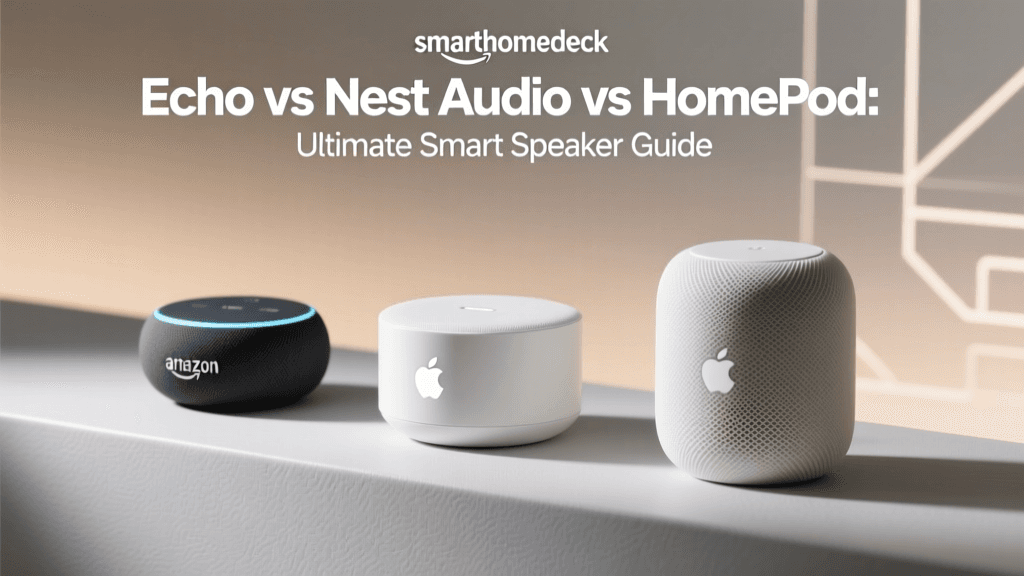
The era of the simple smart speaker is over. Today, the central smart home controller is the undisputed brain of your connected living space, tasked with managing complex mesh networks, executing local automations, and bridging disparate wireless protocols. When building or upgrading a smart home, consumers generally face a pivotal choice: invest in a budget-friendly, multi-protocol workhorse, or splurge on a premium, ecosystem-anchored powerhouse. In this comprehensive comparison, we are pitting the ultimate budget controller, the Amazon Echo (4th Generation), against the premium audiophile and smart home titan, the Apple HomePod (2nd Generation).
Both devices have evolved far beyond their origins as mere voice assistants. They now serve as critical Thread Border Routers, Matter controllers, and environmental sensors. However, their approaches to smart home management, protocol support, and ecosystem integration are vastly different. Whether you are a budget-conscious tinkerer looking to connect dozens of Zigbee sensors or an Apple purist demanding local processing and spatial audio, this head-to-head matchup will help you decide which smart home hub deserves the central spot in your living room.
Hardware and Design: Sphere vs. Cylinder
The physical design of a smart home controller dictates how seamlessly it integrates into your home decor, but it also houses the critical antennas and sensor arrays that determine its performance.
Amazon Echo (4th Gen): The Budget Utility Sphere
Retailing around $99 (and frequently dropping to $60 or less during sales), the Echo 4 is a marvel of budget engineering. Its spherical design houses a forward-firing tweeter and two 3.0-inch woofers. More importantly, its internal chassis is packed with wireless radios that defy its price point. According to The Verge's analysis of the Echo 4, Amazon managed to cram a Zigbee radio, a Thread-capable chip, and dual-band Wi-Fi into this compact sphere. It also features a built-in temperature sensor, allowing users to create routines like triggering a smart plug connected to a space heater when the room drops below 68 degrees.
Apple HomePod (2nd Gen): The Premium Acoustic Cylinder
At $299, the HomePod 2 is undeniably a premium product. Apple’s design language favors a seamless, acoustically transparent mesh fabric that wraps around a cylindrical form factor. Inside, the HomePod 2 is powered by the Apple S7 chip, which manages not only spatial audio and room-sensing acoustics but also advanced local machine learning tasks. It features a temperature and humidity sensor, an array of five tweeters, and a U1 Ultra-Wideband (UWB) chip for precise spatial awareness. As noted in The Verge's review of the HomePod 2, the hardware is heavily optimized for local processing and high-fidelity audio, making it a luxury item that doubles as a smart home brain.
Protocol Support: Zigbee, Thread, and Matter
The true measure of a smart home controller is its ability to speak the languages of your devices. This is where the budget vs. premium divide becomes highly technical.
Zigbee: The Budget Advantage
The Amazon Echo 4 features a built-in Zigbee hub. This is a massive advantage for budget-conscious users who want to deploy dozens of low-power sensors, smart bulbs, and door contacts without clogging up their Wi-Fi network or buying a separate $50 bridge. You can unbox an Echo 4, ask Alexa to discover devices, and instantly connect Philips Hue bulbs, Aqara sensors, and Yale locks directly to the speaker.
The Apple HomePod 2, conversely, does not have a Zigbee radio. To control Zigbee devices in the Apple Home ecosystem, you must either purchase an Apple TV 4K (which acts as a hub but still requires third-party bridges for Zigbee) or rely on manufacturer-specific hubs like the Philips Hue Bridge. For users with legacy Zigbee networks, the HomePod 2 is not a standalone replacement.
Thread and Matter: The Modern Standard
Both the Echo 4 and the HomePod 2 act as Thread Border Routers. Thread is a low-power, mesh-networking protocol that allows smart home devices to communicate with each other without relying on a central cloud server. If one Thread device drops offline, the mesh network dynamically reroutes the signal through neighboring devices, ensuring rock-solid reliability.
Furthermore, both devices support Matter, the industry-unifying standard backed by the Connectivity Standards Alliance (CSA-IoT). Matter allows devices to be controlled by both Alexa and Apple Home simultaneously. Whether you are provisioning a Matter-over-Thread smart plug or a Matter-over-Wi-Fi smart TV, both the Echo 4 and HomePod 2 handle the handshake securely. However, the HomePod 2’s S7 chip processes Thread network routing with slightly lower latency, giving it a marginal edge in massive networks with over 50 Thread nodes.
Ultra-Wideband (UWB) and Bluetooth
Where the premium price of the HomePod 2 truly shines is in its U1 Ultra-Wideband chip. UWB allows for precise proximity detection. If you are holding an iPhone with a U1 chip and walk into the room, the HomePod 2 knows exactly how far away you are, enabling seamless audio handoff and proximity-based automations (e.g., turning on the lights only when you are within two feet of the speaker). The Echo 4 relies on standard Bluetooth Low Energy (BLE) for device provisioning and lacks the spatial awareness that UWB provides.
Ecosystem and Privacy: Alexa vs. Apple Home
Choosing a controller means choosing an ecosystem. The software architecture dictates how your data is handled and how fast your automations execute.
Amazon Alexa: Cloud-Powered Flexibility
Alexa is renowned for its broad compatibility and flexible routine engine. You can chain together complex routines involving webhooks, third-party services, and multi-step conditional logic. However, Alexa is heavily reliant on the cloud. When you issue a voice command or trigger a routine, the data is typically sent to Amazon's servers, processed, and sent back. While Amazon has introduced the AZ1 Neural Edge chip to process some voice commands locally, the vast majority of smart home logic still requires an active internet connection. If your Wi-Fi drops, your Alexa routines largely stop working.
Apple HomeKit: Local Processing and Privacy
Apple Home is built on a foundation of privacy and local execution. When you create an automation in the Apple Home app, the logic is stored locally on your HomePod 2 (or Apple TV). If your internet connection goes down, your motion sensors will still trigger your lights, and your physical smart switches will still execute their programmed scenes. Furthermore, Apple’s HomeKit Secure Video processes camera feeds locally on the HomePod before encrypting them for iCloud, ensuring that your video data is never analyzed on external servers. The trade-off is that Apple's ecosystem is more restrictive; you cannot easily integrate niche, off-brand devices without Matter support, and the automation editor, while improving, is less flexible than Alexa’s.
Automation and Routines: Real-World Scenarios
Let us look at how both controllers handle a common smart home scenario: Climate and Lighting Automation based on Occupancy and Environment.
- The Echo 4 Approach: You can set a routine that says, 'If the Echo's temperature sensor reads below 68°F AND a third-party Zigbee motion sensor detects movement, turn on the smart plug connected to the space heater and set the Zigbee bulbs to a warm white.' This requires zero additional hubs, but relies on Amazon's cloud servers to verify the temperature and motion state.
- The HomePod 2 Approach: You can create an automation that says, 'If the HomePod's humidity sensor drops below 30%, turn on the Matter-enabled humidifier.' Because the HomePod processes this locally via Thread/Matter, the reaction is instantaneous, and it continues to function perfectly during an internet outage. However, integrating a non-Matter, non-HomeKit motion sensor into this equation requires a third-party bridge like Homebridge or a Matter bridge.
Audio Performance: Where the Premium Price Shows
While this is a smart home controller comparison, these devices are also primary audio sources in many homes. The HomePod 2 justifies its $299 price tag with room-sensing technology. It uses its internal microphones to bounce sound waves off the walls, analyzing the acoustics of the room and adjusting the audio profile in real-time. The result is rich, room-filling spatial audio with deep bass from its high-excursion woofer.
The Echo 4 sounds remarkably good for its $99 price point, offering clear vocals and decent bass thanks to its dual woofers. However, it lacks the dynamic room-sensing of the HomePod. If you place the Echo 4 in a corner, the bass can become muddy, whereas the HomePod 2 will automatically EQ itself to compensate for the corner placement.
Specification Comparison Table
| Feature | Amazon Echo (4th Gen) | Apple HomePod (2nd Gen) |
|---|---|---|
| Price Range | $60 - $99 (Budget) | $299 (Premium) |
| Primary Ecosystem | Amazon Alexa | Apple HomeKit |
| Zigbee Hub | Yes (Built-in) | No |
| Thread Border Router | Yes | Yes |
| Matter Support | Yes (Controller & Bridge) | Yes (Controller & Bridge) |
| Ultra-Wideband (UWB) | No | Yes (U1 Chip) |
| Environmental Sensors | Temperature | Temperature & Humidity |
| Local Automation | Limited (Mostly Cloud) | Extensive (Local Execution) |
| Audio Profile | Stereo with Dolby Processing | Spatial Audio with Room Sensing |
Protocol Support Visualization
The Verdict: Which Controller is Right for You?
The choice between a budget controller and a premium controller ultimately comes down to your existing ecosystem, your budget, and your tolerance for cloud dependency.
Choose the Amazon Echo (4th Gen) if:
- You are on a budget: At roughly $99 (or less on sale), it is the most cost-effective way to add a Zigbee, Thread, and Matter hub to your home simultaneously.
- You have legacy Zigbee devices: If you already own dozens of Zigbee sensors and bulbs, the Echo 4 eliminates the need for multiple third-party bridges.
- You prefer Alexa's flexible routines: If you rely on complex, multi-step routines that integrate with niche third-party web services, Alexa's cloud-based engine remains unmatched in flexibility.
Choose the Apple HomePod (2nd Gen) if:
- You are deeply invested in Apple: If your household relies on iPhones, iPads, and Apple TVs, the HomePod 2 offers a frictionless, deeply integrated experience.
- You demand local processing and privacy: For users who want their automations to execute instantly without touching a cloud server, and who value Apple's strict privacy standards for cameras and microphones, the HomePod 2 is the gold standard.
- You prioritize premium audio and spatial awareness: The U1 chip for proximity handoff and the room-sensing spatial audio make it a superior standalone speaker, justifying the premium $299 price tag.
SmartHomeDeck Pro Tip: You do not necessarily have to choose just one. Thanks to the Matter standard, you can use an Echo 4 in the guest room to manage budget Zigbee sensors, while using a HomePod 2 in the living room to act as your primary Matter controller and audiophile speaker. Both hubs can coexist on the same Thread mesh network, representing the true promise of the modern, interoperable smart home.