The Shift to Local Smart Home Control
The modern smart home has evolved far beyond simple voice commands and cloud-dependent mobile apps. As enthusiasts and everyday users alike begin to populate their homes with dozens—or even hundreds—of connected sensors, bulbs, and switches, the limitations of cloud-based ecosystems like Amazon Alexa and Google Home become glaringly apparent. Latency, internet outages, and privacy concerns have driven a massive shift toward local smart home controllers. These dedicated hubs process automations entirely within your home network, ensuring that your lights still turn on when the internet goes down, and your commands execute in milliseconds rather than seconds.
When building a local smart home ecosystem, the market generally splits into two distinct tiers: the budget-conscious, tinkerer-friendly hubs, and the premium, all-in-one powerhouse controllers. To understand which tier is right for your home, we are putting the ultimate budget/mid-range champion, the Hubitat Elevation C-8, head-to-head against the premium heavyweight, the Homey Pro (2023). Both devices champion local processing, but they approach the smart home from vastly different philosophies regarding user experience, hardware capabilities, and price.
Contender 1: Hubitat Elevation C-8 (The Budget Tinkerer's Dream)
Retailing at approximately $150, the Hubitat Elevation C-8 is the spiritual successor to the early days of smart home tinkering. It is a utilitarian, unassuming metal box that prioritizes raw functionality over aesthetic appeal. Hubitat has built a fiercely loyal community by offering an entirely local automation engine that does not require a cloud connection for core logic. It is designed for the 'prosumer'—the user who wants to dive deep into variables, conditional logic, and custom drivers without paying a premium price tag.
The C-8 model brings upgraded hardware over its predecessors, including improved internal antennas and support for the latest Z-Wave 800-series and Zigbee 3.0 standards. However, Hubitat intentionally leaves out Wi-Fi and Bluetooth radios to keep costs down and reduce local network interference, relying instead on LAN integrations and external bridges for those protocols. The crown jewel of Hubitat is its 'Rule Machine'—an incredibly deep, albeit complex, automation engine that allows for near-limitless logic branching.
Contender 2: Homey Pro 2023 (The Premium Powerhouse)
At the opposite end of the spectrum sits the Homey Pro (2023 edition), commanding a premium price tag of roughly $399. Homey’s philosophy is that local processing should not require a computer science degree to set up. Housed in a sleek, minimalist disc designed to be displayed proudly in your living space, the Homey Pro is a hardware behemoth. It packs an astonishing eight distinct wireless radios into its chassis, aiming to be the single, unified bridge for every conceivable smart home protocol.
Homey targets the premium smart home curator who values a polished user interface, seamless onboarding, and comprehensive protocol support without the need for external bridges. Its automation engine, known as 'Flow,' uses a highly visual, intuitive 'When-And-Then' logic builder that makes complex routines accessible to beginners while still offering advanced tools for power users. Furthermore, Homey includes built-in energy monitoring and a beautiful dashboard experience that Hubitat simply cannot match out of the box.
Head-to-Head Specification Breakdown
Before diving into the nuanced differences in software and automation, it is crucial to understand the raw hardware capabilities of both controllers. The table below outlines the core specifications that define the budget vs. premium divide.
| Feature | Hubitat Elevation C-8 | Homey Pro (2023) |
|---|---|---|
| Approximate Price | $150 | $399 |
| Local Processing | Yes (Core logic is 100% local) | Yes (Core logic is 100% local) |
| Z-Wave Support | Yes (800-Series) | Yes (800-Series) |
| Zigbee Support | Yes (Zigbee 3.0) | Yes (Zigbee 3.0) |
| Matter / Thread | Yes (Via Thread Border Router) | Yes (Native Thread & Matter) |
| Wi-Fi / Bluetooth | No (Requires LAN or external bridges) | Yes (Built-in dual-band Wi-Fi & BLE) |
| RF433 / RF868 / IR | No | Yes (Built-in antennas) |
| Form Factor | Utilitarian Metal Box | Premium Minimalist Disc |
Protocol Support and Mesh Reliability
The most significant differentiator between the budget Hubitat and the premium Homey is the sheer breadth of native wireless protocols. Hubitat focuses on the core mesh protocols: Zigbee and Z-Wave. According to the Z-Wave Alliance, Z-Wave's sub-GHz frequency allows it to bypass the interference commonly found on the crowded 2.4GHz Wi-Fi band, making it the gold standard for reliable sensor and lock connectivity. Hubitat's implementation of Z-Wave 800-series offers excellent range and security (S2), but if you want to integrate Wi-Fi smart plugs or Bluetooth presence trackers, you must rely on your home router or third-party integrations.
Homey Pro, on the other hand, is a true omnivore. It includes dedicated antennas for Wi-Fi, Bluetooth, 433MHz (for older weather stations and blinds), 868MHz, and even Infrared (IR) for controlling legacy TVs and AC units. This eliminates the need for a dozen different USB dongles and proprietary bridges scattered around your house.
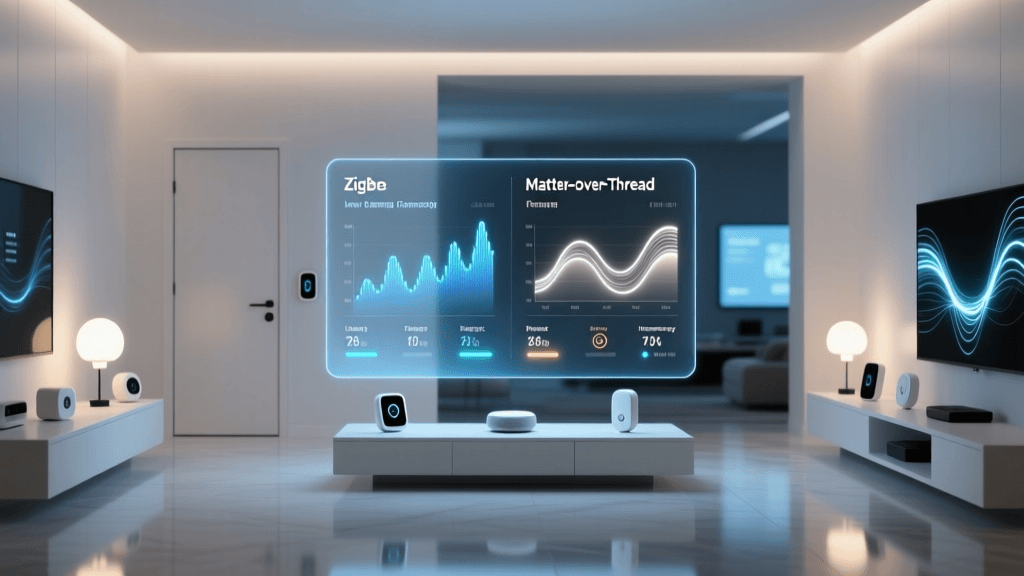
Both hubs are heavily invested in the future of smart home interoperability: Matter and Thread. The Connectivity Standards Alliance (CSA) developed Matter to ensure cross-brand compatibility, while the Thread Group provides the low-power, self-healing mesh network that Matter often relies upon. Homey Pro acts as a native Thread Border Router right out of the box, seamlessly integrating Thread-based devices like Nanoleaf bulbs or Eve sensors. Hubitat supports Matter and Thread, but its implementation has historically required a bit more manual configuration and reliance on external border routers depending on the specific firmware version.
The Automation Engine: Rule Machine vs. Flow
Hardware is only half the battle; the automation engine is where a smart home controller earns its keep. Here, the budget vs. premium dynamic shifts from 'cheap vs. expensive' to 'complex vs. accessible.'
Hubitat Rule Machine
Hubitat's Rule Machine is legendary in the smart home community for its depth. It operates much like traditional programming logic. You define triggers, conditions, and actions using boolean operators, variables, and nested IF/THEN statements. For example, you can create a rule that calculates the exact solar elevation angle using an external API, cross-references it with your living room lux sensor, and adjusts your smart blinds to a specific percentage while simultaneously shifting your color temperature to match the sunset. It is incredibly powerful, but the user interface is essentially a series of dropdown menus and text fields. The learning curve is steep, and debugging a broken rule can feel like hunting for a missing semicolon in a script.
Homey Flow
Homey's Flow engine takes a fundamentally different approach. It uses a visual, card-based interface divided into three columns: 'When' (Triggers), 'And' (Conditions), and 'Then' (Actions). You literally drag and drop logic cards onto a canvas. While it may seem simpler, Homey Flow supports advanced logic, including script tags (JavaScript snippets for data manipulation), HTTP webhooks, and complex delays. For 95% of users, Flow is vastly superior because it allows you to visualize the entire automation pathway at a glance. The premium price of Homey pays for this polished software development, making automation a joy rather than a chore.
User Interface, Dashboards, and Energy Monitoring
If you have ever tried to show a guest or a family member how to use your smart home via a Hubitat dashboard, you know the pain. Hubitat's native dashboard builder is functional but archaic. It requires manual CSS tweaking to look modern, and the mobile app experience is largely just a remote control for the web interface. Hubitat provides raw data, expecting the user to integrate with third-party tools like Grafana or Home Assistant for beautiful visualizations.
Homey Pro justifies its premium cost the moment you open the app. The user interface is stunning, featuring smooth animations, intuitive device grouping, and native support for widgets on iOS and Android. More importantly, Homey includes a feature called Homey Energy. This built-in dashboard automatically identifies energy-hungry devices, tracks your solar panel production (via integrations), and estimates your smart home's overall power consumption. In an era of rising electricity costs, having a native, beautifully designed energy monitor built directly into your hub's ecosystem is a massive value-add that Hubitat lacks natively.
Community, Extensibility, and Support
When you buy a budget controller like Hubitat, you are also buying into a community of hardcore tinkerers. The Hubitat community forums are a goldmine of user-generated drivers and custom apps. If a new, obscure Zigbee sensor hits the market from a brand like Moes or Tuya, chances are a Hubitat community member has already written a custom driver for it. Hubitat also allows you to write your own drivers using Groovy, giving developers total control over device behavior.
Homey has a robust App Store that is strictly curated and vetted for security and performance. While it may lack the 'wild west' flexibility of Hubitat's community code repositories, the Homey App Store ensures that the integrations you download are stable, well-maintained, and won't crash your local hub. Furthermore, Homey's developer tools and WebAPI are exceptionally well-documented, making it a favorite for users who want to integrate their smart home with external IT infrastructure, like Home Assistant or custom Node-RED flows.
'The choice between a budget and premium smart home hub rarely comes down to raw processing power. It comes down to how you value your time. Do you want to spend a weekend coding the perfect dashboard and writing custom drivers, or do you want to pay a premium for a system that looks beautiful and works seamlessly out of the box?'
The Verdict: Which Controller Should You Choose?
Choosing between the Hubitat Elevation C-8 and the Homey Pro (2023) requires an honest assessment of your budget, your technical skills, and your smart home goals.
Choose the Hubitat Elevation C-8 if:
- You are on a strict budget: At $150, it offers the best price-to-performance ratio for local Z-Wave and Zigbee processing on the market.
- You are a tinkerer or developer: If you enjoy writing Groovy code, tweaking variables, and building complex, multi-layered conditional logic, Rule Machine will be your playground.
- You already have a LAN-based ecosystem: If your Wi-Fi devices are already managed by other means (like a UniFi network or a secondary Home Assistant server), Hubitat's lack of native Wi-Fi won't bother you.
- You prioritize function over form: You plan to hide the hub in a network closet and don't care about having a beautiful native mobile dashboard for guests.
Choose the Homey Pro (2023) if:
- You want the ultimate all-in-one bridge: With 8 built-in radios, including IR, Bluetooth, and Wi-Fi, Homey eliminates the need for messy external dongles and proprietary bridges.
- You value aesthetics and UX: The Homey app and native dashboards are stunning, making it easy for family members and guests to interact with the smart home.
- You want native energy monitoring: Homey Energy provides immediate, actionable insights into your home's power consumption without requiring third-party database setups.
- You are willing to pay for polish: The $399 price tag is steep, but you are paying for a highly refined software experience, visual automation building, and premium hardware design.
Ultimately, the budget Hubitat Elevation remains the undisputed king of accessible local processing for the DIY enthusiast. However, the Homey Pro proves that local smart home control can be premium, beautiful, and effortlessly simple, justifying its cost for those who want a 'set it and forget it' luxury smart home experience.