The Smart Lighting Dilemma: Form Factor First
When building a smart home, lighting is universally the first frontier. It offers the most immediate impact on ambiance, security, and daily convenience. However, new enthusiasts quickly hit a wall: should you replace your wall switches, swap out every light bulb, or run LED strips along your crown molding? The answer isn't a one-size-fits-all solution. Each form factor—smart switches, smart bulbs, and smart LED strips—solves a completely different set of problems and introduces its own unique limitations.
In this comprehensive showdown, we break down the technical specifications, installation hurdles, ecosystem compatibilities, and long-term costs of switches versus bulbs versus strips. Whether you are outfitting a rental apartment or rewiring a forever home, understanding the foundational differences between these three lighting categories is critical for a frustration-free smart home experience.
Smart Switches: The Whole-Home Foundation
Smart switches are the foundational layer of a permanent, whole-home lighting system. Brands like Lutron Caseta, Leviton Decora, and TP-Link Kasa dominate this space. The primary advantage of a smart switch is that it maintains the physical control paradigm that guests and family members expect. You don't have to explain to a visitor why the lamp isn't turning on; they simply press the wall switch, and the smart ecosystem handles the rest.
Installation and Wiring Requirements
Installation is the biggest barrier to entry for smart switches. Most modern smart switches require a neutral wire in your electrical box to remain powered on even when the light is off. If you live in an older home built before the 1980s, you may lack neutral wires, severely limiting your options. In these cases, you must look to specialized, low-power switches like the Lutron Caseta, which uses a proprietary Clear Connect RF protocol and doesn't strictly require a neutral wire for basic setups.
The Dimming Dilemma
Furthermore, smart switches control the circuit, not the color. If you have a standard dumb LED fixture, a smart switch can only turn it on, off, or dim it. Dimming compatibility is another notorious headache; pairing a smart dimmer switch with incompatible LED bulbs often results in flickering, buzzing, or a limited dimming range. Always check the manufacturer's compatibility list before buying in bulk.
- Top Premium Pick: Lutron Caseta (Requires hub, rock-solid reliability, works without neutral wires)
- Top Budget Pick: Kasa Smart by TP-Link (Wi-Fi based, no hub required, needs neutral wire)
Smart Bulbs: Masters of Color and Ambiance
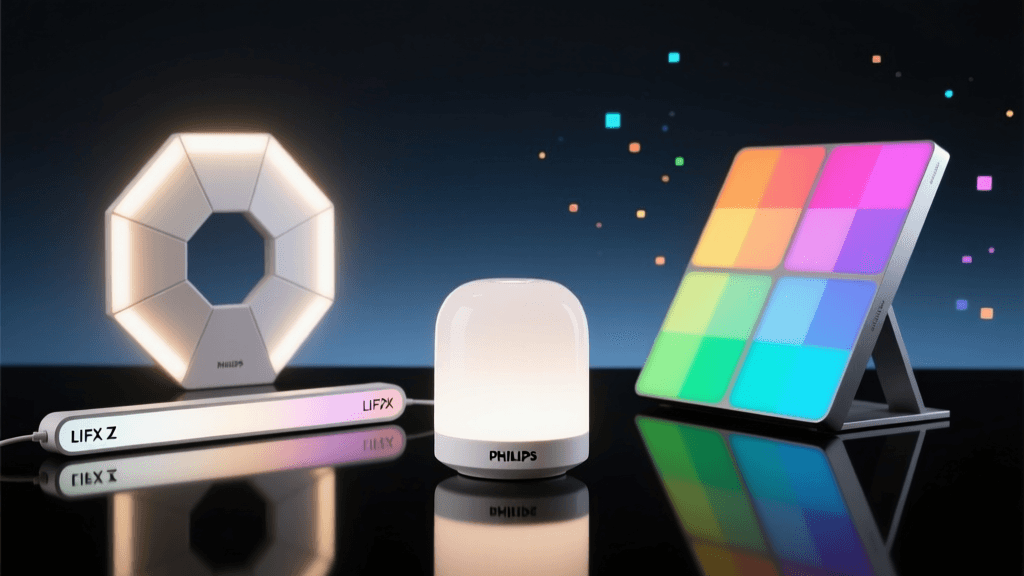
If color tuning, circadian rhythm lighting, and granular control are your goals, smart bulbs are mandatory. Philips Hue, LIFX, and Wyze offer bulbs that can produce millions of colors and tune white temperatures from a candle-like 2000K to a daylight 6500K. This is essential for spaces where the lighting needs to transition from a bright, cool workspace during the day to a warm, relaxing environment at night.
The "Dumb Switch" Problem
The most significant drawback of smart bulbs is the "dumb switch dilemma." If someone flips the physical wall switch off, the smart bulb loses power and becomes entirely unresponsive to app or voice commands. To combat this, enthusiasts often use smart switch covers (like the Lutron Aurora) or programmable wireless remotes to ensure the bulb always receives standby power.
Network Congestion and Hubs
Another consideration is network congestion. Wi-Fi-based smart bulbs connect directly to your router. If you install 30 Wi-Fi bulbs across your home, your router's DHCP table and 2.4GHz band will likely become overwhelmed, causing dropouts. This is why premium ecosystems like Philips Hue utilize a dedicated Zigbee hub. Zigbee creates a local mesh network, keeping smart lighting traffic off your primary Wi-Fi network and ensuring instant response times even if your internet goes down.
- Top Premium Pick: Philips Hue White and Color Ambiance (Zigbee, premium color accuracy, vast ecosystem)
- Top Budget Pick: Wyze Bulb Color (Wi-Fi, high brightness, exceptional value)
Smart LED Strips: Accent and Architectural Lighting
LED strips are the accent lighting kings. They are used for under-cabinet task lighting, bias lighting behind televisions to reduce eye strain, and architectural highlighting along baseboards or staircases. They offer a level of customization and drama that traditional bulbs and switches simply cannot match.
RGB vs. RGBIC Technology
The technology here has evolved rapidly. Early strips were basic RGB, meaning the entire strip could only display one color at a time. Today, market leaders like Govee and Nanoleaf utilize RGBIC (Independent Chip) technology. This allows multiple colors to be displayed simultaneously on a single strip, creating stunning rainbow chases, segmented scene effects, and dynamic music-syncing patterns.
Installation Best Practices
Installation is generally plug-and-play via adhesive backing, but for a professional, long-lasting finish, strips should be mounted inside aluminum diffuser channels. This prevents the "dotting" effect (where you see individual LED diodes) and protects the strip from dust and moisture. For outdoor or bathroom use, you must look for IP65 or IP67 rated strips with silicone coatings.
- Top Premium Pick: Nanoleaf Light Strip (Thread/Matter support, seamless ecosystem integration, expandable)
- Top Budget Pick: Govee RGBIC Strips (Wi-Fi/Bluetooth, vibrant app, incredible color chasing effects)
Head-to-Head Comparison Matrix
To help you visualize the differences, here is a breakdown of how these three form factors compare across critical smart home metrics.
| Feature | Smart Switches | Smart Bulbs | Smart LED Strips |
|---|---|---|---|
| Installation | Hardwired (Medium/Hard) | Screw-in (Easy) | Adhesive/Plug (Easy) |
| Color Control | None (Circuit control only) | Full RGB / Tunable White | Full RGB / RGBIC |
| Guest Friendliness | High (Acts like normal switch) | Low (Prone to being turned off) | Medium (Usually out of reach) |
| Offline Control | Yes (Physical toggle works) | No (Requires standby power) | No (Requires plug power) |
| Average Cost Per Unit | $40 - $70 | $25 - $60 | $30 - $100+ |
Cost Analysis: Outfitting a 5-Room Home
When scaling smart lighting across an entire apartment or home, the costs diverge significantly based on the form factor you choose. Switches require fewer units per room but have higher individual costs and potential electrician fees. Bulbs add up quickly if you have multi-bulb fixtures. Strips are highly variable based on room dimensions.
Average Smart Lighting Cost Per Room Setup
Note: Costs are estimates based on mid-tier market averages and do not include professional installation fees for hardwired switches.
The Protocol War: Wi-Fi vs. Zigbee vs. Matter
When choosing between these form factors, the underlying wireless protocol dictates your long-term satisfaction and network health.
Wi-Fi
Great for a few switches or bulbs, but scales poorly. Brands like Kasa and Wyze rely on Wi-Fi. If you have a small apartment, Wi-Fi is perfectly fine. For a large home, it will choke your router.
Zigbee
Excellent for whole-home bulbs and sensors. Requires a hub (like the Hue Bridge) but offers local control, low latency, and mesh networking. If one bulb drops, the others route the signal around it.
Thread and Matter
The future of smart home interoperability is here. As highlighted by the Connectivity Standards Alliance, the Matter protocol aims to unify ecosystems, allowing devices to work seamlessly across Apple, Google, and Amazon. Thread-enabled LED strips and bulbs act as their own mesh routers, improving network reliability without a proprietary hub. If you are buying new hardware today, prioritizing Matter-over-Thread compatible devices is the smartest long-term investment.
Room-by-Room Strategy Guide
Rather than picking one form factor and applying it blindly to your entire house, the best smart homes use a hybrid approach tailored to the function of each room.
The Kitchen
Winner: Smart Switches + LED Strips. Use hardwired smart switches for your overhead recessed lighting to ensure guests can easily turn on the main lights. Supplement with hardwired or plug-in LED strips under your cabinets for brilliant, shadow-free task lighting while chopping vegetables or reading recipes.
The Living Room
Winner: Smart Bulbs + LED Strips. Overhead lighting is often secondary to ambiance in a living room. Use smart bulbs in your floor and table lamps to create warm, inviting scenes for movie nights. Add an RGBIC LED strip behind your television to provide bias lighting, which reduces eye strain and makes the screen's colors appear more vibrant.
The Bedroom
Winner: Smart Bulbs. Tunable white smart bulbs are a game-changer for sleep hygiene. Program your bedside lamps to slowly shift from bright, cool white in the morning (to simulate sunrise and wake you up) to a dim, warm amber at night (to promote melatonin production). Just remember to use a wireless remote or smart switch cover so the bulbs never lose standby power.
The Bathroom
Winner: Smart Switches + IP65 Strips. You want instant, bright light when you flip the switch in the morning, making smart switches ideal for the vanity. For a luxury spa feel, run IP65-rated waterproof LED strips under the vanity cabinets or inside a shower niche, triggered by a motion sensor for late-night bathroom trips.
Energy Efficiency and Environmental Impact
Beyond convenience, smart lighting is a powerful tool for energy conservation. According to the U.S. Department of Energy, LED lighting uses at least 75% less energy, and lasts 25 times longer, than traditional incandescent lighting. Smart lighting adds a crucial layer of efficiency on top of this baseline through automated scheduling, geofencing, and motion sensors. By ensuring lights are automatically turned off in empty rooms or dimmed when natural sunlight is sufficient, smart switches and sensors can drastically reduce your home's electrical footprint.
Furthermore, as noted in CNET's comprehensive smart lighting guide, the shift toward localized mesh networks (like Zigbee and Thread) means that the standby power draw of these devices is negligible compared to the energy saved by automated dimming and shutoff routines.
The Final Verdict: Which Should You Choose?
There is no single "best" smart lighting category; there is only the best category for your specific living situation and goals.
The Homeowner: Invest heavily in hardwired smart switches for your main circuits and overhead lights. It increases the value of your home, maintains guest-friendly usability, and provides a rock-solid foundation. Supplement with LED strips for architectural accents.
The Renter: Stick to smart bulbs and plug-in LED strips. You can easily unscrew them and take them to your next apartment without violating your lease or dealing with dangerous electrical wiring.
The Entertainer & Gamer: RGBIC LED strips and color-tuning smart bulbs are mandatory. Switches won't give you the immersive, color-synced gaming environments or dynamic party scenes you are looking for.
Ultimately, the most successful smart homes don't choose just one. They blend the reliability of smart switches for general illumination, the versatility of smart bulbs for localized ambiance, and the drama of LED strips for architectural flair. By understanding the strengths and weaknesses of each form factor, you can build a lighting ecosystem that is as beautiful as it is functional.