The Best Smart Home Devices to Automate Your Life
Transforming a traditional house into an intelligent, responsive living space is no longer a futuristic concept reserved for science fiction. Today, the best smart home devices seamlessly blend into our daily routines, offering unparalleled convenience, enhanced security, and significant energy savings. Whether you are looking to illuminate your living room with voice commands, monitor your front porch from across the globe, or optimize your heating and cooling bills, the modern smart home ecosystem has a solution. However, navigating the crowded market of connected gadgets can be overwhelming. With thousands of products claiming to be the ultimate home upgrade, how do you separate the genuinely useful tools from the novelty gimmicks?
At Smart Home Deck, we have spent countless hours testing, installing, and living with the most popular connected devices on the market. Our curated buyer guide highlights the absolute best smart home devices available today. We focus on products that offer long-term reliability, intuitive user experiences, and broad ecosystem compatibility. Below, you will find our top picks across every major category, complete with in-depth analysis, pros and cons, and our proprietary Deck Score to help you make an informed purchasing decision.
Our Selection Criteria
Before diving into our top picks, it is essential to understand the rigorous methodology behind our selections. The smart home landscape is fragmented, with competing standards and proprietary ecosystems. To ensure our recommendations stand the test of time, we evaluate every product based on the following core criteria:
- Ecosystem Integration & Matter Support: We prioritize devices that play well with others. Whether you are deeply invested in Amazon Alexa, Apple HomeKit, or Google Home, the best devices offer cross-platform compatibility. We also heavily favor products that support or are upgradeable to the Matter standard, ensuring future-proof interoperability. For a deeper dive into this new standard, check out our complete guide to Matter.
- Reliability & Offline Functionality: A smart device that fails when the internet goes down is a liability. We test how well products perform on local networks and whether core functions (like turning on a light or unlocking a door) remain operational during Wi-Fi outages.
- Privacy & Security: Inviting cameras and microphones into your home requires trust. We evaluate the data encryption standards, local processing capabilities, and physical privacy shutters of every device we recommend.
- Installation & User Experience: The best technology gets out of your way. We assess the physical installation process, the intuitiveness of the companion smartphone app, and the ease of setting up complex automations and routines.
- Long-Term Value: We look beyond the initial price tag. Factors like subscription requirements, energy efficiency, build quality, and the manufacturer's history of providing long-term firmware updates all contribute to a product's overall value proposition.
Quick Comparison Table
| Product | Category | Deck Score | Key Feature | Ecosystem |
|---|---|---|---|---|
| Apple TV 4K | Smart Hub & Entertainment | 9.6/10 | Thread Border Router & HomeKit Hub | Apple HomeKit |
| Philips Hue White & Color Ambiance | Smart Lighting | 9.5/10 | Unmatched Color Accuracy & Ecosystem | All / Matter |
| Ecobee SmartThermostat Premium | Smart Thermostat | 9.4/10 | Room Sensors & HVAC Monitoring | All / Alexa Built-in |
| Ring Video Doorbell Pro 2 | Smart Doorbell | 9.3/10 | 3D Motion Detection & Bird's-Eye View | Amazon Alexa |
| Amazon Echo Show 8 | Smart Display | 9.2/10 | Built-in Zigbee Hub & Video Calling | Amazon Alexa |
| Arlo Pro 4 | Smart Security Camera | 9.1/10 | 2K HDR & Wire-Free Spotlight | All |
| August Wi-Fi Smart Lock | Smart Lock | 9.0/10 | Retrofit Design & Auto-Unlock | All |
| Kasa Smart Plug Mini | Smart Plug | 8.8/10 | Energy Monitoring & Kasa App | All |
Apple TV 4K: Best Smart Home Hub & Entertainment Center
While primarily known as a premium streaming device, the Apple TV 4K is secretly one of the most powerful and reliable smart home hubs on the market. For users invested in the Apple ecosystem, this device serves as the central nervous system for HomeKit and the newer Matter protocol. Unlike dedicated hubs that sit hidden in a closet, the Apple TV 4K doubles as a top-tier entertainment center, making it an incredibly efficient use of space and budget.
The latest generations of the Apple TV 4K feature a built-in Thread border router. Thread is a low-power, mesh networking protocol that allows smart home devices to communicate with each other locally without clogging up your primary Wi-Fi network. This results in lightning-fast response times for your smart lights and locks, even if your broadband connection drops. Furthermore, it supports HomeKit Secure Video, meaning it can process and encrypt video feeds from compatible security cameras locally before storing them in your iCloud account, ensuring your private moments remain private.
Beyond its smart home capabilities, the tvOS interface is unparalleled in its fluidity and lack of intrusive advertising. The A-series Bionic chip ensures that navigating through heavy smart home dashboards or streaming high-bitrate 4K Dolby Vision content is completely lag-free. If you are an iPhone user looking to build a secure, privacy-focused smart home, this is the foundational device you need. For more hub options, visit our smart home hubs guide.
- Pros: Exceptional processing power; acts as a Thread border router; local HomeKit Secure Video processing; ad-free interface; seamless Apple ecosystem integration.
- Cons: Premium price point; limited utility for non-Apple users; requires an Ethernet connection for optimal Thread performance.
Deck Score: 9.6/10
Philips Hue White & Color Ambiance: Best Smart Lighting
When it comes to smart lighting, Philips Hue remains the undisputed gold standard. The White & Color Ambiance starter kit provides everything you need to completely transform the atmosphere of your home. While cheaper alternatives exist, Hue's superiority lies in its color accuracy, the sheer breadth of its ecosystem, and the rock-solid reliability of its dedicated Hue Bridge.
The Hue Bridge connects to your router via Ethernet and creates a dedicated Zigbee mesh network for your bulbs. This means your lights do not rely on your Wi-Fi, freeing up bandwidth for your phones and laptops while ensuring your lights respond instantly to commands. The color reproduction of the Ambiance bulbs is rich and vibrant, capable of producing millions of colors and thousands of shades of warm-to-cool white. This precision allows for advanced features like Hue Sync, which can match your lighting to the colors on your TV screen or the rhythm of your music in real-time.
Philips has also been a pioneer in adopting new standards. The Hue Bridge has received updates to support Matter, ensuring that your investment is protected as the smart home industry unifies. Whether you want to set up complex wake-up routines that mimic a natural sunrise, or you simply want to turn off all the lights from your bed using your voice, the Philips Hue ecosystem delivers a flawless experience. Explore more options in our smart lighting reviews.
- Pros: Industry-leading color accuracy; dedicated Zigbee mesh network; massive third-party app support; Matter compatible; excellent customer support.
- Cons: High initial cost; requires the Hue Bridge for full functionality; outdoor products require expensive weatherproofing accessories.
Deck Score: 9.5/10
Ecobee SmartThermostat Premium: Best Smart Thermostat
Heating and cooling account for the largest portion of a home's energy bill, making a smart thermostat one of the most financially sound investments you can make. The Ecobee SmartThermostat Premium goes far beyond basic scheduling; it acts as a comprehensive home comfort and air quality monitor. Its standout feature is the inclusion of SmartSensors, which you can place in different rooms to detect occupancy and temperature variations.
Traditional thermostats only read the temperature in the hallway where they are installed, often leading to hot or cold spots in bedrooms and living areas. Ecobee's sensors solve this by prioritizing the rooms you are actually using. If you are working in your home office, the system ensures that specific room is perfectly climate-controlled. Additionally, the Premium model includes a built-in air quality monitor that detects volatile organic compounds (VOCs) and carbon dioxide, alerting you when it is time to open a window or change your HVAC filter.
The device also features a built-in Alexa speaker, allowing you to control your home, play music, or set timers without needing a separate smart speaker. The companion app provides detailed energy reports, showing you exactly how much money you are saving and offering tips to optimize your HVAC usage. It is a masterpiece of energy efficiency and comfort. Read more in our smart thermostats guide.
- Pros: Included room sensors eliminate hot/cold spots; built-in air quality monitoring; excellent energy-saving algorithms; native Alexa integration; premium glass design.
- Cons: Requires a C-wire for power (though an adapter is included); the built-in speaker is just okay for music; high upfront cost.
Deck Score: 9.4/10
Ring Video Doorbell Pro 2: Best Smart Doorbell
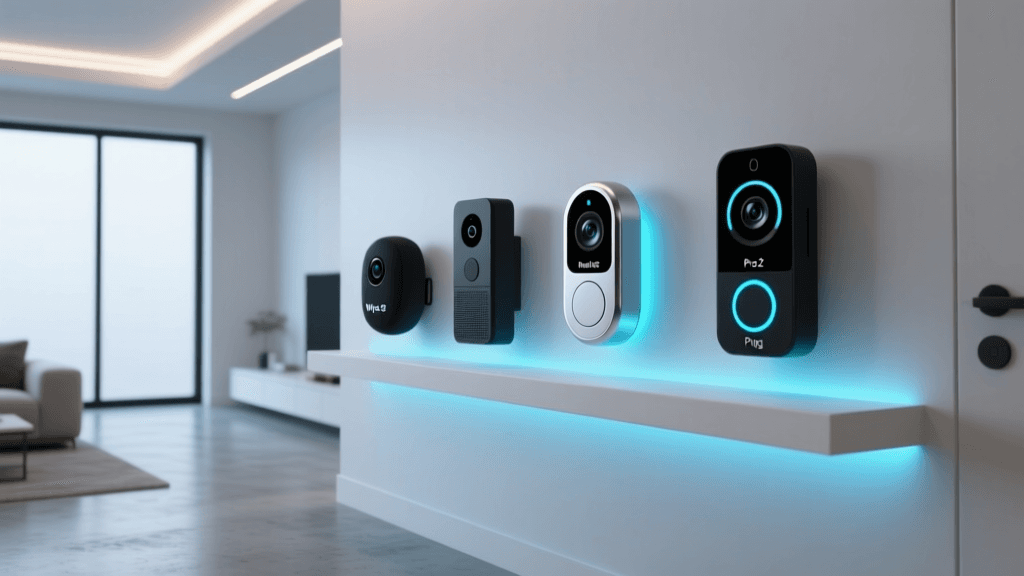
The front door is the most critical entry point of your home, and the Ring Video Doorbell Pro 2 offers the most advanced surveillance and communication features available. Moving beyond standard 1080p video, the Pro 2 boasts a 1536p resolution with a square aspect ratio, providing a head-to-toe view of your porch. This means you can finally see packages left on the ground, not just the faces of the delivery drivers.
Where the Pro 2 truly innovates is in its 3D Motion Detection. Utilizing radar technology alongside traditional camera sensors, it can map the physical space of your yard and determine exactly how close a person or vehicle is to your door. This drastically reduces false alarms from passing cars or swaying trees. You can set specific boundaries, ensuring you only receive an alert when someone actually steps onto your porch. The Bird's-Eye View feature even provides an overhead map tracking the path of motion, giving you complete situational awareness.
Wiring the Pro 2 requires an existing mechanical or digital doorbell system with 16-24 VAC power, ensuring it never runs out of battery. It integrates flawlessly with Amazon Alexa, allowing you to view the live feed on your Echo Show devices or Fire TV. For a broader look at perimeter security, check out our best smart security cameras roundup.
- Pros: Head-to-toe 1536p video; radar-based 3D motion detection; Bird's-Eye View tracking; excellent two-way audio with noise cancellation.
- Cons: Requires hardwiring; advanced features require a Ring Home subscription; bulky design may not fit all door frames.
Deck Score: 9.3/10
Amazon Echo Show 8: Best Smart Display
The Amazon Echo Show 8 strikes the perfect balance between screen size, audio performance, and smart home utility, making it the best smart display for most homes. Whether placed on a kitchen counter to follow recipes, on a nightstand for video calls, or in the living room as a security monitor, the Echo Show 8 is a versatile powerhouse.
Under the hood, it functions as a fully capable Zigbee smart home hub. This means you can connect compatible smart locks, lights, and sensors directly to the Echo Show without needing a separate bridge, streamlining your setup process. The smart home dashboard interface is highly visual, allowing you to see at a glance which doors are locked, what the thermostat is set to, and view live feeds from your security cameras simply by tapping the screen or using a voice command.
The audio quality is surprisingly robust, with stereo speakers that fill a room with clear sound, perfect for listening to podcasts or music while cooking. The 8-inch HD screen is bright and responsive, and the built-in 13-megapixel camera features auto-framing, keeping you centered in the frame during video calls even if you move around the room. It is the ultimate command center for the Alexa ecosystem.
- Pros: Built-in Zigbee hub; excellent auto-framing camera; vibrant 8-inch display; strong audio output; intuitive smart home dashboard.
- Cons: Interface can feel cluttered with Amazon recommendations; privacy shutter only covers the camera, not the microphone; limited web browsing experience.
Deck Score: 9.2/10
Arlo Pro 4: Best Smart Security Camera
For versatile, high-resolution security that can be placed almost anywhere, the Arlo Pro 4 is a top-tier choice. It is a completely wire-free camera, powered by a rechargeable magnetic battery that lasts for months on a single charge. This flexibility allows you to mount it high up on a fence, place it on a bookshelf, or move it to the backyard only when you are hosting a party.
The video quality is exceptional, featuring 2K HDR resolution that captures crisp details even in challenging lighting conditions, such as a dark porch with a bright streetlamp in the background. The integrated spotlight not only deters potential intruders but also enables color night vision, a massive upgrade over the grainy green or black-and-white footage of older cameras. It also includes a built-in siren that can be triggered manually or automatically when motion is detected.
Arlo's AI detection is highly accurate, capable of distinguishing between people, animals, vehicles, and packages. While the camera can record locally to a base station, accessing advanced features like rich notifications with snapshot previews and continuous video recording requires an Arlo Secure subscription. Nevertheless, its hardware design and video fidelity make it a standout option for perimeter and indoor surveillance.
- Pros: Stunning 2K HDR video with color night vision; completely wire-free design; integrated spotlight and siren; highly accurate AI object detection.
- Cons: Best features locked behind a subscription; local storage requires a separate SmartHub; magnetic charging cable can be easily disconnected.
Deck Score: 9.1/10
August Wi-Fi Smart Lock: Best Smart Lock
Upgrading to a smart lock often brings up concerns about replacing existing hardware, losing physical keys, and dealing with complex installations. The August Wi-Fi Smart Lock elegantly solves all these problems with its ingenious retrofit design. Instead of replacing your entire exterior deadbolt, the August lock replaces only the interior thumb-turn. This means your exterior hardware remains exactly the same, and your traditional physical keys continue to work perfectly.
Despite its compact size, it is packed with advanced technology. The built-in Wi-Fi eliminates the need for a separate connect bridge, allowing you to lock and unlock your door remotely from anywhere in the world. The standout feature is Auto-Unlock, which uses a combination of Bluetooth and geofencing to detect when you are approaching your home. As you walk up to your door with your hands full of groceries, the lock automatically disengages, providing a truly magical, frictionless entry experience.
August also includes DoorSense technology, a small magnetic sensor that tells you not just whether the lock is engaged, but whether the door itself is physically closed and secure. You can easily grant temporary or permanent virtual keys to dog walkers, cleaners, or guests via the app, complete with an activity log that shows exactly who entered and when. For more entryway security, see our best smart locks list.
- Pros: Retrofits over existing deadbolts; keeps physical keys; reliable Auto-Unlock feature; DoorSense confirms door closure; built-in Wi-Fi.
- Cons: Battery life can drain quickly if Wi-Fi signal is weak; interior design is polarizing; no built-in keypad (requires separate accessory).
Deck Score: 9.0/10
Kasa Smart Plug Mini: Best Smart Plug
Sometimes, the most impactful smart home upgrades are the simplest. The Kasa Smart Plug Mini by TP-Link is the most reliable and user-friendly way to bring dumb appliances into the smart home fold. Whether you want to schedule your coffee maker to turn on before you wake up, ensure your curling iron is turned off after you leave the house, or randomize your lamps to make it look like you are home while on vacation, the Kasa Mini handles it flawlessly.
The plug connects directly to your 2.4GHz Wi-Fi network without the need for a hub. The Kasa app is widely regarded as one of the best in the industry, offering a clean interface, reliable scheduling, and an 'Away Mode' that randomly toggles connected devices on and off to deter burglars. A standout feature of the Kasa Mini is its built-in energy monitoring, which tracks the real-time and historical power consumption of whatever is plugged into it, helping you identify energy-hungry appliances.
Its compact design ensures that it does not block the second outlet on a standard duplex wall plate, a common frustration with bulkier competitors. It integrates seamlessly with Alexa, Google Assistant, and Samsung SmartThings, making it an essential, low-cost entry point into home automation.
- Pros: Extremely affordable; excellent companion app; built-in energy monitoring; compact design does not block adjacent outlets; reliable scheduling.
- Cons: Only supports 2.4GHz Wi-Fi; not suitable for high-draw appliances like space heaters; lacks Matter support on older hardware revisions.
Deck Score: 8.8/10
Choosing the Right Ecosystem for Your Home
Before purchasing any smart home device, it is crucial to decide which digital ecosystem will serve as the foundation of your home. The three major players are Amazon Alexa, Google Home, and Apple HomeKit, each with distinct philosophies and strengths.
Amazon Alexa offers the broadest compatibility with third-party devices. If you want a gadget that does something highly specific, chances are it works with Alexa. The platform excels in routines and voice recognition, making it the most versatile choice for power users who want to automate every aspect of their home.
Google Home leverages Google's superior AI and natural language processing. Asking complex, multi-part questions or searching for information via voice is significantly smoother on Google Assistant. It integrates beautifully with Android devices, Nest products, and Google's suite of online services, making it ideal for households already entrenched in the Google ecosystem.
Apple HomeKit prioritizes privacy, security, and local processing. While it historically has had a smaller catalog of compatible devices, the hardware that does support HomeKit is rigorously tested for quality. HomeKit automations run locally on your Apple TV or HomePod, meaning they trigger instantly and continue to work even if your internet connection fails. It is the best choice for iPhone users who value data privacy above all else.
The Matter Standard is rapidly changing this landscape. Developed by the Connectivity Standards Alliance (which includes Apple, Amazon, and Google), Matter is a universal language for smart home devices. As more products launch with Matter support, the walls between these ecosystems are crumbling, allowing you to buy a device and choose whether to control it via Siri, Alexa, or Google. Always look for the Matter logo on packaging to ensure your devices are future-proof.
Frequently Asked Questions
Do I really need a smart home hub?
The necessity of a hub depends on the communication protocol your devices use. Wi-Fi and Bluetooth devices connect directly to your router or phone and do not require a dedicated hub. However, protocols like Zigbee, Z-Wave, and Thread require a central hub (or border router) to translate their signals to your home network. Hubs are highly recommended because they take the load off your Wi-Fi router, create a dedicated mesh network that extends the range of your devices, and allow for local processing, which keeps your automations running even during internet outages.
Is a smart home secure from hackers?
Like any connected technology, smart home devices carry inherent security risks, but these can be heavily mitigated with proper network hygiene. To secure your home, always use strong, unique passwords for your device accounts and enable two-factor authentication (2FA) wherever possible. It is also highly recommended to set up a separate 'Guest' or 'IoT' VLAN on your home router, isolating your smart devices from your personal computers and phones. Furthermore, prioritize devices from reputable brands that commit to regular firmware security patches and offer local processing options to keep your data off the cloud.
Will my smart devices work if the internet goes down?
This is one of the most common pain points in home automation. Cloud-dependent Wi-Fi devices will lose their smart features, remote access, and voice control if your internet connection drops, though they will usually continue to function as manual, physical switches. However, devices that utilize local hubs (like Zigbee or Z-Wave systems) and local automation engines (like Apple HomeKit, Hubitat, or Home Assistant) will continue to execute pre-programmed routines, motion sensor triggers, and physical switch commands perfectly fine without an active internet connection.
What is the Matter standard and why does it matter?
Matter is an open-source, royalty-free connectivity standard designed to unify the fragmented smart home market. Backed by industry giants like Apple, Amazon, Google, and Samsung, Matter ensures that certified devices will work seamlessly across all major ecosystems without requiring complex workarounds or proprietary bridges. It operates primarily over Wi-Fi for high-bandwidth devices and Thread for low-power sensors, ensuring fast, reliable, and secure local communication. Buying Matter-compatible devices guarantees that you will not be locked into a single brand's ecosystem, protecting your investment for years to come.
How much bandwidth do smart home devices use?
Surprisingly, the vast majority of smart home devices use a negligible amount of internet bandwidth. Smart bulbs, plugs, locks, and sensors only transmit tiny packets of data (a few kilobytes) when they receive a command or report a status change. The primary bandwidth hogs in a smart home are security cameras and video doorbells, especially those streaming in 2K or 4K resolution to the cloud. If you plan to install multiple high-resolution security cameras, ensure your home internet plan has a generous upload speed and data cap to handle the continuous video streams without bottlenecking your network.