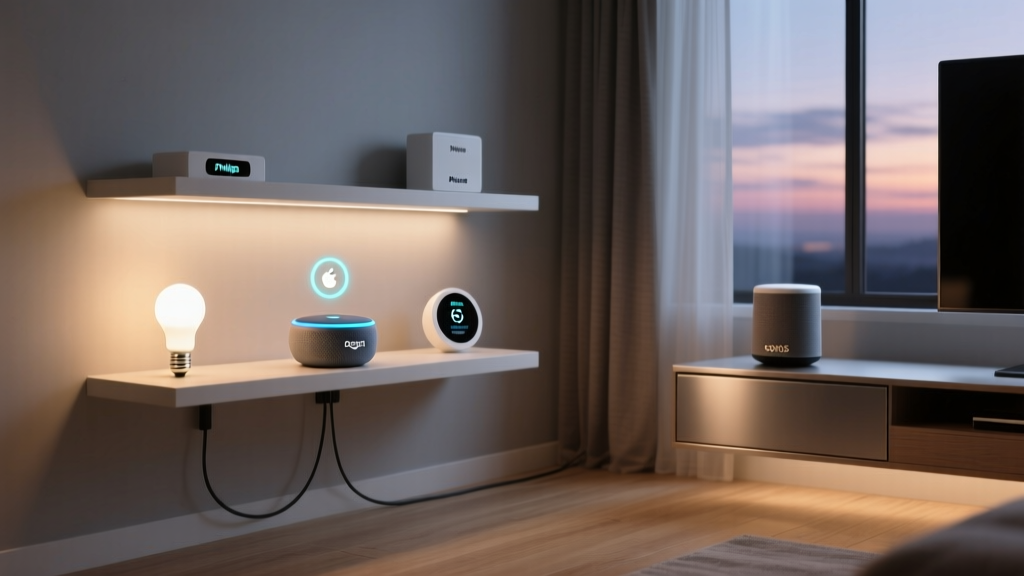
Introduction to the Walled Garden's Secrets
When most consumers think of Apple HomeKit, they picture a premium, highly secure, but somewhat restrictive smart home ecosystem. While it is true that Apple maintains strict hardware and software certification standards through its HomeKit Accessory Protocol (HAP), this 'walled garden' approach has birthed some of the most powerful, exclusive, and hidden capabilities in the smart home industry. Unlike platforms that rely heavily on cloud processing and third-party data monetization, Apple HomeKit leverages local processing, end-to-end encryption, and deep iOS integration to offer features that competitors simply cannot match natively.
For advanced users and smart home enthusiasts, looking past the basic 'turn on the lights' voice commands reveals a powerhouse of automation, mesh networking, and privacy-first surveillance. In this comprehensive guide, we will explore the hidden capabilities of Apple HomeKit, including Secure Video, Adaptive Lighting, NFC-triggered automations, and its role as a premier Thread border router.
Apple HomeKit Secure Video: End-to-End Encrypted Surveillance
One of the most significant exclusive features of the Apple ecosystem is HomeKit Secure Video (HKSV). While Amazon Alexa and Google Home offer cloud-based camera recording subscriptions (like Ring Home or Nest Aware), Apple integrates camera recording directly into iCloud+ with a fundamental difference: local analysis and end-to-end encryption.
When a HomeKit Secure Video-compatible camera detects motion, the video feed is first analyzed locally by your Home Hub (an Apple TV 4K or HomePod). The hub uses on-device machine learning to identify people, animals, vehicles, and packages. Only after this local analysis is the footage encrypted using AES-256 and uploaded to iCloud. Because the encryption keys are stored in your iCloud Keychain, Apple cannot view your footage, nor can they use your camera data to train external AI models.
Cost Breakdown and Camera Compatibility
To utilize HKSV, you must have an active iCloud+ subscription and a designated Home Hub. The cost structure is highly competitive compared to third-party cloud subscriptions, especially for multi-camera setups.
| iCloud+ Tier | Storage Capacity | HKSV Camera Limit | Monthly Cost (USD) |
|---|---|---|---|
| Basic | 50 GB | 1 Camera | $0.99 |
| Standard | 200 GB | 5 Cameras | $2.99 |
| Premium | 2 TB | Unlimited Cameras | $9.99 |
| Premium+ | 6 TB / 12 TB | Unlimited Cameras | $29.99 / $59.99 |
Top-tier compatible cameras include the Logitech Circle View Wired Doorbell (approx. $229), the Eve Outdoor Cam (approx. $179), and the Aqara Camera Hub G3 (approx. $149). These devices seamlessly integrate into the Apple Home app, allowing for granular activity zones and facial recognition notifications directly on your iPhone or Apple Watch.
Adaptive Lighting: Automated Circadian Rhythm Syncing
Introduced in iOS 14, Adaptive Lighting is a native HomeKit feature that automatically adjusts the color temperature of compatible smart bulbs throughout the day to match natural sunlight patterns. In the morning, bulbs emit a cool, energizing white light. As the sun sets, the color temperature gradually shifts to a warm, amber glow, promoting melatonin production and better sleep hygiene.
While platforms like Philips Hue offer their own proprietary circadian routines, HomeKit's Adaptive Lighting is built directly into the HAP framework. This means it works universally across different brands without requiring a proprietary bridge app to manage the schedule. The Home Hub calculates the exact solar position based on your GPS coordinates and adjusts the lights dynamically.
Compatible products include the Philips Hue White and Color Ambiance line, Nanoleaf Essentials A19 bulbs (which utilize Thread for lower latency), and the Eve Light Strip. To enable this hidden feature, simply open the Home app, select your compatible bulb, scroll down to the 'Color' section, and select 'Adaptive Lighting'. Once enabled, the bulb will automatically transition between 2000K (warm) and 6500K (cool) without any manual automation programming required.
The Hidden Power of NFC Tags and Advanced Siri Shortcuts
While voice commands are convenient, they are not always practical. Apple HomeKit's integration with the iOS Shortcuts app unlocks a hidden layer of physical automation using Near Field Communication (NFC) tags. By purchasing inexpensive NTAG215 or NTAG216 stickers (typically costing $0.30 to $0.80 each in bulk), you can create physical 'buttons' that trigger complex HomeKit scenes or multi-step API workflows.
Step-by-Step NFC Automation Setup
- Procure NFC Tags: Purchase a pack of NTAG215 stickers from any major online retailer.
- Open the Shortcuts App: Navigate to the 'Automation' tab and tap 'New Automation'.
- Select NFC Trigger: Scroll down to the 'NFC' action, scan your tag, and name it (e.g., 'Bedside Lamp').
- Build the Workflow: Add actions to control HomeKit accessories. You can even introduce variables, conditional logic (If/Then statements), and wait timers.
- Disable 'Ask Before Running': This is crucial. Turning this off ensures the automation fires instantly upon tapping your iPhone to the tag, mimicking a physical smart switch.
Advanced users can leverage Shortcuts to pull data from external weather APIs, calculate variables, and adjust HomeKit thermostats or smart blinds accordingly. According to the Apple Shortcuts Guide, the app supports deep integration with Siri intents, allowing these complex, multi-step NFC automations to be executed entirely locally on the device, ensuring sub-second latency.
Thread and Matter: HomeKit as the Ultimate Border Router
Perhaps the most technically significant hidden capability of modern Apple hardware is its native support for Thread networking. Thread is a low-power, mesh-networking protocol built on IPv6, designed specifically for smart home devices. Unlike Wi-Fi, which can congest your main router when dozens of smart bulbs and plugs are connected, Thread devices communicate with each other and route data back to a 'Border Router'.
Apple quietly transformed the HomePod Mini ($99) and the Apple TV 4K (Wi-Fi + Ethernet model, $149) into fully functional Thread Border Routers. This means if you purchase Thread-enabled accessories—such as the Eve Energy smart plug or Nanoleaf Essentials bulbs—they will automatically form a secure, self-healing mesh network directly with your Apple hardware. No proprietary third-party hubs or bridges are required.
Furthermore, with the advent of the Matter standard, Apple's Thread infrastructure serves as the backbone for cross-ecosystem compatibility. The Connectivity Standards Alliance (CSA) highlights that Matter over Thread provides superior reliability and lower latency compared to traditional Wi-Fi or Bluetooth connections. By utilizing Apple's hidden Thread border routers, users experience faster response times (often under 100 milliseconds) and significantly reduced Wi-Fi network congestion.
Advanced Automations: Sensor State Variables and Workarounds
HomeKit's native automation tab in the Home app is often criticized for being too simplistic compared to platforms like Home Assistant or Samsung SmartThings. However, hidden within the ecosystem is the ability to use 'Dummy Switches' and third-party controllers to expose complex logic to Siri and the Home app.
By utilizing software like Controller for HomeKit or setting up a local Homebridge server, advanced users can create virtual sensors based on mathematical formulas. For example, you can create a virtual 'Dew Point' sensor by combining data from a HomeKit temperature sensor and a humidity sensor. Once this virtual sensor is injected back into HomeKit, you can create native automations that trigger a smart dehumidifier only when the calculated dew point crosses a specific threshold, rather than relying on basic humidity percentages.
Additionally, iOS allows users to convert specific Shortcuts into HomeKit 'Scenes'. While you cannot natively trigger a Shortcut from a HomeKit motion sensor, you can use an NFC tag or a physical smart button (like the Eve Button) to trigger a Shortcut that contains complex API calls, such as sending a webhook to a third-party service, logging data to a spreadsheet, and then adjusting HomeKit accessories based on the returned data.
Privacy and Data Handling: The Apple Advantage
The cornerstone of all these hidden capabilities is Apple's uncompromising stance on user privacy. In an era where smart home data is frequently harvested for targeted advertising or used to train large language models, Apple's architecture stands apart. According to Apple's official Privacy documentation, HomeKit data is stored in iCloud Keychain and protected by end-to-end encryption. The cryptographic keys reside solely on the user's trusted devices.
HomeKit's architecture ensures that your home's layout, accessory states, and automation logic are encrypted end-to-end, meaning Apple cannot view your smart home data, nor can they access your camera feeds or voice recordings for marketing purposes.
This privacy-first approach extends to Siri. When you issue a voice command to control your smart home, the audio is processed on-device whenever possible. If cloud processing is required, the request is associated with a random, rotating device identifier rather than your Apple ID, ensuring that your smart home habits cannot be linked back to your personal identity or purchasing profile.
Conclusion
Apple HomeKit is far more than a simple interface for turning lights on and off. By digging into its exclusive features—such as the end-to-end encrypted HomeKit Secure Video, the circadian-syncing Adaptive Lighting, the physical automation potential of NFC tags, and the robust Thread mesh networking provided by Apple TVs and HomePods—users can unlock a truly premium smart home experience. While the initial hardware investment may be higher than competing ecosystems, the dividends paid in privacy, local reliability, and seamless iOS integration make HomeKit's hidden capabilities well worth the exploration.