The Renter's Dilemma: Building a Smart Home Without the Damage
For renters, building a smart home presents a unique set of challenges. Unlike homeowners, you cannot drill holes for hardwired security cameras, replace existing thermostats, or swap out the landlord's deadbolt. Furthermore, the transient nature of renting means that every device you buy must be evaluated not just on its current performance, but on its portability. When your lease ends, your smart home needs to pack up and move with you seamlessly, without leaving behind sticky residue, damaged drywall, or a lost security deposit.
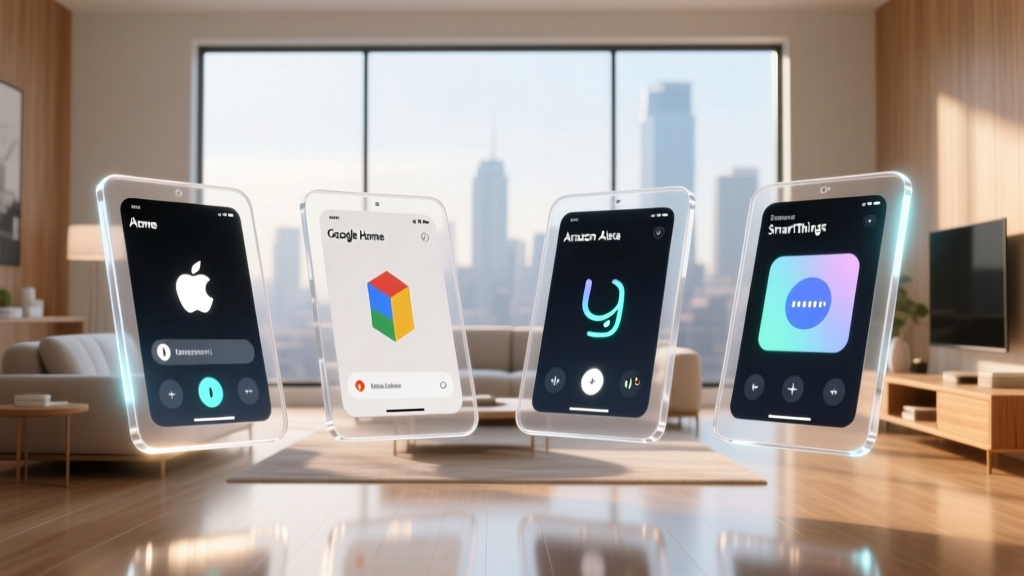
Choosing the right ecosystem platform is the foundational step in creating a renter-friendly smart home. The platform dictates how your devices communicate, how easy they are to reset, and whether they will survive the transition to a new apartment with a different floor plan and Wi-Fi network. In this comprehensive guide, we evaluate the top smart home ecosystems—Amazon Alexa, Apple HomeKit, Google Home, and Samsung SmartThings—through the lens of a renter, focusing on portability, no-drill installation, and cross-platform compatibility.
Top Smart Home Ecosystems Ranked for Renters
1. Amazon Alexa: The Plug-and-Play Champion
Amazon Alexa remains the most accessible and highly portable ecosystem for renters. Because Alexa relies heavily on Wi-Fi and Bluetooth rather than proprietary hubs, the hardware footprint is incredibly small. The Echo Dot (5th Gen) (approx. $50) is a sphere measuring just 3.9 inches in diameter, making it trivial to toss into a moving box.
For renters, Alexa's greatest strength is the sheer volume of affordable, non-destructive accessories. The Amazon Smart Plug ($25) requires no tools and instantly makes any dumb lamp or coffee maker smart. Furthermore, many Echo devices feature built-in Zigbee and Matter hubs, eliminating the need for separate, easily-lost bridge devices. When moving day arrives, unplugging an Echo device and connecting it to your new apartment's Wi-Fi takes less than two minutes.
"Alexa's decentralized approach to smart home control means renters rarely have to deal with complex hub migrations or rewiring when moving between apartments."
2. Apple HomeKit: Premium Portability with High Security
Apple HomeKit is the gold standard for privacy and local processing, but it historically required expensive, proprietary hardware. Today, thanks to the integration of Thread and Matter, HomeKit has become remarkably renter-friendly. The HomePod Mini ($99) acts as a powerful Thread border router, meaning many low-power sensors can connect directly to the mesh network without draining batteries or requiring a separate hub.
HomeKit excels in the security and sensor category. Devices like the Aqara Door and Window Sensor P2 (approx. $30) use Thread to connect directly to the HomePod Mini. The sensor measures a mere 2.2 x 1.6 inches and utilizes 3M VHB adhesive, which can be removed cleanly with a heat gun or dental floss, ensuring zero damage to rental door frames. While the initial buy-in cost for Apple-compatible devices is roughly 30% to 50% higher than Alexa alternatives, the trade-off is superior data privacy and a highly polished, portable user experience.
3. Google Home: The Flexible Budget Option
Google Home offers a middle ground between the affordability of Alexa and the polished interface of Apple. The Nest Mini ($50) and Nest Hub displays are lightweight and easily portable. Google's ecosystem shines in its automation routines and voice recognition accuracy, which is ideal for renters who want hands-free control of their environment without complex coding.
However, Google's reliance on cloud processing means that if your new apartment has spotty Wi-Fi during the move-in week, your automations may falter. Additionally, privacy-conscious renters should be aware of Google's data collection practices. According to the Electronic Frontier Foundation (EFF), users must carefully audit their smart home privacy settings to ensure voice recordings and usage data are not being harvested for targeted advertising.
4. Samsung SmartThings & Matter: The Future-Proof Route
Samsung SmartThings is traditionally a hub-based ecosystem, which can be slightly more cumbersome to move than a purely Wi-Fi-based setup. However, the introduction of the SmartThings Station ($70) has changed the game. The Station doubles as a 15W wireless phone charger and a Matter/Thread hub, meaning it serves a dual purpose on your nightstand while quietly managing your portable sensors.
The real magic for renters lies in the Matter protocol. As outlined by the Connectivity Standards Alliance (CSA), Matter allows devices to be controlled by multiple ecosystems simultaneously. If you buy a Matter-compatible smart plug or light bulb today, it will work with your SmartThings hub, but if you move to a new apartment and decide to switch to Apple HomeKit, the device can be seamlessly ported over without needing to buy new hardware.
Renter-Friendly Smart Devices by Category
When outfitting a rental, the golden rule is no permanent alterations. Below is a curated table of the best portable smart devices that adhere to this rule, complete with mounting methods and average costs.
| Category | Top Renter-Friendly Pick | Mounting Method | Avg. Cost | Ecosystem Compatibility |
|---|---|---|---|---|
| Smart Lighting | Philips Hue Go (Portable Lamp) | Freestanding / Tabletop | $80 | Alexa, HomeKit, Google, Matter |
| Smart Locks | SwitchBot Lock | 3M Adhesive (Over deadbolt) | $120 | Alexa, Google, SmartThings |
| Security Cameras | Blink Mini (Indoor) | Freestanding / Command Strip | $35 | Alexa |
| Climate Control | SmartThings Multipurpose Sensor | Adhesive (Triggers AC via smart plug) | $25 | SmartThings, Alexa |
| Window Treatments | SwitchBot Curtain Rod 2 | Tension Rod / Clip-on | $90 | Alexa, Google, HomeKit (via Matter) |
Data Visualization: Ecosystem Portability Scores
To help you visualize which platform best suits a nomadic lifestyle, we have scored the major ecosystems based on hardware portability, ease of no-drill setup, and ecosystem lock-in risk. A higher score indicates a more renter-friendly experience.
The Matter Revolution: Eliminating Ecosystem Lock-In
Historically, the biggest risk for renters was 'ecosystem lock-in.' If you invested $500 into HomeKit-compatible devices and then moved in with a partner who exclusively used Android and Google Home, your expensive hardware was essentially bricked.
The rollout of the Matter protocol has fundamentally solved this issue. Matter operates over your local Wi-Fi or Thread network, allowing devices to be paired to multiple platforms simultaneously. For renters, this means you can purchase a Matter-certified smart plug or Matter-certified LED strip today, use it with Alexa in your current studio apartment, and seamlessly add it to your roommate's Apple HomeKit setup when you move into a shared house next year. According to industry analysis featured in Wirecutter's guide to renter smart homes, prioritizing Matter-certified devices is the single best financial decision a renter can make when building a portable smart home.
Best Practices for Moving Your Smart Home
Moving is stressful, and dealing with 40 disconnected smart devices can make it worse. Follow this checklist to ensure your ecosystem survives the move:
- Maintain Network Credentials: If possible, name your new apartment's Wi-Fi network (SSID) and password exactly the same as your old one. This simple trick will force 90% of your smart plugs, bulbs, and sensors to automatically reconnect the moment you plug in your router at the new place.
- Use a Travel Router: If your new apartment includes a restrictive ISP router that doesn't allow custom SSIDs, use a travel router to broadcast your old network credentials locally.
- Factory Reset Hubs First: If you are changing internet providers entirely, factory reset your main hubs (SmartThings Station, HomePod, Echo Show) before packing them. Re-pairing a hub on a new network is much cleaner than trying to force it to remember old IP addresses.
- Protect Adhesives: When removing sensors mounted with 3M VHB tape, use a hairdryer on low heat to soften the adhesive. Pull the tape parallel to the wall to avoid peeling the landlord's paint. Store sensors in a padded box so the adhesive strips aren't crushed.
Privacy Considerations for Renters
Renters face unique privacy vulnerabilities. Unlike homeowners, renters share walls, floors, and ceilings with neighbors, and their internet traffic may pass through landlord-provided routers. When selecting an ecosystem, consider how your data is handled. Apple HomeKit processes most voice commands and automations locally on the HomePod Mini, meaning your daily routines and lock statuses are not sent to the cloud. Conversely, Alexa and Google Home rely heavily on cloud processing.
To protect your privacy in a rental environment, always enable two-factor authentication (2FA) on your ecosystem account, regularly delete voice recordings via the platform's privacy dashboard, and avoid placing indoor cameras in shared or easily visible areas. The Electronic Frontier Foundation (EFF) strongly recommends reviewing the data-sharing policies of any smart home device before bringing it into a shared living space.
Conclusion
The ideal smart home ecosystem for renters balances affordability, portability, and flexibility. Amazon Alexa wins for budget-conscious renters who want a massive library of plug-and-play devices. Apple HomeKit is the premier choice for those willing to pay a premium for local processing, Thread integration, and strict privacy. Meanwhile, the adoption of Matter across all platforms is rapidly making ecosystem lock-in a thing of the past. By prioritizing freestanding devices, adhesive-mounted sensors, and Matter-certified hardware, you can build a robust, automated home that is always ready to pack up and move on to the next adventure.