The Multi-Ecosystem Reality: Why Choose When You Can Have Both?
For years, smart home enthusiasts have been told they must pick a side in the ecosystem wars. You were either an Apple HomeKit loyalist, valuing strict privacy and seamless iOS integration, or an Amazon Alexa power user, prioritizing vast device compatibility and complex routines. However, the modern smart home landscape has evolved. Running Amazon Alexa and Apple HomeKit together is not only possible; for many advanced users, it is the optimal strategy to maximize both convenience and security.
Combining these platforms allows you to leverage Apple’s local processing and HomeKit Secure Video for privacy-sensitive areas, while utilizing Alexa’s superior natural language processing, media control, and third-party 'Skills' for general household automation. In this comprehensive guide, we will explore the hardware bridges, compatible devices, network topologies, and automation logic required to run a dual-ecosystem smart home without conflicts.
The Division of Labor: Assigning Roles to Siri and Alexa
The secret to a harmonious multi-ecosystem home is establishing a strict 'Division of Labor.' If both assistants are trying to control the same devices with overlapping routines, you will encounter double-triggering and voice command confusion. Here is the best-practice framework for dividing responsibilities:
Apple HomeKit: The Security and Privacy Hub
- HomeKit Secure Video (HKSV): Route all indoor and outdoor security cameras through HomeKit. Apple’s end-to-end encryption and local iCloud processing ensure your video feeds remain private.
- Smart Locks and Garage Doors: Use HomeKit for entry points. Apple’s requirement for local authentication and strict accessory certifications provides superior security against cloud breaches.
- Local Automations: Use the Apple Home app for routines that must fire instantly, even if your internet connection drops, relying on your HomePod or Apple TV as a local Thread/Zigbee border router.
Amazon Alexa: The Media and Utility Assistant
- Entertainment and Media: Use Alexa for multi-room audio, Spotify integration, and TV control via HDMI-CEC or Fire TV.
- Complex Routines and Skills: Leverage Alexa’s robust routine engine for multi-step triggers, such as reading your daily calendar, weather, and traffic report, or integrating with niche third-party services via the Amazon Alexa Smart Home Developer Portal.
- Intercom and Announcements: Utilize Alexa’s 'Drop In' and 'Announce' features for household communication, which generally offer lower latency and broader hardware support than Apple’s Intercom.
Hardware Bridges: Hubs That Speak Both Languages
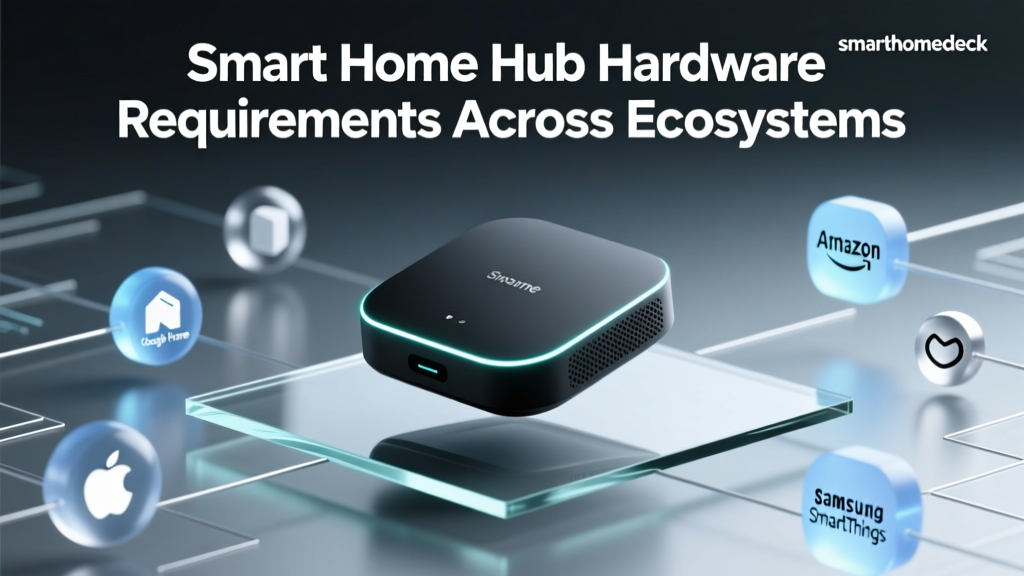
Alexa and HomeKit do not communicate directly with one another. To bridge the gap, you need smart home devices that natively support both clouds, or a central hub that exposes devices to both platforms. Relying on Wi-Fi-only devices that require separate cloud accounts for each platform often leads to latency and synchronization issues. Instead, focus on hub-based architectures.
Your network topology should include at least one Apple HomePod (or Apple TV 4K) to act as the HomeKit Thread Border Router and home hub, alongside an Amazon Echo (4th Gen) or Echo Show to act as the Alexa Zigbee/Thread hub and Sidewalk gateway. This ensures that both ecosystems have local edge-computing power to process commands quickly.
Top Multi-Ecosystem Devices for Dual Setups
When shopping for devices, look for packaging that explicitly displays both the 'Works with Amazon Alexa' and 'Works with Apple HomeKit' badges. Below is a comparison of the most reliable dual-compatible hardware currently on the market, including average costs and protocol details.
| Device / Hub | Protocol | Avg. Price | Best Use Case in Dual Setup |
|---|---|---|---|
| Philips Hue Bridge | Zigbee / Ethernet | $60 - $70 | Flawless sync for lighting scenes across both Siri and Alexa. |
| Ecobee Smart Thermostat Premium | Wi-Fi / HomeKit / Alexa | $249 | Native dual-cloud support; built-in Alexa mic with HomeKit automation. |
| Aqara Hub M2 | Zigbee / Wi-Fi / IR | $60 | Exposes cheap Zigbee sensors to HomeKit while allowing Alexa IR control. |
| Eve Energy Smart Plug | Thread / Bluetooth | $40 - $50 | Thread mesh networking; excellent power monitoring in Apple Home. |
| Nanoleaf Essentials Bulbs | Thread / Bluetooth | $20 - $30 | Direct Thread connection to HomePod and Echo without a proprietary hub. |
Step-by-Step Setup Guide: Avoiding the 'Double-Trigger' Trap
Integrating both platforms requires careful configuration to prevent devices from receiving conflicting commands. Follow these actionable setup rules:
1. Standardize Device Naming Conventions
Voice assistants rely on exact string matching. If you name a light 'Living Room Lamp' in HomeKit and 'Living Room Light' in Alexa, you will confuse household members and yourself. Use a strict naming convention: [Room] [Device Type] (e.g., 'Kitchen Sink Light'). Ensure the exact same name is used in both the Apple Home app and the Amazon Alexa app.
2. Isolate Automation Triggers
Never create the exact same automation in both apps. For example, do not set up a 'Goodnight' routine in HomeKit that turns off the lights, and another 'Goodnight' routine in Alexa that does the same. If you say 'Goodnight' to Siri, the HomeKit routine fires. If someone else says it to an Echo, the Alexa routine fires. Instead, build the master routine in one ecosystem (e.g., HomeKit for local speed) and use a virtual switch or web request to trigger secondary Alexa-only actions if necessary.
3. Manage Wake Word Placement
Physical placement of your smart speakers is critical. If an Apple HomePod mini and an Amazon Echo Dot are placed within 10 feet of each other, saying 'Hey Siri' might accidentally trigger the Echo if it mishears the phonetic wake word. Maintain a minimum distance of 15 feet between competing smart speakers, or utilize the physical mute switches on Echo devices in rooms where HomePods are the primary voice interface.
Privacy and Data Handling in a Dual Ecosystem
Running both platforms means you are subject to two vastly different privacy philosophies. Understanding how your data is handled is crucial for smart home security.
Apple’s approach, as detailed in their official privacy architecture, relies heavily on end-to-end encryption and on-device processing. HomeKit accessory data is stored locally on your hub and synced via encrypted iCloud containers. Even Apple cannot view your home layout or automation logic. HomeKit Secure Video analyzes footage locally on your Apple TV or HomePod before encrypting it for iCloud storage.
Conversely, Amazon Alexa relies on cloud-based processing. Voice recordings (if you opt-in) and device states are processed on AWS servers to leverage advanced machine learning models for natural language understanding. While Amazon provides robust privacy controls, including auto-delete timelines and voice recording opt-outs, the fundamental architecture requires your device telemetry to traverse the internet. By keeping your security cameras and locks exclusively on HomeKit, and relegating Alexa to media and utility tasks, you achieve a highly secure 'privacy-first' perimeter while enjoying cloud-powered convenience.
The Unifying Force: How Matter Changes the Game
The introduction of the Matter protocol has fundamentally altered the multi-ecosystem landscape. Developed by the Connectivity Standards Alliance (CSA), Matter is an open-source, royalty-free connectivity standard that allows devices to be commissioned into multiple ecosystems simultaneously without relying on third-party cloud bridges.
With Matter over Thread, a single smart plug or sensor can be securely paired to both your Apple HomePod and your Amazon Echo at the same time. The device generates unique cryptographic keys for each platform, meaning both Siri and Alexa can control the device locally over your Wi-Fi or Thread mesh network. This eliminates the need for manufacturers to maintain separate cloud servers for HomeKit and Alexa, reducing latency and eliminating the 'cloud offline' errors that plague older Wi-Fi smart plugs.
When purchasing new hardware for your dual-ecosystem home, prioritize Matter-certified Thread devices. Ensure you have Thread Border Routers active in both ecosystems (the HomePod mini and the Echo 4th Gen both serve this function) to create a unified, resilient mesh network that blankets your home in low-latency, multi-platform smart home coverage.
Conclusion: Harmony in the Smart Home
You do not need to sacrifice Amazon’s vast ecosystem of skills and media integrations to enjoy Apple’s uncompromising stance on privacy and local control. By strategically dividing the labor between Siri and Alexa, investing in dual-compatible hubs like the Philips Hue Bridge or Aqara M2, and leveraging the new Matter standard, you can build a smart home that offers the best of both worlds. The key to success lies in meticulous network planning, strict naming conventions, and an understanding of how each platform processes your data. Embrace the multi-ecosystem approach, and transform your house into a truly intelligent, seamless, and secure home.