What is a Smart Home Ecosystem? The Complete Guide to Understanding Platform Meanings
When you first step into the world of home automation, the sheer volume of gadgets, apps, and protocols can be overwhelming. You might buy a smart bulb from one brand, a smart speaker from another, and a security camera from a third, only to find that they refuse to communicate with one another. This is where understanding the smart home ecosystem meaning becomes absolutely critical. A smart home ecosystem is not merely a collection of internet-connected devices; it is a unified, centralized software and hardware environment that allows disparate smart devices to communicate, share data, and work together seamlessly to automate your daily life.
Think of a smart home ecosystem as the operating system for your house. Just as your computer needs Windows, macOS, or Linux to manage different software applications and hardware peripherals, your home needs an ecosystem to manage lighting, climate control, security, and entertainment. Without a unifying ecosystem, your home is just a house full of isolated remote controls. With the right ecosystem, your home becomes a proactive, intelligent environment that anticipates your needs.
In this comprehensive guide, we will break down the true definition of a smart home ecosystem, explore the core components that make them function, compare the major platforms available today, and provide actionable setup tips, automation strategies, and privacy considerations. Whether you are a beginner looking to buy your first smart speaker or an advanced enthusiast planning a whole-home retrofit, understanding the ecosystem landscape is the first step toward true home automation.
The True Meaning of a Smart Home Ecosystem
At its core, the smart home ecosystem meaning revolves around interoperability and centralized control. An ecosystem in the technology sector refers to a network of interconnected products, services, and software that are designed to work together within a specific proprietary or open framework. In the context of home automation, the ecosystem is the "brain" that dictates how your devices interact.
A true ecosystem provides three primary functions:
- Centralized Management: Instead of opening five different apps to control your lights, thermostat, locks, and cameras, an ecosystem aggregates these controls into a single, unified interface. This can be a mobile application, a wall-mounted control panel, or a voice-activated assistant.
- Cross-Device Communication: Ecosystems allow devices to share status updates. For example, if your ecosystem knows that your smart lock has been secured and your motion sensors detect no movement for an hour, it can signal your smart thermostat to lower the temperature and your lighting system to turn off.
- Automated Routines: The hallmark of a mature ecosystem is the ability to create complex "IF/THEN" logic. You can create routines that trigger multiple actions across different device categories based on time, sensor data, geofencing, or voice commands.
It is important to distinguish between a smart device and a smart ecosystem. A Wi-Fi-enabled plug that you control via a standalone manufacturer app is a smart device, but it is not an ecosystem. It only becomes part of an ecosystem when it is integrated into a broader platform like Amazon Alexa, Google Home, Apple HomeKit, or Samsung SmartThings, allowing it to interact with devices outside of its native brand family.
The Core Components: Hubs, Protocols, and Nodes
To fully grasp the smart home ecosystem meaning, you must understand the underlying architecture that makes these platforms function. A smart home ecosystem is built upon three foundational pillars: the controller (hub), the communication language (protocols), and the endpoints (nodes).
The Controller: Hubs and Cloud Servers
Every ecosystem requires a central point of command. This can take the form of a physical hardware hub located in your home, a cloud-based server managed by the platform provider, or a hybrid of both. Physical hubs, such as the Samsung SmartThings Station or the Apple TV (acting as a HomeKit hub), process commands locally. This means that even if your internet connection goes down, your local automations and switch controls will continue to function. Cloud-based ecosystems rely on remote servers to process logic, which requires a constant internet connection but allows for remote access and heavy AI processing without requiring expensive local hardware.
The Nervous System: Wireless Protocols
Devices within an ecosystem must speak a common language to transmit data. These languages are known as wireless protocols. Understanding these protocols is vital when selecting devices for your ecosystem:
- Wi-Fi: The most common protocol for high-bandwidth devices like security cameras and smart displays. While easy to set up, Wi-Fi devices consume more power and can congest your home network if you have dozens of them connected simultaneously. Learn more about managing bandwidth in our network setup guide.
- Zigbee & Z-Wave: These are low-power, mesh-networking protocols designed specifically for smart home sensors, locks, and bulbs. They require a dedicated hub but do not interfere with your Wi-Fi network. They create a mesh where every plugged-in device acts as a repeater, extending the range of your ecosystem.
- Thread & Matter: The newest and most exciting development in home automation. Thread is a low-power mesh networking protocol, while Matter is a universal application layer that runs on top of Thread, Wi-Fi, or Ethernet. Matter is designed to break down the walled gardens of traditional ecosystems, allowing devices to be controlled by multiple platforms simultaneously.
- Bluetooth & BLE: Often used for initial device provisioning or proximity-based unlocking, though its limited range makes it less ideal for whole-home automation without a mesh network.
The Endpoints: Smart Nodes
Nodes are the actual devices executing the commands—the smart bulbs, motorized blinds, leak sensors, and smart plugs. The strength of an ecosystem is largely defined by how many third-party nodes it supports. A robust ecosystem will have a massive catalog of compatible nodes, ensuring you are never forced to buy from a single, expensive manufacturer.
Comparing the Major Smart Home Ecosystems
When discussing the smart home ecosystem meaning, it is impossible to ignore the major corporate platforms that dominate the market. Each platform has a distinct philosophy, target audience, and set of pros & cons. Let us break down the "Big Four" ecosystems to help you decide which one aligns with your lifestyle.
Amazon Alexa: The Compatibility King
Amazon Alexa is arguably the most ubiquitous smart home ecosystem in the world. Built around the Alexa Voice Assistant and supported by a vast array of Echo devices, Alexa prioritizes broad compatibility and ease of use. If a smart device exists, it almost certainly works with Alexa. The ecosystem relies heavily on cloud processing, meaning it excels at answering questions, playing media, and executing simple voice commands. However, its automation engine (Alexa Routines) is somewhat basic compared to its competitors, lacking complex conditional logic without the use of third-party workarounds. Alexa is best for beginners, budget-conscious users, and those who want voice control across the widest variety of cheap, accessible smart home gadgets.
Google Home: The AI and Search Powerhouse
Google Home (now often referred to under the Google Nest umbrella) leverages the company's immense prowess in artificial intelligence and natural language processing. The Google Assistant is significantly better at understanding conversational queries, managing complex calendar requests, and pulling information from the web than its competitors. The ecosystem integrates flawlessly with Google services like YouTube, Maps, and Calendar. Google's hardware, particularly the Nest thermostats, cameras, and Wi-Fi routers, represents some of the best-designed smart home equipment available. However, Google has a history of abandoning or rebranding smart home platforms (such as the transition from "Works with Nest" to Google Home), which can cause frustration for long-term enthusiasts. It is the ideal ecosystem for Android users and those who prioritize voice assistant intelligence over granular automation logic.
Apple HomeKit: The Privacy and Premium Experience
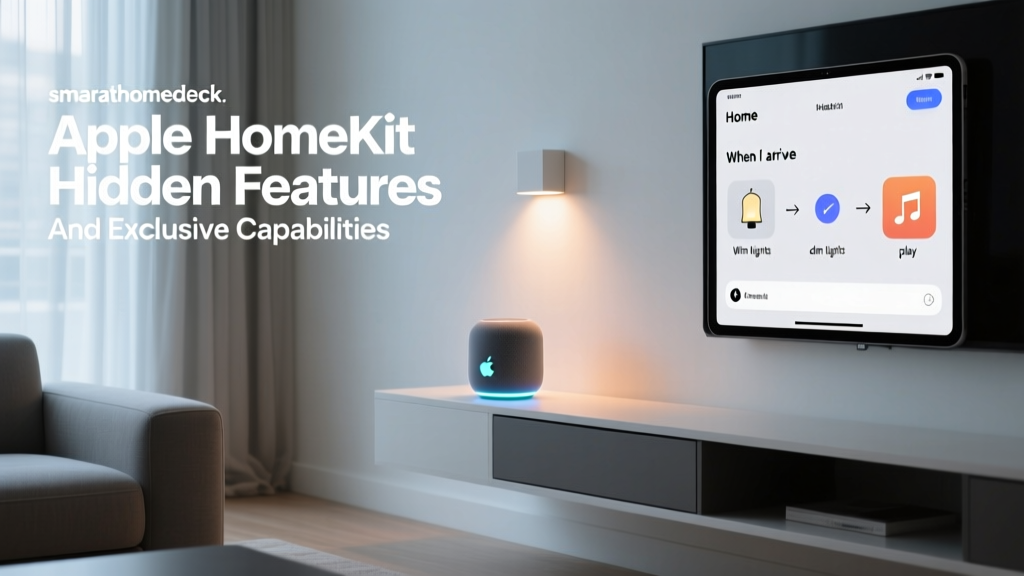
Apple HomeKit takes a radically different approach to the smart home ecosystem meaning. Apple prioritizes user privacy, local processing, and a highly polished, uniform user interface over sheer device volume. To carry the "Works with Apple Home" badge, manufacturers must adhere to strict security and performance standards, which often makes HomeKit-compatible devices more expensive. HomeKit processes most automations locally via an Apple TV or HomePod, ensuring blazing-fast response times and continued functionality during internet outages. Siri, while improving, still lags behind Alexa and Google in general knowledge queries, but it excels at executing home commands securely. HomeKit is the undisputed choice for iPhone users, privacy advocates, and those willing to pay a premium for a reliable, secure, and beautifully integrated ecosystem. Explore more in our Apple HomeKit ecosystem guide.
Samsung SmartThings: The Enthusiast's Hub
Samsung SmartThings is a platform built for the tinkerer and the advanced automation enthusiast. Unlike the voice-assistant-first approaches of Amazon and Google, SmartThings is a hub-first ecosystem. It natively supports a massive array of protocols, including Zigbee, Z-Wave, Wi-Fi, and Thread, all within a single hub. The SmartThings app offers incredibly deep automation logic, allowing for complex conditions, multiple triggers, and integration with webhooks and third-party scripting tools. While its voice assistant integration (Bixby) is weak, SmartThings serves as the perfect central brain that can then be linked to Alexa or Google for voice control. It is the best choice for users who want to mix and match protocols and build complex, sensor-driven automations.
Best Devices to Build Your Ecosystem
Once you have selected your preferred platform, the next step is populating it with high-quality devices. A smart home ecosystem is only as good as the hardware it controls. Here are the essential categories and top-tier devices that form the backbone of a modern automated home.
Smart Speakers and Displays
The smart speaker is the most common entry point into any ecosystem. It serves as both a high-quality audio device and a far-field microphone array for voice commands. For Alexa, the Echo Show series provides excellent visual feedback and camera integration. For Google, the Nest Hub offers a beautiful, fabric-wrapped display that doubles as a digital photo frame and smart home control panel. For Apple users, the HomePod mini delivers incredible sound quality while acting as a vital Thread border router and HomeKit hub. Check out our comprehensive best smart speakers review to find the perfect audio hub for your rooms.
Smart Lighting
Lighting is the most visually impactful category in home automation. Smart bulbs, switches, and LED strips allow you to change the ambiance of a room instantly. Philips Hue remains the gold standard for color accuracy, reliability, and ecosystem compatibility, utilizing its own dedicated Zigbee hub to ensure lights respond instantly without clogging your Wi-Fi. For a more integrated approach, smart switches from brands like Lutron Caseta or TP-Link Kasa allow you to make your existing dumb fixtures smart while maintaining the familiar feel of a physical wall switch. Dive deeper into wiring and configuration with our smart lighting setup guide.
Climate Control
Smart thermostats do more than just allow you to change the temperature from your phone; they learn your habits, utilize geofencing to save energy when you leave, and integrate with room sensors to ensure occupied spaces are comfortable. The Ecobee SmartThermostat is a favorite among enthusiasts because it includes built-in support for Alexa, Apple HomeKit, and SmartThings, alongside dedicated room sensors that detect occupancy and temperature. The Google Nest Learning Thermostat offers a sleek design and unparalleled AI-driven scheduling for those deeply embedded in the Google ecosystem. Read our detailed smart thermostat reviews to see which model will save you the most on energy bills.
Home Security and Access
Security devices require the highest level of reliability and fastest response times. Smart locks from Yale and Schlage allow you to grant temporary access codes to guests and automatically lock the door when your ecosystem detects you have left the premises. Video doorbells and outdoor cameras from Ring, Arlo, and Google Nest provide crucial visual verification and package detection. When integrating security into your ecosystem, ensure you understand the privacy implications and storage options, which we cover in our home security camera guide.
Setup Tips for a Seamless Smart Home Integration
Understanding the smart home ecosystem meaning is only half the battle; executing a flawless installation is the other. Many users experience frustration due to poor network planning and disorganized device management. Follow these professional setup tips to ensure your ecosystem runs smoothly for years to come.
Fortify Your Network Infrastructure
Your smart home ecosystem relies entirely on your home network. If your router is outdated or poorly positioned, your devices will drop offline, causing automations to fail. Invest in a high-quality Mesh Wi-Fi system to ensure strong signal coverage in every corner of your home, including the garage and backyard. Furthermore, as your device count grows, consider setting up a dedicated IoT (Internet of Things) network or VLAN. This separates your smart bulbs and plugs from your personal computers and smartphones, improving both network performance and cybersecurity.
Strategic Hub Placement
If your ecosystem utilizes a physical hub for Zigbee, Z-Wave, or Thread, placement is critical. Do not hide the hub in a basement media rack or a metal cabinet, as these materials will block radio frequencies. Place the hub in a central, elevated location in your home to maximize the mesh network's reach. If you have a large property, you may need to strategically place smart plugs or hardwired smart switches to act as signal repeaters, extending the mesh to the furthest corners of your house.
Establish a Strict Naming Convention
One of the most common mistakes beginners make is leaving devices with their default factory names, such as "Smart Bulb 8F3A." When you have fifty devices in your ecosystem, this becomes unmanageable. Establish a clear, consistent naming convention before you even begin mounting devices. A standard format like [Room] + [Device Type] + [Location] works best. For example: "Kitchen Main Light," "Living Room Thermostat," or "Front Door Lock." This not only makes the app interface easier to navigate but is absolutely essential for voice control, as voice assistants struggle to differentiate between poorly named devices.
Group Devices into Rooms and Zones
All major ecosystems allow you to assign devices to specific rooms. Take the time to properly map out your home in the ecosystem's app. This enables you to issue broad commands like "Turn off the Kitchen" or "Dim the Living Room" without having to list every individual bulb. You can also create "Zones" that span multiple rooms, such as an "Upstairs" or "Outdoor" zone, making bulk automation triggers much simpler to configure.
Mastering Automation and Routines
The true magic of a smart home ecosystem is not remote control; it is automation. Remote control simply means using your phone instead of a wall switch. Automation means the home operates entirely on its own, reacting to the environment and your behavior without requiring any input from you. Mastering the automation engine of your chosen ecosystem is where the real value of home technology is realized.
Understanding Triggers, Conditions, and Actions
Every automation routine is built on a simple logical framework:
- Trigger: The event that initiates the routine. This could be a specific time of day, a motion sensor detecting movement, a door opening, or a voice command.
- Condition: The parameters that must be met for the action to execute. For example, the trigger is "Motion Detected," but the condition is "Only between Sunset and Sunrise." This prevents your hallway lights from turning on when you walk past the sensor in the middle of the day.
- Action: The result that occurs when the trigger and conditions are met. This could be turning on a light, adjusting the thermostat, sending a push notification to your phone, or playing a specific playlist on your smart speaker.
Geofencing: Location-Based Automation
Geofencing uses the GPS location of your smartphone to trigger ecosystem actions. When the ecosystem detects that the last person's phone has left a designated virtual perimeter around your home, it can trigger an "Away" routine. This routine might lock all doors, arm the security system, turn off all lights, and set the thermostat to an eco-friendly temperature. Conversely, when you cross the perimeter on your way home, the "Arrival" routine can turn on the porch light and adjust the climate control so the house is comfortable the moment you walk through the door.
Sensor-Driven Environments
To make your home truly proactive, you must invest in environmental sensors. Motion sensors, contact sensors (for doors and windows), temperature sensors, and leak detectors provide the raw data your ecosystem needs to make intelligent decisions. For example, placing a contact sensor on your bathroom door combined with a motion sensor inside allows the ecosystem to know when someone is occupying the bathroom, preventing the lights from turning off while you are taking a bath, even if you are perfectly still.
Advanced Multi-Step Routines
As you become more comfortable with your ecosystem, you can build complex, multi-step routines that mimic human behavior. A "Vacation Mode" routine might randomly toggle interior lights on and off between 8 PM and 11 PM to simulate occupancy, ensure all smart locks are engaged, lower the water heater temperature to save energy, and send you a daily security summary to your email. The Samsung SmartThings ecosystem is particularly renowned for handling these complex, multi-layered automations with ease.
Privacy, Security, and Local Processing
As we invite dozens of microphones, cameras, and sensors into our private spaces, the privacy and security implications of the smart home ecosystem meaning cannot be overstated. Your ecosystem provider has access to data regarding your daily routines, when you sleep, when you leave the house, and what you say. Navigating this landscape requires a proactive approach to digital security.
Cloud vs. Local Processing
The most significant privacy distinction in smart home ecosystems is where your data is processed. Cloud-based ecosystems (like standard Alexa and Google Home setups) send your voice recordings, sensor data, and automation logic to remote servers to be processed. While these companies employ robust encryption and anonymization techniques, the data still leaves your physical property. Local processing ecosystems (like Apple HomeKit and advanced Hubitat or Home Assistant setups) process automations and voice commands directly on a hub inside your home. This drastically reduces the amount of data sent to the cloud, offering superior privacy and faster response times.
Securing Your IoT Network
Smart home devices are notoriously vulnerable to cyberattacks if not properly secured. Manufacturers often prioritize ease of use over stringent security protocols. To protect your ecosystem, you must take the following steps:
- Change Default Passwords: Never leave a smart hub, camera, or router on its factory default password.
- Enable Two-Factor Authentication (2FA): Ensure that the primary account managing your smart home ecosystem requires a secondary verification code to log in.
- Keep Firmware Updated: Enable automatic updates for all your smart devices and hubs to ensure known security vulnerabilities are patched immediately.
- Use a Guest Network: As mentioned in the setup tips, placing your IoT devices on a segregated guest network prevents a compromised smart bulb from being used as a backdoor to access your personal laptop or smartphone.
Understanding Data Mining and Advertising
It is vital to read the privacy policies of the ecosystem you choose. Some platforms monetize their hardware by collecting user data to build advertising profiles, while others (like Apple) use a hardware-premium business model that explicitly forbids the sale of smart home usage data to third-party advertisers. Understanding how your ecosystem provider makes money will give you a clear indication of how your privacy is valued.
Frequently Asked Questions
To further clarify the smart home ecosystem meaning and address common hurdles, we have compiled answers to the most frequently asked questions from our readers.
Can I mix different smart home ecosystems together?
Yes, but with some caveats. You can use a platform like Samsung SmartThings or a third-party software bridge like Home Assistant to act as a central hub, pulling devices from Alexa, HomeKit, and proprietary Wi-Fi networks into one interface. Additionally, the rollout of the Matter protocol is specifically designed to allow a single device to be paired to multiple ecosystems simultaneously. For example, a Matter-compatible smart plug can be controlled by Apple HomeKit on your iPhone and by Amazon Alexa on your Echo Show at the same time, breaking down the traditional "walled gardens" of the smart home industry.
What is the difference between a smart home ecosystem and a smart hub?
A smart home ecosystem is the overarching software platform and environment that manages your devices (e.g., Apple HomeKit, Google Home). A smart hub is a physical piece of hardware that acts as the bridge between your home network and the wireless protocols (like Zigbee or Z-Wave) used by your devices. A hub is often a required component to make an ecosystem function locally, but the ecosystem itself is the software logic, the app interface, and the cloud services that tie everything together.
Will the Matter protocol replace existing smart home ecosystems?
No, Matter will not replace ecosystems; it will enhance them. Matter is an application layer, not a standalone ecosystem. You will still need an ecosystem like Apple HomeKit, Amazon Alexa, or Google Home to act as the controller and user interface. What Matter does is standardize the language that devices use to talk to those ecosystems. It ensures that a manufacturer only has to build a device once to guarantee it works across all major platforms, eliminating the frustration of buying a device only to find it is incompatible with your chosen ecosystem.
Do I need a smart home ecosystem if I only have a few smart devices?
If you only have one or two smart plugs or a single smart bulb, you can likely get by using the manufacturer's standalone app. However, the moment you introduce devices from different brands, or the moment you want a device to trigger an action in another device (like a motion sensor turning on a light from a different brand), you absolutely need a unifying ecosystem. Adopting an ecosystem early ensures that as your smart home grows, your devices will integrate seamlessly without requiring you to rip and replace your existing hardware.
How do I migrate from one smart home ecosystem to another?
Migrating ecosystems can be a tedious process, as there is no universal "export/import" button for smart home configurations. You will generally need to factory reset your devices and re-pair them to the new ecosystem's hub or app. However, if your devices support the new Matter standard, you may be able to add them to the new ecosystem without removing them from the old one. To minimize the pain of migration, it is highly recommended to invest in devices that are platform-agnostic (using standard Zigbee, Z-Wave, or Matter protocols) rather than devices that are locked into a single proprietary cloud ecosystem.
Understanding the smart home ecosystem meaning is the foundation of building a house that truly works for you. By carefully selecting your platform, investing in reliable hardware, securing your network, and mastering the art of automation, you can transform your living space into a seamless, intelligent, and highly efficient environment. Explore our extensive library of setup guides and device reviews to continue your smart home journey with confidence.