The Shift from Voice Commands to Proactive Automations
Voice commands were merely the gateway to the smart home. Today, the true magic of a connected house lies in proactive automations—routines and scenes that anticipate your needs, secure your property, and optimize energy consumption without you ever having to speak a word or open an app. Whether you are turning off all the lights when the last person leaves, adjusting the thermostat based on local weather patterns, or simulating occupancy while on vacation, the underlying ecosystem platform dictates what is possible.
At SmartHomeDeck, we rigorously test how these platforms handle complex logic, multi-device coordination, and local processing. In this comprehensive showcase, we break down the best automation routines for the four dominant ecosystem platforms: Amazon Alexa, Google Home, Apple HomeKit, and Samsung SmartThings. We will explore specific product pairings, exact automation logic, cost ranges, and the unique limitations of each platform to help you build a truly intelligent home.
Amazon Alexa: The Trigger-Rich Routine Powerhouse
Amazon Alexa remains the most ubiquitous smart home platform, largely due to its aggressive pricing, massive third-party compatibility, and highly customizable 'Routines' engine. Alexa Routines allow for multi-step actions, conditional waits, and even custom voice responses via text-to-speech.
Best Showcase Automation: The Commute & Security Handoff
Alexa excels at location-based and multi-trigger routines. This automation ensures your home is secure and energy-efficient the moment you leave, while preparing your media for the commute.
- Trigger: Geo-fencing (When my phone leaves the home radius) OR Voice command ('Alexa, I'm commuting').
- Condition: Only run between 7:00 AM and 10:00 AM on weekdays.
- Actions:
- Turn off all Philips Hue interior lights.
- Set Ecobee SmartThermostat to 'Away' mode (saves approx. 12% on monthly HVAC costs).
- Arm Ring Alarm System to 'Away' mode.
- Start Spotify 'Daily Commute' playlist on the connected Bluetooth car profile (via Alexa app on phone).
Hardware Needed & Cost Breakdown
To execute this seamlessly, you need a reliable hub and geo-fencing endpoint. An Echo Show 8 (3rd Gen) ($130) serves as a great visual dashboard and Zigbee hub for lights. The Ring Alarm Pro ($250) handles security, while the Ecobee SmartThermostat Premium ($250) manages climate. Total ecosystem investment for this specific routine hovers around $630, excluding the lights.
Pros and Cons of Alexa Routines
Alexa's greatest strength is its sheer volume of triggers, including sound detection (e.g., a baby crying or glass breaking) and integration with thousands of third-party skills. However, its reliance on cloud processing means that if your internet connection drops, most of your routines will fail to execute, leaving your home in a static state.
Google Home: The Contextual & Nest-Integrated Engine
Google Home leverages the immense contextual awareness of Google Assistant and the deeply integrated Nest hardware lineup. While Google's routine builder historically lagged behind Alexa in third-party triggers, its synergy with Nest devices and Android smartphones creates incredibly smooth, context-aware automations.
Best Showcase Automation: The Nest Energy Saver & Sleep Protocol
Google shines when combining environmental sensors with user behavior. This routine focuses on nighttime security and passive energy savings using the Nest ecosystem.
- Trigger: Time (11:00 PM) AND Phone is placed on the wireless charger (using Android phone state triggers).
- Actions:
- Nest Learning Thermostat drops to 65°F (18°C) for optimal sleep and energy conservation.
- Nest Cam (Wired) indoor privacy shutter opens and switches to Night Vision recording.
- Philips Hue bulbs in the bedroom slowly fade to 1% brightness over 10 minutes, then turn off.
- Nest Hub Max displays tomorrow's calendar and weather forecast in ambient mode.
Hardware Needed & Cost Breakdown
This routine heavily relies on Google's first-party hardware. The Nest Learning Thermostat (4th Gen) ($280) is the centerpiece for energy savings. The Nest Cam (Wired) ($100) handles security, and the Nest Hub Max ($230) acts as the bedside controller and smart display. Expect to spend around $610 for this highly integrated Google-centric setup.
Pros and Cons of Google Home Routines
Google's 'Starter' and 'Condition' logic is intuitive, especially for Android users who can use phone-specific triggers like 'Headphones connected' or 'Walking/Driving' state. According to Wirecutter's smart home testing, Google's voice recognition and contextual follow-up questions remain superior for complex queries. The downside? Google is notorious for deprecating older hardware and limiting advanced conditional logic (like 'If/Then/Else' branching) compared to enthusiast platforms.
Apple HomeKit: The Privacy-First Local Execution King
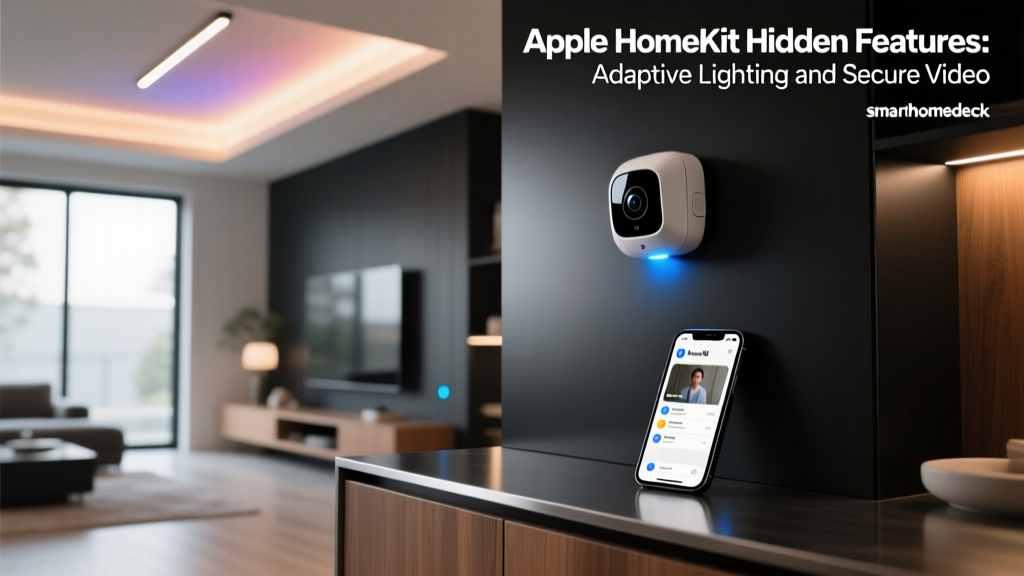
Apple HomeKit prioritizes user privacy, local network processing, and a polished, unified interface. While it has a smaller pool of compatible accessories than Alexa, the devices that do support HomeKit are generally premium, reliable, and increasingly adopting the new Matter standard for cross-platform interoperability. HomeKit automations run locally via an Apple TV or HomePod hub, meaning they execute instantly and survive internet outages.
Best Showcase Automation: Adaptive Cinema Night & Security Lockdown
HomeKit's 'Scenes' and 'Automations' allow for beautiful, cinematic transitions and secure, localized locking mechanisms without sending data to external cloud servers.
- Trigger: NFC Tag scanned on the coffee table OR Voice command ('Hey Siri, it's movie time').
- Condition: Time is after Sunset AND TV (via HDMI-CEC or smart plug power draw) is turned on.
- Actions:
- Eve MotionBlinds lower to 80% to block streetlamp glare.
- Philips Hue Lightstrip behind the TV sets to 2200K (warm amber) at 30% brightness to reduce eye strain.
- Schlage Encode Plus deadbolt physically locks the front door via Thread/HomeKit Secure Video.
- HomePod mini initiates a spatial audio fade-in of the movie soundtrack.
Hardware Needed & Cost Breakdown
Apple's ecosystem demands a premium. A HomePod mini ($99) or Apple TV 4K ($129) is mandatory as a hub for remote access and automations, as detailed in Apple's official home hub documentation. The Schlage Encode Plus ($280) is one of the few locks supporting Home Key, and Eve MotionBlinds start around $300 per window. This high-end, privacy-focused setup easily exceeds $800, reflecting the 'Apple Tax' on certified HomeKit accessories.
Pros and Cons of Apple HomeKit
The primary advantage is local execution and ironclad privacy. Because automations are processed on the HomePod or Apple TV hub, latency is virtually zero, and your data isn't mined for advertising. The major drawback is the high cost of entry and the historical lack of support for complex variables (e.g., setting a light to a specific brightness based on the exact lux reading of a sensor) without third-party apps like Home+ or Controller for HomeKit.
Samsung SmartThings: The Enthusiast's Logic Engine
Samsung SmartThings is the bridge between mainstream accessibility and enthusiast-grade complexity. With native support for Zigbee, Z-Wave, Wi-Fi, and Matter, SmartThings handles multi-sensor conditions and advanced logic better than any other mainstream app. It is the ideal platform for users who want to automate home infrastructure (water, gas, HVAC) rather than just lights and speakers.
Best Showcase Automation: Multi-Sensor Climate & Leak Defense
SmartThings allows for 'And/Or' logic grouping, making it perfect for disaster prevention routines that require multiple sensor confirmations before taking drastic action.
- Trigger: Aeotec Water Sensor detects moisture under the washing machine.
- Condition: SmartThings Multipurpose Sensor confirms the washing machine door is closed (ruling out a spill while loading) AND Ecobee confirms the AC is currently running (preventing false condensation alarms).
- Actions:
- Trigger the Moen Flo Smart Water Shutoff Valve to cut the main water line immediately.
- Turn off the smart plug connected to the washing machine.
- Flash all interior Hue lights red to alert occupants.
- Send a high-priority push notification with a snapshot from the nearby SmartThings Cam.
Hardware Needed & Cost Breakdown
SmartThings requires a robust hub and specialized sensors. The Samsung SmartThings Station ($70) acts as the hub and button. The Aeotec Water Sensor 7 Pro ($50) provides reliable leak detection, while the Moen Flo Smart Shutoff ($500) is a professional-grade water security investment. Total cost for this life-saving automation is roughly $620, plus potential installation fees for the water valve.
Pros and Cons of SmartThings
SmartThings offers unparalleled device protocol support and complex conditional logic. Its integration with Samsung appliances (fridges, washers) is a unique bonus. However, the app interface can feel cluttered, and the transition to 'Edge Drivers' has occasionally caused temporary instability for older Z-Wave devices during firmware migrations.
Ecosystem Automation Comparison Matrix
| Feature | Amazon Alexa | Google Home | Apple HomeKit | SmartThings |
|---|---|---|---|---|
| Trigger Variety | High (Voice, Geo, Sound, AI) | Medium (Time, Geo, Device, Android) | Medium (Time, Sensor, NFC, Geo) | Very High (Multi-sensor, API, Webhooks) |
| Conditional Logic | Basic (Time/Device state) | Basic (Time/Device state) | Medium (Time/Presence/Lux) | Advanced (And/Or grouping, variables) |
| Local Execution | Limited (Matter/Zigbee only) | Limited (Thread/Matter only) | Excellent (Hub-based) | Good (Edge Drivers) |
| Privacy Focus | Low (Cloud-dependent) | Low (Cloud-dependent) | Very High (End-to-End encrypted) | Medium (Cloud + Local hybrid) |
| Best For... | Media, Voice, & Broad Compatibility | Nest Users & Android Integration | Privacy, Security, & Apple Users | Infrastructure, Sensors, & Logic |
Visualizing Automation Capabilities
To understand the sheer difference in automation depth, we mapped the number of distinct native trigger types available in each platform's routine builder. SmartThings and Alexa lead the pack for enthusiasts, while Apple and Google focus on streamlined, user-friendly triggers.
Final Verdict: Which Platform Should You Automate With?
Choosing the right smart home ecosystem for your automations depends entirely on your technical comfort level, your existing hardware, and your stance on data privacy.
- Choose Amazon Alexa if you want the widest variety of third-party device support, love voice-triggered routines, and want affordable entry points into smart home automation.
- Choose Google Home if you are deeply embedded in the Android/Nest ecosystem and want routines that seamlessly bridge your phone's physical state with your home's environment.
- Choose Apple HomeKit if privacy is your paramount concern, you demand zero-latency local execution, and you are willing to pay a premium for highly polished, secure accessories.
- Choose Samsung SmartThings if you are an advanced user looking to automate home infrastructure (water, HVAC, multi-sensor logic) and want a platform that natively supports almost every wireless protocol in existence.
As the Matter standard continues to roll out across all four platforms, the walls between these walled gardens are slowly coming down. Soon, the choice of ecosystem will be less about which lightbulb you can buy, and entirely about which automation engine best fits your lifestyle.