The Appeal of a Budget-Friendly Smart Home
Building a smart home doesn't require draining your savings account or hiring a professional installer. For DIY enthusiasts and homeowners looking to dip their toes into home automation, assembling a budget smart home starter kit is the most practical way to learn the ecosystem. A well-planned sub-$200 kit can provide the core functionalities of a premium setup—automated lighting, appliance control, and basic security monitoring—without the bloat or the massive price tag.
The secret to a successful budget build lies in selecting devices that communicate efficiently, rely on open standards where possible, and avoid locking you into expensive proprietary ecosystems. According to the U.S. Environmental Protection Agency's Energy Star program, integrating smart plugs and automated lighting can significantly reduce "vampire" energy drain, meaning your budget kit can actually pay for itself over time through utility savings.
In this guide, we will walk through the exact shopping list, network preparation, physical installation, and automation workflows required to build a cohesive smart home starter kit for under $200.
The Ultimate Sub-$200 Shopping List
To keep costs low while maintaining reliability, this kit utilizes a mix of Wi-Fi and Zigbee protocols. Zigbee is a low-power mesh network that won't clog your home's Wi-Fi router, while Wi-Fi is used sparingly for high-bandwidth or standalone devices.
| Device Category | Recommended Budget Model | Protocol | Est. Price |
|---|---|---|---|
| Smart Hub | Aqara Smart Home Hub M2 | Zigbee 3.0 / Wi-Fi / Matter | $60.00 |
| Smart Bulbs (2-Pack) | Sengled Smart LED Soft White | Zigbee 3.0 | $25.00 |
| Smart Plugs (2-Pack) | Kasa Smart Plug Mini (EP10) | Wi-Fi (2.4GHz) | $15.00 |
| Motion Sensor | Aqara Motion Sensor (P2 or Zigbee) | Zigbee 3.0 | $25.00 |
| Door/Window Sensor | Aqara Door and Window Sensor | Zigbee 3.0 | $20.00 |
| Smart Switch (Optional) | Meross Smart Switch (Single Pole) | Wi-Fi (2.4GHz) | $18.00 |
Total Estimated Cost: $163.00 (Leaves $37 for taxes, shipping, or an extra sensor).
Preparing Your Network for IoT Devices
Before unboxing your devices, you must prepare your home network. Budget smart home devices, particularly Wi-Fi-enabled plugs and switches, almost exclusively operate on the 2.4GHz Wi-Fi band. This band offers better range and wall penetration than 5GHz, which is ideal for IoT devices spread across your home.
Step 1: Separate Your SSIDs (If Necessary)
Many modern mesh routers combine 2.4GHz and 5GHz bands under a single network name (SSID). While convenient for phones and laptops, this can cause smart plugs to fail during setup as they attempt to connect to the 5GHz band. Log into your router's admin panel and temporarily separate the bands, or create a dedicated "IoT Network" specifically for your smart home devices.
Step 2: Check for IP Address Availability
Every Wi-Fi device requires an IP address. Ensure your router's DHCP pool has enough addresses available. A standard home router can handle 250+ devices, but if you have a heavily populated network, consider assigning static IPs to your smart hub and critical switches to prevent them from dropping offline during router reboots.
Step-by-Step Device Installation
1. Hub Placement and Configuration
The Aqara Hub M2 is the brain of your Zigbee network. Unlike Wi-Fi, Zigbee relies on a mesh topology, but the hub still needs a central location to ensure strong initial pairing signals.
- Placement: Mount or place the hub in a central, open area of your home, ideally at least three feet off the ground. Avoid hiding it inside metal entertainment centers or behind thick masonry walls, which can degrade the Zigbee signal.
- Configuration: Download the Aqara Home app, create an account, and follow the on-screen prompts to connect the hub to your 2.4GHz Wi-Fi network. Ensure the hub's firmware is updated immediately, as this enables Matter protocol support for future-proofing your setup.
2. Installing Smart Bulbs vs. Smart Switches
For lamps and fixtures where you want color or dimming control without rewiring, smart bulbs are the answer. However, for overhead lighting controlled by a wall switch, a smart switch is superior because it prevents the "dumb switch" problem (where someone flips the wall switch, cutting power to the smart bulb and taking it offline).
- Smart Bulb Install: Simply screw the Sengled Zigbee bulbs into your lamps. Turn the physical lamp switch to "ON" and leave it there. Open the Aqara app, select "Add Device," and follow the pairing instructions (usually involving turning the bulb off and on five times until it blinks).
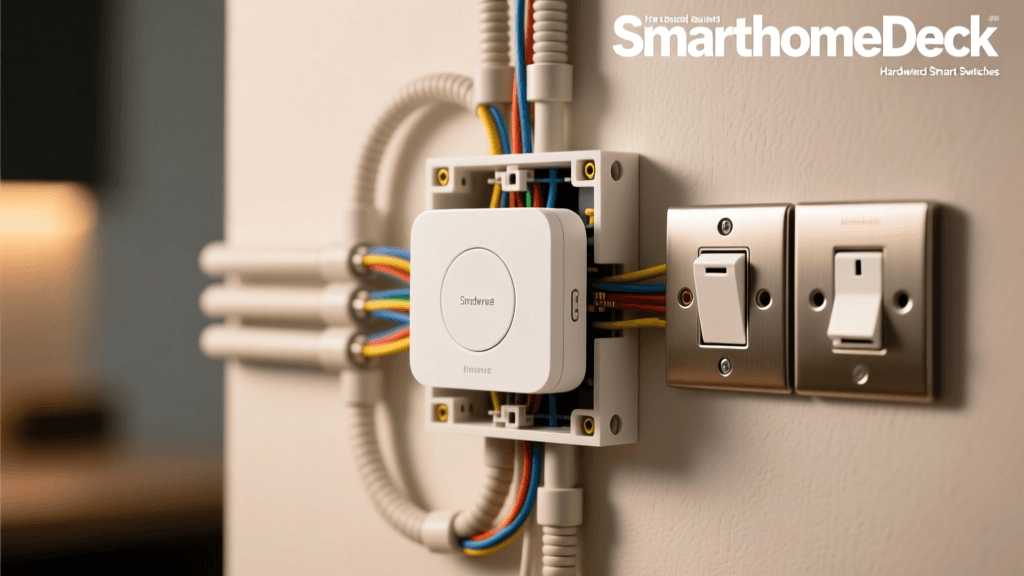
- Smart Switch Install (Meross): Safety First: Turn off the power at your main circuit breaker. Use a non-contact voltage tester to confirm the wires are dead. Remove the old switch, identify the Line (power in), Load (power out to the light), and Neutral wires. Note: Most smart switches require a Neutral wire. If your older home lacks a neutral wire in the switch box, you will need to rely on smart bulbs or specialized no-neutral switches like the Lutron Caseta (which exceeds our budget).
3. Sensor Placement and Calibration
Sensors are what transition your home from "remote-controlled" to truly "smart." Proper placement is critical to avoid false triggers.
- Motion Sensor: Mount the Aqara motion sensor at a height of 6 to 8 feet. Angle it slightly downward. Crucially, keep it away from HVAC vents, radiators, and direct sunlight. The U.S. Department of Energy notes that automated lighting saves significant energy, but only if the sensor accurately detects human presence rather than a blast of hot air from a heater.
- Door/Window Sensor: Align the main sensor body on the door frame and the smaller magnet on the moving door itself. The gap between them when closed must be less than 15mm (about 5/8 of an inch). Use the included 3M adhesive tape, but clean the surface with rubbing alcohol first to ensure a permanent bond.
4. Configuring Smart Plugs
Kasa smart plugs are perfect for "dumb" appliances like coffee makers, fans, or holiday lights. Plug the Kasa EP10 into the wall, then plug your appliance into the Kasa device. Ensure the appliance's physical switch is left in the "ON" position so the smart plug can control the power flow. Use the Kasa app to connect the plug to your Wi-Fi, then link your Kasa account to your primary voice assistant or the Aqara app via IFTTT or native integrations.
Visualizing the Cost Savings
One of the primary concerns for DIYers is whether a budget kit compromises too much compared to premium ecosystems like Apple HomeKit or high-end Control4 systems. As the chart below illustrates, the core categories of smart home control can be achieved for a fraction of the cost.
Bar chart comparing the cost breakdown of a budget smart home starter kit versus a premium ecosystem kit across four main device categories.
While premium kits offer advanced features like local processing, PoE (Power over Ethernet) capabilities, and premium build materials, the budget kit delivers 90% of the daily utility for less than 30% of the price.
Building Your First Automations
Hardware is only half the battle; the magic happens in the software. Using the Aqara Home app (or Apple HomeKit / Google Home, since the M2 hub supports Matter), you can create routines that tie your budget devices together.
Automation 1: The "Goodnight" Routine
Trigger: Time is 11:00 PM OR Voice Command ("Goodnight").
Actions:
- Turn OFF Kasa Smart Plug (Coffee Maker / Space Heater).
- Dim Sengled Smart Bulbs to 10% brightness, then turn OFF after 5 minutes.
- Arm Aqara Door/Window Sensor (Trigger a notification if opened between 11 PM and 6 AM).
Automation 2: Hallway Nightlight
Trigger: Aqara Motion Sensor detects motion.
Conditions: Time is between Sunset and Sunrise.
Actions:
- Turn ON Sengled Hallway Bulb to 20% brightness (Warm White).
- Wait 3 minutes.
- IF Motion Sensor detects NO motion, turn OFF bulb.
Pro Tip: When creating motion-based automations, always include a "no motion" cooldown period. Budget sensors can sometimes miss micro-movements if you are sitting perfectly still on the couch. Setting a 3-to-5-minute delay before turning off the lights prevents the lights from abruptly shutting off while you are reading.
Troubleshooting Common Setup Hurdles
Even the best-planned budget setups encounter hiccups. Here is how to resolve the most common issues DIYers face during installation.
Device Won't Enter Pairing Mode
If a smart bulb or plug refuses to blink and enter pairing mode, it is usually due to a timing error in your reset sequence. For Sengled bulbs, the rhythm of the power cycling matters. Turn the switch off for exactly one second, then on for one second, repeating five times. If using a Kasa plug, press and hold the physical button on the side of the plug for 10 seconds until the LED flashes rapidly.
Zigbee Sensor Dropping Offline
Zigbee devices rely on a mesh network. Battery-powered sensors (like the Aqara motion and door sensors) do not act as repeaters; they only send signals. If a sensor is far from the hub, the signal may drop. The fix: Plug a Kasa Wi-Fi plug into an outlet halfway between the hub and the sensor, or add a dedicated Zigbee smart plug (which acts as a mesh repeater) to extend the network's range.
Wi-Fi Congestion and Latency
If your smart plugs take several seconds to respond to app commands, your 2.4GHz router band may be congested. Microwaves, baby monitors, and Bluetooth devices all share this frequency. Try changing your router's 2.4GHz channel to 1, 6, or 11, which are the only non-overlapping channels in the 2.4GHz spectrum.
Future-Proofing and Expanding Your Kit
The beauty of starting with a budget kit built on open standards is that you are not trapped. Because the Aqara M2 hub supports the Matter protocol via firmware updates, you can seamlessly integrate higher-end devices later. As your budget allows, you can expand into smart thermostats, motorized blinds, and smart locks.
When expanding, prioritize adding Zigbee devices that act as routers (like smart switches and plugged-in appliances) to strengthen your mesh network before adding more battery-powered sensors. By starting with this sub-$200 foundation, you gain the technical knowledge and network infrastructure required to scale your smart home into a fully automated, whole-home ecosystem without ever paying the "installer tax."
Whether you are automating a single apartment or a multi-story home, understanding the fundamentals of hub placement, protocol management, and logical automation workflows will ensure your smart home works for you, rather than becoming a source of daily frustration.