Introduction: Smart Home Automation Without the Security Deposit Risk
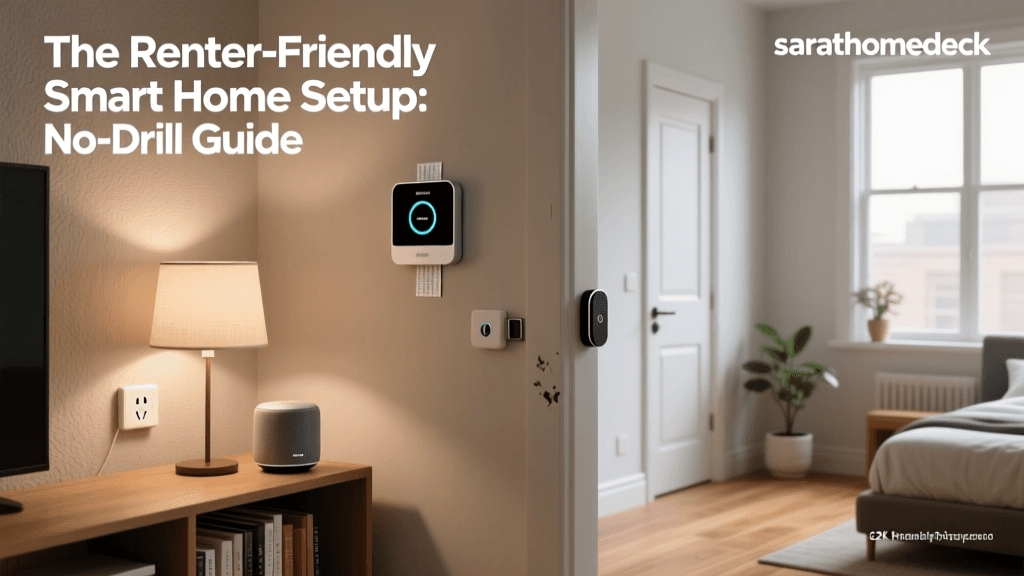
For years, the smart home revolution felt like an exclusive club for homeowners. Early smart devices required hardwiring, drilling into drywall, replacing existing deadbolts, and swapping out HVAC control panels. If you lived in an apartment or rented a house, adopting smart home technology meant risking your security deposit or violating your lease agreement. Fortunately, the industry has evolved. Today, the market is flooded with renter-friendly smart home devices designed for temporary living spaces, damage-free installation, and seamless portability.
Whether you are in a compact studio apartment or a multi-bedroom rental home, you can build a sophisticated, automated ecosystem. This guide covers the essential strategies, specific product recommendations, and network configurations required to create a fully functional smart apartment. We will focus entirely on reversible setups that require zero power tools, leave no marks on your walls, and can be packed into a single moving box when your lease ends.
The Renter's Manifesto: Golden Rules of Damage-Free Setup
Before purchasing any device, every renter must adhere to three golden rules of apartment automation. These principles ensure that your tech upgrades remain completely reversible and compliant with standard residential lease agreements.
- Rule 1: No Drilling or Hardwiring. Avoid any device that requires you to drill into tile, custom cabinetry, or exterior doors. Furthermore, never attempt to wire smart switches directly into your apartment's electrical boxes unless you are a licensed electrician and have explicit written permission from your landlord.
- Rule 2: The 30-Minute Reversal Test. If a device takes more than 30 minutes to uninstall and restore the area to its original condition, it is not renter-friendly. Your move-out day should involve simple unmounting and peeling, not spackling and painting.
- Rule 3: Preserve the Original Hardware. When installing retrofit devices (like smart locks or smart blinds), always store the original landlord-provided hardware in a labeled ziplock bag. Keep the original screws and mounting plates safe so you can reinstall them before your final walkthrough.
Smart Lighting: Illuminating Without Rewiring
Lighting is the most accessible entry point into smart home automation. In a rental, you want to avoid replacing wall switches, as this involves working with mains voltage and dealing with incompatible wiring (like missing neutral wires in older apartment buildings).
Smart Bulbs vs. Smart Switches
Instead of smart switches, renters should rely on smart bulbs. The Philips Hue White and Color Ambiance lineup remains the gold standard. By simply screwing these bulbs into your existing fixtures, you gain app control, voice commands, and automated routines. However, there is a catch: if someone flips the physical wall switch to the 'off' position, the smart bulb loses power and goes offline. To solve this, renters can use SwitchBot Bot—a tiny, adhesive-backed robotic finger that physically presses the existing wall switch on and off, or simply place a piece of decorative tape over the switch as a visual reminder to use voice or app controls instead.
Damage-Free LED Light Strips
LED light strips are fantastic for adding ambient bias lighting behind TVs or under kitchen cabinets. However, the adhesive backing on most commercial LED strips (including Philips Hue and Govee) is notoriously aggressive and will rip the paint off your drywall upon removal. The renter-friendly workaround is to apply 3M Command Strips or Command Poster Strips to the wall first, and then attach the LED strip's adhesive to the Command Strip. When it is time to move, you pull the Command Strip tab, leaving your paint completely intact. According to Energy Star's guidelines on smart lighting, utilizing automated and dimmable smart lighting can also contribute to noticeable reductions in overall household energy consumption, a nice bonus for renters paying their own utility bills.
Smart Locks & Access: Securing Your Space Reversibly
Changing the locks on a rental property is a sensitive issue. Most leases explicitly forbid tenants from altering the exterior hardware or changing the physical keyway, as landlords require emergency access and master key compatibility. The solution lies in retrofit smart locks.
Top Retrofit Lock Picks
The August Wi-Fi Smart Lock is a legendary device for renters. It only replaces the interior thumbturn of your existing deadbolt. The exterior lock, the keyway, and the deadbolt mechanism itself remain completely untouched. You can still use your physical key, and your landlord's master key will still work. Installation takes about 10 minutes with a single Phillips-head screwdriver.
Alternatively, the SwitchBot Lock requires absolutely no screwdrivers. It mounts directly over your existing interior thumbturn using heavy-duty 3M VHB adhesive tape. While the adhesive is strong enough to turn the lock daily, you can carefully use a hairdryer to heat the adhesive and a piece of fishing line to saw through it when it is time to move out. Always check your specific lease agreement regarding smart locks, as some property management companies have strict policies against any modifications to entry doors.
Climate Control: Working Around Landlord Thermostats
Many modern apartments feature proprietary or locked smart thermostats (like Nest or Ecobee) managed by the building's central system. Even if you have a standard programmable thermostat, landlords rarely permit tenants to swap them out due to the risk of miswiring the HVAC control board.
The IR Blaster Workaround
If your apartment relies on a split-system mini-split AC, a window air conditioning unit, or a portable heater with a remote control, you can use a smart IR (Infrared) blaster like the Sensibo Sky or Mysa Smart AC Controller. These devices sit on a shelf or stick to the wall with removable tape, learn the infrared signals from your AC's remote, and allow you to control the temperature, fan speed, and schedules via your smartphone. The U.S. Department of Energy's recommendations on thermostat efficiency highlight that smart climate scheduling can save up to 10% a year on heating and cooling, making these plug-and-play IR blasters a financially sound investment for renters covering their own climate costs.
Security & Monitoring: No-Drill Cameras and Sensors
Security is a top priority, but drilling holes for exterior floodlight cameras or wired video doorbells is strictly prohibited in almost all rental agreements.
The Peephole Camera Solution
The Ring Peephole Cam is a brilliant, damage-free alternative to traditional video doorbells. It replaces the standard optical peephole on your apartment door. You simply unscrew the existing peephole lens, insert the Ring camera module, and tighten it from the inside. It runs on a rechargeable battery and requires zero wiring. When you move out, you simply unscrew it and put the original glass peephole back in.
Indoor and Window Security
For indoor monitoring, utilize shelf-friendly cameras like the Wyze Cam v3 or Ring Indoor Cam. For window and door sensors, avoid using the included double-sided tape if it feels overly aggressive. Instead, use a tiny dab of poster putty or Command Picture Hanging Strips to mount the sensors to your door frames and window sills, ensuring they can be removed without damaging the paint or wood finish.
Window Treatments: Automating Blinds and Curtains
Smart blinds are notoriously difficult for renters because they usually require drilling brackets into the window frame or drywall. However, the SwitchBot Curtain system bypasses this entirely. The robotic motor clips directly onto your existing curtain rod (whether it is a U-rail or a standard tension rod). It pushes the curtains open and closed along the rod and is powered by a rechargeable battery or an optional solar panel that hangs in the window via a suction cup or tension rod. This provides the luxury of automated morning wake-up routines without a single screw.
Network Setup in Dense Apartment Buildings
Apartment buildings present unique networking challenges. Concrete pillars, metal studs, and the sheer density of neighboring Wi-Fi networks can cause severe interference, leading to dropped connections for your smart devices.
Why Protocol Choice Matters
In a dense apartment building, relying entirely on Wi-Fi for your smart home devices is a mistake. Your router can only handle so many simultaneous connections, and the 2.4GHz spectrum is likely heavily congested by your neighbors. Instead, prioritize devices that use Zigbee or Thread/Matter protocols. These mesh networks operate on different channels and do not clog up your primary Wi-Fi network. A simple Aqara Hub or Amazon Echo (4th Gen) with a built-in Zigbee hub can manage dozens of sensors and bulbs locally, reducing latency and improving reliability.
Cybersecurity in Shared Networks
When living in close proximity to others, network security is paramount. Ensure your smart home hub and devices are isolated from your personal computing devices. The National Institute of Standards and Technology (NIST) IoT Cybersecurity Program emphasizes the importance of securing networked devices against unauthorized access, which is especially critical in multi-family dwellings where local network spoofing or accidental cross-connections can occur. Always use strong, unique passwords for your smart home apps and enable two-factor authentication (2FA).
Data Comparison: Renter-Friendly Device Breakdown
To help you budget and plan your apartment automation, review the table below detailing the top categories, recommended products, and their reversibility profiles.
| Device Category | Top Renter-Friendly Pick | Mounting Method | Est. Cost Range | Reversibility Score |
|---|---|---|---|---|
| Smart Lighting | Philips Hue White & Color | Screw-in / Command Strips | $50 - $200 | 100% |
| Smart Locks | August Wi-Fi Smart Lock | Interior Thumbturn Retrofit | $180 - $230 | 100% |
| Video Doorbell | Ring Peephole Cam | Existing Peephole Replacement | $199 | 100% |
| Climate Control | Sensibo Sky IR Blaster | Shelf / Command Strip | $119 - $149 | 100% |
| Curtain Motors | SwitchBot Curtain Rod | Clips to Existing Rod | $89 - $119 | 100% |
| Window Sensors | Aqara Door & Window Sensor | Poster Putty / Command Strip | $20 - $30 | 95% |
Visualizing Setup Times
One of the greatest advantages of renter-friendly smart home devices is the speed of installation. Without the need to run wires, drill into studs, or configure complex HVAC control boards, most devices can be up and running in minutes. The chart below illustrates the average time it takes to unbox, mount, and connect these devices to your network.
The Move-Out Checklist: Restoring Your Apartment
When your lease is up, the goal is to leave the apartment exactly as you found it. Follow this checklist to ensure a smooth transition and the full return of your security deposit.
- Factory Reset All Devices: Before packing up your tech, perform a full factory reset on all cameras, locks, and hubs to wipe your personal data and disconnect them from your cloud accounts.
- Reinstall Original Hardware: Retrieve your labeled ziplock bags containing the original deadbolt thumbturns, peephole lenses, and thermostat faceplates. Reinstall them using the original screws.
- Remove Adhesives Safely: Use a hairdryer on a low heat setting to warm up any 3M Command Strips or VHB tape used for sensors and LED strips. Pull the tabs slowly and parallel to the wall to avoid drywall damage.
- Clean the Surfaces: If any adhesive residue remains on glass or painted surfaces, use a mild citrus-based cleaner or isopropyl alcohol on a microfiber cloth to wipe it away without damaging the finish.
- Update Your Digital Address: Don't forget to update your location settings in your smart home apps and remove your old apartment from any neighborhood security sharing networks like Ring's Neighbors app.
Conclusion
Living in a rental property no longer means sacrificing the convenience, security, and energy efficiency of a modern smart home. By prioritizing retrofit designs, utilizing damage-free mounting solutions, and selecting the right wireless protocols for dense living environments, you can create a personalized automated sanctuary. When it is time to move to your next apartment or finally purchase a home, your smart ecosystem will simply pack up in a box and move right along with you.