The Renter's Dilemma: Smart Homes Without the Security Deposit Risk
For millions of renters, the dream of a fully automated smart home often collides with the harsh reality of lease agreements. Landlords typically prohibit drilling holes, replacing hardwired fixtures, or altering the existing HVAC infrastructure. However, the rapid evolution of IoT (Internet of Things) technology has birthed a new category of devices specifically designed for temporary, non-permanent installations. You no longer need to own your home to enjoy the convenience, security, and energy efficiency of smart automation.
This comprehensive guide focuses exclusively on apartment-friendly, no-drill, and easily reversible smart home installations. Whether you are living in a high-rise condo or a suburban rental, these solutions will help you build a robust smart home ecosystem while ensuring you get your full security deposit back when it is time to move out.
No-Drill Smart Security Upgrades
Security is usually the top priority for smart home adopters, but apartment doors and shared hallways present unique challenges. Here is how to secure your rental without angering your property manager.
Retrofit Smart Locks
Replacing an entire deadbolt is usually a violation of your lease. Instead, opt for a retrofit smart lock like the August Wi-Fi Smart Lock or the Yale Assure Lock SL with a retrofit kit. These devices mount exclusively to the interior thumbturn of your existing deadbolt, leaving the exterior keyway completely untouched. This means your landlord's master key will still work, and the exterior aesthetic of the door remains unchanged.
- Installation Steps: Simply unscrew the interior thumbturn, attach the smart lock's mounting plate using the existing screws (or heavy-duty 3M Command strips if the screw heads are incompatible), and snap the smart lock into place.
- Cost Range: $150 - $250
- Reversibility: 100% reversible in under 5 minutes.
Peephole Cameras and No-Drill Doorbells
Wiring a Ring or Nest doorbell requires drilling through exterior walls or tapping into existing doorbell chimes, which most apartments lack. The Ring Peephole Cam is the ultimate renter-friendly alternative. It replaces your door's standard optical peephole.
Pro Tip: When removing your optical peephole, place it in a labeled Ziploc bag and tape it to the back of the door or store it in your junk drawer. You will need to reinstall it when your lease ends.
If you prefer a traditional doorbell form factor, the Blink Video Doorbell paired with a heavy-duty, no-drill adhesive mount or a tension-rod mount designed for apartment doors can provide excellent coverage without a single drilled hole.
Plug-and-Play Climate Control
HVAC control in apartments is notoriously tricky. Many rentals use baseboard heaters, wall-mounted AC units, or older central systems lacking a "C-wire" (common wire), which is required by most smart thermostats. Furthermore, tampering with central HVAC wiring can void building insurance policies.
Smart AC Controllers for Window and Split Units
If your apartment relies on window AC units, portable ACs, or ductless mini-splits, the Sensibo Sky or Mysa Smart AC Controller are game-changers. These devices act as smart IR (infrared) blasters, essentially learning the signals from your AC's remote control. You simply stick the Sensibo to a wall or shelf using Command strips, connect it to Wi-Fi, and instantly gain app-based scheduling, geofencing, and voice control over your cooling.
Navigating Central Smart Thermostats
If you have central air and explicit written permission from your landlord to install a smart thermostat, look into ENERGY STAR certified smart thermostats like the Ecobee SmartThermostat or Google Nest Learning Thermostat. These devices can reduce heating and cooling costs by up to 15%. If your apartment lacks a C-wire, both Ecobee and Nest offer Power Extender Kits (PEK) that can often bypass the need for new wiring by utilizing existing fan or heat pump wires. Always take a photo of the original wiring before disconnecting anything, and keep the original "dumb" thermostat in a safe place for move-out day.
Lighting and Motorized Curtains
Hardwired smart switches require working with dangerous mains electricity and altering the building's infrastructure. Renters should strictly avoid this.
Smart Bulbs vs. Smart Plugs
For lamps and freestanding fixtures, smart plugs like the Kasa Smart Plug Mini are inexpensive (often under $15) and require zero setup beyond plugging them into the wall. For overhead fixtures where you cannot use a plug, swap the standard bulbs for smart bulbs like the Philips Hue White and Color Ambiance or Wyze Bulb Color. Remember to leave the physical wall switch in the "ON" position and control the lights exclusively via the app, voice assistant, or wireless battery-powered smart switches (like the Hue Dimmer Switch) mounted with adhesive strips.
Automating Window Treatments
Drilling brackets for motorized blinds is a hassle. The SwitchBot Curtain Rod is a brilliant, non-permanent solution. It features a built-in motor that clamps directly onto your existing curtain rod. It operates via Bluetooth or a SwitchBot Hub, allowing you to schedule your curtains to open with the sunrise, completely wire-free and drill-free.
Device Comparison: Cost and Installation Effort
The following table breaks down the top renter-friendly devices, highlighting their relative cost and the time required for a completely reversible installation.
| Device Category | Top Product Pick | Est. Cost | Install Time | Reversibility |
|---|---|---|---|---|
| Retrofit Smart Lock | August Wi-Fi Smart Lock | $229 | 15 mins | Excellent |
| Peephole Camera | Ring Peephole Cam | $99 | 20 mins | Excellent |
| Smart AC Controller | Sensibo Sky | $119 | 5 mins | Perfect |
| Curtain Motor | SwitchBot Curtain Rod | $89 | 10 mins | Perfect |
| Smart Lighting | Philips Hue Starter Kit | $199 | 10 mins | Perfect |
Installation Cost and Time Comparison
Network Setup in High-Density Apartment Buildings
One of the most overlooked aspects of apartment smart home setups is network congestion. In a high-density apartment building, dozens of Wi-Fi routers from neighboring units can cause severe interference, particularly on the 2.4GHz band, which most smart home devices rely on.
Mesh Wi-Fi and IoT Segmentation
To combat dropped connections and offline devices, invest in a reliable Mesh Wi-Fi system like the Eero 6+ or TP-Link Deco X20. These systems allow you to create a dedicated "Guest Network" or IoT VLAN specifically for your smart home devices. According to the National Institute of Standards and Technology (NIST), segmenting IoT devices from your primary network where you conduct banking and personal work is a critical cybersecurity best practice. By isolating your smart bulbs and cameras on a separate network, you protect your personal data while ensuring your smart home hub maintains a stable connection.
Hub Placement Strategy
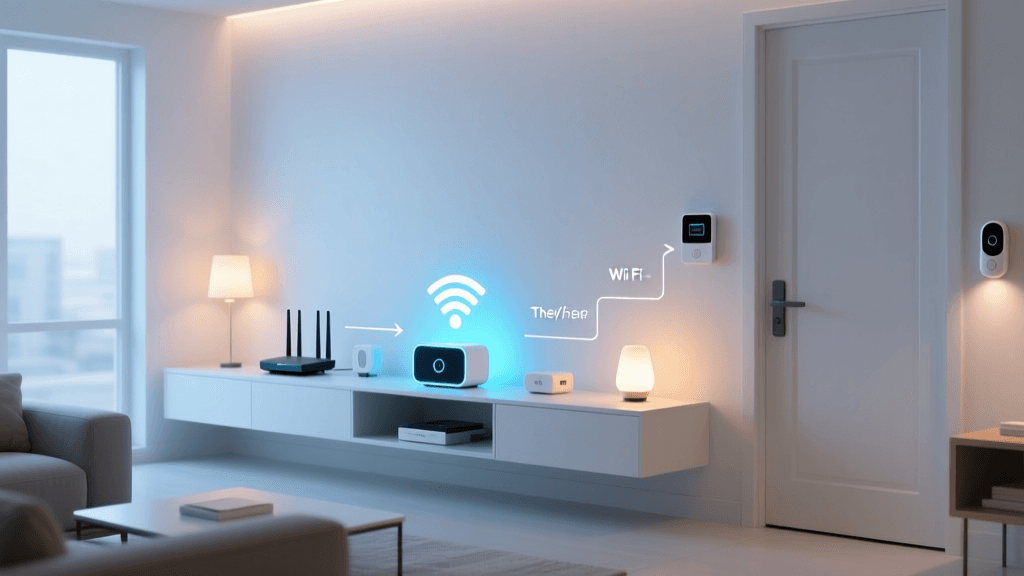
Apartments often suffer from dead zones due to concrete walls or metal studs. Place your primary smart home hub (such as a Hubitat Elevation, SmartThings Station, or HomePod mini) in a central, elevated location. Avoid hiding hubs inside metal entertainment consoles or behind large appliances, as these will severely degrade the Zigbee, Z-Wave, or Thread signals required for local automation.
The Move-Out Reversibility Checklist
The golden rule of renter-friendly smart home installations is reversibility. When your lease is up, follow this checklist to ensure a smooth transition:
- Factory Reset All Devices: Wipe your personal Wi-Fi credentials, voice assistant linkages, and automation routines from all hubs, cameras, and locks. This protects your digital privacy.
- Remove Adhesives Properly: When removing 3M Command strips, pull the tab straight down, parallel to the wall, at a slow and steady pace. Never pull outward, as this will rip the drywall paper.
- Reinstall Original Hardware: Retrieve the Ziploc bags containing your original deadbolt thumbturns, optical peepholes, and "dumb" thermostats. Reinstall them using the original screws.
- Touch-Up Paint: Even with careful adhesive removal, minor scuffs can occur. Keep a small sample of your apartment's wall paint (often provided by the landlord or available at the leasing office) for quick touch-ups.
Essential Tools for the Renter's Toolkit
To execute these installations safely and cleanly, keep the following items on hand:
- Isopropyl Alcohol (70%+): Essential for cleaning walls and door surfaces before applying adhesive mounts to ensure maximum bonding.
- Tension Rods: Perfect for mounting lightweight indoor cameras or sensors in doorways without drilling.
- Magnetic Mounts: Ideal for attaching Blink or Wyze cameras to metal door frames or refrigerators.
- Ziploc Bags and Painter's Tape: For labeling and storing original apartment hardware securely out of sight.
By leveraging retrofit technology, wireless protocols, and non-permanent mounting solutions, you can transform a rigid rental space into a highly automated, responsive smart home. The key is to prioritize modularity and reversibility, ensuring your technology adapts to your living situation—not the other way around.