The Foundation of a True Smart Home: Why Hardwiring Matters
In the era of wireless smart home gadgets, it might seem counterintuitive to rip open your walls and run hundreds of feet of cable. However, any professional integrator or seasoned DIYer will tell you that a robust, hardwired backbone is the secret to a reliable, latency-free whole-home automation system. Wireless protocols like Zigbee, Z-Wave, and Thread are excellent for edge devices, but they rely entirely on a stable network infrastructure and consistent power delivery to function correctly.
Whole-home automation wiring is not just about internet access; it is about creating a structured, low-voltage ecosystem that supports Power over Ethernet (PoE) devices, hardwired smart switches, motorized window treatments, and centralized automation hubs. Whether you are building a new home, undertaking a major renovation, or retrofitting an existing property, this comprehensive guide will walk you through the essential wiring strategies, product specifications, and installation best practices required to future-proof your smart home.
Planning Your Structured Wiring Backbone
The Structured Media Enclosure (SME)
The heart of your wired smart home is the Structured Media Enclosure (SME). This is the central termination point for all low-voltage cabling in your house. Avoid the temptation to use a standard plastic network patch box; a proper SME provides built-in power modules, ventilation, and modular mounting plates for network switches, patch panels, and automation hubs.
- Sizing: For a standard 3-to-4-bedroom home, a minimum 28-inch enclosure is required, but a 42-inch enclosure (such as the Leviton 42-inch Structured Media Center) is highly recommended to allow room for future expansion, larger PoE switches, and dedicated hub placement.
- Placement: Install the SME in a climate-controlled, easily accessible area like a basement, utility room, or large closet. Avoid attics or unconditioned garages where extreme temperature fluctuations can degrade networking equipment and shorten the lifespan of your smart home hubs.
- Power and Ventilation: Ensure the enclosure has a dedicated 15-amp or 20-amp AC circuit. If you are housing a 24-port PoE switch and a Home Assistant server, active cooling via a low-profile USB or AC-powered exhaust fan is mandatory to prevent thermal throttling.
Choosing the Right Cabling: Cat6a vs. Fiber
While Cat5e was the standard for decades, Cat6a (Category 6a) is the undisputed king of modern smart home wiring. Cat6a supports 10-Gigabit Ethernet up to 100 meters and features thicker copper conductors and improved shielding, which is critical for minimizing crosstalk and supporting high-wattage PoE devices over long distances.
Always purchase solid copper (CU) cable, never Copper Clad Aluminum (CCA). CCA cables are brittle, prone to breaking during termination, and pose a significant fire hazard when used for Power over Ethernet due to higher electrical resistance.
For the main backbone connecting your ISP entry point to your SME, or for linking SMEs in a massive property, consider running a conduit with a pull-string alongside your Cat6a to allow for future Fiber Optic upgrades without tearing into drywall again.
Power Over Ethernet (PoE): The Backbone of Modern Smart Devices
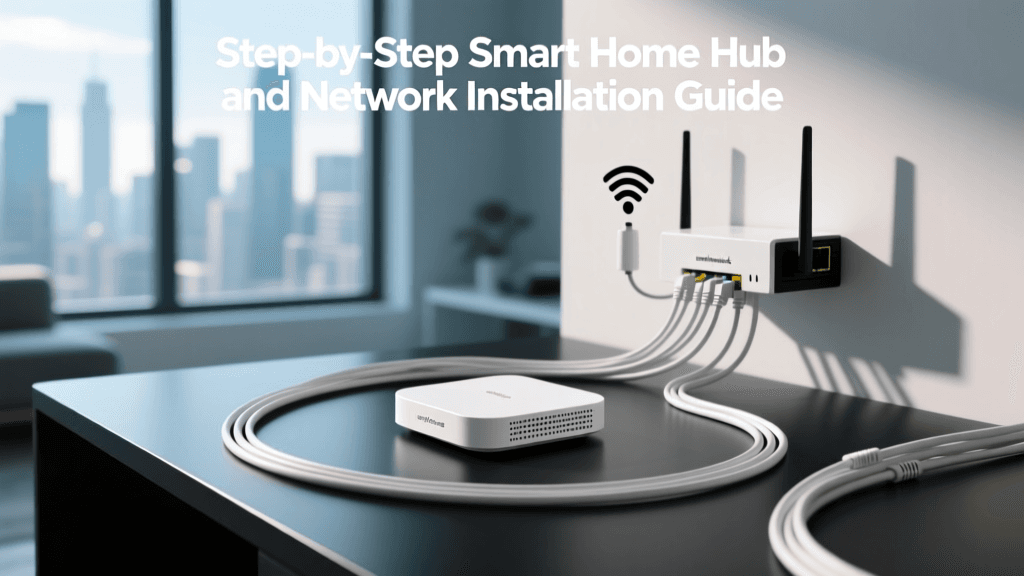
Power over Ethernet allows you to transmit both data and electrical power over a single Cat6a cable. This eliminates the need for local power adapters at the device level, making installations cleaner and enabling you to place devices like IP cameras, wireless access points, and smart intercoms exactly where they are needed, regardless of where electrical outlets are located.
When selecting a PoE switch for your SME (such as the Ubiquiti UniFi Switch Pro or TP-Link Omada series), ensure it supports at least the 802.3at (PoE+) standard. Modern pan-tilt-zoom (PTZ) security cameras and high-performance Wi-Fi 6E access points often require the 30 watts provided by PoE+, and emerging smart home touch-panels may even require 802.3bt (PoE++) to function without external power bricks.
Essential Hardwired Smart Home Subsystems
Smart Lighting and Deep Backboxes
Hardwired smart lighting offers vastly superior reliability compared to smart bulbs. Systems like Lutron RadioRA 3 or relay-based solutions using Shelly Plus 1PM modules require specific wiring considerations.
- The Neutral Wire: Never install a smart switch without a neutral wire. While some older 'no-neutral' switches exist, they cause flickering in LED circuits and rely on trickle current that can degrade smart home Zigbee meshes. Ensure your electrician runs a neutral wire to every single switch box.
- Deep Backboxes: Smart switches and in-wall relays are significantly deeper than standard dumb switches. If you are installing drywall, mandate the use of extra-deep 1-gang boxes with a minimum volume of 22 cubic inches (or 47mm depth in European standards). This provides the physical space needed to fold the stiff 12/2 or 14/2 Romex wiring and the smart module without crushing the connections.
HVAC and the Critical C-Wire
Smart thermostats like the Ecobee SmartThermostat or Google Nest Learning Thermostat require continuous power to operate their Wi-Fi radios and large displays. This is delivered via the C-Wire (Common Wire), which provides a continuous 24V AC return path.
While many manufacturers sell 'C-Wire Adapters' that steal power from existing HVAC control boards, these adapters are notorious for causing intermittent connection drops and blowing low-voltage fuses on modern furnaces. The professional installation approach is to run a new 18/5 or 18/8 stranded copper thermostat wire directly from the HVAC air handler to the thermostat location. According to the U.S. Department of Energy, properly installed smart thermostats can save homeowners up to 10% to 15% on heating and cooling costs annually, but only if the device maintains a stable Wi-Fi connection to report data and receive geofencing updates.
Motorized Window Treatments
Motorized blinds are a hallmark of luxury whole-home automation, seamlessly integrating with circadian lighting routines and HVAC temperature sensors. While battery-powered blinds exist, they require frequent maintenance and struggle with heavy, large-format windows.
For a true set-and-forget system, run 16/2 or 14/2 low-voltage wire to the top corner of every window header during the framing stage. This wire will connect to a centralized power distribution block in your SME, feeding 24V DC power to motors like the Lutron Serena or Hunter Douglas PowerView systems. Leaving a service loop of at least 18 inches of wire inside the window header ensures you have enough slack to make terminations inside the blind fascia.
Network Topology and Hub Placement Strategy
A common mistake in DIY smart home setups is placing the primary Wi-Fi router and automation hub in a corner of the basement. This creates dead zones and forces wireless mesh networks to work overtime, increasing latency and device drop-offs.
Wireless Access Points (WAPs)
Adopt a Star Topology for your network. Run individual Cat6a home-runs from your central PoE switch to ceiling-mounted Wireless Access Points (like the Ubiquiti UniFi U6 Pro) in the center of each major living zone. Ceiling mounting provides optimal line-of-sight for mobile devices and smart home sensors, drastically reducing the transmit power required by your battery-operated Zigbee and Thread devices.
Automation Hub Placement
If you are running a local automation hub like Home Assistant Green or Hubitat Elevation, placement is critical for its internal Zigbee/Z-Wave antennas. Do not bury the hub inside a metal Structured Media Enclosure, as the metal will act as a Faraday cage, completely blocking the RF signals. Instead, mount the hub on the exterior wall of the SME, or use a USB extension cable to mount a dedicated Zigbee coordinator (like the Sonoff Zigbee 3.0 USB Dongle Plus) high up on a wall or ceiling in the center of the home to maximize mesh coverage.
Cost Estimation and Contractor Tips
Budgeting for low-voltage wiring requires understanding the cost per 'home-run' (a single cable pulled from the SME to a wall plate). Below is an estimated cost breakdown for professional low-voltage installation in a standard 2,500 sq. ft. home.
| Subsystem | Material Cost (Est.) | Labor Cost (Est.) | Notes |
|---|---|---|---|
| Network Backbone (15 Cat6a runs) | $450 - $600 | $1,200 - $1,800 | Includes patch panel and basic termination. |
| Smart Lighting Prep (Deep boxes + Neutrals) | $200 - $350 | $800 - $1,200 | Requires coordination with high-voltage electrician. |
| HVAC C-Wire (18/5 wire runs) | $50 - $100 | $250 - $400 | Depends on accessibility of HVAC plenums. |
| Motorized Shade Prep (16/2 to headers) | $150 - $250 | $600 - $900 | Must be done before drywall and window casing. |
| Structured Media Enclosure (42-inch) | $250 - $400 | $300 - $500 | Includes mounting and AC power module. |
Contractor Tip: When hiring a low-voltage contractor, ensure they are certified by or follow the guidelines of the Custom Electronic Design & Installation Association (CEDIA). CEDIA standards dictate proper bend radii for Cat6a cables (to prevent internal pair twisting), proper velcro tie usage (never zip-ties, which crush the dielectric foam and ruin 10Gbps performance), and standardized TIA/EIA-568B termination practices.
Code Compliance and Safety
Low-voltage wiring is governed by specific electrical codes to ensure safety and prevent interference with high-voltage systems. In the United States, the National Electrical Code (NEC) Article 725 and Article 800 outline the rules for Class 2 and Class 3 remote-control, signaling, and power-limited circuits, as well as communications cables.
- Separation: Low-voltage Cat6a and thermostat wires must be separated from high-voltage 120V/240V AC wires by a minimum of 2 inches when running parallel, unless a physical barrier or grounded metal partition is installed between them.
- Plenum Ratings: If you are running cables through HVAC return air spaces (drop ceilings or open joist bays used for air return), you must use Plenum-rated (CMP) cables, which feature a specialized jacket that produces minimal smoke and no toxic fumes in the event of a fire.
- Drip Loops: Any cable entering the home from an exterior pole or roof must feature a drip loop to prevent rainwater from tracking down the cable and into your Structured Media Enclosure.
Conclusion: Future-Proofing Your Investment
Whole-home automation wiring is an exercise in foresight. The protocols we use today—Wi-Fi 6E, Zigbee, Thread, and PoE—will inevitably evolve. However, the physical pathways, deep backboxes, and high-quality Cat6a copper you install today will remain relevant for decades. By treating your low-voltage infrastructure with the same respect and rigor as your high-voltage electrical and plumbing systems, you create a resilient, high-performance foundation that will support whatever smart home innovations the next twenty years bring.