The Multi-Ecosystem Dilemma in Modern Smart Homes
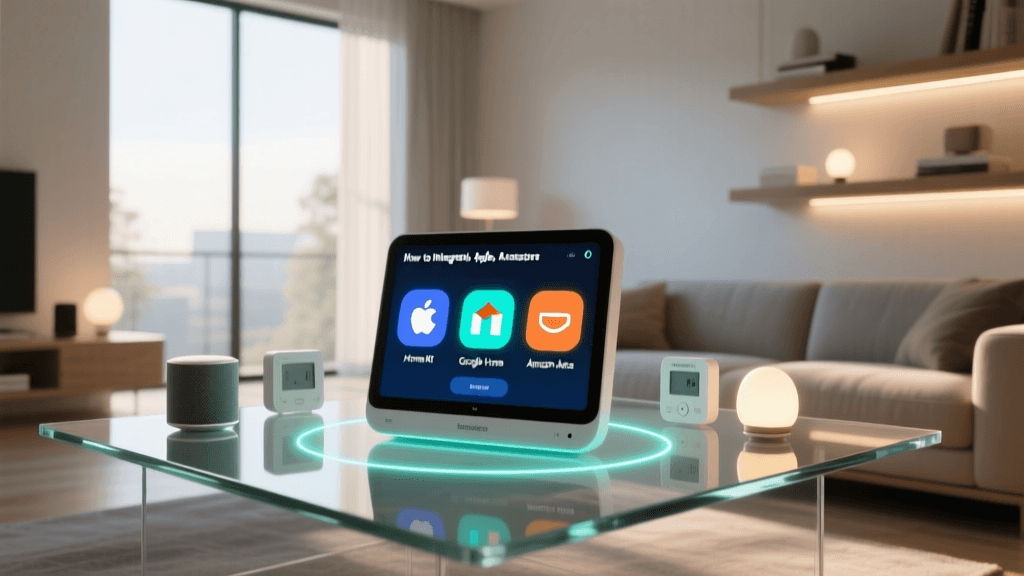
The modern smart home is rarely uniform. In many households, one family member relies on an iPhone and Apple HomeKit, while another prefers Android and Google Home, and a third uses Amazon Alexa for voice routines. Historically, this fragmentation required purchasing duplicate devices or relying on cloud-based, latency-heavy IFTTT workarounds to make ecosystems communicate. Setting up a truly unified home meant compromising on hardware choices, often locking homeowners into a single vendor's walled garden.
However, the advent of the Matter standard, developed by the Connectivity Standards Alliance (CSA), has fundamentally shifted the landscape. Matter is an open-source, IP-based connectivity protocol that allows smart home devices to communicate locally and securely across different platforms. By utilizing a universal bridge setup—anchored by a local automation hub like Home Assistant and powered by Matter over Thread or Wi-Fi—DIY installers can finally achieve seamless multi-ecosystem integration without sacrificing local control or privacy.
Understanding Matter and Thread in Cross-Platform Setups
Before diving into the hardware and configuration, it is crucial to understand the underlying technologies that make multi-ecosystem bridging possible. Matter operates over existing IP networks, meaning it can run over Wi-Fi for high-bandwidth devices (like cameras or smart displays) and over Thread for low-power, battery-operated sensors and switches.
What is Thread? Thread is a low-power, mesh networking protocol based on IPv6. Unlike Zigbee or Z-Wave, which require proprietary hubs to translate their signals to IP, Thread devices speak IP natively. A Thread Border Router (like an Apple TV 4K or Nest Hub) bridges the Thread mesh to your home Wi-Fi network, allowing Matter devices to be discovered and controlled locally by any compatible ecosystem.
When you set up a Matter device, you are not pairing it exclusively to Apple or Google. Instead, you are commissioning it to your local network and granting administrative access to multiple fabric controllers (the ecosystems). This multi-admin capability is the secret sauce for multi-ecosystem integration, allowing a single smart lock or thermostat to appear natively in Apple Home, Google Home, and Alexa simultaneously.
Required Hardware for Cross-Platform Bridging
To build a robust, universal smart home that bridges all major ecosystems, you need a central brain and reliable border routers. Below is the recommended hardware stack for a comprehensive multi-ecosystem setup.
- Home Assistant Green ($99): A plug-and-play local server that acts as the central automation brain, managing device logic and serving as a Matter controller and bridge.
- Apple TV 4K (3rd Gen, $129): Serves as an Apple HomeKit hub and a Thread Border Router. Ensure you get the Wi-Fi + Ethernet model with Thread support.
- Google Nest Hub 2nd Gen ($99): Acts as a Google Home controller and a secondary Thread Border Router to expand mesh coverage.
- Aqara Smart Home Hub M2 ($59): Excellent for bridging legacy Zigbee sensors into the Matter ecosystem via Home Assistant.
- Matter-Compatible End Devices: Eve Energy Smart Plugs ($49), Nanoleaf Essentials Bulbs ($19), and Aqara Door/Window Sensors.
Multi-Ecosystem Hub Comparison Table
Choosing the right border routers and hubs is critical for maintaining a stable Thread mesh and ensuring fast local execution. The table below compares popular hubs used in multi-ecosystem setups.
| Device | Primary Protocol | Ecosystem Support | Thread Border Router | Approx. Cost |
|---|---|---|---|---|
| Home Assistant Green | Ethernet / Wi-Fi | Universal (via Integrations) | No (Requires USB Dongle) | $99 |
| Apple TV 4K (3rd Gen) | Ethernet / Wi-Fi | Apple HomeKit, Matter | Yes | $129 |
| Google Nest Hub (2nd Gen) | Wi-Fi | Google Home, Matter | Yes | $99 |
| Amazon Echo (4th Gen) | Wi-Fi / Zigbee | Amazon Alexa, Matter | Yes (Sidewalk/Thread) | $99 |
| Aqara Hub M2 | Ethernet / Wi-Fi | HomeKit, Alexa, Google, Matter | No (Zigbee to Matter Bridge) | $59 |
Network Preparation: VLANs and mDNS
The most common point of failure in multi-ecosystem Matter setups is network configuration. Matter relies heavily on Multicast DNS (mDNS) for device discovery. When you scan a Matter QR code with your iPhone, the phone uses mDNS to locate the device on the local network. If you run a segmented network with an IoT VLAN, you must configure mDNS reflection (or repeaters) on your router or firewall (such as pfSense, OPNsense, or UniFi Dream Machine).
Critical Network Rules for Matter:
- UDP Port 5540: Must be open between your mobile devices (or voice assistants) and the IoT VLAN for Matter commissioning and control.
- UDP Port 5353: Required for mDNS discovery across VLANs.
- IGMP Snooping: If enabled on managed switches, ensure the mDNS reflector is properly configured as a querier, otherwise multicast packets will be dropped, causing devices to show as 'Unresponsive' in Apple Home or Google Home.
- IPv6 Enablement: Thread relies on IPv6. Ensure your router assigns ULA (Unique Local Addresses) or GUA (Global Unicast Addresses) to your IoT VLAN, as Thread Border Routers require IPv6 to route mesh traffic to the Wi-Fi backbone.
Step-by-Step Setup: Bridging via Home Assistant
While you can commission Matter devices directly to Apple Home and then share them to Google/Alexa, this method often leads to synchronization delays and state-mismatch errors. The most robust method is using Home Assistant as the primary Matter controller, and then exposing those devices to the voice assistants.
Step 1: Install the Matter Server Add-On
- Navigate to your Home Assistant dashboard and go to Settings > Add-ons > Add-on Store.
- Search for and install the Matter Server add-on (maintained by the Home Assistant team). This Python-based server handles the cryptography and device attestation required by the CSA.
- Ensure you also install the Silicon Labs OpenThread Border Router add-on if you are using a compatible USB stick (like the Home Assistant SkyConnect or Connect ZBT-1) plugged directly into the Green server.
- Start both add-ons and enable 'Start on Boot' and 'Watchdog'.
Step 2: Commissioning Thread and Wi-Fi Devices
- In Home Assistant, go to Settings > Devices & Services > Add Integration and select Matter (BETA/Experimental).
- Open the Home Assistant Companion App on your smartphone (ensure your phone is on the same 2.4GHz Wi-Fi network as the Thread Border Router).
- Select 'Add Device' and scan the Matter QR code on your smart plug or sensor.
- The Companion App will securely transfer the device's cryptographic keys to your Home Assistant Matter Server. The device is now locally controlled by HA.
Step 3: Exposing Devices to Apple, Google, and Alexa
Once your devices are integrated into Home Assistant via Matter, you can bridge them out to the commercial ecosystems.
- For Apple HomeKit: Use the built-in HomeKit Bridge integration in Home Assistant. Select your Matter devices to expose them. They will appear in the Apple Home app as if they were native HomeKit devices.
- For Google Home: Link your Home Assistant Cloud account (Nabu Casa) to Google Home via the Google Home app. Alternatively, use the local 'Google Assistant SDK' integration for LAN-only setups.
- For Amazon Alexa: Enable the Home Assistant Smart Home Skill in the Alexa app. Your Matter-controlled devices will instantly populate in the Alexa app, ready for voice routines.
Visualizing Ecosystem Latency
One of the primary reasons DIY installers prefer Matter over Thread compared to legacy Wi-Fi or cloud-dependent setups is local execution speed. The chart below illustrates the average local command latency (the time between tapping a button in an app and the physical device reacting) across different smart home protocols.
As visualized, Matter over Thread provides near-instantaneous local response times, completely eliminating the 300ms+ delays associated with cloud-routed Wi-Fi commands.
Advanced Automation Workflows Across Platforms
With Home Assistant acting as the universal translator, you can now build automations that cross ecosystem boundaries seamlessly. Because Home Assistant sees the true state of all Matter devices, it can trigger actions regardless of which app you use to initiate them.
Example 1: The Universal Morning Routine
Imagine a scenario where the homeowner uses an iPhone, but the house has Google Nest thermostats and Alexa-controlled motorized blinds.
- Trigger: Apple HomeKit 'Good Morning' shortcut is activated via Siri on an iPhone.
- Action 1 (Home Assistant): HA detects the HomeKit trigger and sends a local Matter command to the Nanoleaf Essentials bulbs to fade to 4000K (Daylight) over 5 minutes.
- Action 2 (Home Assistant): HA uses the Google Nest integration to set the thermostat to 72°F.
- Action 3 (Home Assistant): HA triggers an Alexa routine via the media player component to open the motorized blinds and start a Spotify playlist on the Echo Show.
Example 2: Cross-Ecosystem Security Failsafes
If a Matter-compatible Aqara Door Sensor detects an intrusion, Home Assistant can instantly trigger Apple HomeKit Secure Video cameras to start recording, flash the Philips Hue lights red via the Hue Bridge integration, and send a critical notification through Google Home to the Android users in the house. This level of interoperability was virtually impossible before the Matter standard.
Troubleshooting Common Integration Errors
Multi-ecosystem setups introduce complexity. Here are the most common issues DIY installers face and how to resolve them.
Thread Network Partitioning
The Issue: Your Matter devices occasionally become unresponsive, and Home Assistant logs show duplicate device IDs or routing errors. This is known as Thread partitioning, where the mesh network splits into isolated islands because the Border Routers cannot communicate with each other to sync the mesh topology.
The Fix: Ensure that all Thread Border Routers (Apple TV, Nest Hub, HA SkyConnect) are on the exact same Wi-Fi SSID and VLAN. If your Apple TV is on your 'Main' Wi-Fi and your Nest Hub is on your 'IoT' VLAN, they cannot form a unified Thread mesh. Move all Border Routers to the same Layer 2 network segment.
Device Attestation Certificate (DAC) Failures
The Issue: When scanning a Matter QR code, the Home Assistant Companion App throws a 'Device Not Certified' or 'Commissioning Failed' error.
The Fix: Matter requires strict Device Attestation Certificates to prevent malicious hardware from joining the network. If you are using beta firmware or DIY hardware (like ESP32 boards flashed with custom Matter firmware), the DAC will fail. You must enable 'Allow Commissioning of Unverified Devices' in the Home Assistant Matter Server add-on configuration settings.
mDNS Discovery Failures Across VLANs
The Issue: Devices are commissioned successfully in Home Assistant but refuse to appear in the Apple Home app or Google Home app during the bridging phase.
The Fix: The commercial apps rely on mDNS to find the Home Assistant Bridge. If HA is on a server VLAN and your phone is on a user VLAN, the mDNS packets are being dropped. Configure an mDNS repeater (like Avahi on pfSense or the mDNS reflector in UniFi) to forward UDP 5353 traffic between the server VLAN and the user VLAN.
Conclusion
Bridging Apple HomeKit, Google Home, and Amazon Alexa is no longer a compromise of cloud-dependent latency or duplicate hardware purchases. By leveraging the Matter standard, Thread mesh networking, and a local automation hub like Home Assistant, DIY installers can create a resilient, lightning-fast, and universally accessible smart home. While the initial network configuration—particularly regarding VLANs and mDNS routing—requires a solid understanding of IP networking, the payoff is a truly unified ecosystem that respects user privacy and delivers instant, local control across every device in the home.