Smart Home Installation in Dubai: The Complete Step-by-Step Setup Guide
Transforming your home into an intelligent, connected living space is one of the most rewarding upgrades you can make as a homeowner or tenant in Dubai. With the UAE rapidly positioning itself as a global leader in smart technology adoption, smart home installation in Dubai has become more accessible, affordable, and essential than ever before. Whether you live in a villa on Palm Jumeirah, an apartment in Downtown Dubai, or a townhouse in Arabian Ranches, this comprehensive guide will walk you through every step of setting up your smart home system from scratch.
Smart home technology is not just about convenience — it is about security, energy efficiency, and creating a seamless living experience tailored to the unique climate and lifestyle demands of Dubai. From automated air conditioning that responds to the desert heat to intelligent lighting systems that adapt to your daily routine, a properly installed smart home can significantly elevate your quality of life while reducing your DEWA bills.
Quick Overview
Difficulty Level: Intermediate (some steps are beginner-friendly, others require basic electrical knowledge)
Estimated Time: 8–16 hours for a standard 2–3 bedroom apartment; 2–4 days for a full villa setup
Cost Range: AED 3,000 – AED 25,000+ depending on scope and device selection
Best For: Homeowners & tenants in Dubai looking to automate lighting, climate, security, entertainment & more
Before diving into the installation process, it is important to understand the local landscape. Dubai's smart home market features a mix of international brands and region-specific solutions. Popular ecosystems include Google Home, Amazon Alexa, Apple HomeKit, Samsung SmartThings, and specialized platforms like Control4 and Crestron for premium installations. Many buildings in newer developments such as Dubai Hills Estate, Emaar Beachfront, and Dubai Creek Harbour come pre-wired for smart home integration, which can simplify your setup considerably.
For a broader look at what's available, check out our guide to the best smart home devices to find products that suit your needs and budget.
Step 1: Plan Your Smart Home Layout & Choose Your Ecosystem
Every successful smart home installation in Dubai begins with careful planning. Before purchasing a single device, you need to map out your home, identify your priorities, and choose a central ecosystem that will serve as the backbone of your entire setup. This foundational step will save you countless hours of frustration and ensure all your devices communicate seamlessly with one another.
Assess Your Space & Identify Automation Zones
Start by walking through your home room by room and identifying areas where automation will deliver the most value. In Dubai's climate, certain zones demand more attention than others:
- Living Room: Smart lighting, entertainment systems, climate control, voice assistants
- Bedrooms: Automated blinds or curtains, sleep-friendly lighting scenes, temperature scheduling
- Kitchen: Smart appliances, leak detectors, smart displays for recipes & communication
- Entryway & Exterior: Smart locks, video doorbells, security cameras, motion sensors
- Bathrooms: Smart mirrors, humidity sensors, water leak detection
- Outdoor Areas (Villas): Irrigation control, outdoor lighting, pool automation, perimeter security
Create a simple floor plan sketch and mark where you want each device installed. Note the location of existing power outlets, light switches, and your Wi-Fi router. This visual map will become your installation blueprint.
Select Your Primary Smart Home Ecosystem
Choosing the right ecosystem is arguably the most critical decision in your smart home installation journey. Here is a comparison of the major platforms available in Dubai:
| Ecosystem | Best For | Device Compatibility | Voice Assistant | Price Range |
|---|---|---|---|---|
| Google Home | Multi-brand flexibility & AI features | Extensive (50,000+ devices) | Google Assistant | Budget-friendly |
| Amazon Alexa | Routines & third-party integrations | Largest selection globally | Alexa | Budget-friendly |
| Apple HomeKit | Privacy-focused users & Apple ecosystem loyalists | Curated, premium devices | Siri | Mid to premium |
| Samsung SmartThings | Samsung device owners & hub-based setups | Wide with Z-Wave & Zigbee support | Bixby / Alexa / Google | Mid-range |
| Control4 / Crestron | Luxury villas & professional installations | Professional-grade systems | Custom interfaces | Premium |
For most Dubai apartments and smaller villas, Google Home or Amazon Alexa offer the best balance of affordability, compatibility, and ease of use. If you are deeply invested in the Apple ecosystem with iPhones, iPads, and MacBooks, Apple HomeKit provides a beautifully integrated experience. For larger villas in communities like Emirates Hills or Al Barari, consider investing in a Control4 or Crestron system installed by certified professionals.
Check Your Internet Infrastructure
A reliable internet connection is the lifeline of any smart home. In Dubai, you have access to some of the fastest residential internet options in the world through providers like DU and Etisalat (e&). Before proceeding with installation:
- Ensure you have a minimum of 100 Mbps download speed for a basic smart home (20+ devices)
- For homes with 50+ connected devices, aim for 500 Mbps or higher
- Consider upgrading to a mesh Wi-Fi system to eliminate dead zones — this is especially important in larger villas with thick concrete walls common in UAE construction
- Place your primary router in a central location, elevated and away from metal objects or microwaves
If you need help choosing the right networking equipment, explore our smart home networking guide for detailed recommendations.
Step 2: Install Your Smart Hub & Core Network Infrastructure
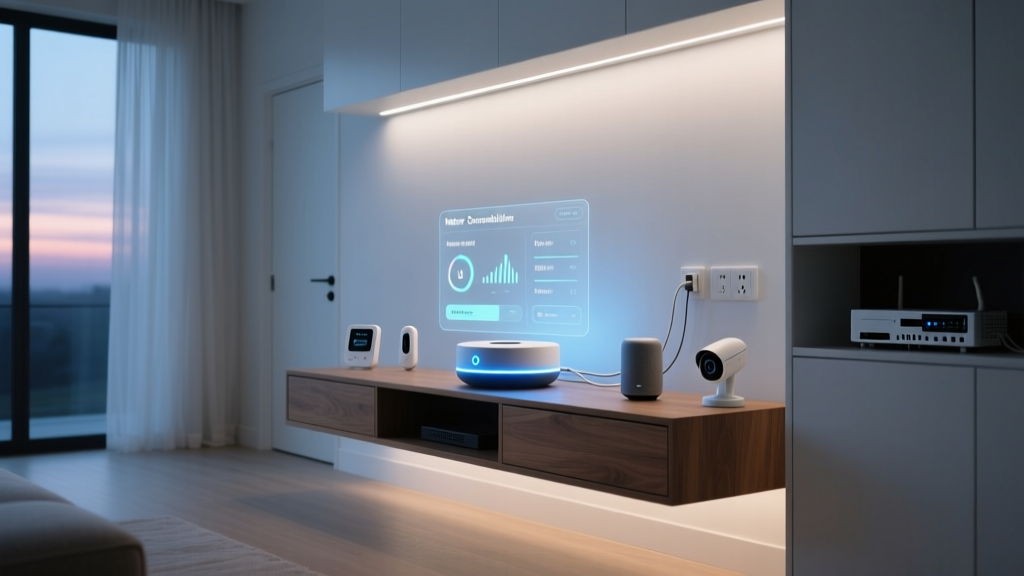
With your plan in place, it is time to begin the physical installation. The smart hub and network infrastructure form the central nervous system of your connected home. Getting this step right ensures every other device you add will function reliably.
Set Up Your Smart Hub or Bridge
Depending on your chosen ecosystem, you will need a central hub or bridge device:
- Unbox and position your hub — Place it in a central, elevated location in your home. For apartments in buildings like those in JBR or Business Bay, a shelf in the living room usually works well. For villas, consider a central hallway or family room on the ground floor.
- Connect to power and internet — Plug the hub into a power outlet and connect it to your router via Ethernet cable for the most stable connection. If Ethernet is not feasible, most modern hubs support Wi-Fi setup.
- Download the companion app — Install the corresponding app (Google Home, Amazon Alexa, Apple Home, or SmartThings) on your smartphone. Create an account if you do not already have one.
- Complete the initial setup wizard — Follow the on-screen instructions to connect your hub to your Wi-Fi network, set your home location to Dubai (this enables location-based automations like sunset lighting), and configure basic preferences.
- Enable two-factor authentication — Security is paramount. Enable 2FA on your smart home account to protect against unauthorized access.
Deploy Your Mesh Wi-Fi System
Dubai's residential construction often features reinforced concrete walls and marble flooring, both of which can severely limit Wi-Fi signal propagation. A mesh Wi-Fi system is highly recommended for consistent coverage throughout your home.
- Place the primary mesh node near your modem/router and connect it via Ethernet
- Position satellite nodes strategically — one per floor for villas, and additional nodes for areas far from the primary router
- Use the mesh system's app to run a network speed test in every room and identify any remaining dead zones
- Create a dedicated IoT network — Many mesh systems allow you to create a separate network specifically for smart home devices. This improves security and reduces congestion on your primary network used for streaming and browsing
Configure Your Smart Home Network Settings
Once your hub and mesh network are operational, take a few minutes to optimize your network settings:
- Assign a static IP address to your smart hub for consistent connectivity
- Enable WPA3 encryption if supported by your router and devices
- Set up guest network access for visitors so your smart home devices remain on a separate, secure network
- Disable WPS (Wi-Fi Protected Setup) as it can be a security vulnerability
Step 3: Install Smart Lighting & Climate Control Devices
Lighting and climate control are the two most impactful categories in any smart home installation in Dubai. Given the extreme summer temperatures that regularly exceed 45°C (113°F), intelligent climate management alone can reduce your DEWA electricity bills by 20–30%. Combined with automated lighting, these systems create a comfortable, energy-efficient living environment.
Install Smart Light Switches & Bulbs
You have two main approaches to smart lighting: smart bulbs or smart switches. Each has its advantages depending on your situation.
Smart Bulbs (Easier for Tenants):
- Turn off the light at the wall switch
- Remove the existing bulb and screw in the smart bulb (ensure it matches the fitting — E27 and B22 are most common in Dubai)
- Turn the wall switch back on
- Open your smart home app and follow the pairing instructions — typically this involves the app searching for new devices on your network
- Name the bulb descriptively (e.g., "Bedroom Main Light" or "Kitchen Pendant")
- Assign it to the correct room in your app
Smart Switches (Better for Homeowners):
- Turn off the circuit breaker for the switch you are replacing — never work on live wiring
- Remove the existing wall switch faceplate and unscrew the switch from the wall box
- Photograph the existing wiring before disconnecting anything — this is your reference if you need to revert
- Disconnect the wires from the old switch
- Connect the wires to your smart switch according to the manufacturer's instructions — most smart switches require a neutral wire, which is standard in most Dubai properties built after 2010
- Secure the smart switch into the wall box and attach the faceplate
- Restore power at the circuit breaker
- Pair the switch with your smart home hub using the companion app
⚡ Dubai Electrical Note: The UAE uses the British-style Type G electrical standard (230V, 50Hz). Ensure all smart switches and electrical devices you purchase are rated for 220–240V and carry proper certification. Products purchased locally from retailers in Dubai typically comply, but be cautious when ordering from international marketplaces.
Set Up Smart Thermostats & AC Control
In Dubai, air conditioning is not a luxury — it is a necessity. Smart climate control is therefore one of the highest-ROI investments you can make in your smart home. Here is how to approach it based on your property type:
For Central AC Systems (Most Apartments & Villas):
- Identify your AC system type — most Dubai properties use either centralized district cooling (common in developments by Emaar, Nakheel, and Meraas) or standalone split/ducted units
- For district cooling systems, install a smart thermostat compatible with your specific system. Popular options available in the UAE include Nest Thermostat, Ecobee, and Honeywell Home T9
- Remove your existing thermostat faceplate (turn off power first)
- Label and disconnect existing wires
- Install the smart thermostat mounting plate and connect wires according to the wiring diagram
- Attach the smart thermostat display and restore power
- Connect the thermostat to your Wi-Fi and smart home ecosystem
- Configure temperature schedules — for Dubai, consider setting higher temperatures (24–26°C) during work hours and cooler temperatures (22–23°C) for evenings and sleeping
For Split AC Units:
If your home uses individual split AC units (common in older buildings in areas like Deira, Bur Dubai, and Al Nahda), you will need a smart IR blaster or a dedicated smart AC controller like Sensibo or Tado. These devices sit in the same room as your AC unit and send infrared commands, essentially giving your existing AC smart capabilities without any wiring changes.
- Mount the smart AC controller on a wall or shelf with a clear line of sight to your AC unit
- Plug it into a power outlet
- Download the companion app and connect to Wi-Fi
- Use the app's IR learning feature to pair with your specific AC brand and model
- Test all functions — power on/off, temperature adjustment, fan speed, and mode selection
- Integrate the controller into your primary smart home ecosystem
Create Automated Climate & Lighting Scenes
Once your devices are installed and connected, create automated scenes and routines tailored to Dubai living:
- "Good Morning" Scene: Lights gradually brighten at 6:30 AM, AC adjusts to a comfortable temperature, and smart blinds open to let in natural light
- "Leave Home" Scene: All lights turn off, AC raises to 28°C to save energy, security cameras activate, and smart locks engage
- "Good Night" Scene: Lights dim and turn off, AC sets to sleeping temperature (23°C), doors lock, and exterior cameras switch to active monitoring
- "Dubai Summer" Routine: Automatically closes smart blinds during peak sun hours (11 AM – 3 PM) to reduce heat gain and lower cooling costs
For more ideas on creating the perfect smart home atmosphere, browse our smart lighting setup guide.
Step 4: Install Smart Security & Access Control Systems
Security is a top priority for homeowners and tenants across Dubai. While the city is consistently ranked among the safest in the world, smart security systems provide peace of mind, remote monitoring capabilities, and can even reduce your home insurance premiums. From smart locks to comprehensive camera systems, this step covers everything you need to secure your property.
Mount Smart Security Cameras
- Choose camera locations — Prioritize entry points (front door, back door, garage), common areas, and for villa owners, perimeter boundaries. In Dubai apartment buildings, focus on your unit's entrance and any balcony access points.
- Check building regulations — Before mounting exterior cameras in apartment buildings or shared community areas, verify with your building management or owners' association (OA). Most communities in Dubai have specific guidelines about camera placement in common areas. Villa owners generally have more flexibility.
- Mount the cameras — Use the included mounting hardware. For outdoor cameras, ensure they are rated for Dubai's climate — look for IP65 or higher ratings to withstand dust storms and extreme heat. Mount cameras at a height of 2.5–3 meters for optimal coverage.
- Connect to power and Wi-Fi — Battery-powered cameras offer flexible placement but require periodic charging. Wired cameras provide more reliable operation. For PoE (Power over Ethernet) cameras, run Ethernet cables from your network switch to each camera location.
- Configure in your smart home app — Add each camera, assign it to a room or zone, and configure motion detection zones to avoid false alerts from passing traffic or neighbors.
- Set up cloud or local storage — Choose a recording plan that fits your needs. Many services offer 7–30 days of cloud storage for a monthly fee. For privacy-conscious users, consider a local NVR (Network Video Recorder) system.
Install Smart Locks & Video Doorbells
Smart locks and video doorbells work together to give you complete control and visibility over who enters your home.
Smart Lock Installation:
- Verify compatibility — check that the smart lock fits your door's existing bore hole and latch configuration. Dubai doors commonly use European-style mortise locks, so ensure you select a compatible model.
- Remove the existing lock hardware from the interior side of the door
- Install the smart lock's exterior assembly, feeding the connection cable through the door
- Install the interior assembly and connect the cable
- Secure all mounting screws and test the mechanical operation of the lock
- Install batteries (most smart locks use 4x AA batteries)
- Pair with your smart home hub and configure access codes for family members
- Set up auto-lock timers — a 30-second auto-lock is recommended for Dubai's urban environment
Video Doorbell Installation:
- Turn off power to your existing doorbell (if wired)
- Remove the old doorbell button
- Connect the smart doorbell wires to your existing doorbell wiring, or install the battery-powered version with the included mounting plate
- Secure the doorbell to your doorframe using the provided screws
- Restore power and wait for the doorbell to boot up
- Connect to Wi-Fi through the companion app
- Configure motion zones, notification preferences, and response messages
- Test the two-way audio and live video feed
Set Up Smart Sensors for Comprehensive Protection
Complete your security system with strategically placed sensors:
- Door & Window Sensors: Install on all entry points. These alert you when a door or window is opened unexpectedly.
- Motion Sensors: Place in hallways, staircases, and main living areas. Configure them to trigger lights or security alerts based on time of day.
- Water Leak Sensors: Essential in Dubai homes — place near washing machines, water heaters, AC units, and under kitchen sinks. Water damage from AC condensation leaks is a common issue in UAE properties.
- Smoke & CO Detectors: Smart smoke detectors send alerts to your phone even when you are away from home, which is invaluable for frequent travelers.
- Temperature Sensors: Monitor rooms for abnormal temperature changes that could indicate AC failure — critical during Dubai's summer months when an AC malfunction can make a home uninhabitable within hours.
Learn more about protecting your connected home in our smart home security guide.
Step 5: Integrate Entertainment, Voice Control & Final Automation
The final phase of your smart home installation in Dubai brings everything together. This is where you integrate your entertainment systems, deploy voice assistants throughout your home, and create the sophisticated automations that make smart living truly effortless.
Set Up Smart Speakers & Voice Assistants
Voice assistants serve as the primary interface for controlling your smart home. Strategic placement ensures you can issue commands from anywhere in your home.
- Place your primary smart speaker in the most-used common area — typically the living room or open-plan kitchen/living area
- Add secondary speakers in bedrooms, kitchen, and home office for whole-home coverage
- Plug in each speaker and follow the app-based setup process to connect to Wi-Fi and your smart home ecosystem
- Assign each speaker to a room in your app — this enables room-specific voice commands like "Turn off the bedroom lights" when speaking to the bedroom speaker
- Enable voice match or voice recognition so the assistant can identify different family members and provide personalized responses
- Link your smart home devices to the voice assistant — in most apps, this is done through a "Skills" or "Works With" section where you authorize third-party device connections
For Dubai residents, both Google Assistant and Alexa support English and Arabic voice commands, making them accessible to a wider range of household members and domestic staff.
Integrate Smart Entertainment Systems
Transform your entertainment experience with these smart integrations:
- Smart TVs: Connect to your ecosystem for voice-controlled channel changes, volume adjustment, and content search. Samsung, LG, and Sony smart TVs offer native integration with major platforms.
- Streaming Devices: Apple TV, Chromecast, or Amazon Fire TV Stick can make any TV smart and integrate with your home automation system.
- Multi-Room Audio: Systems like Sonos, Bose, or Denon HEOS allow you to play synchronized music throughout your home or different tracks in different rooms — perfect for entertaining guests.
- Smart IR Blasters: Control your existing non-smart entertainment equipment (older TVs, sound systems, projectors) through your smart home app using infrared commands.
Create Advanced Automations & Routines
This is where your smart home truly comes alive. Build sophisticated automations that respond to your lifestyle:
Essential Dubai-Specific Automations:
- Sandstorm Mode: When a weather API detects a sandstorm advisory, automatically close all smart blinds, switch AC to recirculation mode, and activate indoor air purifiers
- Prayer Time Lighting: Set subtle lighting reminders that correspond to prayer times, with gentle notifications through your smart speakers
- Ramadan Mode: Create special schedules for Suhoor and Iftar with automated kitchen lighting, pre-set oven temperatures, and adjusted sleep/wake routines
- Vacation Mode: When activated, simulate occupancy by randomly turning lights on and off, playing sounds, and adjusting blinds — ideal for frequent travelers
- Energy Saver: Monitor real-time energy consumption and automatically dim lights or adjust AC when usage exceeds a set threshold
Test Everything Thoroughly
Before declaring your installation complete, conduct a comprehensive test of every system:
- Test every smart light responds to both app and voice commands
- Verify all security cameras are recording and sending notifications correctly
- Test smart locks from both inside and outside, including backup key access
- Run every automation routine and verify each step executes correctly
- Check that all devices reconnect automatically after a simulated Wi-Fi outage (unplug your router for 30 seconds, then plug it back in)
- Test remote access — leave your home and verify you can control and monitor everything from your phone using mobile data
- Share access with family members and confirm their permissions work as intended
For more advanced automation ideas, check out our smart home automation routines guide.
Tools & Products Needed for Smart Home Installation in Dubai
Having the right tools and products on hand before you begin will make your installation smooth and efficient. Here is a comprehensive checklist organized by category.
Essential Tools
| Tool | Purpose | Estimated Cost (AED) |
|---|---|---|
| Phillips & flathead screwdriver set | Mounting devices, installing switches | 30–80 |
| Power drill with masonry bits | Drilling into concrete walls (common in Dubai) | 200–500 |
| Voltage tester / multimeter | Verifying power is off before electrical work | 50–150 |
| Wire strippers & connectors | Preparing wires for smart switch installation | 30–60 |
| Level | Ensuring cameras, thermostats & mounts are straight | 25–80 |
| Ladder or step stool | Reaching ceiling-mounted devices & high cameras | 100–300 |
| Cable management kit | Organizing and hiding wires for a clean look | 30–100 |
| Smartphone or tablet | Running setup apps & testing devices | Already owned |
Core Smart Home Products
| Product Category | Recommended Options | Estimated Cost (AED) |
|---|---|---|
| Smart Hub / Speaker | Google Nest Hub, Echo Show, Apple HomePod | 300–800 |
| Mesh Wi-Fi System | TP-Link Deco, Google Nest Wifi, Eero | 500–1,500 |
| Smart Bulbs (pack of 4) | Philips Hue, WiZ, TP-Link Tapo | 150–600 |
| Smart Switches (per unit) | TP-Link Kasa, Shelly, Sonoff | 80–200 |
| Smart Thermostat | Nest, Ecobee, Honeywell Home | 500–1,200 |
| Smart AC Controller | Sensibo Sky, Tado, Broadlink | 300–700 |
| Security Camera (per unit) | Ring, Eufy, Reolink, Arlo | 250–800 |
| Video Doorbell | Ring Video Doorbell, Nest Doorbell, Eufy | 400–900 |
| Smart Lock | Yale, August, Ultraloq, Samsung | 600–1,500 |
| Sensor Kit (door/window/motion) | Aqara, Ring, SmartThings sensors | 100–400 |
| Smart Blinds / Curtain Motor | SwitchBot, Aqara, Somfy | 400–1,200 |
Where to Buy Smart Home Products in Dubai
Dubai offers excellent options for purchasing smart home equipment both online and in-store:
- Online: Amazon.ae, Noon.com, Sharaf DG Online, Jumbo Online
- Physical Stores: Sharaf DG (multiple mall locations), Jumbo Electronics, Virgin Megastore, ACE Hardware, IKEA (for smart home basics)
- Specialty Retailers: Smart Home specialists in Dubai Internet City and various authorized dealers for premium brands like Control4 and Crestron
- Direct from Manufacturers: Many brands ship directly to the UAE, though be mindful of warranty coverage and voltage compatibility
Troubleshooting Common Smart Home Installation Issues in Dubai
Even with careful planning, you may encounter challenges during your smart home installation. Here are solutions to the most common issues specific to Dubai installations.
Wi-Fi Connectivity Problems
Symptom: Devices frequently disconnect, fail to pair, or respond slowly to commands.
Solutions:
- Thick concrete walls are the #1 cause of Wi-Fi issues in Dubai homes. Add additional mesh nodes to bridge gaps.
- Many smart home devices only support 2.4 GHz Wi-Fi. Ensure your router's 2.4 GHz band is enabled and that devices are connecting to it, not the 5 GHz band.
- Check for channel interference from neighboring apartments. Use a Wi-Fi analyzer app to find the least congested channel.
- If you have 50+ devices, your router may be overwhelmed. Upgrade to a router that supports higher device counts or segment devices across multiple SSIDs.
Smart Switch Wiring Issues
Symptom: Smart switch does not power on, or lights flicker after installation.
Solutions:
- Verify that your wall box has a neutral wire (typically blue or white). Most smart switches require one, and while most Dubai properties have them, older buildings in areas like Satwa or Karama may not.
- If no neutral wire is available, purchase a "no-neutral" smart switch specifically designed for this scenario, or hire an electrician to run a neutral wire.
- Check that the total wattage of connected lights does not exceed the smart switch's rated capacity.
- Ensure all wire connections are tight and properly seated in the terminal blocks.
Device Pairing Failures
Symptom: A new device will not connect to your smart home hub or app.
Solutions:
- Move the device within 3 meters of your hub during initial pairing — you can relocate it after successful connection.
- Reset the device to factory settings and try the pairing process again.
- Ensure your phone and the device are on the same Wi-Fi network during setup.
- Check that your hub's firmware is up to date — outdated firmware can cause compatibility issues with newer devices.
- For Zigbee or Z-Wave devices, ensure your hub supports the specific protocol. You may need a separate bridge or dongle.
AC Control Not Working Properly
Symptom: Smart thermostat or AC controller fails to change temperature or turn the AC on/off.
Solutions:
- For IR-based controllers, ensure there is a clear line of sight between the controller and the AC unit's IR receiver. Even a decorative item blocking the path can cause failures.
- Re-learn the IR codes in the app — sometimes the initial code set does not fully match your AC model.
- For wired thermostats, double-check that all wires are connected to the correct terminals. A miswired C-wire (common wire) is a frequent culprit.
- Contact your district cooling provider (Empower, Tabreed, or DCP) to confirm compatibility with smart thermostats if you are on a district cooling system.
Smart Lock Not Responding
Symptom: Lock does not respond to app commands or the keypad is unresponsive.
Solutions:
- Check battery levels — low batteries are the most common cause of smart lock failures. Replace with high-quality alkaline batteries.
- Verify the lock's Wi-Fi bridge or hub connection is active. Some locks use Bluetooth for direct connection and require a bridge for remote access.
- Ensure the lock bolt is properly aligned with the strike plate. Misalignment can cause the motor to stall and drain batteries rapidly.
- Always keep a physical backup key accessible and stored outside the home (in your car or with a trusted neighbor) in case of electronic failure.
Frequently Asked Questions About Smart Home Installation in Dubai
Do I need a permit to install a smart home system in Dubai?
For most standard smart home installations — including smart bulbs, plugs, cameras inside your unit, and smart speakers — no special permits are required. However, there are important exceptions. If you are installing external security cameras that capture common areas or public spaces, you may need approval from your building management and potentially from the Dubai Police's Surveillance Department (under the SIRA — Security Industry Regulatory Agency framework). Structural modifications, such as running new electrical wiring through walls, should be performed by a licensed electrician registered with the Dubai Municipality. Always check with your building's owners' association or community management before making exterior modifications, especially in master communities governed by developers like Emaar, Nakheel, or Dubai Properties.
Can I install a smart home system in a rented apartment in Dubai?
Yes, absolutely. Many smart home devices are designed to be non-invasive and easily removable, making them perfect for tenants. Smart bulbs, smart plugs, battery-powered cameras, smart speakers, and IR-based AC controllers require no permanent modifications and can be taken with you when you move. For devices that do require installation — such as smart switches, thermostats, or doorbell cameras — get written permission from your landlord before proceeding. Most landlords in Dubai are receptive to smart home upgrades, especially when they add value to the property. Offer to leave the installed devices behind as part of your tenancy or agree to restore the original fixtures when you vacate. Keep all original switches and fixtures in a labeled box so you can easily swap them back at the end of your lease.
How much does a full smart home installation cost in Dubai?
The cost varies significantly based on the size of your property, the scope of automation, and the quality of devices you choose. Here is a realistic breakdown for Dubai:
- Basic Setup (1-2 bedroom apartment): AED 3,000 – 6,000 — Includes smart hub, 4-8 smart bulbs, 1-2 smart plugs, a smart speaker, and a basic security camera.
- Mid-Range Setup (2-3 bedroom apartment or small villa): AED 8,000 – 18,000 — Adds smart switches, smart thermostat or AC controllers, video doorbell, smart lock, multiple cameras, and sensor kit.
- Premium Setup (large villa): AED 25,000 – 80,000+ — Includes professional-grade systems like Control4 or Crestron, motorized blinds, whole-home audio, comprehensive security system, and professional installation.
DIY installation saves 30–50% compared to professional installation services. However, for premium systems and complex wiring, professional installation is strongly recommended and often required for warranty coverage.
Will my smart home devices work during a power outage or internet disruption?
This is a common concern in Dubai, where construction activity can occasionally disrupt services. Here is what happens during outages:
- Power Outage: Most smart devices will turn off and lose connectivity. When power is restored, most quality devices automatically reconnect and resume their last state. Smart locks with battery backup will continue to function. Consider a UPS (Uninterruptible Power Supply) for critical devices like your router, hub, and security cameras.
- Internet Disruption: Cloud-dependent devices (most smart speakers, cameras, and app-based controls) will not function remotely. However, locally controlled devices — such as Zigbee or Z-Wave devices connected to a local hub — may continue to work with physical switches and pre-programmed automations. Invest in a hub that supports local processing (like Samsung SmartThings or Home Assistant) for better offline reliability.
What is the best smart home ecosystem for Dubai residents?
There is no single "best" ecosystem — the right choice depends on your priorities and existing devices. Here is a quick recommendation framework:
- Choose Google Home if: You want the best voice recognition, use Android phones, and want broad device compatibility at affordable prices. Google Assistant handles both English and Arabic well.
- Choose Amazon Alexa if: You want the largest selection of compatible devices, enjoy creating complex routines, and want budget-friendly smart speakers and displays.
- Choose Apple HomeKit if: Privacy is your top priority, your household primarily uses iPhones and iPads, and you prefer a curated selection of premium, well-designed devices.
- Choose Control4 or Crestron if: You own a luxury villa, want a fully integrated professional system with dedicated touchscreens, and have the budget for professional installation and ongoing support.
Many Dubai residents successfully mix and match ecosystems using bridging platforms like Samsung SmartThings or IFTTT (If This Then That) to connect devices across different brands. The key is ensuring your core devices — hub, lighting, and security — are on the same platform for seamless automation.
Ready to start your smart home journey? Explore our complete collection of smart home guides for more detailed tutorials, product reviews, and expert tips tailored to UAE homeowners and tenants.