Smart Home Setup in Glen Rock: Your Complete Installation Guide
Transforming your Glen Rock home into a fully connected smart home is one of the most rewarding upgrades you can make. Whether you own a classic colonial near the Glen Rock train station or a newer build in the Rosedale section, a well-planned smart home setup adds convenience, security, and energy efficiency to your daily life.
This comprehensive guide walks you through every step of installing and configuring a smart home system tailored to the needs of Glen Rock homeowners. From choosing the right hub to wiring smart switches in older homes, we cover it all.
Project Overview
Difficulty Level: Intermediate (some electrical knowledge helpful)
Estimated Time: 1–3 days (depending on number of devices)
Cost Range: $300–$2,500+ depending on scope
Best For: Homeowners and renters in Glen Rock, NJ looking to automate lighting, security, climate, and entertainment
Planning Your Smart Home Setup in Glen Rock
Before purchasing a single device, take time to plan your smart home setup. Glen Rock homes vary widely — from pre-war houses with older wiring to modern constructions with updated electrical systems. Understanding your home's infrastructure is the first critical step.
Assess Your Home's Infrastructure
Start by evaluating the following areas of your Glen Rock home:
- Electrical wiring: Many older Glen Rock homes, particularly those built before the 1960s, may lack neutral wires in their switch boxes. This is crucial because most smart switches require a neutral wire to function properly. Open a switch plate and check for a bundle of white wires to confirm.
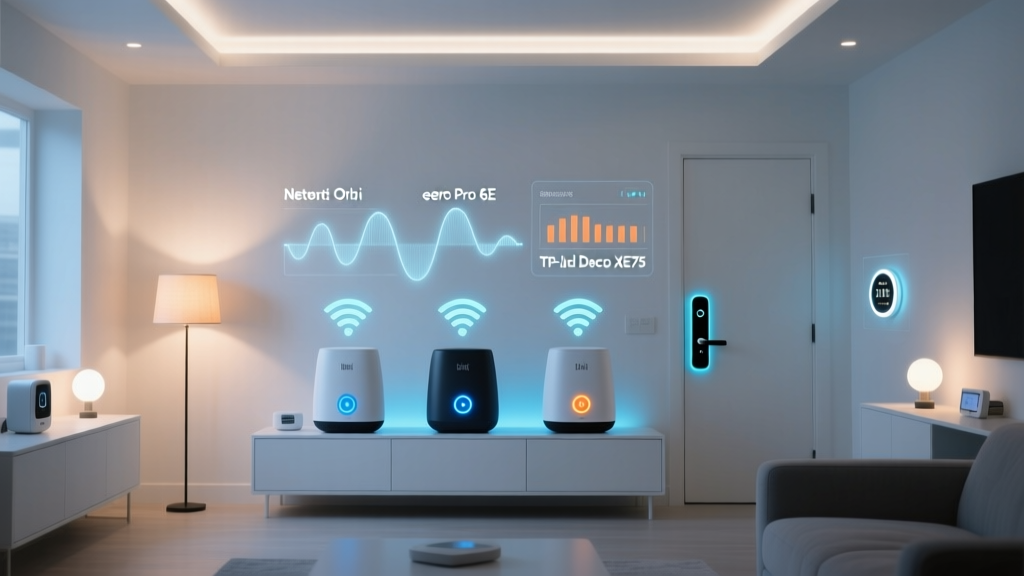
- Wi-Fi coverage: Smart home devices rely heavily on a stable internet connection. Test your Wi-Fi signal strength in every room using a free app like Wi-Fi Analyzer. Glen Rock homes with thick plaster walls or stone foundations may need a mesh Wi-Fi system to ensure full coverage.
- Internet speed: A smart home with cameras, streaming devices, and multiple connected gadgets needs robust bandwidth. Most Glen Rock residents have access to fiber and cable internet through providers like Verizon Fios and Optimum. Aim for at least 100 Mbps download speed for a smooth smart home experience.
- Existing HVAC system: If you plan to install a smart thermostat, check whether your system uses a C-wire (common wire). Older heating systems common in Glen Rock may need an adapter or a professional HVAC assessment.
Choose Your Smart Home Ecosystem
Selecting a primary ecosystem is one of the most important decisions in your smart home installation journey. The three major platforms are:
- Amazon Alexa: Best for broad device compatibility and voice control. Works with thousands of third-party products and is ideal for Glen Rock families who want flexibility.
- Google Home: Excellent for users deeply integrated into Google services. Offers superior voice recognition and smart display options like the Nest Hub.
- Apple HomeKit: Best for iPhone users who prioritize privacy and seamless integration with Apple devices. Device selection is more limited but quality is consistently high.
You can also consider setting up a smart home hub that bridges multiple ecosystems, giving you the flexibility to mix and match devices from different manufacturers.
Create a Room-by-Room Plan
Map out which rooms will receive smart devices and what functions you want to automate. A typical Glen Rock home smart setup might include:
- Entryway & exterior: Smart locks, video doorbells, outdoor cameras, and porch lighting
- Living room: Smart lighting, streaming devices, smart speakers, and automated blinds
- Kitchen: Smart displays, connected appliances, and leak sensors
- Bedrooms: Smart bulbs, automated fans, and sleep-tracking devices
- Basement: Water leak sensors, smart smoke detectors, and humidity monitors
- Garage: Smart garage door openers and motion-activated lighting
Essential Tools & Products for Your Installation
Having the right tools and products on hand before you begin your smart home setup in Glen Rock will save you time and frustration. Here is a comprehensive list organized by category.
Tools You Will Need
- Phillips & flathead screwdrivers (multiple sizes)
- Voltage tester or non-contact voltage detector
- Wire strippers & wire nuts
- Power drill with assorted bits
- Level (for mounting cameras and displays)
- Stud finder
- Electrical tape
- Ladder (for exterior camera and doorbell installation)
- Smartphone or tablet (for device configuration)
- Label maker or masking tape (for labeling wires and circuits)
Core Smart Home Products
- Smart hub or bridge: Samsung SmartThings Hub, Amazon Echo (4th Gen), or Apple HomePod Mini
- Mesh Wi-Fi system: Eero, Google Nest Wifi, or TP-Link Deco for full coverage throughout your Glen Rock property
- Smart switches & dimmers: Lutron Caséta, Leviton Decora Smart, or Kasa Smart switches
- Smart thermostat: Ecobee SmartThermostat, Google Nest Learning Thermostat, or Honeywell Home T9
- Smart lock: August Wi-Fi Smart Lock, Schlage Encode, or Yale Assure Lock 2
- Video doorbell: Ring Video Doorbell Pro 2, Google Nest Doorbell, or Eufy Video Doorbell
- Smart bulbs: Philips Hue, LIFX, or Sengled smart LED bulbs
- Smart plugs: Kasa Smart Plugs or Wemo Mini for controlling lamps and small appliances
- Smart sensors: Motion sensors, door/window contact sensors, water leak detectors, and smoke/CO detectors
- Security cameras: Indoor and outdoor options from Arlo, Ring, Eufy, or Wyze
For a detailed comparison of the best products for each category, visit our smart home installation resource center for expert reviews and recommendations.
Step-by-Step Smart Home Installation Guide
With your plan in place and tools gathered, it is time to begin the physical installation. Follow these steps in order for the smoothest smart home setup experience in your Glen Rock home.
Step 1: Upgrade Your Network Foundation
Your network is the backbone of your smart home. Start here:
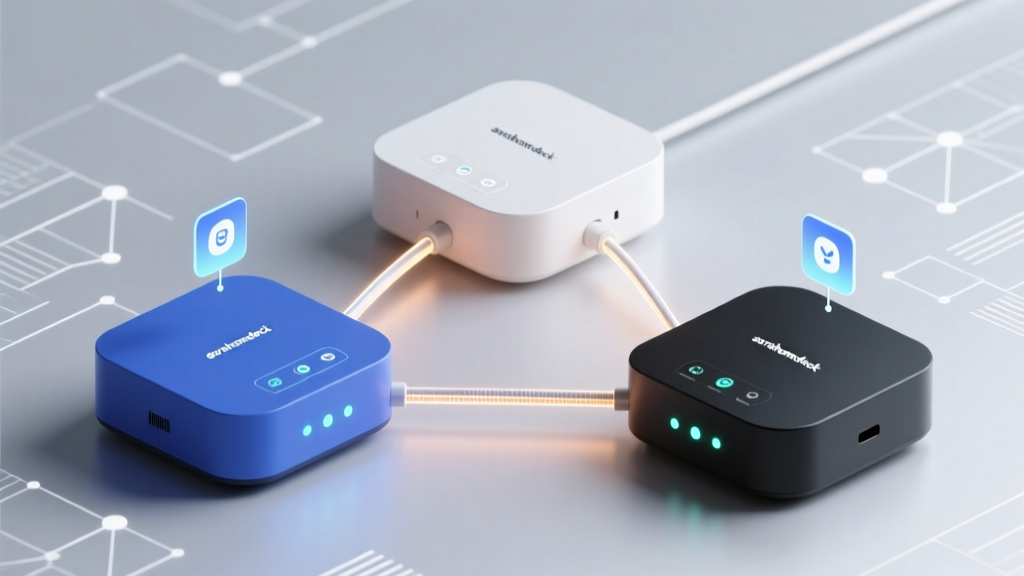
- Install your mesh Wi-Fi system. Place the primary node near your modem, typically in the basement or utility room of your Glen Rock home. Position satellite nodes on each floor to ensure even coverage. For a typical two-story Glen Rock home, a two- or three-node mesh system is usually sufficient.
- Create a dedicated IoT network. Most modern routers allow you to create a guest network or VLAN. Assign all smart home devices to this separate network for improved security and to prevent IoT devices from consuming bandwidth needed for streaming and work.
- Label your network clearly. Use a unique SSID name and a strong WPA3 password. Avoid using your address or any personally identifiable information in the network name.
- Test coverage everywhere. Walk through every room, the garage, and the yard with your phone. Check for dead zones, especially in basements and attics common in Glen Rock's older homes.
Step 2: Install Smart Switches & Dimmers
Smart lighting is often the most impactful upgrade in a smart lighting installation. Here is how to install smart switches safely:
- Turn off power at the circuit breaker. Use your voltage tester to confirm the power is off before touching any wires. This is non-negotiable for safety.
- Remove the existing switch plate and switch. Take a photo of the current wiring before disconnecting anything. This serves as your reference if you need to revert.
- Identify your wires. You should see a line (hot) wire, a load wire, a ground wire, and hopefully a neutral wire. In older Glen Rock homes, neutral wires may not be present in every switch box.
- Connect the smart switch. Follow the manufacturer's wiring diagram precisely. Typically: line wire to line terminal, load wire to load terminal, neutral to neutral, and ground to ground.
- Secure the switch in the wall box and attach the faceplate. Smart switches are often deeper than standard switches, so you may need to neatly fold wires to fit.
- Restore power and test. The switch should power on and enter pairing mode.
⚠️ Important for Glen Rock homeowners: If your home was built before 1950 and you discover you do not have neutral wires, consider using Lutron Caséta switches, which do not require a neutral wire, or hire a licensed electrician to run new wiring.
Step 3: Mount Your Video Doorbell & Security Cameras
Security is a top priority for Glen Rock residents. Here is how to install your video doorbell and exterior cameras:
- Choose mounting locations. For the doorbell, position it at approximately 48 inches from the ground. For exterior cameras, mount at 8–10 feet high to prevent tampering while maintaining a clear field of view.
- Check for existing doorbell wiring. Most Glen Rock homes have existing low-voltage doorbell wiring (16-24V). Remove your old doorbell button and check for two wires behind it.
- Install the mounting bracket. Use the included template to mark drill holes. If mounting on brick or stone (common in Glen Rock's older neighborhoods), use masonry bits and anchors.
- Connect the wires to the new doorbell. Attach the two existing doorbell wires to the terminals on the back of the video doorbell. Polarity typically does not matter for most models.
- Attach the doorbell to the bracket and power on. The device should boot up and guide you through Wi-Fi setup via its companion app.
- Adjust the chime settings. If you have a mechanical chime inside your home, you may need to install the included power kit at your chime box to ensure proper voltage delivery.
Step 4: Install Your Smart Thermostat
Glen Rock experiences all four seasons, making a smart thermostat one of the most valuable investments for year-round comfort and energy savings.
- Turn off your HVAC system at the breaker. This prevents short-circuiting your control board during installation.
- Remove your existing thermostat faceplate. Take a clear photo of the wire labels and terminal connections.
- Label each wire. Use the stickers provided with your new thermostat to label each wire according to its terminal (R, W, Y, G, C, etc.).
- Check for a C-wire. The C-wire (common wire) provides continuous power to smart thermostats. If you do not have one, many thermostats include a C-wire adapter kit that installs at your furnace control board.
- Mount the new baseplate. Use a level to ensure it is straight, then thread the wires through and secure it to the wall.
- Connect the wires to the new thermostat. Match each labeled wire to its corresponding terminal on the new baseplate.
- Attach the faceplate and restore power. The thermostat should boot up and begin its setup wizard.
Step 5: Deploy Sensors Throughout Your Home
Sensors are the unsung heroes of any smart home setup. They trigger automations and keep your Glen Rock home safe and efficient.
- Door & window sensors: Place on all entry points. These detect open/close status and can trigger lights, alerts, or HVAC adjustments.
- Motion sensors: Install in hallways, staircases, and high-traffic areas. Position at chest height (about 5–6 feet) for optimal detection.
- Water leak sensors: Place near your water heater, washing machine, sump pump, and under kitchen & bathroom sinks. Glen Rock's older plumbing systems make these especially valuable.
- Smoke & CO detectors: Replace aging detectors with smart versions that send phone alerts. Install one on every level and near every sleeping area per New Jersey building code requirements.
Configuring & Connecting Your Devices
Physical installation is only half the battle. Proper configuration is what transforms a collection of gadgets into a cohesive smart home. Follow this systematic approach to get everything working together in your Glen Rock home.
Connect Devices to Your Hub & App
- Download the companion app for your chosen ecosystem (Alexa, Google Home, Apple Home, or SmartThings).
- Add each device one at a time. Open the app, select "Add Device," and follow the on-screen pairing instructions. Most devices use Bluetooth or Wi-Fi for initial setup.
- Assign each device to a room. This makes voice commands more intuitive. For example, saying "Alexa, turn off the living room lights" only works if your lights are assigned to the correct room.
- Name devices clearly and consistently. Use a naming convention like "[Room] [Device Type]" — for example, "Kitchen Main Light" or "Front Door Lock." Avoid creative names that voice assistants may misinterpret.
- Update firmware on every device. After pairing, check for firmware updates immediately. Manufacturers frequently release updates that improve performance and patch security vulnerabilities.
Create Automations & Routines
Automations are what make your smart home truly intelligent. Here are some practical routines for Glen Rock homeowners:
- Morning routine: At 6:30 AM on weekdays, gradually brighten bedroom lights to 50%, start the coffee maker (via smart plug), read the weather forecast, and adjust the thermostat to your daytime setting.
- Leaving home routine: When your phone leaves a geofenced area around your Glen Rock home, lock all doors, turn off all lights, set the thermostat to eco mode, and arm security cameras.
- Evening routine: At sunset, turn on exterior lights and porch light. Dim living room lights to 30%. Lock all doors and close the garage if it is still open.
- Goodnight routine: When you say "Goodnight," turn off all lights, lock all doors, set the thermostat to sleep temperature, arm the security system, and enable motion-triggered hallway night lights.
- Weather response: If a freeze warning is issued (common during Glen Rock winters), automatically set the thermostat to a minimum of 55°F and send an alert to your phone to check exposed pipes.
Secure Your Smart Home Network
Security should be a top concern for any smart home setup. Protect your Glen Rock home's digital perimeter with these steps:
- Enable two-factor authentication (2FA) on every smart home account — your hub app, camera accounts, and smart lock apps.
- Change default passwords on every device, especially cameras and routers. Use a password manager to generate and store unique, strong passwords.
- Disable remote access on devices you only use locally. If you do need remote access, use the manufacturer's official app rather than port forwarding.
- Regularly review connected devices in your router's admin panel. Remove any devices you no longer use or recognize.
- Keep firmware updated. Set up automatic updates wherever possible to ensure your devices always have the latest security patches.
Troubleshooting Common Smart Home Setup Issues
Even with careful planning, you may encounter issues during your Glen Rock smart home installation. Here are solutions to the most common problems.
Device Won't Connect to Wi-Fi
- Ensure the device is within range of your router or mesh node. Many smart home devices only support 2.4 GHz Wi-Fi, so make sure your router is broadcasting a 2.4 GHz band.
- Move closer to the router during initial setup, then relocate the device once connected.
- Restart both the device and your router. Power-cycle the device by unplugging it for 30 seconds.
- Check if your Wi-Fi password contains special characters that some devices cannot process. Simplifying the password temporarily may help.
Smart Switch Not Responding
- Verify that the circuit breaker is on and that power is reaching the switch using your voltage tester.
- Check that the neutral wire connection is secure. A loose neutral is the most common cause of smart switch malfunctions.
- Confirm the switch is compatible with your bulb type. Some smart dimmers flicker or buzz when paired with incompatible LED bulbs.
- Reset the switch to factory settings by holding the button for 10–15 seconds (consult your manual for exact instructions).
Thermostat Not Controlling HVAC
- Double-check that every wire is in the correct terminal. A wire in the wrong terminal can prevent heating or cooling from activating.
- Verify the C-wire is providing power. If the thermostat screen keeps going blank, the C-wire connection may be loose at the furnace end.
- Check the furnace control board for a blown fuse. Installing a thermostat with the power on can sometimes blow the 3A fuse on the control board.
- Ensure your HVAC system type is correctly selected in the thermostat app settings (conventional vs. heat pump, single-stage vs. multi-stage).
Video Doorbell Not Recording or Sending Alerts
- Check your subscription status. Many doorbell brands require a monthly subscription for cloud recording and advanced alerts.
- Verify that motion zones are properly configured. Overly sensitive zones may cause excessive false alerts from passing cars on your Glen Rock street.
- Ensure the doorbell has adequate voltage. Use a multimeter to check that your transformer is delivering at least 16V AC.
- Check your upload speed. Video doorbells need at least 2 Mbps upload speed to stream and upload clips reliably.
Devices Dropping Offline Frequently
- Too many devices on a single Wi-Fi network can cause congestion. Consider upgrading to a router that supports more simultaneous connections or adding a dedicated smart home hub that uses Zigbee or Z-Wave protocols instead of Wi-Fi.
- Interference from neighboring Wi-Fi networks can cause drop-offs. Use a Wi-Fi analyzer app to find the least congested channel and switch your router to it.
- For Zigbee and Z-Wave devices, ensure you have enough mains-powered devices acting as repeaters to strengthen the mesh network throughout your home.
Frequently Asked Questions
Do I need a professional to install a smart home system in Glen Rock?
Many smart home devices are designed for DIY installation and can be set up by homeowners with basic tools and technical comfort. Smart plugs, bulbs, sensors, and most thermostats are straightforward to install yourself. However, if your Glen Rock home has outdated wiring, lacks neutral wires in switch boxes, or requires new electrical circuits for outdoor cameras, hiring a licensed electrician is strongly recommended. New Jersey requires electrical permits for certain modifications, and a professional will ensure your installation meets local code requirements in Glen Rock and the greater Bergen County area.
How much does a full smart home setup cost in Glen Rock?
The cost varies significantly based on the scope of your project. A basic setup with a smart speaker, a few smart bulbs, a smart plug, and a video doorbell can cost between $300 and $500. A mid-range installation adding smart switches throughout, a smart thermostat, smart locks, and a few security cameras typically runs $1,000 to $2,500. A comprehensive whole-home setup with motorized blinds, multi-room audio, advanced security, and professional installation can exceed $5,000 to $10,000. The good news is that you can start small and expand gradually, spreading the cost over time while building your smart home ecosystem piece by piece.
Will smart home devices work during a power outage?
Most smart home devices require electricity and an internet connection to function, so they will not work during a power outage unless you have backup power. Smart locks with battery backup or manual key override will still allow you to lock and unlock your doors. Battery-powered sensors and cameras may continue to operate but will lose connectivity if your router goes down. For Glen Rock homeowners concerned about outages — which can occur during nor'easters and summer storms — consider investing in an uninterruptible power supply (UPS) for your router and smart home hub. This can keep your core smart home functions running for several hours during an outage.
Are smart home devices compatible with older Glen Rock homes?
Yes, but with some considerations. Older homes in Glen Rock, particularly those built before the 1960s, may present challenges such as a lack of neutral wires in switch boxes, outdated knob-and-tube wiring, limited electrical outlets, or insufficient low-voltage doorbell wiring. Solutions include using smart switches that do not require a neutral wire (such as Lutron Caséta), installing smart bulbs instead of smart switches in rooms without neutral wires, and using battery-powered devices where hardwired options are not feasible. If your home has knob-and-tube wiring, consult a licensed electrician before installing any smart switches or outlets, as this type of wiring may need to be updated to safely support modern electrical devices.
How do I maintain my smart home system after installation?
Ongoing maintenance keeps your smart home running smoothly and securely. Create a monthly routine that includes checking for firmware updates on all devices, reviewing security camera footage storage and subscription status, testing smoke and CO detector functionality, and inspecting battery levels on wireless sensors and locks. Quarterly, review your automation routines to ensure they still match your lifestyle, clean camera lenses and motion sensor surfaces, and audit your network for any unrecognized connected devices. Annually, replace batteries in sensors and locks proactively before they die, review and update all passwords, and evaluate whether any devices need upgrading. For more maintenance tips, explore our complete smart home installation and maintenance guides.
Ready to Start Your Glen Rock Smart Home Setup?
Whether you are starting with a single smart bulb or planning a whole-home transformation, the key is to begin with a solid plan and build systematically. Take it one room at a time, test thoroughly, and enjoy the convenience and security that a well-designed smart home brings to your daily life in Glen Rock.
Explore more smart home installation guides for detailed tutorials on specific devices and systems.