Introduction to Smart Home Electrical Safety
Upgrading to a smart home is one of the most rewarding DIY projects a homeowner can undertake. From installing Lutron Caseta smart dimmers to wiring an Ecobee SmartThermostat, the promise of automated convenience and energy savings is immense. However, behind every smart switch, automated outlet, and Wi-Fi-enabled thermostat lies your home's 120-volt or 24-volt electrical system. While swapping a standard toggle switch for a smart one seems straightforward, the underlying wiring in many homes—especially those built before 1985—can present severe compatibility issues and hidden dangers.
According to the National Fire Protection Association (NFPA), electrical failures or malfunctions are consistently among the leading causes of home structure fires. Attempting to force a smart home device onto an incompatible or degraded circuit doesn't just result in a flickering light; it can lead to melted wire nuts, tripped arc-fault breakers, or catastrophic electrical fires. This comprehensive guide will walk you through troubleshooting the most common smart home electrical wiring problems, identifying the dreaded 'missing neutral' wire, and understanding exactly when to put down the wire strippers and call a licensed electrician.
Common Smart Home Wiring Problems and Troubleshooting
1. Smart Switch Flickering or Failing to Power On
The most frequent complaint among DIY smart home installers is LED flickering or a smart switch that refuses to boot up. Smart switches require a constant trickle of electricity to keep their internal Wi-Fi, Zigbee, or Z-Wave radios powered, even when the light itself is turned 'off'.
- The Neutral Wire Issue: Standard mechanical switches only break the 'Line' (hot) wire. Smart switches usually require a 'Neutral' wire to complete the circuit for their internal electronics. If your switch box lacks a neutral wire, the device will either not turn on or will 'power steal' through the LED bulb, causing severe flickering.
- The LED Compatibility Issue: Older smart dimmers use TRIAC technology, which often clashes with modern low-wattage LED drivers. If you are using a premium smart dimmer like the Lutron Caseta PD-6WCL, ensure your bulbs are on the manufacturer's tested compatibility list.
- The Fix: If you have a neutral wire but still experience flickering with LED bulbs, install a bypass resistor (such as the Lutron LUT-MLC) across the first and last fixture in the circuit. This provides the necessary minimum load for the smart dimmer to function correctly.
2. Smart Thermostat Power Loss and Short Cycling
Smart thermostats like the Nest Learning Thermostat or Ecobee require a continuous 24V AC power source. Older HVAC systems often only have 2, 3, or 4 wires (R, W, Y, G) and lack the crucial 'C-Wire' (Common Wire).
- Power Stealing Dangers: Some smart thermostats attempt to 'steal' power by briefly pulsing the heating or cooling circuit. This can cause your HVAC system to short-cycle, click rapidly, or worse, blow the 3-amp fuse on your furnace control board.
- The Fix: Check your HVAC control board for an unused 'C' terminal. If you have an unused wire in your thermostat cable bundle, connect it to the 'C' terminal at both the furnace and the thermostat. If no spare wire exists, you must either install a 24V C-Wire Adapter (plugs into a standard wall outlet and injects power at the thermostat) or call a pro to pull a new 18/5 thermostat wire.
3. Smart Plugs Overheating or Tripping Breakers
Smart plugs are fantastic for lamps and fans, but they are frequently misused for high-draw appliances. A standard 15-amp smart plug can safely handle up to 1,800 watts. Plugging a portable space heater (often 1,500W) and a window AC unit into the same circuit via smart plugs can easily overload the wiring, causing the plug's internal relay to overheat or the breaker to trip.
Always calculate the total wattage of the devices connected to a smart plug. Never use a standard indoor smart plug for high-draw appliances like space heaters, microwaves, or sump pumps. The Consumer Product Safety Commission (CPSC) strongly advises against using extension cords or plug-in adapters for high-wattage heating appliances due to severe fire risks.
The Missing Neutral Wire Dilemma in Older Homes
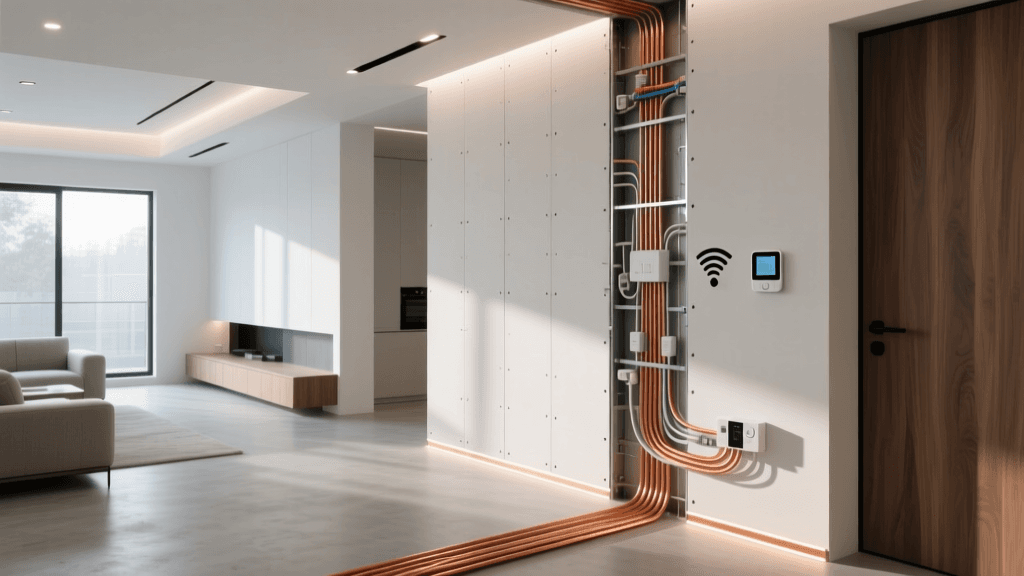
If your home was built before the mid-1980s, there is a high probability that your light switch boxes do not contain a neutral wire. In older wiring methods, electricians ran the hot (Line) and switched hot (Load) wires to the switch, but left the neutral wire capped off in the ceiling fixture box to save on copper costs.
How to test for a neutral wire:
- Turn off the breaker and verify power is off using a Non-Contact Voltage Tester (NCVT).
- Remove the switch faceplate and pull the switch out of the gang box.
- Look for a bundle of white wires capped together in the back of the box. Note: A single white wire connected directly to the switch is likely a 'switch loop' hot wire, not a neutral.
- If you have a multimeter, turn the power back on, set the dial to AC Voltage (V~), and test between the Line (black) wire and the bundle of white wires. A reading of ~120V confirms a true neutral.
Solutions for Missing Neutrals:
- DIY Route: Purchase smart switches specifically designed to work without a neutral wire, such as the Lutron Caseta PD-6WCL or GE Enbrighten No-Neutral switches. These use advanced power-stealing technology that is safe for most incandescent and compatible LED bulbs.
- Pro Route: Hire an electrician to 'pull a neutral' from the nearest ceiling fixture or outlet down to the switch box. This typically involves fishing a new 14/2 or 12/2 Romex cable through finished drywall.
DIY vs. Professional: What Can You Safely Handle?
Knowing your limits is the most critical aspect of smart home installation. Use the table below to determine whether a task is within your DIY skill set or requires a licensed professional.
| Electrical Task | Skill Level | Risk Factor | Avg. Professional Cost |
|---|---|---|---|
| Swapping standard switch for smart switch (Neutral present) | Beginner | Low | $95 - $150 |
| Installing Smart Thermostat (C-Wire present) | Beginner | Low (24V) | $120 - $180 |
| Adding a Smart Breaker to Main Panel | Expert / Pro Only | Extreme (Lethal) | $250 - $450 |
| Pulling new Neutral Wire to switch box | Advanced / Pro | Medium | $200 - $400 |
| Upgrading 15A circuit to 20A for smart appliances | Pro Only | High | $300 - $600 |
| Installing Smart C-Wire Adapter at HVAC Board | Intermediate | Medium | $150 - $250 |
Red Flags: Stop Immediately and Call a Licensed Electrician
While troubleshooting, you may uncover underlying electrical hazards that have nothing to do with your smart devices. The U.S. Fire Administration (USFA) warns that outdated wiring and overloaded circuits are primary culprits in residential electrical fires. If you encounter any of the following red flags, stop your smart home project immediately and call a licensed electrician:
- Burn Marks or Melted Plastic: If the old switch, wire nuts, or the plastic gang box shows any signs of scorching, melting, or a distinct acrid odor, the circuit has been overheating. This requires immediate professional remediation.
- Aluminum Wiring: Homes built in the 1960s and 1970s sometimes used aluminum branch circuit wiring. Aluminum expands and contracts differently than copper, leading to loose connections and fires. Most smart switches are rated for copper only. You will need an electrician to 'pigtail' the aluminum wires with copper using specialized AlumiConn or COPALUM connectors.
- Knob-and-Tube Wiring: Found in homes built before 1950, this ungrounded wiring system lacks a ground wire entirely and poses a massive insurance and safety liability. Smart home devices requiring a ground cannot be safely installed.
- Frequent AFCI/GFCI Tripping: If installing a smart switch causes your Arc Fault Circuit Interrupter (AFCI) breaker to trip, you may have a shared neutral, a damaged wire staple, or a ground fault in the wall. Do not simply swap the breaker; the wiring must be diagnosed with a megohmmeter by a pro.
- Double-Tapped Breakers: If you open your electrical panel and see two wires shoved under a single breaker screw (not designed for it), your panel is a fire hazard. Adding smart home loads to this panel is highly discouraged until it is corrected.
Understanding the Costs: Smart Home Electrical Upgrades
Budgeting for a whole-home smart upgrade requires factoring in potential electrical remediation. While the devices themselves have a fixed retail price, the underlying electrical prep work varies wildly based on your home's age and layout. The chart below illustrates the average professional costs for common electrical tasks required to support a robust smart home ecosystem.
As the data indicates, while swapping a switch or outlet is relatively inexpensive, upgrading an electrical panel to handle the dedicated circuits required for smart home hubs, server racks, or heavy automated appliances is a major capital investment. Always request a detailed quote that separates material costs from labor.
Essential Tools for Safe DIY Troubleshooting
If you determine that your project is safe for DIY, you must use the correct tools to verify your wiring before making any connections. Relying on wire color alone is a common and dangerous mistake; previous homeowners or amateur handymen may have wired switches incorrectly.
- Non-Contact Voltage Tester (NCVT): A tool like the Klein Tools NCVT-1 is your first line of defense. Use it to verify that the breaker is truly off before touching any bare copper. Test it on a known live outlet first to ensure the battery is working.
- Digital Multimeter: Essential for identifying Line, Load, and Neutral wires. A Fluke 117 or a budget-friendly AstroAI multimeter allows you to measure AC voltage and continuity safely.
- Wire Strippers and Wago Connectors: Ditch the cheap plastic twist-on wire nuts. Wago Lever-Nuts (like the 221 series) provide a secure, vibration-proof connection that is vastly superior for the low-current, continuous-draw environments of smart switches. They also make future troubleshooting significantly easier.
- Insulated Screwdrivers: Always use VDE-certified insulated screwdrivers when working near live panels or testing circuits to prevent accidental short circuits and shocks.
Conclusion
Building a smart home is a journey that bridges the gap between modern software and legacy hardware. While the allure of DIY installation is strong, respecting the raw power of your home's electrical system is paramount. By understanding the nuances of neutral wires, C-wires, and LED compatibility, you can successfully troubleshoot the majority of smart home hiccups. However, recognizing the red flags of degraded wiring, aluminum circuits, and overloaded panels is the hallmark of a responsible homeowner. When in doubt, prioritize your safety and the integrity of your home by bringing in a licensed electrician to lay the proper groundwork for your automated future.