The Allure and Danger of DIY Smart Home Wiring
The modern smart home promises unparalleled convenience, energy efficiency, and security. From automated lighting scenes that mimic your daily routine to intelligent thermostats that learn your heating preferences, the ecosystem of connected devices is vast and inviting. For many homeowners, the installation of these devices is a rewarding DIY project. Swapping out a standard light switch for a smart Wi-Fi switch or installing a video doorbell can often be accomplished with basic tools and a few YouTube tutorials. However, the line between a simple weekend project and a severe electrical hazard is thinner than most DIY enthusiasts realize.
According to the National Fire Protection Association (NFPA), electrical failures or malfunctions are historically a leading cause of home structure fires, resulting in billions of dollars in direct property damage annually. When you introduce smart home technology—which often requires continuous power, specific voltage requirements, and complex wiring configurations—into an aging electrical system, the risk of overloading circuits, creating arc faults, or improperly grounding devices increases exponentially. The U.S. Consumer Product Safety Commission (CPSC) consistently warns that improper wiring, ungrounded systems, and overloaded circuits contribute to thousands of severe injuries and fatal accidents every year. This comprehensive guide will help you troubleshoot common smart home wiring problems, identify the critical red flags that demand professional intervention, and understand the true costs of hiring a licensed electrician.
The Neutral Wire Dilemma: Why Your Smart Switch Won't Work
One of the most common stumbling blocks for DIY smart home installers is the absence of a neutral wire in the switch box. To understand why this is a problem, you must first understand how traditional and smart switches operate. A standard mechanical single-pole switch simply breaks the 'line' (hot) wire to interrupt the flow of electricity to the light fixture. It does not require a neutral wire because the switch itself consumes no power.
Smart switches, such as the popular GE Cync or Leviton Decora Smart Wi-Fi switches, are essentially small computers. They contain internal radios (Wi-Fi, Z-Wave, or Zigbee) that must remain powered 24/7 to listen for commands from your smartphone or voice assistant, even when the light is turned off. To maintain this standby power, the smart switch requires a complete 120-volt circuit, which means it needs both a Line (hot) wire and a Neutral wire.
Troubleshooting Steps:
- Visual Inspection: Turn off the breaker, remove the existing switch, and look inside the electrical box. A neutral wire is typically a bundle of white wires capped together and pushed into the back of the box. However, in older homes with 'switch loops,' a white wire might actually be the hot wire, marked with black tape or paint.
- Multimeter Testing: If you have a multimeter, set it to AC Voltage. With the breaker on (and extreme caution), test the suspected neutral wire against the bare copper ground wire. If it reads near 0V, it is likely a true neutral. If it reads 120V, it is a hot wire.
When to Call a Pro: If your switch box lacks a neutral wire, you have two main options. You can purchase specialized smart switches that do not require a neutral wire, such as the Lutron Caseta line, which uses advanced phase-cut dimming technology to trickle power through the bulb. However, if you are committed to a specific brand that requires a neutral, or if you want to add smart plugs and receptacles to that circuit, you must hire an electrician to pull a new neutral wire from the nearest junction box or the main panel. Attempting to fish new wires through finished drywall without proper tools and experience often results in damaged walls and code violations.
The Thermostat C-Wire Conundrum
Upgrading to a smart thermostat like the Ecobee SmartThermostat or the Google Nest Learning Thermostat is a staple of smart home adoption. Unlike older programmable thermostats that ran on batteries or 'stole' micro-amps of power from the heating control wires, modern smart thermostats with vibrant touchscreens, Wi-Fi connectivity, and built-in voice assistants require a dedicated 24-volt AC power source. This is known as the Common wire, or C-wire.
When a DIYer installs a smart thermostat without a C-wire, the device may attempt to 'power steal' by pulsing the heating or cooling relays. This can lead to severe HVAC issues, including:
- Contactor Chatter: The HVAC relay rapidly clicks on and off, which can destroy the control board of your furnace or air handler.
- Wi-Fi Dropping: The thermostat reboots constantly when the HVAC system kicks on, causing it to lose connection to your smart home hub.
- Short Cycling: The HVAC system turns on and off prematurely, leading to excessive wear and tear and inflated energy bills.
When to Call a Pro: If you open your current thermostat and do not see a wire connected to the 'C' terminal, you need to run a new thermostat cable (typically 18/5 or 18/8 gauge) from the HVAC control board in your attic, basement, or closet to the thermostat wall plate. Routing low-voltage wire through fire blocks, insulated walls, and tight crawl spaces is a tedious and difficult process. Furthermore, opening the HVAC control board to wire the new C-wire requires navigating high-voltage components and sensitive circuit boards. A licensed HVAC technician or electrician can safely route the new wire and verify that the 24V transformer has the VA (Volt-Amp) rating capacity to support the new smart thermostat.
Critical Red Flags: When to Immediately Call a Licensed Electrician
While troubleshooting a dead smart plug or a disconnected smart bulb is harmless, interacting with your home's mains voltage requires deep respect. If you encounter any of the following red flags during your smart home installation, stop immediately, turn off the main breaker, and call a licensed professional.
1. Warm or Discolored Switch Plates
If you remove an old switch to install a smart dimmer and notice the plastic wall plate is warm to the touch, melted, or discolored (usually yellow or brown), you have a severe problem. This indicates high electrical resistance, usually caused by loose wire connections, overloaded circuits, or degraded internal components. Installing a smart switch in this environment will only exacerbate the heat buildup, potentially leading to an electrical fire.
2. Buzzing, Humming, or the Smell of Ozone
Electricity should be silent and odorless. A buzzing sound from an electrical box indicates arcing—electricity jumping across a gap between poorly connected wires. Arcing generates immense heat and is a primary cause of residential electrical fires. Similarly, a sharp, metallic smell resembling ozone or burning plastic indicates that wire insulation is melting. Do not attempt to cap these wires and install a smart device; the entire circuit needs professional inspection.
3. Frequent Breaker Trips
If adding a smart home hub, a smart plug, or a new automated appliance causes the circuit breaker to trip, the circuit is overloaded. Smart home hubs themselves draw very little power, but if you are plugging them into a circuit that already powers a space heater, a window AC unit, or a microwave, you are exceeding the amperage rating of the breaker. An electrician can install a dedicated 20-amp circuit for your smart home infrastructure and high-draw appliances.
Data Table: DIY vs. Professional Smart Home Electrical Tasks
Understanding the boundary between safe DIY work and professional requirements is crucial for your safety and your home's insurability.
| Installation Task | Complexity | Risk Level | Recommendation |
|---|---|---|---|
| Swapping standard switch for smart switch (Neutral present) | Low | Low | DIY (with voltage tester) |
| Installing battery-operated smart sensors | Very Low | None | DIY |
| Adding a C-Wire to HVAC control board | High | Medium/High | Hire a Professional |
| Pulling new neutral wire through finished walls | Very High | High | Hire a Professional |
| Upgrading main electrical panel for smart breakers | Extreme | Extreme | Hire a Professional |
| Wiring smart hardwired smoke/CO detectors | Medium | High | Hire a Professional |
Visualizing the Cost of Professional Electrical Services
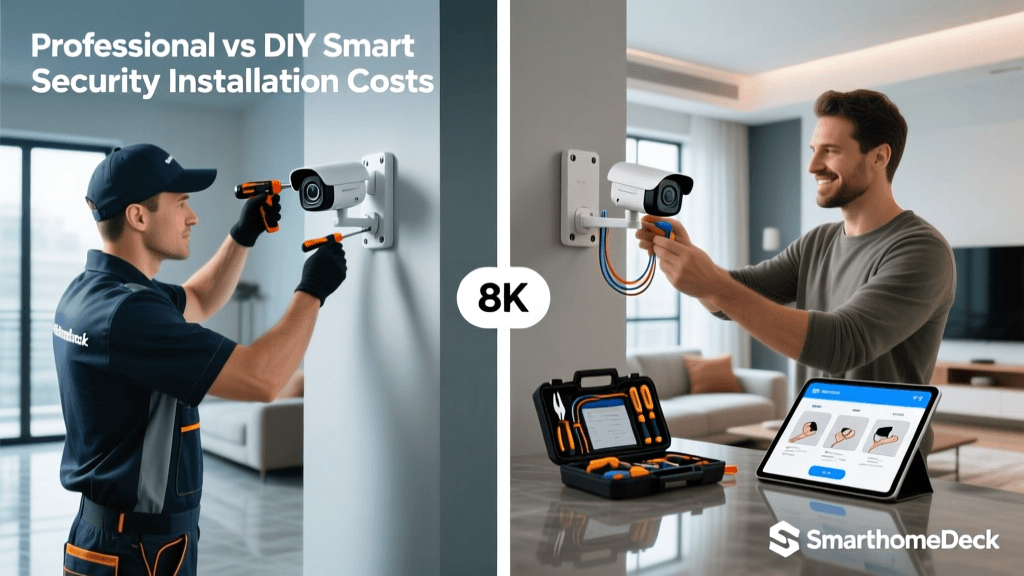
Budgeting for professional electrical work is a common concern for smart home enthusiasts. While DIY saves money upfront, the cost of correcting a botched wiring job or repairing fire damage is astronomically higher. Below is a visualization of the average costs associated with hiring a licensed electrician for common smart home wiring upgrades.
Average Electrician Costs for Smart Home Wiring Tasks
Note: Costs vary significantly based on geographic location, the accessibility of walls and attics, and local permit fees. Always obtain at least three itemized quotes from licensed and insured electricians.
The Hidden Dangers of Outdated Wiring Systems
If you live in an older home, your smart home ambitions may be severely limited by the legacy wiring hidden behind your drywall. Two specific types of outdated wiring present massive hurdles for smart home integration and require immediate professional remediation.
Knob-and-Tube Wiring (Pre-1950s)
Knob-and-tube wiring lacks a ground wire entirely. Smart switches, metal-chassis smart hubs, and hardwired smart smoke detectors rely on a proper equipment grounding conductor to safely divert stray voltage and protect against surges. Furthermore, the rubberized cloth insulation on knob-and-tube wiring becomes brittle over time and can crumble when disturbed. If you discover this wiring, do not attempt to connect smart devices. An electrician will likely need to rewire the affected circuits or the entire home to bring it up to modern safety standards.
Aluminum Wiring (1960s-1970s)
During the copper shortage of the 1960s and 70s, many homes were wired with single-strand aluminum branch circuit wiring. Aluminum expands and contracts at a different rate than the brass and copper terminals found on modern smart switches. Over time, this thermal cycling causes the connections to loosen, leading to arcing and fires. Standard smart switches are not rated for aluminum wire. A licensed electrician must use specialized COPALUM crimping tools or Alumiconn lug connectors to safely 'pigtail' the aluminum wires to copper pigtails before a smart switch can be safely installed.
Navigating the National Electrical Code (NEC)
The National Electrical Code (NEC) is the benchmark for safe electrical design, installation, and inspection. While local municipalities adopt and amend the NEC differently, certain rules universally apply to smart home installations. For example, NEC Article 404 governs the installation of switches, mandating that a grounded (neutral) conductor must be provided at switch locations for future smart device use in new construction. Additionally, if you are installing smart home equipment in damp or wet locations (like outdoor smart plugs or smart landscape lighting transformers), NEC Article 680 and Article 406 dictate strict requirements for GFCI (Ground Fault Circuit Interrupter) protection and weatherproof enclosures. A licensed electrician ensures that your smart home expansion is not only functional but fully compliant with local codes, protecting you from failed home inspections and voided insurance claims.
Essential Tools for Safe Troubleshooting
If you are attempting any DIY smart home wiring, a non-contact voltage tester (NCVT) is the absolute minimum safety requirement. Brands like Klein Tools and Fluke manufacture reliable NCVTs that alert you to the presence of live voltage without requiring bare metal contact. However, an NCVT cannot tell you if a neutral wire is present or if a circuit is properly grounded. For advanced troubleshooting, a digital multimeter or a dedicated receptacle tester with GFCI capabilities is required. Professional electricians utilize thermal imaging cameras to detect hidden hot spots inside walls and circuit tracers to map out unlabelled breaker panels—tools that are generally cost-prohibitive for the average DIYer but essential for comprehensive whole-home smart upgrades.
Final Thoughts: Prioritizing Safety Over Savings
The smart home revolution is built on the foundation of a safe, robust, and modern electrical system. While swapping out a light fixture or installing a battery-powered camera is well within the purview of a capable homeowner, interacting with your home's mains electrical system requires specialized knowledge, proper tooling, and an understanding of local electrical codes. When you encounter missing neutral wires, absent C-wires, aluminum branch circuits, or any signs of heat and arcing, the only logical step is to put down the screwdriver and call a licensed electrician. Investing in professional installation ensures that your smart home operates reliably, safely, and efficiently for decades to come.