Introduction to Smart Home Automation Logic
The transition from a connected home to a truly smart home hinges on one fundamental concept: automation. While remotely controlling your lights via a smartphone app is convenient, it still requires your direct input. True smart home automation removes the friction of manual control, allowing your environment to anticipate your needs and react autonomously. Instead of opening an app to turn off the lights when you leave the house, an automated system recognizes your departure and handles the task for you.
To master smart home automation, you must understand the underlying logic that powers these systems. Whether you are using Apple HomeKit, Amazon Alexa, Google Home, or an advanced local hub like Home Assistant, the foundational architecture of a smart routine remains remarkably consistent. By learning the language of triggers, conditions, and actions, you can transform a collection of disparate gadgets into a cohesive, intelligent ecosystem that saves time, enhances security, and reduces energy consumption.
The Core Triad: Triggers, Conditions, and Actions
Every automation routine is built upon a three-part logical framework. In the programming and smart home world, this is often referred to as "If This, Then That" logic. Understanding how these three components interact is the key to building reliable routines.
1. Triggers (The "When")
The trigger is the catalyst that initiates a routine. It is the specific event or change in state that tells the smart home hub to start evaluating the automation. Common triggers include:
- Schedule and Time: Activating at a specific time of day (e.g., 7:00 AM) or utilizing astronomical clocks to trigger at exact local sunrise or sunset times, adjusting dynamically throughout the year.
- Device State Changes: A sensor detecting motion, a door contact sensor opening, or a smart plug reporting a change in power draw.
- Geofencing and Location: Using the GPS on your smartphone to create a virtual perimeter (typically a 100 to 150-meter radius) around your home. Crossing this boundary triggers an arrival or departure routine.
- Environmental and Webhooks: Changes in local weather data (e.g., rain detected) or external API calls from third-party services.
2. Conditions (The "If")
Conditions act as the gatekeepers. A trigger might occur, but the condition determines whether the action should actually execute based on the current context. This prevents false positives and unnecessary device toggling. For example, a motion sensor trigger in the hallway should only turn on the lights if the condition "current time is between 11:00 PM and 6:00 AM" and the condition "master bedroom door is closed" are both met.
3. Actions (The "Then")
Actions are the tangible results executed by your smart devices. Modern ecosystems allow for complex, multi-step actions, including:
- Device Control: Setting Philips Hue bulbs to 20% brightness at 2700K (warm white), or lowering an Ecobee SmartThermostat to 65°F.
- Delays and Waits: Pausing the routine for 5 minutes, or waiting until a specific condition is met (e.g., waiting until a smart lock reports a "locked" state before arming the security system).
- Notifications and Broadcasts: Sending a push notification to your phone or using a smart speaker to announce, "The garage door was left open."
Comparing Smart Home Ecosystems for Automation
The platform you choose heavily dictates the complexity and reliability of your automations. Below is a comparison of the major ecosystems available to consumers today.
| Ecosystem | Local Execution | Complexity | Best For | Estimated Hub Cost |
|---|---|---|---|---|
| Apple Home | Yes (via HomePod/Apple TV) | Low to Medium | iOS Users, Privacy-focused setups | $99 - $299 |
| Amazon Alexa | Limited (Zigbee/Matter hubs) | Low | Voice control, budget-friendly multi-room | $25 - $150 |
| Google Home | No (Mostly Cloud-dependent) | Low | Google Workspace integration, Nest products | $50 - $129 |
| Home Assistant | Yes (100% Local) | High | Power users, complex logic, mixed brands | $99 - $199 |
Step-by-Step: Building Your First "Goodnight" Routine
Let us apply the core triad to build a practical, high-value automation: the "Goodnight" routine. This routine ensures your home is secure and optimized for sleep without you having to check every room.
The Trigger: We will use a dual-trigger approach. The routine will activate either at 10:30 PM (Schedule) OR when a smart button on your nightstand is pressed (Device State). This provides flexibility for nights when you stay up late or go to bed early.
The Conditions: The system will check if the primary user's smartphone is currently located at the home address (Geofencing condition). This prevents the routine from executing and turning off the lights if you are working the night shift and your partner is already asleep.
The Actions:
- Lighting: All Philips Hue and Lutron Caseta lights on the main floor are turned off. The hallway nightlight is set to 5% brightness with a deep red hue to preserve night vision.
- Climate: The Ecobee thermostat is shifted to "Sleep" mode, dropping the temperature by 4 degrees to promote better rest and save energy.
- Security: The August Wi-Fi Smart Lock on the front door is commanded to lock. If it is already locked, the system verifies the state and moves on.
- Monitoring: Arlo indoor cameras are disabled for privacy, while exterior cameras are armed and set to detect motion.
Advanced Automation: Sensor Logic and Presence Detection
As you progress from basic routines to advanced automations, the quality of your triggers becomes paramount. The most common point of failure in smart home lighting is the reliance on standard PIR (Passive Infrared) motion sensors. PIR sensors detect changes in heat signatures, meaning they work perfectly when you walk into a room but fail when you sit still on the couch reading a book, resulting in the lights turning off on you.
To solve this, advanced users are turning to mmWave (Millimeter Wave) presence sensors, such as the Aqara Presence Sensor FP2 (retailing around $65). Unlike PIR, mmWave sensors detect micro-movements, including the subtle rise and fall of your chest while breathing. By utilizing an mmWave sensor for the "Occupied" trigger, and a standard PIR sensor for the "Empty" trigger, you can create flawless, frustration-free lighting automations that truly understand room occupancy.
Visualizing Automation Adoption and Complexity
Understanding how other smart home users configure their systems can provide insight into which triggers are the most reliable and widely adopted. Based on industry usage trends across major platforms, time-based and device-state triggers dominate the landscape, while environmental and astronomical triggers remain niche but highly effective for specific use cases.
Smart Home Automation Trigger Usage
The Impact of Automation on Energy Management
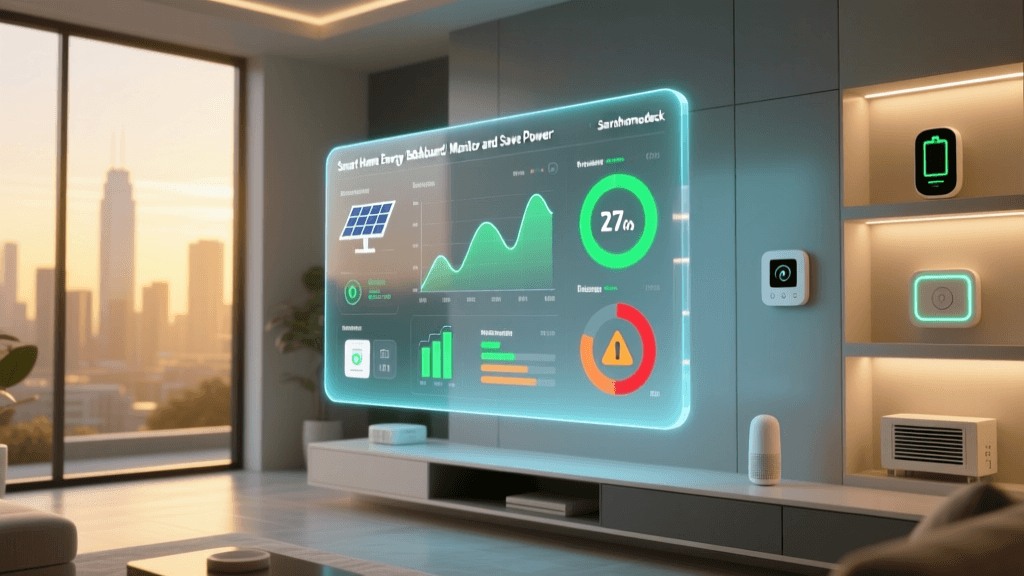
One of the most compelling reasons to invest time in building smart home routines is the potential for significant energy savings. Automated climate control and lighting management directly reduce waste. According to the U.S. Department of Energy, properly programmed smart thermostats that utilize automated setbacks when you are asleep or away can save homeowners up to 10% to 15% on heating and cooling costs annually.
By combining geofencing triggers with smart HVAC controls, your home learns to stop conditioning an empty house. If the system detects that all family members' smartphones have left the 150-meter geofence radius, it automatically triggers an "Away" action, setting the thermostat to an eco-friendly baseline and ensuring no lights or smart plugs were left on in the rush to leave.
The Future of Automation: Matter and Local Control
Historically, automation reliability was hampered by cloud dependency. If your internet connection dropped, your motion-triggered lights would fail to turn on because the signal had to travel from the sensor, to the manufacturer's cloud server, and back down to the smart bulb. This latency and point of failure frustrated many early adopters.
The introduction of the Matter protocol is fundamentally changing this landscape. As detailed by the Connectivity Standards Alliance, Matter is an open-source, royalty-free standard designed to ensure cross-brand compatibility and, crucially, local network execution. With Matter-compliant devices communicating over Thread or Wi-Fi on your local network, automations execute in milliseconds, completely independent of external internet outages. This shift toward local control is making smart home automation as reliable as traditional wired switches.
Troubleshooting Common Automation Failures
Even the most carefully planned routines can encounter issues. Here is how to troubleshoot the most common automation failures:
- Latency and Lag: If a light takes three seconds to turn on after a motion trigger, your routine is likely routing through the cloud. Migrate to local hubs (like Home Assistant or Apple HomePod) and prioritize Zigbee, Thread, or Matter devices over Wi-Fi devices for sensors.
- Geofencing Inconsistencies: GPS drains battery and operating systems often put location services to sleep to save power. To fix "false departures" where your house turns off while you are sitting in the backyard, combine GPS geofencing with a Wi-Fi connection condition or a Bluetooth beacon at the front door to verify true presence.
- Device State Desync: Sometimes a smart plug reports as "off" in the app, but the physical lamp is on. This happens when someone uses the physical wall switch, cutting power to the smart plug. To resolve this, install smart switches instead of smart bulbs/plugs, or use a power-monitoring plug that can detect the voltage draw and update the digital state accordingly.
Conclusion
Smart home automation is not about filling your house with expensive gadgets; it is about writing logical rules that make your environment work for you. By mastering the relationship between triggers, conditions, and actions, you can build a home that is secure, energy-efficient, and deeply personalized. Start small with a single "Goodnight" routine, refine your sensor logic over time, and embrace local protocols like Matter to ensure your smart home remains reliable for years to come.
For those looking to dive into the deepest level of customization and local control, the Home Assistant Automation Documentation provides an exhaustive, community-driven guide to building complex logic trees, YAML scripting, and integrating virtually any device on the market into a single, unified dashboard.