The 'Walled Garden' Problem in Smart Homes
When you first enter the smart home space, it is incredibly easy to fall into the trap of fragmented ecosystems. You might buy an Amazon Echo for the living room, an Apple HomePod for the kitchen, and a Google Nest thermostat for the hallway. While each device works brilliantly within its own native app, trying to make them communicate with one another often feels like trying to get three people speaking different languages to agree on a dinner plan. This is the infamous 'walled garden' problem.
True smart home automation is not just about controlling devices from your phone; it is about creating a cohesive, automated environment where devices from different manufacturers and ecosystems work together seamlessly. If your Philips Hue lights cannot react to the motion detected by your Ring camera because they belong to rival platforms, your home is not truly smart—it is just remote-controlled. In this comprehensive guide, we will explore the technical foundations of cross-platform integration, the hardware required to bridge these gaps, and the software architectures that allow rival devices to cooperate.
Decoding Smart Home Protocols: The Language of Devices
Before you can integrate devices, you must understand how they communicate. Smart home devices rely on various wireless protocols, and compatibility between these protocols is the first major hurdle in cross-platform integration.
- Wi-Fi (802.11): The most common protocol for high-bandwidth devices like cameras and smart displays. While ubiquitous, Wi-Fi consumes significant power and can congest your home network if you have dozens of smart bulbs and plugs connected directly to your router.
- Zigbee (IEEE 802.15.4): A low-power, mesh-networking protocol widely used by brands like Philips Hue, IKEA Tradfri, and Samsung SmartThings. Zigbee devices require a dedicated hub or bridge to connect to your network, but they excel at creating reliable, low-latency mesh networks that do not burden your Wi-Fi.
- Z-Wave: Operating on a sub-GHz frequency (typically 908.42 MHz in North America), Z-Wave avoids the crowded 2.4 GHz band entirely. This makes it incredibly reliable for structural devices like smart locks (e.g., Yale Assure) and garage door controllers. Like Zigbee, it requires a specific hub.
- Thread: The newest and most promising mesh protocol. Built on the same IEEE 802.15.4 radio standard as Zigbee, Thread uses IPv6, meaning every device has its own IP address. This allows for direct, local communication without a traditional bottleneck hub, serving as the foundational transport layer for the new Matter standard.
- Bluetooth / BLE: Primarily used for initial device provisioning and proximity-based automations, though mesh variants exist. It is generally less reliable for whole-home automation compared to Thread or Zigbee.
The Hardware Bridge: Choosing the Right Integration Hub
To make a Zigbee motion sensor trigger a Wi-Fi smart plug, you need a central translator: a smart home hub. The hub acts as the brain of your operation, listening to various radio frequencies and executing logic locally or via the cloud. Below is a comparison of the top integration hubs on the market.
| Hub Model | Price Range | Protocols Supported | Local Processing | Best For |
|---|---|---|---|---|
| Hubitat Elevation | $149 - $179 | Zigbee, Z-Wave, Wi-Fi, LAN | Yes (Strictly Local) | Advanced local automations & privacy |
| Samsung SmartThings Station | $129 - $149 | Zigbee, Z-Wave, Matter, Wi-Fi | Partial (Cloud hybrid) | Mainstream ecosystem users |
| Home Assistant Green | $99 | Ethernet, USB (for dongles) | Yes (Strictly Local) | Open-source enthusiasts & tinkerers |
| Apple HomePod mini | $99 | Thread, Wi-Fi, Bluetooth | Yes (HomeKit Secure Router) | Apple HomeKit households |
For users serious about cross-platform integration, Home Assistant and Hubitat are the gold standards. They support thousands of community-built integrations, allowing you to pull data from a Tesla, a Sony Bravia TV, and a Daikin HVAC system into a single dashboard, regardless of the native apps those companies provide.
Visualizing Protocol Support Across Major Hubs
Understanding which protocols are natively supported by integration hubs is critical for planning your device purchases. The chart below illustrates the average compatibility rate of major smart home protocols across top-tier dedicated hubs.
As the data shows, Wi-Fi remains universally supported, but Thread is rapidly growing as the industry shifts toward IP-based mesh networking. Z-Wave maintains a strong presence in premium hubs due to its reliability in security applications.
Software Bridges and Middleware
Hardware hubs are only half the battle. Often, you need software middleware to translate API calls between cloud services that refuse to talk to one another natively.
Homebridge
Homebridge is a lightweight NodeJS server that emulates the iOS HomeKit API. If you have a nest thermostat or a Ring camera that Apple refuses to support natively, Homebridge acts as a translator, 'tricking' your iPhone into thinking these devices are native HomeKit accessories. It runs beautifully on a Raspberry Pi or a Docker container on a NAS.
Node-RED
For those who prefer visual programming, Node-RED is a flow-based development tool originally built by IBM. In the smart home context, it allows you to drag and drop nodes representing different services (e.g., an MQTT broker, an HTTP request to a weather API, and a Webhook to a smart plug). It is incredibly powerful for building complex, conditional logic that standard apps cannot handle.
IFTTT and Webhooks
While IFTTT (If This Then That) has moved to a paid subscription model and suffers from cloud latency, it remains a vital fallback for niche cloud-to-cloud integrations. Using Webhooks, you can trigger an IFTTT applet from your local Hubitat hub to execute a cloud-based action, like adding an item to your Todoist when your smart fridge detects low milk.
Network Architecture: The Unsung Hero of Integration
You cannot have a reliable, integrated smart home on a poorly configured network. As you add devices from various ecosystems, your router's DHCP table will become cluttered, and security risks will multiply. IoT devices are notorious for lacking robust firmware update cycles and secure boot processes.
Actionable Advice: Invest in a prosumer router system like the Ubiquiti UniFi Dream Router or TP-Link Omada. Create a dedicated VLAN (Virtual Local Area Network) specifically for your IoT devices. By isolating your smart bulbs, plugs, and hubs on an 'IoT_VLAN', you prevent a compromised, cheap Wi-Fi plug from acting as a gateway for hackers to access your personal computers or NAS drives. Furthermore, running a local Pi-Hole or AdGuard Home instance on your network will block IoT devices from phoning home to tracking servers, improving both privacy and network latency.
Building a Bulletproof Cross-Platform Routine
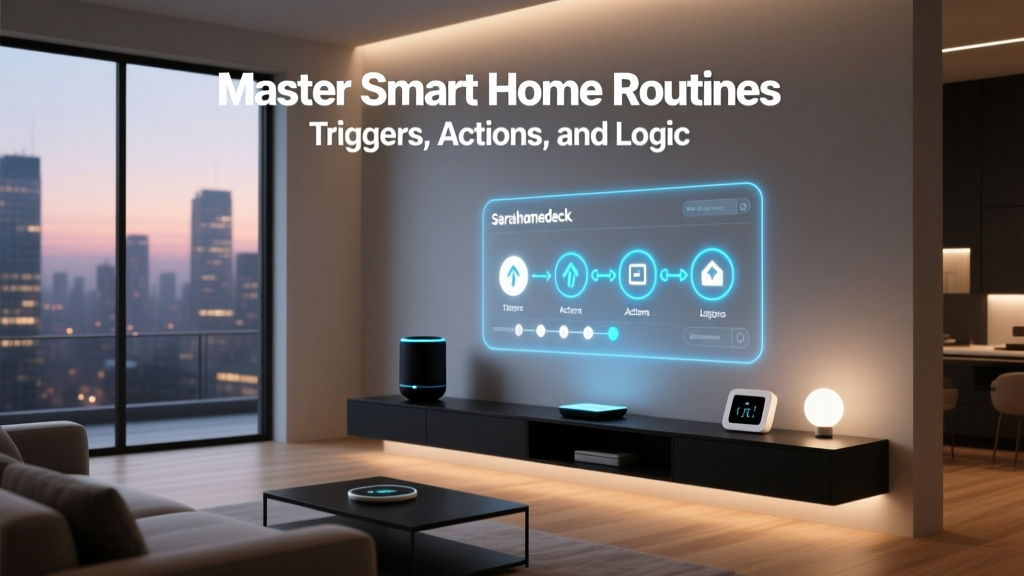
Let us walk through a practical, advanced automation that bridges multiple ecosystems. We will build the 'Ultimate Goodnight Routine' using a local hub to ensure it executes even if your internet connection drops.
The Goal: When the last person leaves the geofence radius, lock the doors, arm the security system, adjust the HVAC, and turn off all lights.
- The Trigger (Presence): Instead of relying on a single phone's GPS (which can drain battery and be inaccurate), we integrate the Unifi Network Controller API into Home Assistant. The trigger fires only when zero trusted MAC addresses are connected to the home Wi-Fi.
- The Condition (Time & State): To prevent false triggers when the Wi-Fi reboots, we add a condition: The automation will only run if the time is between 8:00 PM and 5:00 AM, and the 'Guest Mode' boolean toggle is set to 'Off'.
- The Actions (Cross-Platform Execution):
- Ecosystem A (Apple HomeKit): Send a command via HomeKit Controller to lock the Yale Assure Lock 2.
- Ecosystem B (Cloud API): Send an authenticated REST API call to the Ecobee SmartThermostat to set the HVAC to 'Sleep' mode (65°F).
- Ecosystem C (Zigbee Local): Broadcast a Zigbee group command to turn off all Philips Hue and IKEA Tradfri bulbs simultaneously.
- Ecosystem D (Sonos LAN): Send a local SOAP request to the Sonos Era 100 speakers to pause playback and set the volume to 10% for morning alarms.
"The best smart home is one you never have to think about. True integration means the technology fades into the background, anticipating your needs without requiring manual app switching."
The Matter Standard: Unifying the Future
No discussion on smart home integration is complete without addressing Matter, the industry-wide standard developed by the Connectivity Standards Alliance (CSA). Backed by Apple, Google, Amazon, and Samsung, Matter aims to dismantle the walled gardens entirely.
Matter operates at the application layer, sitting on top of IP-based networks like Wi-Fi and Thread. A Matter-certified device can be commissioned into an Amazon Alexa ecosystem and simultaneously shared with an Apple HomeKit ecosystem without the need for third-party cloud bridges. According to industry analyses, such as the comprehensive breakdown provided by The Verge's Matter explainer, this multi-admin feature is the key to solving the household friction where one partner uses Android and the other uses iOS. While Matter adoption is still maturing and device categories are currently limited mostly to lighting, plugs, and sensors, it represents the definitive future of cross-platform compatibility.
Security and Local vs. Cloud Processing
As you integrate more devices, your attack surface expands. The National Institute of Standards and Technology (NIST) has published extensive guidelines on IoT cybersecurity, emphasizing the risks of default passwords, unencrypted cloud communications, and lack of firmware updates. When building your integrated smart home, prioritize local processing whenever possible.
Cloud-based automations (like those relying solely on Alexa Routines or Google Home scripts) require your command to travel from your device, to the manufacturer's server, to Amazon's server, and back down to your smart plug. This introduces latency and a single point of failure: your internet connection. By utilizing local hubs like Home Assistant or Hubitat, the logic is processed on your LAN. The command travels directly from the hub to the device in milliseconds, ensuring your security alarms and automated lighting function perfectly even during a neighborhood internet outage.
Conclusion: Start Small, Scale Intelligently
Cross-platform smart home integration is a marathon, not a sprint. Begin by auditing your current devices and identifying the protocols they use. Invest in a robust, local-processing hub that supports open standards like Zigbee and Matter. Segment your network to protect your data, and leverage middleware like Homebridge to breathe new life into older, proprietary devices. By focusing on local control, open protocols, and logical automation flows, you can build a deeply integrated, highly reliable smart home that transcends brand loyalty and ecosystem lock-in.