The Paradigm Shift: From Manual to Automated Living
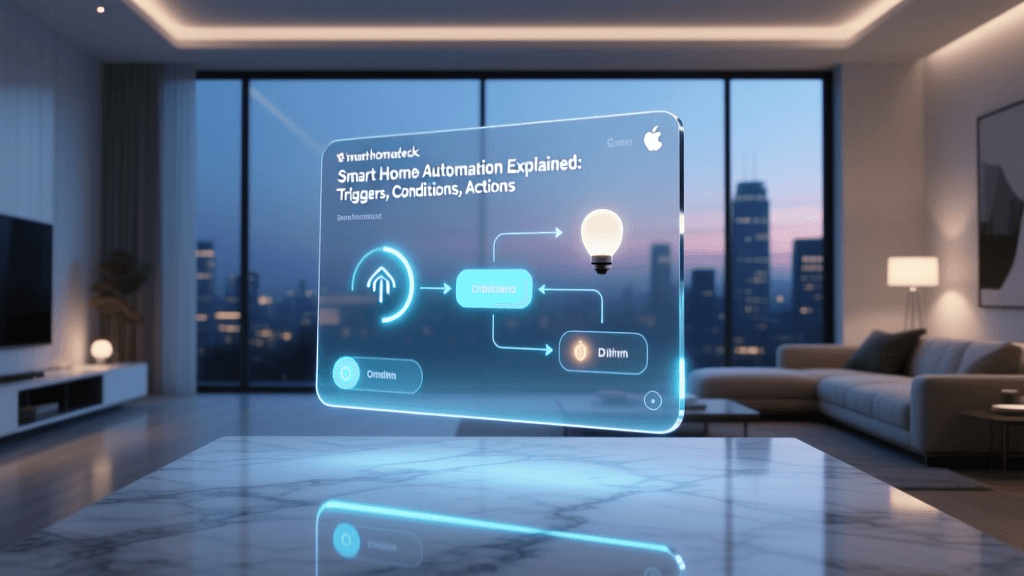
For decades, interacting with our homes has been a strictly manual endeavor. You flip a switch to turn on a light, twist a dial to adjust the thermostat, and physically turn a deadbolt to secure your property. While these actions seem trivial in isolation, they accumulate into hundreds of micro-interactions every single week. Smart home automation fundamentally shifts this paradigm. Instead of you adapting to your home, your home adapts to you. By leveraging automation routines—often referred to as 'scenes' or 'automations' depending on the ecosystem—you can orchestrate a symphony of devices that anticipate your needs, save energy, and reclaim hours of your time.
The true magic of a smart home isn't found in controlling a light bulb from your phone while sitting on the couch. That is merely remote control. True automation is contextual and invisible. It is your home gradually raising the color temperature of your bedroom lights to mimic a sunrise at 6:30 AM. It is your HVAC system detecting that the last person has left the geofence and automatically setting back the temperature to save money. According to the U.S. Department of Energy, smart thermostats alone can save households an average of 8% on heating and 10% on cooling bills annually, simply by automating temperature setbacks when you are away or asleep.
True smart home automation is invisible. You shouldn't have to think about your routines; your home should anticipate your needs based on context, sensors, and geolocation, rather than rigid schedules.
In this comprehensive guide, we will break down how to build foundational daily routines—Morning, Away, Evening, and Sleep—and explore the specific hardware, protocols, and costs required to transform your daily life.
Building the Foundation: Hubs, Protocols, and Ecosystems
Before you can automate your morning coffee or evening security lockdown, you need a central nervous system to coordinate your devices. While many modern devices connect directly to Wi-Fi, relying solely on Wi-Fi for dozens of smart home products will congest your network and create latency. This is where dedicated smart home hubs and low-power mesh protocols like Zigbee, Z-Wave, and Thread come into play.
Choosing Your Ecosystem
- Amazon Alexa: The Echo (4th Gen) serves as both a premium smart speaker and a Zigbee/Matter hub. It offers the widest compatibility with third-party devices and excels in complex, multi-step routines via the Alexa app. Cost: ~$99.
- Apple HomeKit (Apple Home): Ideal for iPhone users prioritizing privacy and local processing. The HomePod Mini acts as a Thread border router. HomeKit routines are incredibly fast and reliable, though compatible hardware tends to carry a premium price tag. Cost: ~$99 (HomePod Mini).
- Hubitat Elevation: The gold standard for advanced users who want 100% local processing. It supports Zigbee, Z-Wave, and LAN devices, ensuring your automations run even if your internet connection goes down. Cost: ~$149.
The Matter Protocol: A Game Changer
When planning your automation setups, prioritize devices that support Matter, the new industry-standard connectivity protocol backed by the Connectivity Standards Alliance (CSA). Matter allows devices to communicate seamlessly across different ecosystems. A Matter-certified smart plug can be controlled by Apple HomeKit, Amazon Alexa, and Google Home simultaneously, eliminating the ecosystem lock-in that historically plagued smart home adopters.
The Morning Routine: Waking Up to a Smart Home
The way you start your morning dictates the trajectory of your entire day. A smart morning routine replaces the jarring shock of a loud audio alarm with a gradual, multisensory awakening that aligns with your body's natural circadian rhythm.
Step 1: Circadian Lighting and Automated Blinds
Exposure to bright, cool-toned light in the morning suppresses melatonin production and signals to your brain that it is time to wake up. Instead of turning on a harsh overhead light, configure your smart bulbs to slowly fade in over 20 minutes. Products like the Philips Hue White and Color Ambiance (~$50 per bulb) allow you to set a 'Wake Up' routine that transitions from a dim, warm 2000K (candlelight) to a bright, energizing 5000K (daylight) by the time your alarm sounds. Pair this with the SwitchBot Curtain Rod 2 (~$89), a retrofit motor that physically opens your existing curtains at a specific time or when triggered by a smart light switch.
Step 2: Climate and Comfort
There is nothing worse than stepping out of a warm bed into a freezing house. By integrating a smart thermostat like the Ecobee SmartThermostat Premium (~$249), you can program a 'Good Morning' scene that resumes your comfort schedule exactly 30 minutes before you wake up. Ecobee's SmartSensors also ensure that the temperature is being read from the bedroom, not an empty hallway, guaranteeing comfort where you actually are.
Step 3: The Automated Kitchen
While smart coffee makers are still somewhat niche, you can easily automate your existing appliance using a heavy-duty smart plug like the TP-Link Kasa Smart Plug Mini (~$15). If you have a coffee maker with a physical 'on' switch, leaving it switched on and plugged into the Kasa plug allows your morning routine to trigger the brewing process the moment your bedroom motion sensor detects you getting out of bed.
The 'Away' Mode: Security and Energy Efficiency
Leaving the house used to involve a mental checklist: Did I turn off the lights? Is the garage door closed? Did I set the alarm? Geofencing and 'Away' routines eliminate this anxiety by using the GPS location of your smartphone to trigger a comprehensive shutdown sequence.
Geofencing and HVAC Setbacks
Geofencing creates a virtual perimeter (usually around 150 to 300 meters) around your home. When the hub detects that all registered family members' phones have crossed this boundary, it triggers the 'Away' routine. The EPA's ENERGY STAR program highlights that smart thermostats utilizing geofencing and occupancy sensing are vastly superior to rigid schedules, which fail to account for unexpected changes in your daily life. When the house is empty, the thermostat automatically shifts to an eco-mode, preventing you from paying to heat or cool an empty building.
Security Lockdown and Leak Detection
Your 'Away' routine should also serve as your primary security perimeter. Configure your routine to automatically lock smart deadbolts like the Yale Assure Lock 2 (~$239) and arm your security system, such as the Ring Alarm (~$199). Furthermore, integrate water leak sensors like the Aqara Water Leak Sensor (~$29) under your sinks and water heater. If a leak is detected while the 'Away' routine is active, the hub can trigger an automatic shut-off valve on your main water line, potentially saving you tens of thousands of dollars in water damage.
The Evening and Sleep Routines: Winding Down Automatically
As the sun sets, your home should transition into a relaxing environment that promotes rest. The evening routine is all about reducing friction and preparing the home for the night ahead.
Step 1: Sunset Lighting and Ambiance
Just as cool light wakes you up, warm, dim light prepares you for sleep. Set an automation triggered by your local sunset time (which updates dynamically throughout the year) to turn on your exterior pathway lights and dim your interior living room lights to 30% brightness at a warm 2200K. Smart switches like the Lutron Caseta Wireless Dimmer (~$60) are incredibly reliable for this, as they use Lutron's proprietary Clear Connect RF protocol, which operates independently of your Wi-Fi network and never experiences the 'pop-on' latency common with cheaper Wi-Fi bulbs.
Step 2: The Sleep Lockdown
Getting into bed should be the final trigger for your home's nightly shutdown. Using a sleep tracking mat like the Withings Sleep (~$99) placed under your mattress, you can create a highly accurate 'Go to Sleep' routine. The moment the sensor detects your weight and stillness, it signals the hub to lock all exterior doors, close the smart blinds, turn off all interior lights, and lower the thermostat to the optimal sleep temperature (typically around 65°F or 18°C, as recommended by sleep experts).
Data Visualization: Time and Energy Saved
To truly understand the impact of automation, we must look at the data. The following chart illustrates the estimated daily time spent on manual home management tasks versus an optimized, automated smart home setup.
As the data visualizes, the cumulative effect of saving 10 to 15 minutes a day on mundane tasks results in over 60 hours of reclaimed time per year. More importantly, the automated HVAC and lighting adjustments eliminate the human error of forgetting to turn things off, leading to significant reductions in energy waste.
Cost Breakdown and ROI of Automation Routines
Building a comprehensive automation setup requires an upfront investment, but the return on investment (ROI) is realized through both energy savings and hardware longevity. Below is a breakdown of a standard automation ecosystem.
| Category | Product Example | Est. Cost | Primary Routine Benefit | Est. Annual Savings |
|---|---|---|---|---|
| Smart Hub | Amazon Echo (4th Gen) | $99 | Central coordination & Zigbee | N/A |
| Smart Thermostat | Ecobee SmartThermostat Premium | $249 | Geofencing & Sleep setbacks | $140 - $180 |
| Smart Lighting | Philips Hue White Ambiance (4-pack) | $200 | Circadian rhythms & auto-off | $40 - $60 |
| Smart Lock | Yale Assure Lock 2 | $239 | Auto-lock on departure | Peace of mind |
| Smart Sensors | Aqara Door/Window (2-pack) | $40 | Security triggers & HVAC zones | $30 - $50 |
| Total Estimated Initial Investment | Total Est. Annual Energy Savings | $210 - $290 | ||
While the initial hardware cost approaches $800, the energy savings alone can pay for the smart thermostat and sensors within the first two years. The remaining devices pay for themselves in convenience, security, and time saved.
Expert Tips for Flawless Automation
Setting up routines is easy; setting up routines that don't frustrate you requires strategy. Here are three golden rules for smart home automation:
1. Prioritize Sensors Over Schedules
Schedules are rigid; life is dynamic. If you set your lights to turn off at 11:00 PM, they will turn off at 11:00 PM whether you are reading a book or fast asleep. Instead, use occupancy sensors or contact sensors. Configure your lights to turn off only when a room has been unoccupied for 15 minutes. Contextual triggers always beat temporal triggers.
2. Avoid the 'Wall Switch' Problem
The biggest point of failure in smart lighting is the physical wall switch. If a guest flips the physical switch off, your smart bulb loses power and becomes unreachable by your hub, breaking your automations. Solve this by either using smart switches (like Lutron Caseta) that control dumb bulbs, or by installing smart bulb covers/battery-powered smart buttons over the existing switches to prevent manual disconnection.
3. Build in Grace Periods and Delays
When creating an 'Away' routine triggered by geofencing, add a 5-minute delay before the HVAC adjusts or the alarm arms. GPS drift can sometimes cause your phone to briefly drop out of the geofence zone while you are still in your driveway. A short grace period prevents false triggers that can be highly disruptive.
Conclusion: Designing Your Automated Life
Smart home technology is no longer a futuristic novelty; it is a practical toolkit for optimizing your daily life. By shifting from manual control to contextual automation, you reduce cognitive load, lower your environmental footprint, and create a living space that actively supports your well-being. Start small with a single routine—perhaps a 'Goodnight' scene that locks the doors and turns off the lights—and gradually expand your ecosystem as you become comfortable with the logic and hardware. The ultimate goal is a home that works for you, quietly and efficiently, in the background of your life.