Introduction to Smart Lighting Automation
Smart lighting is often the gateway drug into the broader world of home automation. Unlike smart thermostats or security cameras, which can require complex wiring or professional installation, smart bulbs and switches offer an immediate, visible impact on your daily life. But simply screwing in a Wi-Fi-enabled bulb and controlling it via a smartphone app barely scratches the surface of what this technology can achieve. True smart home magic happens when you move beyond manual app control and start leveraging automation routines and scenes.
According to the U.S. Department of Energy, lighting accounts for roughly 10% to 15% of a typical home's electricity bill. By transitioning to automated LED smart lighting, homeowners can drastically reduce energy waste by ensuring lights are only on when needed, dimmed to appropriate levels, and utilizing natural daylight harvesting. Beyond energy savings, automated lighting enhances home security, supports your natural circadian rhythm, and elevates the aesthetic ambiance of your living spaces.
In this comprehensive guide, we will break down the fundamental differences between scenes and routines, explore the hardware ecosystem, and provide actionable, step-by-step instructions for building automations that will transform your house into an intelligent, responsive home.
Core Concepts: Scenes vs. Routines
While often used interchangeably by beginners, scenes and routines serve distinctly different purposes in smart home architecture. Understanding this distinction is critical for building a reliable automation framework.
What is a Smart Scene?
A scene is a snapshot of specific device states triggered simultaneously by a single command. Think of it as a preset configuration. For example, a 'Movie Night' scene might instruct your living room Philips Hue bulbs to dim to 20%, shift to a warm 2700K color temperature, turn off the overhead ceiling lights, and activate your LED bias lighting behind the television. Scenes do not happen on their own; they require a trigger, such as a voice command ('Hey Google, turn on Movie Night'), a tap on a smart switch, or an NFC tag scan.
What is an Automation Routine?
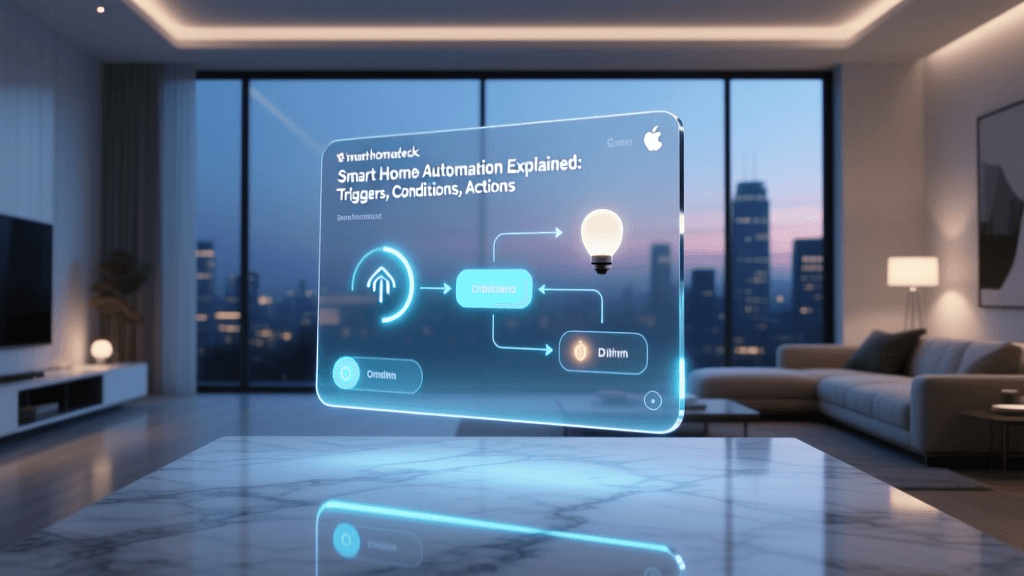
A routine (or automation) is a rule-based logic sequence defined by an 'If This, Then That' (IFTTT) framework. Routines operate in the background without requiring manual intervention. A routine consists of three main components:
- Triggers (The 'If'): The event that initiates the action. This could be a specific time of day, a motion sensor detecting movement, a geofence boundary being crossed, or a change in ambient light levels (lux).
- Conditions (The 'And'): Optional parameters that must be met for the action to execute. For example, 'Turn on the porch light at sunset, but only if someone is home.'
- Actions (The 'Then'): The execution phase, which often involves activating a scene, adjusting a single bulb, or sending a push notification.
The Great Debate: Smart Bulbs vs. Smart Switches
Before programming routines, you must choose the right hardware. The smart lighting market is divided into two primary categories: smart bulbs and smart switches. Each has distinct advantages, cost structures, and compatibility profiles.
Smart Bulbs
Smart bulbs (like the Philips Hue White and Color Ambiance A19, typically priced around $50 per bulb, or the budget-friendly WiZ A19 at $12) replace your existing light bulbs. They offer granular control over color, color temperature, and dimming at the individual bulb level. They are ideal for lamps, multi-bulb fixtures where you want individual bulb colors, and rentals where you cannot replace wall switches.
The Catch: If someone physically flips the traditional wall switch to the 'off' position, the smart bulb loses power and becomes completely unresponsive to your automated routines. You must train your household to leave the physical switches on and use smart switches or voice commands instead.
Smart Switches and Dimmers
Smart switches (like the Lutron Caseta Wireless Dimmer, around $60, or the Kasa Smart Dimmer Switch at $25) replace the physical wall switch. They cut or regulate power to standard, 'dumb' LED bulbs. This ensures that the circuit remains controllable even if someone uses the physical wall paddle.
The Catch: You lose individual bulb control and color-changing capabilities (unless using specialized smart switches paired with compatible smart bulbs, like the Lutron Aurora). Furthermore, installation requires working with your home's electrical wiring, necessitating a neutral wire in most modern smart switch models.
Hardware Comparison Matrix
Choosing the right ecosystem dictates which routines and protocols you can utilize. Below is a comparison of the top smart lighting systems on the market.
| Brand / Ecosystem | Primary Protocol | Hub Required? | Avg. Cost per Device | Best Use Case |
|---|---|---|---|---|
| Philips Hue | Zigbee / Matter (via update) | Yes (Hue Bridge) | $45 - $60 | Premium color, complex scenes, high reliability |
| Lutron Caseta | Clear Connect RF (Proprietary) | Yes (Smart Bridge) | $60 - $100 | Whole-home dimming, hardwired reliability, luxury builds |
| Govee | Wi-Fi / Bluetooth | No | $15 - $40 | Budget RGBIC, gaming rooms, ambient bias lighting |
| WiZ | Wi-Fi / Matter | No | $10 - $15 | Affordable tunable white, basic room automation |
| Nanoleaf | Thread / Matter | No (Requires Thread Border Router) | $50 - $200 | Decorative wall panels, Matter-native mesh networking |
The Impact of Matter and Thread on Lighting Automation
Historically, smart lighting has been fragmented by proprietary hubs and walled gardens. The introduction of the Matter standard, backed by the Connectivity Standards Alliance (CSA), is revolutionizing how devices communicate. Matter operates over IP networks, primarily utilizing Thread (a low-power, low-latency mesh networking protocol) and Wi-Fi.
When you purchase a Matter-compatible smart bulb or switch, you are guaranteed cross-platform compatibility. A Thread-enabled smart bulb can be controlled simultaneously by Apple HomeKit, Amazon Alexa, and Google Home without relying on a brand-specific cloud server. More importantly for automation, Thread's mesh network ensures that if one bulb drops offline, the signal seamlessly routes through neighboring bulbs, drastically reducing the 'offline device' errors that plague automated routines.
Step-by-Step Guide: Designing Essential Lighting Routines
Let's build three foundational routines that every smart home should implement. These examples assume you are using a centralized hub platform like Apple Home, Home Assistant, or Samsung SmartThings.
1. The Circadian Morning Wake-Up Routine
Biological studies show that exposure to cool, blue-enriched light in the morning suppresses melatonin and improves alertness, while warm light in the evening promotes sleep.
- Trigger: Time is 6:30 AM AND Day is Monday-Friday.
- Condition: My smartphone is connected to the home Wi-Fi (confirming I am home).
- Action 1: Bedroom smart bulbs fade from 0% to 100% brightness over 30 minutes.
- Action 2: Color temperature shifts from 2200K (candlelight) to 5000K (daylight) over the same 30-minute window.
- Action 3: At 7:00 AM, transition lights to a static 4000K at 80% brightness for getting dressed.
2. The 'Arriving Home' Geofence Routine
Walking into a dark house is a thing of the past. By utilizing the GPS on your smartphone, your home can prepare for your arrival.
- Trigger: Any resident enters the 'Home' geofence radius (typically 150 meters).
- Condition: Time is between Sunset and 11:00 PM AND Ambient exterior lux sensor reads below 50 lux.
- Action 1: Turn on the Porch Light and Garage exterior lights to 100% cool white.
- Action 2: Activate the 'Entryway Welcome' scene (foe lighting, hallway at 60%, living room lamps at 40%).
- Action 3: Set a 15-minute timer to turn off the exterior lights once the front door contact sensor registers an 'Open' then 'Closed' event.
3. The Security 'Away' Simulation
If you are on vacation, leaving lights on 24/7 is a dead giveaway that the house is empty, while leaving them off invites intrusion. Automations can simulate occupancy.
- Trigger: 'Vacation Mode' virtual switch is turned ON.
- Condition: System is in 'Away' state (no motion detected on interior sensors for 2 hours).
- Action: Execute randomized lighting schedule. (Note: Platforms like Philips Hue and Home Assistant have built-in 'randomize' features that turn different rooms on and off at staggered, unpredictable intervals between 6:00 PM and 11:00 PM to mimic human behavior).
Visualizing Energy Savings: Traditional vs. Automated LEDs
One of the most compelling reasons to automate your lighting is the drastic reduction in energy consumption. The EPA's ENERGY STAR program notes that LED bulbs use up to 90% less energy than incandescent bulbs. When you combine LED efficiency with automated scheduling and motion-sensor dimming, the financial return on investment accelerates significantly.
The chart below illustrates the estimated monthly lighting costs for an average 3-bedroom home, comparing traditional incandescent bulbs left on standard schedules versus automated smart LEDs utilizing motion triggers, daylight harvesting, and auto-off routines.
Monthly lighting cost comparison between traditional incandescent bulbs and automated smart LEDs over a six-month period.
Advanced Automation Triggers: Beyond Time and Voice
To truly master smart lighting, you must move beyond basic time-based schedules and integrate environmental sensors.
1. Ambient Light (Lux) Sensors
Time-based sunset routines are flawed because cloud cover, seasonal shifts, and physical obstructions (like tall trees) change when a room actually gets dark. By integrating a dedicated Zigbee or Thread lux sensor (such as the Aqara T1 Light Sensor or the Eve Motion), you can trigger your 'Evening Ambiance' scene based on actual light levels. For instance, 'If indoor lux drops below 100, turn on the living room lamps to 50%.'
2. Millimeter Wave Radar (Presence Detection)
Traditional PIR (Passive Infrared) motion sensors only detect macro-movements. If you are sitting still reading a book, the lights will eventually turn off, forcing you to wave your arms. Millimeter wave (mmWave) radar sensors detect micro-movements, including the rise and fall of your chest as you breathe. Integrating an mmWave sensor ensures your office or reading nook lights remain on as long as you are physically present, turning off only when the room is truly empty.
3. Contact Sensors and Door Logic
Use door and window contact sensors to trigger localized lighting. Opening the pantry door can automatically trigger the pantry light to 100%, while opening the back door after 10:00 PM can trigger the exterior floodlights and send a security alert to your phone.
Troubleshooting Common Automation Pitfalls
Even the most meticulously planned routines can fail if the underlying network or hardware logic is flawed. Here is how to troubleshoot the most common smart lighting issues.
Pro Tip: Never use a standard dimmer switch on a circuit containing smart bulbs. Smart bulbs have internal microchips that require constant 120V/240V power. Dimming them at the wall switch will cause flickering, premature failure, and drop them offline.
- Issue: Bulbs drop offline after a power outage.
Solution: Most smart bulbs default to 'On' when power is restored. In your bulb's native app settings, look for 'Power Restore Behavior' and change it to 'Last State' or 'Default Off' to prevent your house from lighting up at 3:00 AM when the grid flickers. - Issue: Automations are delayed by 2 to 5 seconds.
Solution: This is usually a cloud-routing issue. If your automation relies on a Wi-Fi bulb communicating with a cloud server, which then sends a signal back to a smart plug, latency is inevitable. Transition to local-execution platforms like Home Assistant, or ensure all devices in the routine share the same local hub (e.g., all devices on a single Hue Bridge or Apple TV Thread border router). - Issue: 'Wife/Husband Acceptance Factor' (WAF/HAF) complaints about physical switches not working.
Solution: Install smart switch covers (like the Lutron Aurora or Philips Hue Smart Button) directly over the existing toggle switches. Alternatively, use smart switches instead of smart bulbs for high-traffic areas like kitchens and bathrooms, reserving smart bulbs for lamps and accent lighting.
Conclusion: Building a Cohesive Lighting Ecosystem
Mastering smart lighting automation is an iterative process. Start small by automating a single room or a single routine, such as the porch light at sunset. Once you understand how your chosen platform handles triggers, conditions, and actions, gradually expand your mesh network. Prioritize hardware that supports open standards like Matter and Thread to future-proof your investment, and always design your routines with the physical habits of your household in mind. By combining the right hardware with intelligent, sensor-driven logic, your home's lighting will cease to be a utility you manage, and will instead become an invisible, intuitive extension of your daily life.