Beyond Remote Control: The True Promise of the Smart Home
When most people first enter the smart home ecosystem, they confuse remote control with automation. Pulling out your smartphone to turn off the living room lights from bed is certainly convenient, but it still requires your manual intervention. True smart home automation, on the other hand, operates silently in the background, anticipating your needs and adjusting your environment without you ever lifting a finger. Understanding how to build these automated routines is the single most important skill you can develop as a smart home enthusiast.
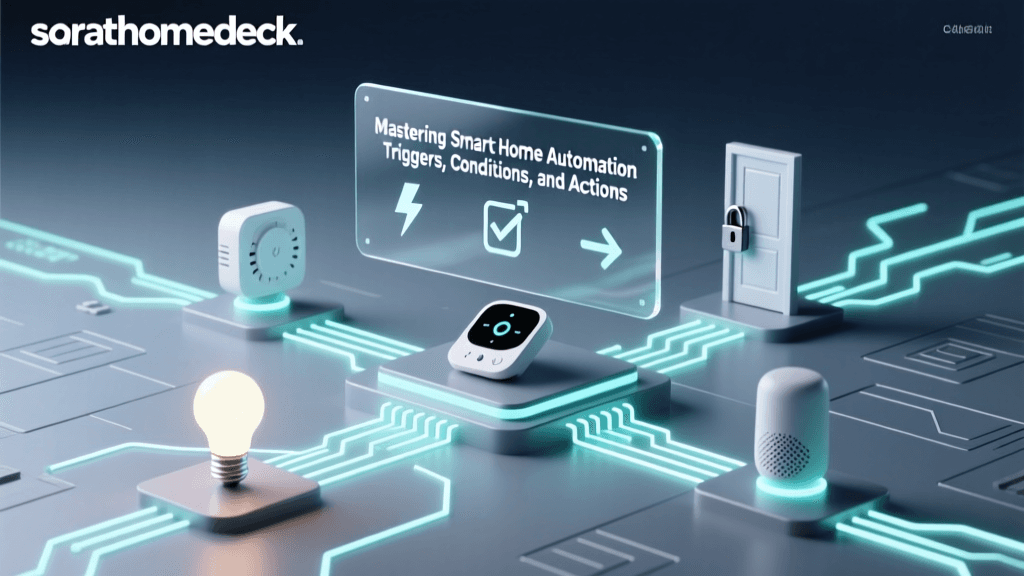
At its core, every smart home routine—whether you are using Amazon Alexa, Apple HomeKit, Google Home, Samsung SmartThings, or Home Assistant—relies on a fundamental logic structure. This structure is universally broken down into three distinct pillars: Triggers, Conditions, and Actions. Mastering this triad will allow you to transform a collection of disjointed gadgets into a cohesive, intelligent home that actively works for you.
The Anatomy of a Smart Routine
To build reliable automations, you must understand the specific roles that triggers, conditions, and actions play within your smart home hub's processing logic. Think of it as a simple sentence: "When [Trigger] happens, if [Condition] is met, then do [Action]."
1. Triggers (The "When")
A trigger is the specific event that initiates the automation sequence. Without a trigger, your smart home will never know when to execute a routine. Triggers generally fall into four main categories:
- Time and Schedule: The simplest trigger. You can set routines to run at an exact time (e.g., 7:00 AM), on specific days of the week, or dynamically based on local sunrise and sunset times. Using solar triggers is highly recommended for exterior lighting routines, as they adapt to the changing seasons automatically.
- Sensor Events: This is where the magic happens. Sensors translate physical world events into digital signals. A Zigbee or Z-Wave motion sensor detecting movement, a contact sensor registering a door opening, or a leak sensor detecting moisture under the sink are all powerful triggers. For example, the Aqara P2 Motion and Light Sensor (approx. $35) can trigger a routine the millisecond it detects a person entering a dark room.
- Geofencing (Location):strong> Using the GPS on your smartphone, your smart home hub creates a virtual perimeter (usually a 100 to 200-meter radius) around your house. Crossing this boundary triggers "Arrive" or "Depart" routines.
- Device State Changes: A routine can be triggered by the status of another smart device. For instance, if your smart washing machine finishes its cycle and reports a "complete" state, this event can trigger an announcement on your smart speakers.
2. Conditions (The "If")
Conditions act as the gatekeepers of your automation. A trigger tells the system to start the routine, but the condition dictates whether the routine is actually allowed to proceed. If the condition is not met, the automation aborts silently.
Imagine you have a motion sensor in your hallway. You want the lights to turn on when you walk past it at night. If you only use a Trigger (motion detected) and an Action (turn on lights), the lights will also turn on when you walk down the hallway at noon, wasting electricity. By adding a Condition—such as "Only run if the sun is set" or "Only run if the ambient lux level is below 50"—you ensure the automation only executes when it makes logical sense. Other common conditions include checking if a specific person is home, verifying the current weather, or ensuring a door is currently closed before locking it.
3. Actions (The "Then")
Actions are the final commands sent to your devices once the trigger fires and the conditions are validated. Actions can be single commands or complex sequences involving delays and wait times.
- Device Control: Turning on a Philips Hue bulb, setting an Ecobee SmartThermostat to 72°F, or locking a Yale Assure deadbolt.
- Notifications and Alerts: Sending a push notification to your phone, triggering a siren, or displaying a camera feed on your smart TV.
- Delays and Waits: Advanced routines allow you to insert pauses. For example: Turn on the exhaust fan (Action 1), wait 10 minutes (Delay), then turn off the fan (Action 2).
- Triggering Other Routines: A master "Goodnight" routine can act as an action that simultaneously fires off individual routines for the thermostat, the security system, and the lighting.
Comparing Smart Home Automation Ecosystems
Not all platforms are created equal when it comes to automation logic. Some prioritize simplicity and voice commands, while others cater to power users who want granular control over variables and local processing. Below is a comparison of the major ecosystems available today.
| Ecosystem | Hub Required? | Logic Complexity | Best For | Entry Cost |
|---|---|---|---|---|
| Amazon Alexa | Yes (Echo devices) | Low to Medium | Voice-centric homes, beginners, broad device compatibility. | $30 - $100 |
| Apple HomeKit | Yes (HomePod/Apple TV) | Medium | Privacy-focused users, iOS households, reliable local execution. | $100 - $300 |
| Samsung SmartThings | Yes (Station/Hub) | Medium to High | Mixed protocol homes (Zigbee/Z-Wave/Thread), complex sensor routines. | $80 - $150 |
| Home Assistant | Yes (Custom Hardware) | Very High | Power users, coders, 100% local privacy, infinite customization. | $100 - $250 |
| Google Home | Yes (Nest Hub) | Low | Google ecosystem users, simple time and schedule-based routines. | $50 - $130 |
Visualizing Automation Adoption: What Triggers Do People Use?
When setting up their first routines, most users gravitate toward the simplest triggers before moving on to more complex sensor integrations. Based on industry usage trends and ecosystem data, here is how smart home owners utilize different trigger types.
Smart Home Trigger Adoption
As the chart illustrates, time-based schedules remain the most common entry point into automation. However, as users invest in Zigbee and Thread sensor networks, motion and environmental triggers quickly become the backbone of a truly automated home. Interestingly, voice commands rank lowest for automation triggers, which makes sense; using a voice command is a manual action, not a background automation.
Practical Automation Recipes for Your Home
To help you get started, here are three highly effective, real-world automation recipes that balance convenience, security, and energy efficiency.
Recipe 1: The Eco-Mode Geofence (Climate Control)
Heating and cooling account for nearly half of the average home's utility bill. According to the U.S. Department of Energy, smart thermostats can save users up to 10% to 15% on heating and cooling costs annually when programmed correctly. However, static schedules fail when your routine changes.
- Trigger: The last person leaves the geofence radius (Departure).
- Condition: None (or check if HVAC is currently running to save API calls).
- Action: Set Ecobee/Nest thermostat to "Eco" mode (e.g., 62°F in winter, 78°F in summer). Turn off all smart plugs connected to space heaters or window AC units.
- Reverse Trigger: The first person enters the geofence radius (Arrival).
- Reverse Action: Resume the standard comfort schedule.
Recipe 2: Circadian Rhythm Lighting (Health & Wellness)
Harsh, cool-white lighting at night can disrupt your body's melatonin production. You can automate your lighting to mimic the natural progression of the sun.
- Trigger: Motion detected in the living room between 8:00 PM and 11:00 PM.
- Condition: Ambient light sensor reads below 100 lux.
- Action: Turn on Philips Hue or Lutron Caseta bulbs to 40% brightness, set color temperature to 2200K (warm amber).
- Secondary Trigger: Time reaches 11:30 PM.
- Secondary Action: Slowly dim all main living area lights to 0% over a 5-minute transition period to signal bedtime.
Recipe 3: The Vacation Security Simulator
Burglars often look for dark, unoccupied homes. Instead of leaving a single light on 24/7, use automation to simulate human presence.
- Trigger: Local Sunset.
- Condition: Smart Home Hub is set to "Vacation Mode" (a virtual switch or variable).
- Action 1: Turn on living room smart plug (connected to a lamp).
- Delay: Wait a random interval between 45 and 90 minutes.
- Action 2: Turn off living room plug, turn on bedroom smart bulb to 20% brightness.
- Trigger: Local Sunrise.
- Action: Turn off all simulated lights.
Advanced Logic and the Future of Interoperability
As you progress beyond basic routines, you will encounter the need for complex logic operators like AND/OR gates, variables, and webhooks. Platforms like Home Assistant excel here, allowing users to write YAML scripts or use visual node-based editors like Node-RED to create incredibly nuanced automations. For example, you can create a routine that checks if a window is open (AND), if the outdoor temperature is below 60°F (AND), and if the HVAC is currently running (THEN), trigger an alert to your phone and shut off the AC to prevent freezing the coils.
Looking toward the future, the Matter standard, developed by the Connectivity Standards Alliance (CSA), is revolutionizing how these automations execute. Matter ensures that devices from different manufacturers can communicate locally over Thread or Wi-Fi without relying on cloud servers. This means your motion sensor from one brand can trigger a light bulb from another brand with near-zero latency, and more importantly, the automation will continue to run even if your internet connection goes down.
Common Automation Pitfalls and How to Avoid Them
Even experienced smart home enthusiasts make mistakes when designing routines. Be on the lookout for these common pitfalls:
- The Infinite Loop: This occurs when an action inadvertently re-triggers the same routine. For example, a routine turns on a smart plug when motion is detected. However, the smart plug's state change (from off to on) is also set as a trigger to turn on a light. If not configured with strict conditions, the devices can ping-pong back and forth, causing flickering and crashing your hub. Always use specific, one-way triggers.
- Conflicting Routines: You might have a "Sunset" routine that turns on the porch lights, and a "Motion" routine that turns them off after 5 minutes of no movement. If you sit on your porch at night, the motion routine will keep fighting the sunset routine. Resolve this by adding a condition to the motion routine: "Only turn off if the time is after 11:00 PM."
- Sensor Lag and Cloud Dependencies: If your automation relies on a cloud-based sensor or a Wi-Fi device with poor signal strength, the lag between the trigger and the action can be frustrating. Whenever possible, utilize local hubs (like SmartThings or Home Assistant) and local protocols (Zigbee, Z-Wave, Thread) to ensure your automations execute in milliseconds.
Conclusion: Start Small and Iterate
Smart home automation is not a set-it-and-forget-it endeavor; it is an ongoing process of refinement. The best approach is to start small. Pick one annoyance in your daily life—like fumbling for the bathroom light switch at 2:00 AM—and automate it using a simple motion sensor trigger and a dim lighting action. Once you master the relationship between triggers, conditions, and actions, you will naturally begin to see the hidden logic of your home. Over time, these small routines will compound, resulting in a living space that is more energy-efficient, vastly more secure, and perfectly tailored to your lifestyle.