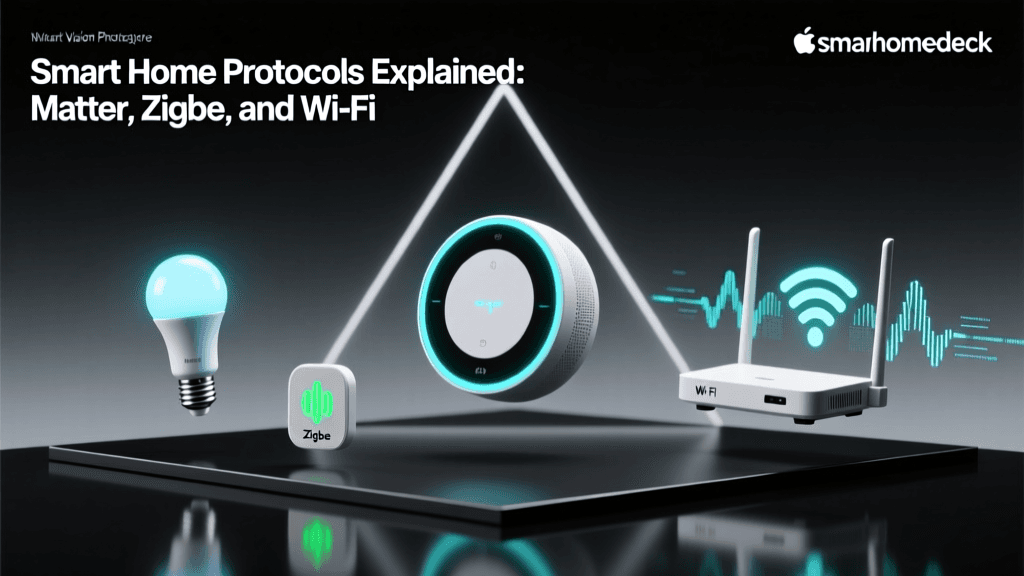
The Fragmented Smart Home Problem
The promise of a smart home is ultimate convenience: your lights dimming as your movie starts, the thermostat adjusting when you leave, and the doors locking automatically at night. However, the reality for many consumers is a fragmented mess of walled gardens. You might have an Amazon Echo in the kitchen, an Apple TV in the living room, and a Google Nest thermostat in the hallway. This results in a frustrating experience where you need four different apps to control devices that should inherently work together.
Historically, tech giants built proprietary ecosystems to lock consumers into their hardware and cloud services. Apple HomeKit demanded strict (and expensive) hardware certifications, Amazon Alexa relied heavily on cloud-based Wi-Fi skills, and Google Home prioritized its own Nest hardware. This fragmentation created a massive barrier to entry and stifled true home automation. Fortunately, the landscape is shifting dramatically. With the advent of universal protocols and advanced local hubs, achieving seamless smart home integration across competing ecosystems is no longer just a dream—it is an actionable reality.
Understanding the Core Integration Protocols
To make devices from different brands and ecosystems work together, you must understand the underlying languages they use to communicate. The smart home relies on a mix of network layers and application layers.
Matter: The Universal Application Layer
Launched by the Connectivity Standards Alliance (CSA), Matter is not a wireless signal like Wi-Fi or Bluetooth; it is an application layer protocol. Think of Matter as a universal translator that sits on top of existing network technologies. Whether a device connects via Wi-Fi, Ethernet, or Thread, Matter ensures that an Apple iPhone, an Amazon Echo, and a Google Nest Hub can all understand the device's status and send commands without relying on third-party cloud servers.
The most powerful feature of Matter is Multi-Admin. This allows you to pair a single device, like the Eve Energy Matter smart plug, to Apple HomeKit and Amazon Alexa simultaneously. Both ecosystems can control the plug independently, and you can trigger automations across devices that normally would not interact.
Thread: The Low-Power Mesh Network
While Matter handles the language, Thread handles the transportation for low-power devices. According to the Thread Group, Thread is an IP-based, low-power mesh networking protocol. Unlike Wi-Fi, which connects every device directly to your router (causing network congestion), Thread devices connect to each other, creating a self-healing web of connectivity.
To connect a Thread network to your home Wi-Fi and the broader internet, you need a Thread Border Router. Devices like the Apple TV 4K (3rd Gen), Amazon Echo (4th Gen), and Google Nest Hub Pro have border routers built-in. When you buy a Matter-over-Thread sensor, such as the Aqara Door and Window Sensor P2, it communicates locally with these border routers, ensuring blazing-fast response times and zero cloud dependency.
Zigbee and Z-Wave: The Legacy Workhorses
Before Matter and Thread, Zigbee and Z-Wave were the gold standards for local smart home integration. Operating on sub-1GHz (Z-Wave) or 2.4GHz (Zigbee) frequencies, these mesh protocols require a dedicated hub, such as the Philips Hue Bridge or a Samsung SmartThings Hub. While newer devices are adopting Matter, Zigbee and Z-Wave remain highly relevant due to the millions of existing devices on the market and their proven reliability in large homes with thick walls.
Choosing the Right Hub for Cross-Ecosystem Control
If you want to unify Apple, Google, and Amazon devices into a single, cohesive automation engine, you need a central brain. While cloud-to-cloud integrations exist, they suffer from latency and internet outages. The best approach is utilizing a local smart home hub that supports multiple protocols.
| Hub / Controller | Est. Cost | Protocols Supported | Best For |
|---|---|---|---|
| Home Assistant Green | $99 | Matter, Thread (via dongle), Zigbee, Z-Wave, Wi-Fi, LAN | Tinkerers & Ultimate Local Control |
| Hubitat Elevation C-8 | $149 | Zigbee, Z-Wave, LAN, Matter (beta/cloud) | Plug-and-Play Local Automations |
| Apple TV 4K (3rd Gen) | $129 | Matter, Thread, Wi-Fi, HomeKit | Apple-Centric Homes |
| Samsung SmartThings Station | $59 | Matter, Thread, Wi-Fi, SmartThings | Budget-Friendly Matter Integration |
For users who want absolute control over their data and the ability to mix ecosystems freely, Home Assistant is the undisputed champion. By running Home Assistant, you can expose your unified automations back to Apple HomeKit, Google Home, and Alexa simultaneously via the Matter Bridge feature, effectively making every device in your house compatible with every voice assistant.
Practical Steps to Integrate Your Devices
Let us walk through a practical, actionable scenario: Unifying a Zigbee lighting system, a Thread-based security sensor, and a Wi-Fi thermostat into a single automation that works across Apple and Amazon ecosystems.
Step 1: Establish Your Thread and Matter Infrastructure
Ensure you have at least two Thread Border Routers from different ecosystems to create a resilient mesh. For example, place an Apple TV 4K in the living room and an Amazon Echo (4th Gen) in the bedroom. This ensures that if one ecosystem's cloud or local hub goes down, the Thread mesh network remains intact.
Step 2: Bridge Legacy Protocols (Zigbee)
Take your Philips Hue Bridge (Zigbee). Instead of relying solely on the Hue app, connect the Hue Bridge to your Home Assistant server via LAN. Home Assistant will instantly pull in all your Hue bulbs. You can then configure Home Assistant to act as a Matter Bridge, exposing those Zigbee bulbs to Apple HomeKit and Google Home as if they were native Matter devices.
Step 3: Pair Matter Devices Using Multi-Admin
Take the Aqara Door and Window Sensor P2 (Matter over Thread). Open the Apple Home app and scan the Matter QR code to pair it. Once paired, open the Aqara app or the sensor's physical settings via HomeKit, and select 'Add to Another Ecosystem.' Scan the newly generated QR code with the Amazon Alexa app. The sensor now reports its open/close status to both Apple and Amazon locally, without any cloud latency.
Step 4: Create the Cross-Ecosystem Automation
Now, create an automation in your central hub (e.g., Home Assistant):
Trigger: Aqara Door Sensor P2 changes to 'Open'.
Condition: Time is after sunset and Ecobee SmartThermostat (Wi-Fi) is set to 'Away'.
Action: Turn on Philips Hue Entryway lights to 80% brightness (warm white) and send a push notification to your phone.
Pro Tip: Always prioritize local control for security and lighting automations. Cloud-dependent automations can fail during internet outages, leaving your smart locks unresponsive or your motion-sensor lights in the dark. Hubs like Home Assistant and Hubitat process these automations locally on your LAN, ensuring 100% reliability regardless of your ISP's status.
Visualizing Network Latency by Protocol
One of the primary reasons enthusiasts pursue local integration via Thread, Zigbee, and Matter is to eliminate the 500ms to 2-second delays associated with cloud-based Wi-Fi commands. The chart below illustrates the average command latency across common smart home protocols.
As visualized, local Thread and Matter-over-Thread networks offer near-instantaneous response times (under 20ms). This is crucial for motion-sensor lighting or security alarms where a half-second delay feels like an eternity to the user.
Budgeting for a Unified Smart Home Setup
Transitioning from fragmented apps to a unified, Matter-enabled local ecosystem requires an upfront investment in the right hub and border routers. Below is a realistic cost breakdown for a starter integration kit designed to bridge Apple, Amazon, and Google ecosystems.
| Component | Product Example | Estimated Price |
|---|---|---|
| Central Hub | Home Assistant Green | $99 |
| Thread Border Routers | Apple TV 4K + Amazon Echo (4th Gen) | $228 |
| Matter Sensor | Aqara Door & Window Sensor P2 | $39 |
| Matter Smart Plug | Eve Energy (Matter Edition) | $35 |
| Zigbee Bridge | Philips Hue Bridge | $59 |
| Total Starter Integration Cost | ~$460 | |
While $460 may seem steep compared to buying a $15 Wi-Fi smart plug, the value lies in the interoperability and local reliability. You are no longer paying for cloud subscriptions, your data remains entirely on your local network, and your automations will execute flawlessly even if your internet connection drops.
Overcoming Common Integration Roadblocks
As you unify your home, you will inevitably encounter a few roadblocks. Here is how to solve the most common integration issues:
- Matter Pairing Failures: Matter relies heavily on IPv6. Ensure your primary Wi-Fi router has IPv6 enabled on your local network. Many older routers disable this by default, which will cause Thread and Matter devices to fail during the QR code scanning process.
- Thread Network Fragmentation: If you have multiple Thread Border Routers from different brands (e.g., Apple and Google), they may form separate Thread meshes instead of merging into one. Ensure all border routers are updated to the latest firmware, as recent updates have vastly improved cross-brand Thread mesh merging.
- Device State Syncing: When using Multi-Admin across Apple Home and Amazon Alexa, physical switch states might lag in one app. Always use smart switches or relay modules (like the Shelly Plus 1) behind dumb switches to ensure the smart ecosystem always knows the true physical state of the circuit.
Conclusion
The era of being locked into a single smart home ecosystem is over. By leveraging the universal language of Matter, the low-power mesh capabilities of Thread, and a robust local controller like Home Assistant or Hubitat, you can force Apple, Amazon, Google, and Samsung devices to work together in perfect harmony. While it requires a foundational understanding of network protocols and a modest upfront investment in the right hubs, the result is a blazing-fast, reliable, and deeply automated home that responds to your life—not the limitations of corporate walled gardens.