Introduction to Voice-Driven Automation
When most consumers first bring a smart speaker or display into their home, they treat it as a glorified remote control. Asking a voice assistant to turn on a single light bulb or play a specific song is convenient, but it barely scratches the surface of what modern smart home technology can achieve. The true power of voice assistants like Amazon Alexa, Google Assistant, and Apple Siri lies in their ability to act as the catalyst for complex, multi-step automation workflows. By transitioning from direct, one-off commands to voice-triggered routines, you can orchestrate your entire home's ecosystem with a single, natural phrase.
In the realm of Smart Home Basics and Education, understanding the intersection of voice control and automated logic is essential. Voice is not just an output mechanism for receiving information; it is a highly personalized, context-aware input trigger. When combined with the Internet of Things (IoT), voice commands can initiate cascading workflows that adjust your home's lighting, climate, security, and entertainment systems simultaneously. This guide will walk you through the anatomy of smart home workflows, how to build robust voice-triggered routines, and how to troubleshoot common latency and compatibility issues across major ecosystems.
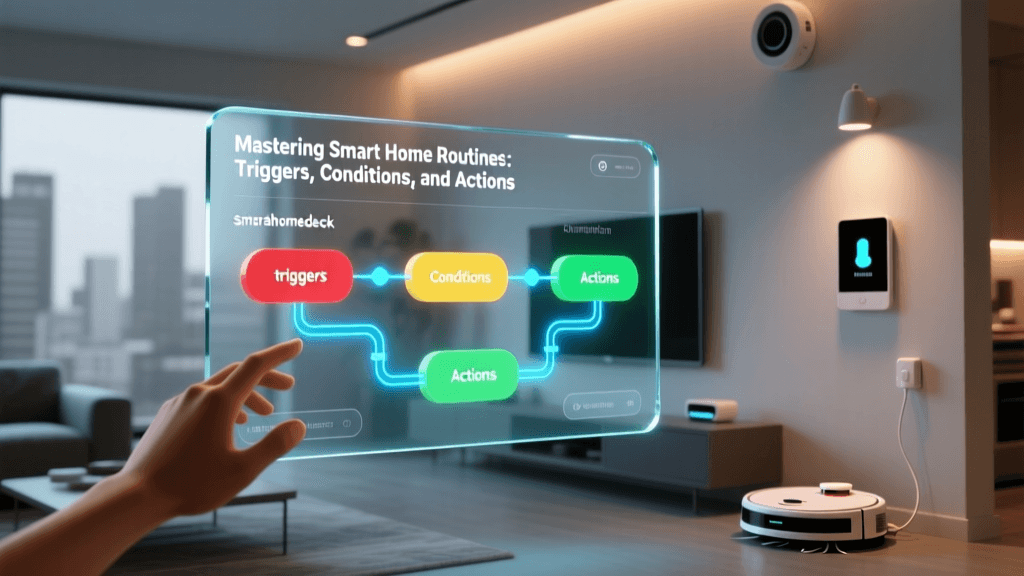
The Core Triad: Triggers, Conditions, and Actions
Every reliable smart home automation workflow is built upon a foundational triad: Triggers, Conditions, and Actions. Understanding how voice fits into this framework is the first step toward mastering home automation.
1. The Trigger (The 'When')
A trigger is the event that initiates the workflow. While many automations rely on passive triggers like time of day, motion sensors, or geofencing, voice acts as an active, intentional trigger. Instead of the system guessing you are ready for bed based on the clock, a voice trigger like 'Alexa, goodnight' confirms your intent. This eliminates false positives common in passive sensor-based automations.
2. The Condition (The 'Only If')
Conditions are the logical gatekeepers that prevent an automation from running inappropriately. For example, if your voice trigger is 'I am home,' a condition might check if the security system is currently armed. If it is already disarmed, the workflow skips the action to prevent redundant notifications. Advanced workflows often combine voice triggers with environmental conditions, such as only turning on the air conditioning via a voice command if the indoor temperature is above 74 degrees.
3. The Action (The 'Then')
Actions are the physical or digital results of the workflow. This includes dimming Philips Hue lights to 20%, setting an Ecobee smart thermostat to an eco-mode, or locking a Yale Assure deadbolt. A single voice trigger can execute dozens of actions across different brands and protocols simultaneously.
Direct Voice Commands vs. Voice-Triggered Routines
It is crucial to differentiate between direct device control and routine triggering. When you say, 'Hey Google, turn on the living room lamp,' the cloud-based Natural Language Processing (NLP) engine maps your speech directly to a single device's API. This is a 1-to-1 relationship.
Conversely, a voice-triggered routine maps a custom phrase to a pre-compiled script of commands. When you say, 'Hey Siri, it is movie time,' the system does not look for a device named 'movie time.' Instead, it references a stored workflow. This workflow might lower the Lutron Caseta blinds, dim the lights to a warm 2700K color temperature, power on the Sony Bravia TV via an IR blaster, and start the Sonos Arc soundbar. According to the Google Nest official routine documentation, utilizing custom phrases for multi-device grouping significantly reduces network congestion and processing latency compared to issuing multiple individual commands.
Step-by-Step: Building a 'Leaving Home' Workflow
Let us build a practical, high-utility workflow designed for when you leave the house. This routine will secure your home and reduce energy consumption.
Step 1: Define the Voice Trigger
Open your smart home app (Alexa, Google Home, or Apple Home). Navigate to the Routines or Automations tab. Create a new routine and set the trigger to 'When I say.' Choose a phrase that is phonetically distinct and unlikely to be said in casual conversation. 'Alexa, I am heading out' is better than 'Alexa, bye,' which might be triggered by a television show.
Step 2: Add Sequential Actions
Add your device actions in a logical order. First, command your smart locks (e.g., Schlage Encode) to lock. Second, set your smart thermostat (e.g., Nest Learning Thermostat) to 'Away' or 'Eco' mode. Third, turn off all smart lighting groups.
Step 3: Implement Delays and Waits
Delays are critical for user experience. If you have a smart garage door opener (like the Chamberlain myQ), you might want the overhead light to stay on for three minutes after you trigger the routine, giving you time to pull out of the driveway before the lights shut off. Insert a 'Wait' action between the garage door closing command and the light shut-off command.
Step 4: Add a Confirmation Announcement
To provide peace of mind, add a final action that broadcasts a message to a specific smart speaker. For example, have the Echo Dot in the kitchen announce, 'The house is secured and the thermostat is set to eco.' This auditory feedback loop confirms the workflow executed successfully without requiring you to check your smartphone.
Hardware Placement and Acoustic Considerations
A voice-triggered workflow is only as reliable as the microphone array capturing the command. Far-field microphones in modern smart speakers use beamforming technology to isolate human speech from background noise, but physical placement remains critical.
- Avoid Acoustic Interference: Do not place smart speakers near HVAC vents, air purifiers, or directly next to televisions. The constant white noise can degrade the NLP engine's ability to accurately parse custom routine phrases.
- Line of Sight and Obstructions: While sound waves bend around corners, placing a speaker inside a closed cabinet or behind heavy drapes will muffle high-frequency consonants, leading to misheard triggers.
- Zoning Your Audio: For multi-story homes, utilize multiple low-cost entry-level devices (like the Echo Pop or Nest Mini) to create overlapping acoustic zones. This ensures you never have to shout a trigger phrase, maintaining the conversational nature of voice control.
Ecosystem Comparison: Alexa, Google, and Apple
Not all voice ecosystems handle automation workflows equally. Below is a comparison of how the big three handle voice-triggered logic.
| Ecosystem | Custom Voice Triggers | Local Processing | Matter Support |
|---|---|---|---|
| Amazon Alexa | Highly flexible, supports custom phrases and implicit intents. | Limited; mostly cloud-dependent unless using specific local hubs. | Yes, rolling out via software updates to newer Echo devices. |
| Google Home | Supports custom starters, but heavily relies on cloud NLP. | Limited; some local execution for basic lighting and media. | Yes, robust support via Nest Hubs and Matter controllers. |
| Apple HomeKit | Siri Shortcuts allow deep customization and multi-step logic. | Excellent; HomePod and Apple TV process many commands locally. | Yes, native support and strong emphasis on local Thread networks. |
Advanced Logic: Failsafes and Voice Overrides
As your smart home grows, automated workflows will occasionally conflict. For instance, you might have a passive motion-sensor routine that turns off the living room lights after 15 minutes of no detected movement. If you are sitting still reading a book, the lights will go dark. This is where voice overrides become essential.
You can create a voice-triggered routine called 'Reading Mode' that not only sets the lights to a bright, cool white but also creates a temporary virtual switch or variable that disables the motion-sensor timeout routine for the next two hours. Learning to use virtual switches (often called 'Dummy Switches' or 'Virtual Devices' in platforms like Hubitat or SmartThings) allows voice commands to alter the underlying logic of your home, not just the physical state of the devices.
Integrating Third-Party Services with IFTTT and Voice
Voice workflows are not limited to physical smart home hardware. Through integration platforms like IFTTT (If This Then That) or native webhooks, your voice can trigger digital actions. Imagine a workflow where saying 'Alexa, log my mileage' triggers an API call that appends the current date and a preset number to a Google Sheet, or sends a pre-formatted SMS to your spouse. This bridges the gap between physical home automation and personal productivity, turning your voice assistant into a hands-free personal secretary.
Industry Trends: The Shift to Voice Workflows
The smart home industry has seen a massive shift away from app-based manual control toward automated and voice-triggered routines. As NLP models have improved and latency has decreased, consumers are trusting voice to handle complex, multi-device sequences. The chart below illustrates the changing landscape of user interaction methods over recent years.
This data highlights a clear consumer preference for frictionless interactions. As the Connectivity Standards Alliance (CSA) continues to push the Matter protocol forward, the interoperability between different brands will only make these voice-triggered routines faster and more reliable, further reducing the need to open a smartphone app.
Troubleshooting Latency and Cloud Dependencies
The most common complaint regarding voice automation workflows is latency—the awkward two-to-three-second delay between speaking a command and the devices reacting. This delay is usually caused by cloud dependency. When you speak, the audio is compressed, sent to a remote server, transcribed, matched to a routine, and the resulting commands are sent back to your local hub.
To mitigate this, prioritize devices that support local processing protocols like Zigbee, Z-Wave, or the newer Matter over Thread standard. While the voice recognition itself may still require a cloud connection (unless you are using advanced local NLP setups like Home Assistant with Whisper), the subsequent execution of the routine can happen locally on your hub. This ensures that even if your internet connection drops, the internal logic of your home remains intact, and the physical actions execute the millisecond the hub receives the signal.
Conclusion
Mastering voice control and automation workflows transforms your home from a collection of remote-controlled gadgets into a cohesive, intelligent environment. By understanding the triad of triggers, conditions, and actions, and by strategically placing your hardware for optimal acoustic capture, you can build routines that feel less like programming and more like magic. Whether you are securing your home with a single phrase or orchestrating the perfect movie night, voice-triggered workflows represent the pinnacle of modern smart home convenience.