Introduction to Renter-Friendly Automation
For millions of people living in apartments, condos, and leased single-family homes, the dream of a fully automated smart home often feels out of reach. Landlords are notoriously strict about modifications, and the fear of losing a security deposit due to drilled holes or altered wiring is a major deterrent. However, the smart home industry has evolved significantly, offering a wide array of renter-friendly devices that require zero permanent modifications. You can now achieve premium automation, enhanced security, and improved energy efficiency without picking up a power drill or cutting a single wire.
Building a smart home as a renter requires a strategic approach. You must prioritize devices that are easily reversible, rely on non-destructive mounting methods, and operate independently of the building's hardwired infrastructure. This comprehensive guide will walk you through the best no-drill, no-wire smart home products, how to navigate tricky apartment Wi-Fi networks, and how to safely pack up your ecosystem when it is time to move.
The Golden Rules of Apartment Automation
Before purchasing any smart devices, it is crucial to understand the foundational rules of renting and home automation. Following these principles will ensure your setup remains effective and your security deposit remains intact.
1. The Reversibility Mandate
Every device you install must be 100 percent reversible. This means avoiding smart thermostats that require complex C-wire adapters or smart doorbells that necessitate drilling into the exterior siding. If a device cannot be removed and leave the space exactly as you found it, it does not belong in a rental property. Always store the original fixtures, such as deadbolt thumb-turns or standard light switches, in a labeled box so you can reinstall them before your lease ends.
2. The Adhesive Protocol
Many smart home devices come with aggressive double-sided mounting tape that will rip the drywall paper upon removal. Never use the included adhesive directly on painted walls. Instead, invest in high-quality, damage-free hanging strips, such as 3M Command Strips. For heavier devices, use tension rods, over-the-door hooks, or freestanding shelves. If you must use adhesive, always test it on a small, hidden area first, and learn the proper heat-and-peel removal technique.
3. Navigating Apartment Networks
Apartment buildings often provide shared Wi-Fi networks that utilize 'AP Isolation,' a security feature that prevents devices on the same network from communicating with each other. This can break local smart home routines and prevent hubs from discovering accessories. The best workaround is to purchase your own dedicated router or a travel router to create a private, isolated network specifically for your smart home devices, keeping them separate from your personal computers and phones.
Top No-Drill Smart Home Categories
Smart Lighting and Plugs
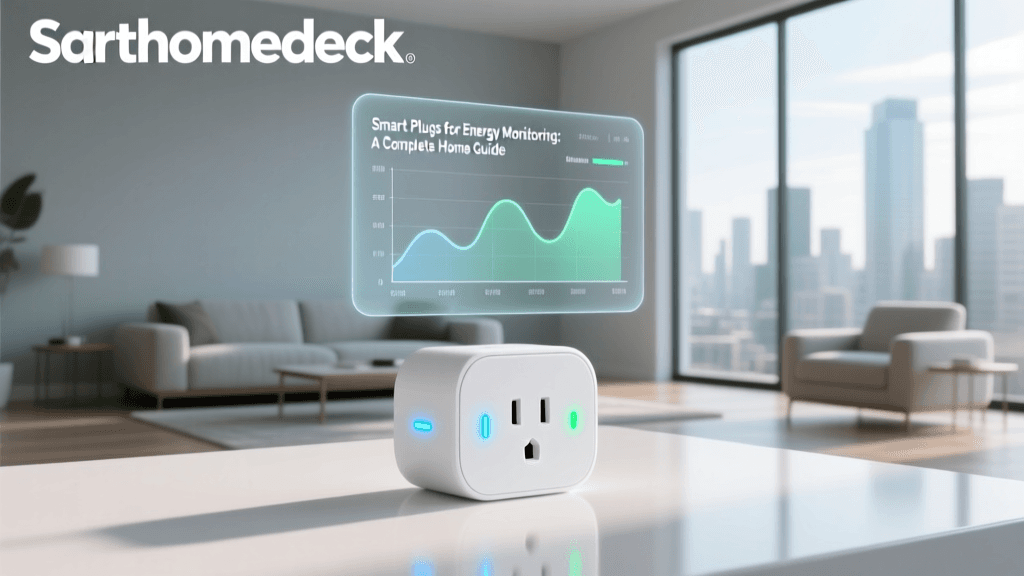
Lighting is the most accessible entry point for renters. Smart bulbs, such as the Philips Hue White and Color Ambiance line or budget-friendly options from Wyze and Sengled, simply screw into existing fixtures. They offer scheduling, color changing, and voice control without touching the wall switch. For lamps and decorative fixtures, smart plugs like the Kasa Smart Plug Mini or Tapo P110 are invaluable. They allow you to automate 'dumb' appliances, from coffee makers to floor lamps, and can even monitor energy usage.
LED light strips are incredibly popular for adding ambient lighting behind TVs or under kitchen cabinets. However, the stock adhesive on brands like Govee or Nanoleaf can damage paint. Always apply a layer of damage-free mounting tape to the wall first, and then stick the LED strip to the mounting tape.
Retrofit Smart Locks
Replacing a deadbolt is usually a violation of a lease agreement, but retrofit smart locks solve this problem elegantly. Devices like the August Wi-Fi Smart Lock or the SwitchBot Lock are designed to install on the interior side of your door. They replace only the thumb-turn, leaving the exterior deadbolt and keyway completely untouched. This means your landlord's master key will still work, and the exterior appearance of the door remains unchanged. These locks offer auto-unlock features, remote guest access, and integration with major voice assistants, all while requiring only a screwdriver for the interior plate and zero drilling.
Freestanding and Window-Mount Cameras
Security cameras often require drilling into exterior walls, which is strictly prohibited for renters. Instead, opt for freestanding indoor cameras like the Eufy Solo IndoorCam or the Blink Mini. These can be placed on shelves, bookcases, or entertainment centers. If you want to monitor the exterior of your apartment or the hallway, consider using a window mount. Suction cup mounts designed for action cameras can hold lightweight Wi-Fi cameras against the inside of your window, pointing out. Ensure you turn off the camera's infrared night vision, as the IR glare will reflect off the glass and blind the lens at night.
Smart Blinds and Climate Control
Hardwired smart blinds are out of the question, but retrofit blind motors like the SwitchBot Blind Tilt are perfect for renters. These devices clamp directly onto the existing wand of your horizontal blinds, using a simple motor to tilt the slats based on the time of day or the position of the sun. For climate control, avoid smart thermostats. Instead, use smart AC controllers like the Sensibo Sky, which mount to the wall with Command strips and control your ductless mini-split or window AC unit via infrared signals. According to the U.S. Department of Energy, utilizing smart technology to manage heating and cooling can significantly reduce energy waste, which is especially beneficial for renters who pay their own utility bills.
Device Comparison Table
The following table summarizes the best renter-friendly categories, highlighting their installation methods and general requirements.
| Device Category | Top Product Example | Mounting Method | Avg. Cost | Hub Required? |
|---|---|---|---|---|
| Retrofit Smart Lock | August Wi-Fi Smart Lock | Interior Screw Replacement | $180 - $230 | No (Built-in Wi-Fi) |
| Smart Light Bulb | Philips Hue White | Screws into existing socket | $15 - $50 | Yes (For best performance) |
| Indoor Security Camera | Eufy Solo IndoorCam | Freestanding / Shelf | $30 - $60 | No |
| Smart Blind Motor | SwitchBot Blind Tilt | Clamps to existing wand | $70 - $90 | Yes (For remote access) |
| Water Leak Sensor | Aqara Water Leak Sensor | Freestanding on floor | $20 - $30 | Yes (Zigbee) |
Cost Analysis Chart
Understanding the financial commitment of a renter-friendly setup is crucial. The chart below visualizes the average cost entry points for various smart home categories, proving that a robust apartment ecosystem does not require a massive budget.
Ecosystems and the Matter Protocol
When building a smart home from scratch in a rental, ecosystem compatibility is paramount. Historically, renters had to choose between Apple HomeKit, Amazon Alexa, or Google Home, often locking themselves into one brand of devices. Today, the landscape is shifting thanks to the Matter protocol. Matter is an open-source, royalty-free connectivity standard that allows smart home devices to communicate seamlessly across different ecosystems. According to the Connectivity Standards Alliance (CSA), Matter ensures that a smart plug bought for an Apple HomePod today can easily be integrated into an Amazon Alexa setup tomorrow. For renters who might change their living situation or preferred voice assistant, investing in Matter-compatible devices ensures long-term flexibility and protects your hardware investment.
Security and Privacy in Shared Buildings
Living in an apartment means living in close proximity to others, which introduces unique security and privacy concerns for smart home devices. Shared walls and communal Wi-Fi networks can make your devices vulnerable if not properly secured. The Cybersecurity and Infrastructure Security Agency (CISA) strongly recommends segmenting your IoT devices from your primary computing network. Furthermore, always change default passwords immediately upon setup, enable two-factor authentication (2FA) on all smart home apps, and ensure your router's firmware is regularly updated. For indoor cameras, utilize physical privacy shutters or geofencing routines that automatically turn the camera off when your phone connects to the home Wi-Fi, ensuring your private moments remain private.
Moving Out: The Safe Removal Guide
When your lease is up, removing your smart home setup safely is just as important as the installation. Follow these steps to avoid damaging the property:
- The Hairdryer Trick: Never pull adhesive strips straight off the wall. Use a hairdryer on a medium heat setting to warm the adhesive for 30 to 60 seconds. This softens the glue, allowing you to peel it away slowly without taking the paint or drywall paper with it.
- Isopropyl Alcohol: If any sticky residue is left behind, gently rub it with a microfiber cloth dampened with 70 percent isopropyl alcohol. Avoid harsh chemical solvents that can discolor paint.
- Factory Resets: Before packing up your devices, perform a hard factory reset on every hub, camera, and lock. This wipes your personal data, Wi-Fi credentials, and access codes from the local memory, which is vital if you plan to sell the devices or if the landlord decides to repurpose them.
- Reinstall Original Hardware: Retrieve the original deadbolt thumb-turns, light switches, and fixture covers from your storage box and reinstall them. Take a final walk-through with your phone to photograph the pristine condition of the walls and doors.
Conclusion
Being a renter no longer means you have to sacrifice the convenience, security, and energy savings of a modern smart home. By focusing on retrofit devices, freestanding sensors, and non-destructive mounting techniques, you can create a highly personalized, automated environment that adapts to your lifestyle. As protocols like Matter continue to unify the industry, the barrier to entry for apartment dwellers is lower than ever. Plan your network carefully, respect the physical space, and enjoy the benefits of a truly intelligent home, no drill required.