Introduction to Renter-Friendly Smart Homes
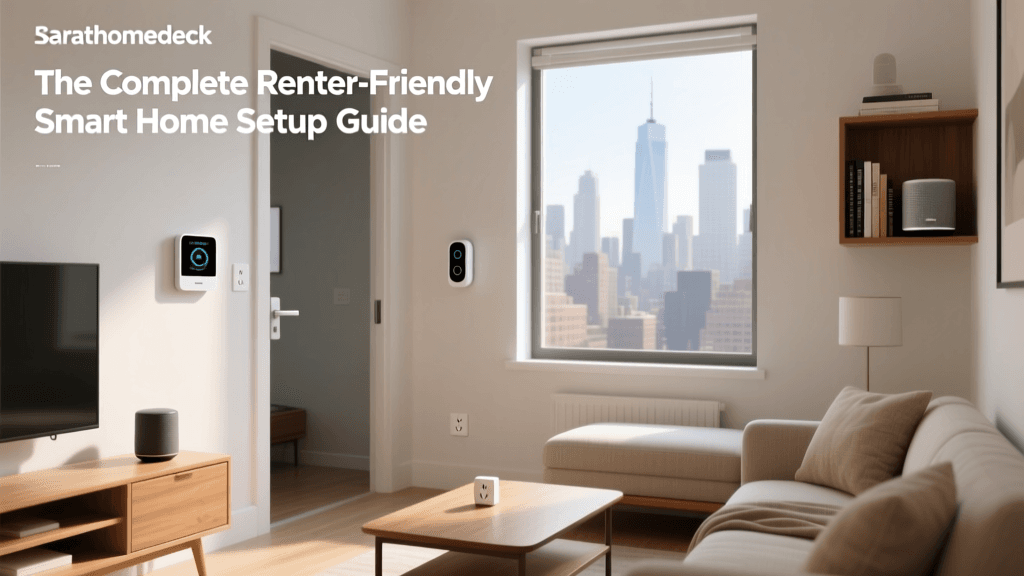
The smart home revolution is no longer exclusive to homeowners. For the millions of people living in apartments, condos, and leased single-family homes, upgrading to a connected living space often comes with a major hurdle: strict lease agreements that prohibit drilling holes, running new wires, or replacing hardwired fixtures. Fortunately, the Internet of Things (IoT) has evolved significantly, giving rise to a robust market of no-drill, no-wire, and battery-operated smart devices. According to Penn State Extension's overview of smart home technology, the proliferation of wireless protocols and improved battery life has made smart home adoption accessible to virtually anyone, regardless of their housing situation.
Building a smart home as a renter requires a strategic approach. You must prioritize devices that offer reversible installation, rely on wireless connectivity, and respect the physical integrity of your rental property. This comprehensive guide will walk you through the foundational concepts of renter-friendly smart home setups, providing specific product recommendations, installation tips, and strategies to ensure you get your full security deposit back when it is time to move out.
The Foundation: Hubs, Protocols, and Ecosystems
Before purchasing individual devices, renters must understand the invisible infrastructure that makes a smart home function: ecosystems and protocols. An ecosystem is the software platform that controls your devices, such as Apple HomeKit, Amazon Alexa, Google Home, or Samsung SmartThings. For renters, choosing an ecosystem that supports a wide variety of battery-operated and plug-in devices is crucial.
Recently, the smart home industry has rallied behind a new universal standard called Matter. Matter is an open-source connectivity protocol designed to allow smart devices from different brands to communicate seamlessly, regardless of the ecosystem you choose. For renters, Matter is a game-changer. It means you can buy a smart plug today, move to a new apartment tomorrow, and integrate it into a completely different voice assistant without needing to replace your hardware. When shopping, always look for the Matter logo on packaging to ensure future-proof compatibility.
Wireless protocols like Zigbee, Z-Wave, and Thread are also essential. Unlike Wi-Fi, which can drain batteries quickly and congest your router, these low-power mesh networks are perfect for battery-operated door/window sensors and smart locks. However, they require a central hub or bridge. Renters should look for multi-protocol hubs, such as the Amazon Echo (4th Gen) or Apple HomePod mini, which have built-in Zigbee and Thread radios, eliminating the need for extra plug-in bridges cluttering your limited outlet space.
Smart Lighting Without Rewiring
Lighting is the most common entry point into the smart home space, but renters rarely have the permission (or the electrical expertise) to swap out wall switches. Hardwired smart switches, like the popular Lutron Caseta line, require connecting neutral wires and ground wires inside your wall boxes—a massive liability for renters. Instead, you have two primary no-wire alternatives: smart bulbs and smart plugs.
Smart Bulbs
Smart bulbs screw directly into your existing fixtures. The Philips Hue White and Color Ambiance line remains the gold standard, offering exceptional color accuracy, deep dimming capabilities, and integration with virtually every ecosystem. A starter kit with a Hue Bridge and four bulbs typically costs around $150 to $200. If you are on a tighter budget or do not want to deal with a hub, Wi-Fi-enabled bulbs like Wyze Bulb Color or Kasa Smart Light Bulbs connect directly to your 2.4GHz router for about $10 to $15 each. Keep in mind that smart bulbs require the physical wall switch to remain in the 'on' position; if a roommate or guest flips the switch, the bulb loses power and goes offline.
Smart Plugs and Light Strips
For floor lamps and decorative lighting, smart plugs are the ultimate renter-friendly solution. The Kasa Smart Plug Mini (EP25) costs around $15, supports energy monitoring, and requires zero installation. Additionally, LED light strips with adhesive backing, such as the Govee RGBIC LED Strip Lights, can be applied to the back of entertainment centers or under kitchen cabinets using damage-free mounting tape, providing ambient lighting without any electrical work.
No-Drill Security and Access Control
Security is a top priority for renters, but traditional security systems require drilling holes for cameras and replacing deadbolts. Today's market offers brilliant workarounds that keep your home secure and your doors intact.
Retrofit Smart Locks
Instead of replacing your landlord's deadbolt, you can use a retrofit smart lock. The SwitchBot Lock is a standout in this category. It physically attaches to the interior thumb-turn of your existing deadbolt using ultra-strong 3M VHB adhesive tape. It accommodates door thicknesses ranging from 1.37 to 2.0 inches and works with standard cylindrical deadbolts. Priced around $130, it allows you to use your phone, fingerprint, or voice commands to lock the door, while the landlord's physical key continues to work perfectly from the outside. Another excellent option is the Aqara Retrofit Smart Lock, which offers similar adhesive-based installation and native Apple HomeKit support.
Battery-Powered Cameras and Doorbells
Wired video doorbells like the Ring Pro require connecting to existing low-voltage doorbell chime wires, which many apartments lack. Instead, opt for the Ring Peephole Cam or the Blink Video Doorbell. The Peephole Cam replaces the existing peephole lens on your apartment door (an easily reversible modification) without requiring any drilling. The Blink Video Doorbell runs entirely on two AA lithium batteries and can be mounted using heavy-duty, damage-free outdoor mounting strips. Both devices offer two-way audio, motion detection, and cloud storage options, ensuring you can see who is at your door without altering the exterior of your building.
Adhesive Window and Door Sensors
To secure your ground-floor windows or sliding glass doors, use contact sensors. The Eufy Security Smart Sense Window/Door Sensor or the Aqara Door and Window Sensor utilize 3M adhesive pads to stick to the frame and the door itself. When the magnetic connection is broken, the sensor triggers an alarm or sends a push notification to your phone. These sensors are typically under $25 each and leave no residue when removed properly.
Climate Control for Leased Spaces
Smart thermostats like the Nest Learning Thermostat or Ecobee SmartThermostat are fantastic for saving energy. According to the EPA, ENERGY STAR certified smart thermostats can save homeowners roughly 8% on heating and cooling bills. However, installing them often requires dealing with a C-wire (common wire) in your HVAC closet, and landlords may strictly forbid tampering with the building's central HVAC control panels.
If you live in an apartment with a wall-mounted split AC unit, a window air conditioner, or a portable AC, the solution is an IR (Infrared) Blaster. The Sensibo Sky or Mysa Smart Thermostat for AC** acts as a universal remote. You place the device on a shelf or mount it with adhesive strips where it has a clear line of sight to your AC unit. It learns your AC's infrared signals and allows you to control the temperature, fan speed, and scheduling via your smartphone or voice assistant. Priced around $120, it provides smart climate control without touching a single wire.
Motorized Blinds and Sensors
Natural light management is key to comfort and energy efficiency, but replacing apartment blinds with hardwired motorized shades is incredibly expensive and invasive. Enter the SwitchBot Blind Tilt. This ingenious device clamps directly onto the existing wand of your horizontal blinds. It uses a small motor to twist the wand, tilting the blinds open or closed based on the time of day, the position of the sun, or voice commands. It is powered by a rechargeable battery or an optional solar panel that sticks to your window glass using suction cups. At approximately $90, it brings luxury automation to basic rental blinds.
Comparison Table: Renter-Friendly Smart Devices
To help you plan your budget and setup, here is a structured comparison of top renter-friendly devices across various categories.
| Device Category | Recommended Product | Installation Method | Est. Cost | Hub Required? |
|---|---|---|---|---|
| Smart Lighting | Philips Hue White & Color | Screws into existing socket | $50 / bulb | Yes (Hue Bridge) |
| Smart Plug | Kasa Smart Plug Mini (EP25) | Plugs into standard outlet | $15 | No (Wi-Fi) |
| Smart Lock | SwitchBot Lock | 3M VHB Tape over thumb-turn | $130 | Optional (for remote) |
| Video Doorbell | Blink Video Doorbell | Battery + Damage-free strips | $50 | No (Wi-Fi) |
| Climate Control | Sensibo Sky | Adhesive / Shelf placement | $120 | No (Wi-Fi) |
| Blind Automation | SwitchBot Blind Tilt | Clamps to existing wand | $90 | Optional (for remote) |
Average Cost of a Renter Smart Home Setup
Building a smart home does not have to break the bank. By focusing on targeted upgrades rather than whole-home rewiring, renters can achieve a highly automated space for a fraction of the cost of traditional installations. The chart below illustrates the estimated average cost breakdown for a standard one-bedroom or two-bedroom apartment smart home setup.
Average Cost Breakdown for a Renter-Friendly Smart Home
Moving Out: Reversibility and Deposit Protection
The most critical aspect of a renter's smart home is the ability to remove it without leaving a trace. Improper removal of adhesive-mounted devices is the number one cause of security deposit deductions related to smart home tech. Here is how to safely reverse your installation:
- Removing 3M VHB Tape: Never simply yank a smart lock or sensor off the wall or door, as this will peel the paint or damage the wood finish. Instead, use a hairdryer on a medium heat setting to warm the adhesive for 60 to 90 seconds. Once the adhesive is soft, use a piece of dental floss or fishing line to 'saw' gently behind the mounting plate. Clean any residual adhesive with a citrus-based remover like Goo Gone or isopropyl alcohol.
- Filling Minor Holes: If you did use a small nail or screw for a camera mount, ensure you fill the hole with lightweight spackle and touch it up with paint that perfectly matches the wall. Keep a small sample of the original paint from move-in day for this exact purpose.
- Factory Resetting: Before moving, every smart device must be factory reset. This removes the device from your cloud account, clearing your Wi-Fi credentials and personal data. It also prevents the next tenant from accidentally connecting to your devices if they remain in the apartment.
Privacy and Security Best Practices
When living in a shared building or apartment complex, network security is paramount. Many apartment buildings offer shared Wi-Fi networks, which are notoriously insecure for IoT devices. If possible, set up your own private, password-protected Wi-Fi network using a personal router. Ensure your router's firmware is updated and that you are using WPA3 or WPA2 encryption.
Furthermore, follow the CISA's guidelines on Internet of Things (IoT) security by changing all default passwords on your hubs and cameras. Enable Two-Factor Authentication (2FA) on all smart home accounts (Amazon, Google, Apple, Ring, etc.). This ensures that even if a malicious actor on your apartment building's network intercepts your credentials, they cannot access your interior cameras or smart locks without the secondary verification code sent to your phone.
Conclusion
Being a renter no longer means sacrificing the convenience, security, and energy efficiency of a modern smart home. By leveraging retrofit locks, battery-powered sensors, smart bulbs, and IR blasters, you can create a fully automated sanctuary that adapts to your lifestyle. The key to success lies in careful planning, prioritizing Matter-compatible and wireless devices, and mastering the art of damage-free installation and removal. With the right approach, you can enjoy the cutting edge of home technology today, and pack it all up in a single box when you are ready to move to your next adventure.