The Invisible Language of Your Smart Home
When you unbox a new smart light bulb, plug in a connected security camera, or mount a smart thermostat, you are interacting with the physical layer of the Internet of Things (IoT). However, the true magic of a smart home lies in the invisible layer: the communication protocols. A protocol is essentially the language that your devices use to speak to one another, to your smartphone, and to the cloud. Without a unified or compatible set of protocols, your smart home is just a collection of isolated gadgets that require separate apps and cannot trigger automated routines.
For beginners entering the smart home space, understanding these underlying communication standards is the most critical step in building a reliable, fast, and future-proof automated home. In this deep explainer, we will break down the major smart home protocols, explore the revolutionary Matter standard, and provide actionable advice on how to mix and match hardware for the ultimate smart home ecosystem.
What Exactly is a Smart Home Protocol?
In computing, a protocol is a set of rules that governs how data is transmitted and received across a network. In the context of smart homes, protocols dictate everything from the radio frequency used to transmit a signal, to the amount of power a device consumes while waiting for a command, to the level of encryption used to keep hackers out. Choosing the right protocol depends on three main factors: bandwidth (how much data needs to be sent), range (how far the signal needs to travel), and power consumption (whether the device is hardwired or battery-operated).
The Big Four: Legacy and Current Standards
Before the advent of universal standards, the smart home market was fragmented into several competing proprietary and open-source protocols. Here is a deep dive into the foundational technologies that still power millions of homes today.
1. Wi-Fi: The High-Bandwidth Heavyweight
Wi-Fi is the most ubiquitous protocol in the modern home. Operating primarily on the 2.4 GHz and 5 GHz frequency bands, Wi-Fi offers massive bandwidth, making it the undisputed king for data-heavy devices like smart security cameras, video doorbells, and smart displays.
- Pros: No separate hub required; connects directly to your existing router; high data transfer rates.
- Cons: High power consumption (terrible for battery-operated sensors); can congest your home network if you have dozens of IoT devices; 2.4 GHz networks are prone to interference from microwaves and Bluetooth devices.
- Best For: Plugs, switches, cameras, and thermostats.
- Popular Products: TP-Link Kasa Smart Plugs ($15-$25), Ring Video Doorbell ($100-$250).
2. Zigbee: The Mesh Network Pioneer
Zigbee operates on the same 2.4 GHz frequency as Wi-Fi but is designed specifically for low-power, low-data-rate applications. Its superpower is mesh networking. In a Zigbee mesh, every hardwired device (like a smart light bulb or wall switch) acts as a repeater, extending the range of the network and ensuring signals can route around physical obstacles like thick concrete walls.
- Pros: Extremely low power consumption; mesh networking increases reliability; supports thousands of devices on a single network.
- Cons: Requires a dedicated hub (like the Aeotec Smart Home Hub or Philips Hue Bridge); shares the crowded 2.4 GHz spectrum with Wi-Fi.
- Best For: Smart lighting, motion sensors, door/window contact sensors.
- Popular Products: Philips Hue White and Color Ambiance Bulbs ($50-$200), Aqara Motion Sensors ($25).
3. Z-Wave: The Sub-GHz Reliability King
Z-Wave is a proprietary, low-power mesh protocol that operates on sub-GHz radio frequencies (specifically 908.42 MHz in the United States). Because it operates on a completely different frequency than your home Wi-Fi, Z-Wave is virtually immune to the interference that plagues Zigbee and Wi-Fi networks. According to the Z-Wave Alliance, this frequency also allows the signal to penetrate solid walls and floors much more effectively than higher-frequency alternatives.
- Pros: Zero Wi-Fi interference; excellent wall penetration; highly reliable mesh topology; strict certification ensures cross-brand compatibility.
- Cons: Requires a hub; lower data transfer rates than Zigbee; devices are often slightly more expensive.
- Best For: Smart locks, garage door controllers, critical security sensors.
- Popular Products: Ring Alarm Contact Sensors ($20), Schlage Encode Smart Deadbolt ($250).
4. Bluetooth Low Energy (BLE)
While primarily known for connecting wireless headphones, BLE is heavily used in the smart home for proximity-based automation and initial device setup. It is low power but has a very limited range, making it unsuitable for whole-home automation without a network of Bluetooth mesh hubs.
The Game Changer: Thread and the Matter Standard
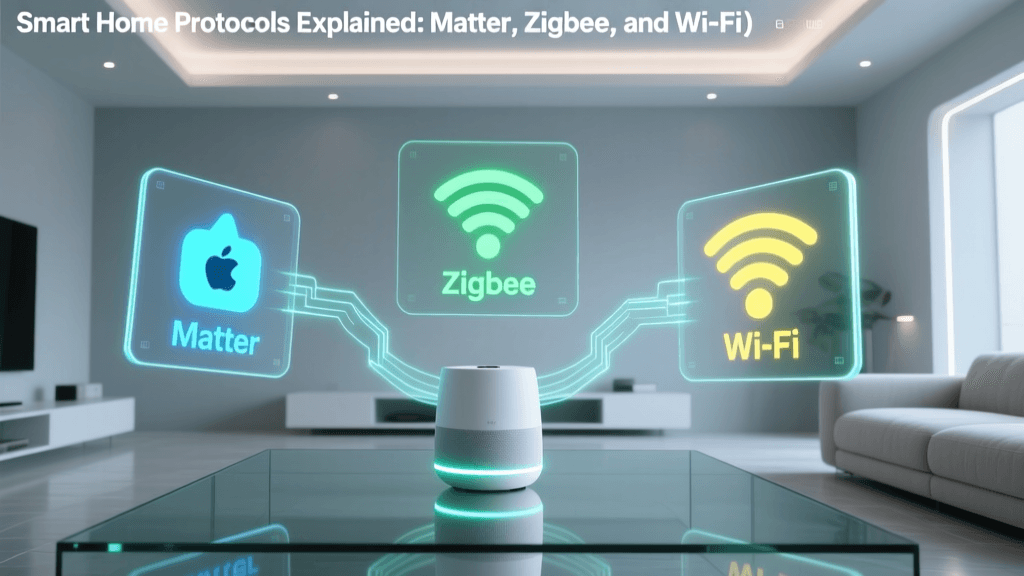
If you have researched smart homes recently, you have undoubtedly encountered the term Matter. Developed by the Connectivity Standards Alliance (CSA), Matter is not a new radio frequency or a new physical network. Instead, Matter is an application layer protocol. Think of Matter as the universal language, while Wi-Fi and Thread are the vocal cords used to speak it.
What is Thread?
Thread is a low-power, IP-based mesh networking protocol that operates on the 2.4 GHz band. Unlike Zigbee, Thread uses standard IPv6, meaning every smart device gets its own IP address on your network. This allows for incredibly fast, local communication without relying on cloud servers. Thread requires a Thread Border Router to bridge the Thread mesh network to your home Wi-Fi. Many modern devices, such as the Apple HomePod Mini, Nest Hub (2nd Gen), and Amazon Echo (4th Gen), have Thread Border Routers built directly into them.
How Matter Unifies the Ecosystem
Matter sits on top of Thread, Wi-Fi, and Ethernet. It guarantees that a smart plug made by TP-Link, a light bulb made by Philips, and a thermostat made by Ecobee can all communicate locally and instantly, regardless of whether you use Apple HomeKit, Amazon Alexa, or Google Home as your primary voice assistant. Matter eliminates the need for cloud-to-cloud integrations, drastically reducing latency and ensuring your automations still work if your internet connection goes down.
Bar chart comparing max range and estimated battery life of major smart home protocols
Comprehensive Protocol Comparison Table
| Protocol | Frequency | Hub Required? | Power Draw | Best Use Case | Avg. Device Cost |
|---|---|---|---|---|---|
| Wi-Fi | 2.4 / 5 GHz | No | High | Cameras, Plugs, Thermostats | $15 - $200 |
| Zigbee | 2.4 GHz | Yes | Very Low | Lighting, Sensors, Buttons | $20 - $60 |
| Z-Wave | 908.42 MHz (US) | Yes | Very Low | Locks, Security, Garage Doors | $30 - $150 |
| Thread | 2.4 GHz | Border Router | Very Low | Sensors, Lighting, Matter Devices | $30 - $80 |
Actionable Guide: Building a Multi-Protocol Smart Home
The most robust smart homes do not rely on a single protocol. Instead, they use a hybrid approach, leveraging the strengths of each technology while mitigating their weaknesses. Here is how to architect your system based on your budget and technical expertise.
Step 1: Choose a Universal Hub
To bridge Zigbee, Z-Wave, and Wi-Fi devices into a single dashboard, you need a powerful smart home hub. Beginner Option: The Samsung SmartThings Station (approx. $70) acts as a Matter controller and Zigbee hub, integrating seamlessly with most consumer devices. Advanced Option: The Home Assistant Green (approx. $99) or Hubitat Elevation C-8 (approx. $150) offer local processing, meaning your automations execute instantly without sending data to the cloud. This is crucial for privacy and speed.
Step 2: Map Your Devices by Protocol
- Lighting & Basic Sensors: Use Zigbee or Thread/Matter. Buy Philips Hue or IKEA Dirigera for lighting, and Aqara or Eve for motion sensors. The mesh network will blanket your home in coverage.
- Security & Access: Use Z-Wave. When your front door lock (e.g., Yale Assure Lock 2) or garage door tilt sensor needs to trigger an alarm, you cannot afford 2.4 GHz Wi-Fi interference. Z-Wave ensures the signal gets through.
- High-Data Appliances: Use Wi-Fi. Smart plugs for energy monitoring, robot vacuums, and security cameras require the bandwidth only Wi-Fi can provide.
Step 3: Optimize Your Network Infrastructure
A common mistake beginners make is connecting 40+ Wi-Fi smart plugs directly to their ISP-provided router, causing network crashes.
Pro Tip: Create a dedicated 2.4 GHz IoT network on your mesh Wi-Fi system (like Eero or TP-Link Deco). Isolate your IoT devices on a guest VLAN to prevent potential security vulnerabilities from exposing your personal computers and smartphones to the wider network.
Energy Efficiency and Security Considerations
Smart homes are not just about convenience; they are powerful tools for energy management. According to the U.S. Department of Energy, smart thermostats and automated lighting can significantly reduce household energy consumption by ensuring HVAC systems and lights are only active when needed. Protocols like Zigbee and Z-Wave contribute to this efficiency at the hardware level, allowing battery-operated sensors to run for years on a single CR2032 coin cell, reducing electronic waste.
Security is equally paramount. Z-Wave and Zigbee utilize AES-128 encryption, the same standard used by banks and governments, ensuring that a hacker cannot intercept the signal from your wireless remote and unlock your front door. Matter takes security a step further by requiring a unique, verifiable device certificate on every piece of hardware, making it virtually impossible to spoof a device on your network.
Conclusion: Future-Proofing Your Investment
The transition to the Matter standard is the most significant shift in smart home history. It promises an end to the 'walled garden' ecosystems where consumers were forced to pledge allegiance to a single tech giant. By understanding the underlying protocols—using Wi-Fi for bandwidth, Z-Wave for reliable security, and Thread/Matter for unified, low-latency control—you can build a smart home that is not only incredibly responsive but also resilient, secure, and ready for the future of IoT innovation. Start small with a multi-protocol hub, map out your home's physical layout, and choose the right tool for every automated job.